As our Selenium framework, written in C# programming language, grew, maintaining it became increasingly difficult over time. We were using BDD (Behaviour-Driven Development approach), but without proper practices like Three amigos, non-technical users and business involvement, so what happened? The plain text tests added no value, was just an extra layer.
New team members struggled to grasp the framework, leading to duplicated tests and inefficient browser automation interactions. Pull Requests were a bit tricky and navigating or debugging through the tests became hard as well. That is how our story of migrating from Selenium to Playwright started.
Why Migrate from Selenium to Playwright? Core Challenges
- Maintenance and Scalability: The test automation framework in Selenium grew a lot over time and became difficult to manage.
- BDD Misalignment: Without business involvement and proper implementation of a BDD as a methodology, was just an extra layer element without benefits.
- Onboarding: Tricky for new members to understand old test cases, as it was a little bit complex.
- Test Efficiency: Many Tests could be API-based, but were browser-based, making them slow and unstable. As we all now, UI tests are the most expensive ones.
Alright, we had a couple of brainstorm meetings to discuss what would be better for the team in terms of Automation 🤔
We wanted to increase the collaboration between QA and Development. That was another issue we were noticing; QA was completely separated instead of being part of the whole SDLC as it should.
We knew that most of the Development of web application code was written in C#, that was the reason why we decided to use the same language to build this first testing framework.
BUT… the customisations for the front-end were TypeScript based… completely different technology…
And Playwright testing tool was gaining a LOT of popularity when we started, with more and more companies migrating from Selenium to Playwright… why not to give it a chance in Selenium replacement?
It’s ok, we took it as a challenge to learn something new, but we needed to plan 😃
Preparing Your Web App for Selenium to Playwright Migration
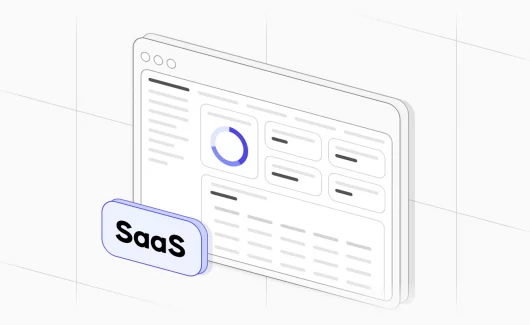
The application under test was a SaaS (Software as a service) for Customer Support, helping the business to store data and managing support tickets. It means, that we have not had 100% control of the front-end customisations, a lot of changes were implemented by the owner, hence, it was tricky maintaining front-end tests due to the HTML being updated constantly.
Also, we did not want to have a lot of tests failure for changes we have not implemented, but of course, as some of them were critical, we wanted to have some test coverage.
Selenium to Playwright Migration Guide: Our Step-by-Step Approach
We went through the following steps:
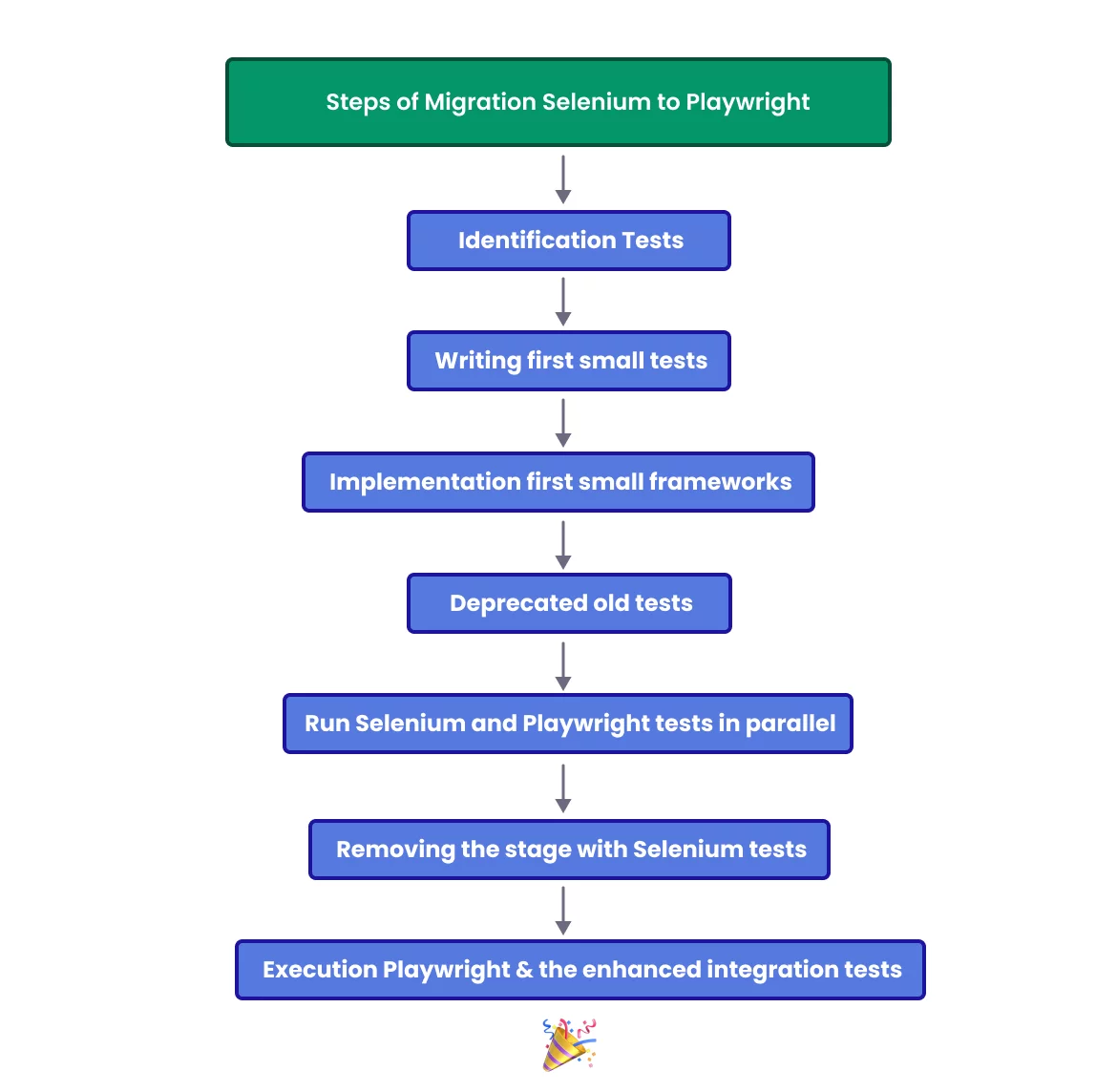
As mentioned before, we aimed to enhance Team collaboration. We knew developers were writing their test scripts as part of each of the solutions (projects). So we started to evaluate which were the tests that were basically running twice (Dev / QA framework) or were very similar.
Once identified, we began to deprecate some of the tests in our test framework and started to collaborate with devs to increase the coverage of their workflow. This was the first step, and I think it was the easiest one, since tests were similar and written in the same language (C#).
Now… we need to start learning something completely new and different… TypeScript!
Many teams ask about Playwright vs Selenium: which is easy to learn? In our case, the bigger step was the new language, TypeScript, more than the tool itself.
We all started to do tutorials, testing, practicing online, going through Devs code, asking questions here and there and sharing quite often what we were learning. We also created our own Playwright framework.
It was a good learning experience. I am not going to go into too many details, but we finally got there!
After some time, we leveraged the team’s familiarity with TypeScript and Playwright. Writing small tests as practice, helped us to identify essential front-end tests for end to end testing, preventing a direct one-to-one migration. Our tests were written in C#, so a Selenium IDE export to Playwright did not fit our case, and we wrote the critical tests again in the new framework. We also decided to take the same approach, and implement very small frameworks for each of the solutions, to also avoid it growing in time, having an extensive number of tests that do not belong to the solution we needed to release and test.
Once we identified the critical tests, we started to add @tags to the old Selenium tests to avoid running them (the ones that have been already migrated), and both projects tests were executed in parallel during the release process, to not forget to test any of the user journeys.
Once the migration from Selenium to Playwright was done, we removed the stage to run Selenium tests from the pipeline and started to run tests both Playwright and the enhanced integration tests.
How to Convert Selenium to Playwright: Key Implementation Steps
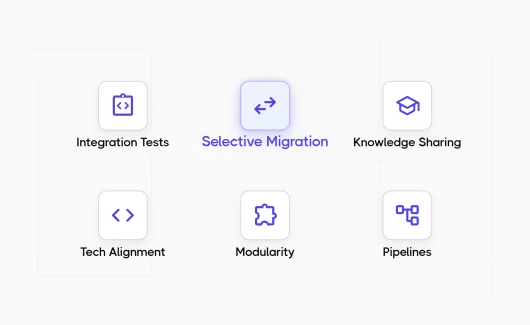
- Integration Tests: To ensure foundational coverage, we collaborated introducing / improving integration tests with the developers for each solution.
- Selective Migration: Instead of trying to convert Selenium to Playwright test by test, we focused on migrating essential / critical tests to Playwright by priority to avoid a full transition.
- Knowledge Sharing: Organised sessions and trainings to upskill the team.
- Tech Alignment: Used the same technology for both test frameworks, Back and Front-end, to foster better collaboration.
- Modularity: We created a shared module that can be used across the different test-solutions with common components and functions. We also split 1 test framework into different and smaller ones according to the solution under test.
- Pipelines: Both projects were run in parallel at the beginning until the critical tests were migrated to the new Playwright framework. After that, the stage for Selenium tests was removed from the multi-stage pipeline.
Selenium to Playwright Migration Timeline, Costs, and Resource Estimates
The project took around 4 months. First 1-2 months were focused on brainstorming and learning. Once everyone felt more confident with the new tools, we spent time doing our sharing sessions and practising. As some of you may know, Playwright and Selenium are open-source automation solutions, so no costs involved on that, except for time and salaries. The tests are now being executed using Playwright Testing Services, which incur in some Azure Cloud costs.
Results Achieved: Playwright Speed Compared to Selenium, Stability & Collaboration
- Efficiency: Reduced test execution time and increased delivery speed.
- Stability: Improved reliability with Playwright’s robust feature and atomic tests.
- Collaboration: Enhanced team collaboration with unified technology stack.
- Knowledge Growth: Empowered the team with new skills in TypeScript and Playwright.
Conclusion: Is Migrating from Selenium to Playwright Worth It?
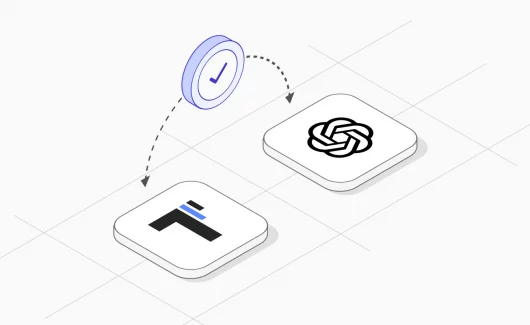
Migrating from Selenium to Playwright streamlined our testing process, fostered collaboration and equipped our team with modern testing skills. If you are deciding when to use Selenium vs Playwright, look at the language your developers use and how much of your coverage can move to API and integration tests. This transition underscores the importance of adaptability and continuous learning in software development.
Ready to streamline your test automation? Stop wasting time managing broken test reports or chaotic frameworks. Synchronize your automated tests, track real-time analytics, and keep manual and automated tests in a single workspace. 👉 Start for Free on Testomat.io