





Organize project
Trusted by over 500 forward-thinking companies
















Benefits of organize project


Testomat.io organize project features
Automatically migrate your existing project from other test management systems like TestRail, Qase, Zephyr, or a simple CSV/XLS document and continue developing new tests without disruption.

Test together as a whole team and refine test cases effortlessly. Non-technical members can edit test cases and run automated tests right from the test management tool interface.

Testomat.io goes beyond the traditional way of managing and documenting test cases. With the markdown editor, you are free to build test cases the way you need. All fields and steps are customizable: condition, preconditions, detailed information, and expected results.

Simplify team coordination and stakeholder communication as a project owner. Configure members and give access to features as needed. Assign tests and track team progress in an all-in-one Agile test management dashboard.

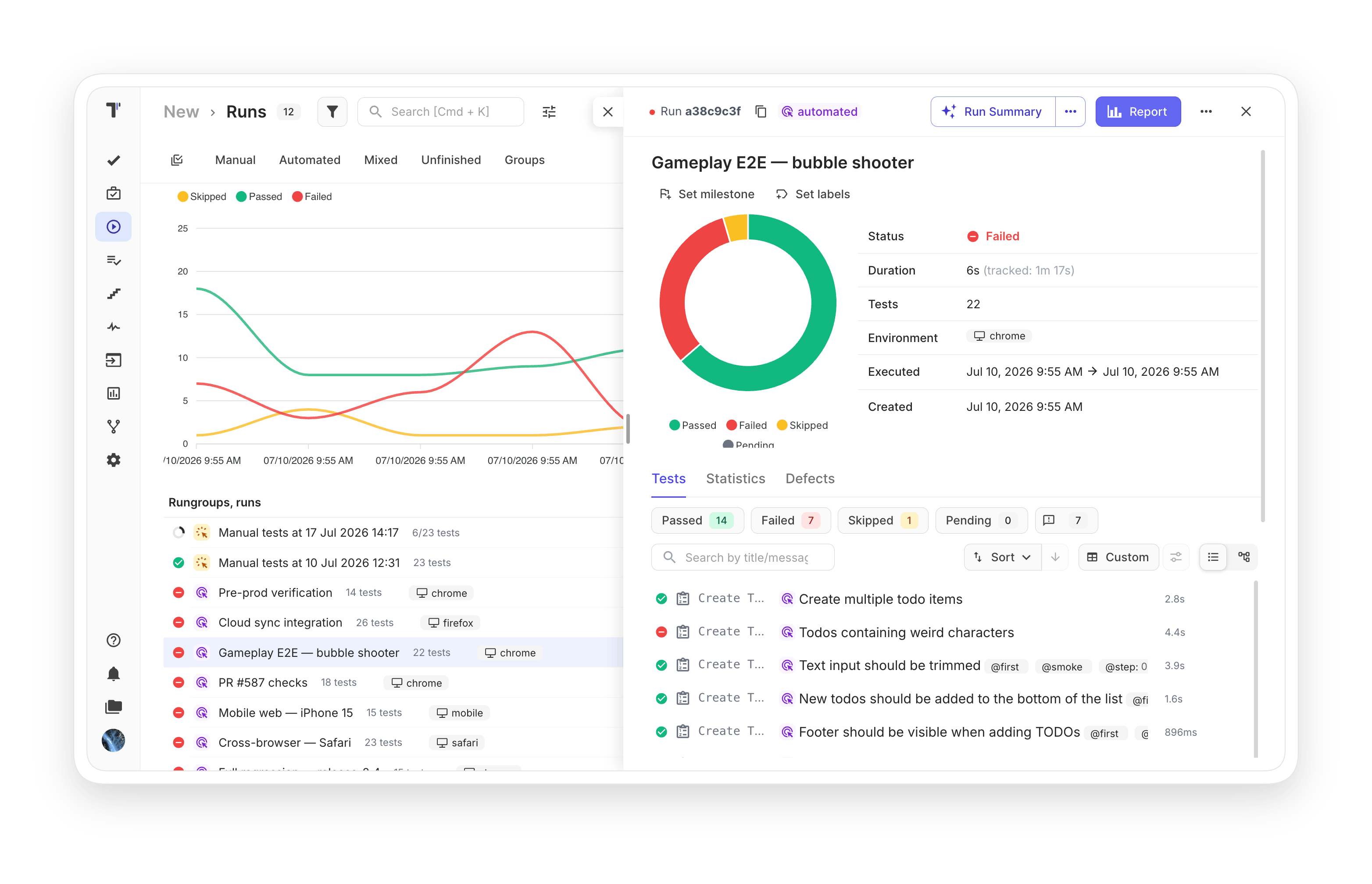
Combine test cases into a test module based on functionality or testing type. Run them and review results inside the test report grouped by Test Suite.

Test management provides simplified, few-click importing of automated tests from popular testing frameworks.Keep automated tests up to date after each import.

Each team member can create a separate branch, make changes, and merge to master once ready. Work simultaneously on the project using branch flexibility.

Sort tests by execution result, including passed and failed states. Filter tests or test suites by name, @tag and custom field with the advanced search.

Build a nested project tree. Right organization of test artifacts into folders or files helps you optimize the structure of your tests and speed up their processing.

Track any test changes through revisions and history in Run Archive or Group Archive. Diff tools provide easy visual comparison side by side so you can focus on review and changes.

Speed up test execution by assigning different team members to different tests. Assigned persons receive email notifications and execute the tests assigned to them.

Prioritize test cases with test management and Jira apps to reduce testing costs and speed up product delivery on your test project.

If you need to change the same information in a large number of tests, use bulk editing mode instead of editing each item manually. Bulk editing offers a quick way to create or edit multiple test cases at once using markdown format in the dialogue box.

Import classic test cases from any TMS directly into BDD format. Convert them in 1 click. Manual rewriting of Gherkin syntax is no longer needed; our test management system handles it for you.

Global search is a powerful engine that lets you find test cases or test suites in any project in a second by typing the name of the test case.

Keep track of any changes made to a test case and, if necessary, undo them and roll back to another version.

Select all or several tests, runs, plans, or steps and perform actions on them in bulk, from assigning labels to deleting data.

Define steps once and reuse them across multiple test cases with the asterisk (*) annotation. Snippets work as autocompletion when creating tests and also help manage shared test data.

Use Testomat Query Language for advanced filtering and search across all test attributes, including tags, states, labels, and custom fields.

Run a complete audit of your project. Coverage is mapped, gaps are detected, and stale or never-executed tests are identified. Ideal right after a migration to assess the imported suite.
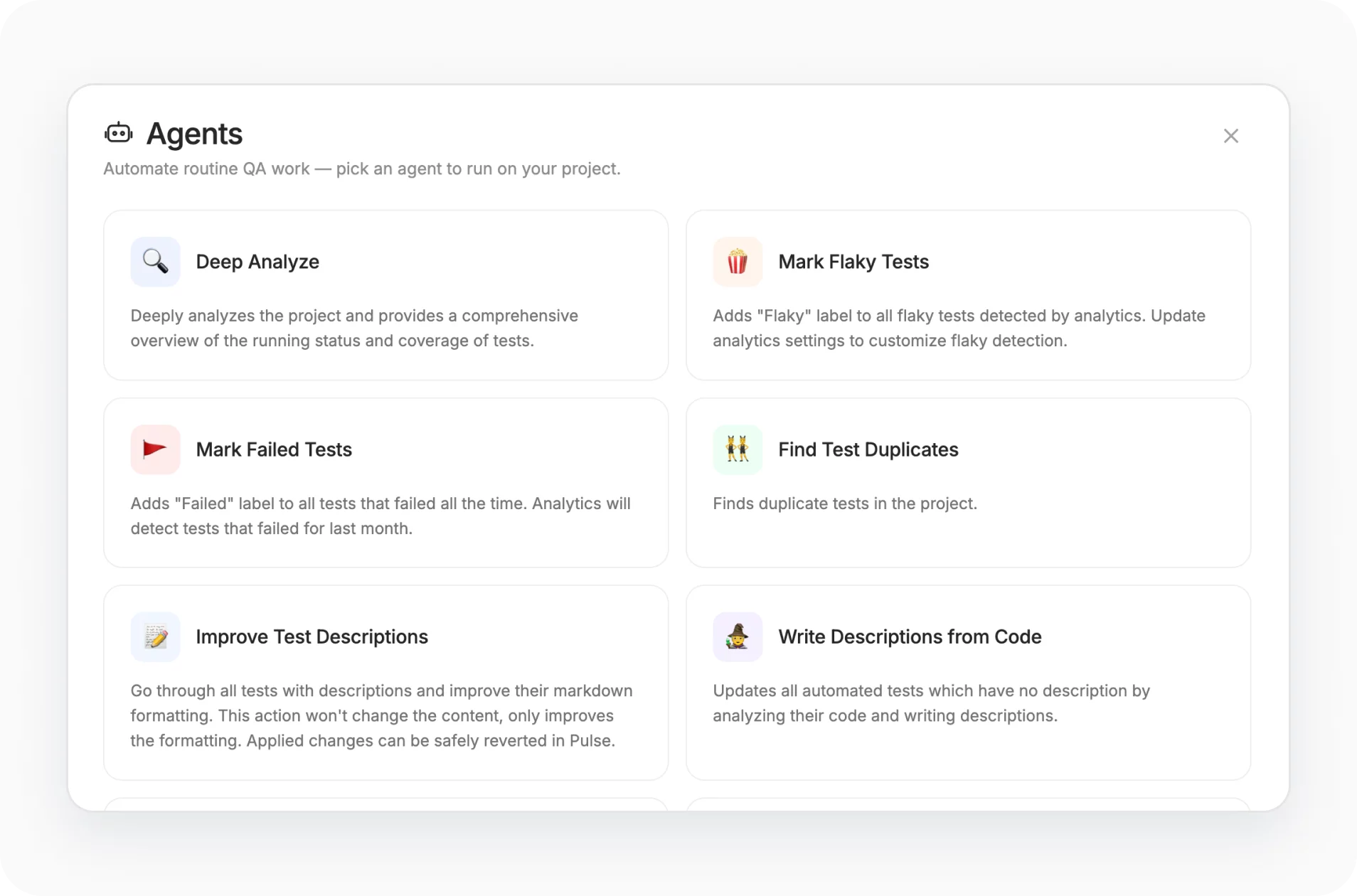
Detect duplicate test descriptions across merged imports or grown suites and clean them up in a few clicks to prevent test bloat.

AI analyzes your test suite hierarchy and proposes a better folder structure as a visual diagram. It asks about your priorities first, so the suggested layout matches how your team actually works.

Create milestones to set testing scope per release phase, assign tests and runs, execute within milestone context, and generate milestone-based reports.

Checkboxes sit directly in the tree, so you select several tests without first enabling a mode. You act on a selection immediately, without a step you had to remember was there.

How organize project can help?


Recent reviews






Frequently asked questions
What is testing project management, and why do agile teams need a dedicated tool?


How does project management software testing improve cross-functional collaboration?
Can we migrate legacy test cases into our project management testing workflow?
How do branching and versioning support software testing and project management?
What role does a testing & engineering software project management approach play in CI/CD?
