Test case management

Smart test case creation and execution in AI-based test management tool. Organize projects, design reusable tests, run them on any environment, and keep your team moving fast.
Test case  management
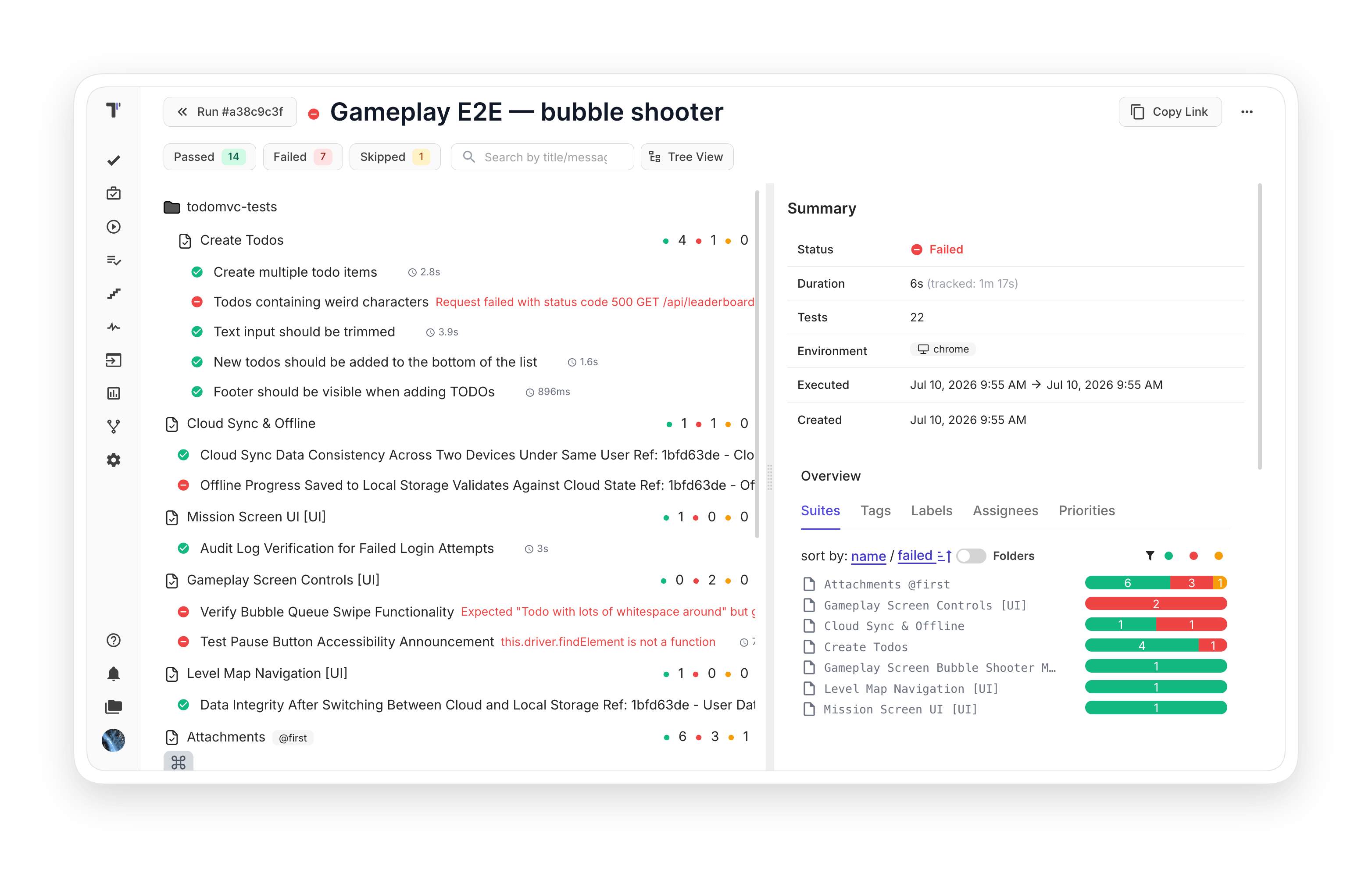
Benefits of test case management

https://testomat.io/wp-content/uploads/2026/06/clean-structure.svg
Clean structure
Structure that scales with you.
https://testomat.io/wp-content/uploads/2026/06/reusable-test-design-1.svg
Reusable test design
Templates and shared steps.
https://testomat.io/wp-content/uploads/2026/06/faster-qa-work.svg
Faster QA work
Bulk edit and shortcuts.
https://testomat.io/wp-content/uploads/2025/09/icon-unlimited-test-runs.svg
Flexible execution
Run manual or automated.
https://testomat.io/wp-content/uploads/2026/06/git-like-branches.svg
Git-like branches
Work in parallel safely.

Testomat.io test case management features

Organize project

Migrate from any TMS in a few clicks and invite your team to join. Structure tests into suites and folders that match how you work, with roles that keep stakeholders informed without write access.

  • Import from other TMS
  • Invite team members
  • Manage users and roles
  • Branching and versioning
Learn more
Organize project
Test design

Write tests in classical or BDD format and parameterize them with data tables. Reuse steps from a shared database for autocompletion, so you stop rewriting the same boilerplate.

  • Gherkin editor
  • Built-in templates
  • Test parameterization
  • Steps database
Learn more
Test design
Test execution

Build a test plan once and launch it across multiple environments in parallel. Combine manual checks with automation in a single run, and share public real-time reports with stakeholders.

  • Test plan
  • Multi-environment execution
  • Public read-only test reports
  • CI\CD execution
Learn more
Test  execution
QA efficiency

Bulk edit hundreds of tests in a YAML editor and paste screenshots straight from your clipboard. Intelligent step autocompletion cuts routine work, while TQL search finds anything in seconds.

  • Intelligent steps autocompletion
  • Real-time reporting
  • Bulk edit
  • Attachments from clipboard
Learn more
 QA efficiency

How test case management can help?

Your whole team works from the same test cases, from a small QA team to a full enterprise department.
Startups & small teams
Free forever plan
No card required to start.
Markdown editor
Write tests the easy way.
Built-in templates
Ship faster from the start.
Mid-sized products
Bulk edit with YAML
Update hundreds in seconds.
Shared steps database
Reuse what works.
Branches for features
Test in parallel safely.
Enterprise projects
Handles enterprise-scale suites
Built for projects of any size.
SSO and audit log
Ready for compliance.
Custom roles
Detailed permissions for users.
What clients says

Recent reviews

“Excellent customer support”
Customer support is always prompt and high-quality. It's also great to see that user feedback is considered when developing new features. The team makes an effort to provide overviews of new features and keeps users informed about the latest updates.
4/5
Aliona Kovalchuk
Aliona Kovalchuk
General QA
“The Best TMS for Our QA Team!”
Our 15-person QA team has used Testomat.io daily for over two years. After comparing tools like TestRail, it stood out in both features and pricing. It’s affordable yet powerful. Jenkins integration works seamlessly, even manual testers can run tests easily. The clean UI speeds onboarding, improves collaboration, and saves time. We’ve recommended it widely, and others love it too.
5/5
Vladyslav M.
Vladyslav M.
General QA
“Testomat.io makes daily testing so much easier”
I’ve used Testomat.io daily for over two years, and it’s the best TMS I’ve worked with. Compared to tools like TestRail, it offers more features at a better price. Jenkins integration is seamless, even for manual testers. The UI is clean and easy to learn. It speeds up workflows, improves transparency, and makes team collaboration much smoother.
5/5
Dmytro H.
Dmytro H.
General QA
“Very convenient platform for managing test cases”
The platform is convenient and intuitive to use. I’ve been using it long enough to say it’s very user-friendly. It’s clear that the team is constantly working on and improving the platform.
5/5
Aleksey K.
Aleksey K.
General QA
“Great tool for creating and managing manual test cases efficiently”
As a Manual QA, I use Testomat.io to create and manage test cases with ease. The interface is intuitive, making onboarding simple. Test plans, runs, and results are well-structured in one place. Tagging helps organize cases efficiently. AI features speed up test creation. It keeps workflows transparent, improves collaboration, and reduces routine work.
5/5
Oksana G.
Oksana G.
General QA
“Testomat.io has been a great tool for managing both automated and manual tests in one place”
I really like how easy it is to integrate with frameworks and CI/CD tools, and the real-time reports with screenshots and analytics save a lot of time. Overall, it makes collaboration in the team much smoother and keeps testing well-organized.
5/5
Aleksey K.
Aleksey K.
Quality Assurance Engineer

Frequently asked questions

How do I migrate test cases from another tool?
Testomat

Testomat.io has native importers for TestRail, Zephyr, QTest, Qase, Allure TestOps, XRay, QMetry, Testmo, and TestCaseLabs. CSV and XLSX cover anything else. For TestRail, the built-in UI importer handles projects up to 1000 tests, and an API migration script handles larger projects with attachments.

What is the difference between Classical and BDD test cases? Testomat

Classical test cases use a step-by-step markdown editor for manual QA work. BDD test cases use Gherkin syntax (Given/When/Then) and fit teams writing feature files for Cucumber. You pick the format per project, and the BDD editor includes syntax validation plus autocompletion from the shared steps database.

Can non-technical stakeholders see results without a paid account? Testomat

Yes. Public read-only reports generate a shareable link with optional passcode protection and configurable expiration (7 days by default). The Read-Only user role is also free and does not count against your seat limit.

Is there a free plan? Testomat

Yes. Up to 2 users and 2 projects with no time limit and no credit card required. New accounts also get a 30-day Enterprise-level trial, with the option to extend by 14 days.
Supercharge your test case managment with Testomat.io

Supercharge your test case managment with Testomat.io