
AI failure clusterization

Many failures in a failed run share the same cause, and a test-by-test review takes a long time. AI failure clusterization groups similar failures of a finished run as clusters with a summary, the affected tests, the errors, and a category. You start with the cluster that blocks the most tests.
AI failure clusterization

Trusted by over 500 forward-thinking companies

logo
logo
logo
logo
logo
logo
logo
logo
logo
logo
logo
logo
logo
logo
logo
logo
logo
logo

How AI failure clusterization works

AI test failure analysis groups similar failures in a run, so you fix the shared cause first.
Enable
1. Enable
Turn on AI features in Company Settings.
Open Company Settings.
Go to Administration.
Enable AI features.
Keep Groq or pick your provider.
Open
2. Open
Open a finished automated run on the Runs page.
Go to the Runs page.
Pick a finished automated run.
Check the list of failed tests.
Find the menu next to Run Summary.
Clusterize
3. Clusterize
Clusterize errors groups similar failures.
Click Clusterize Errors.
Read the summary of each cluster.
Check the affected tests and errors.
Note the category of the cluster.
Fix
4. Fix
Start with the cluster that blocks the most tests.
Open a test from the cluster.
Fix the shared cause.
Ask a follow-up question if needed.
Rerun the failed tests.

AI failure clusterization in action

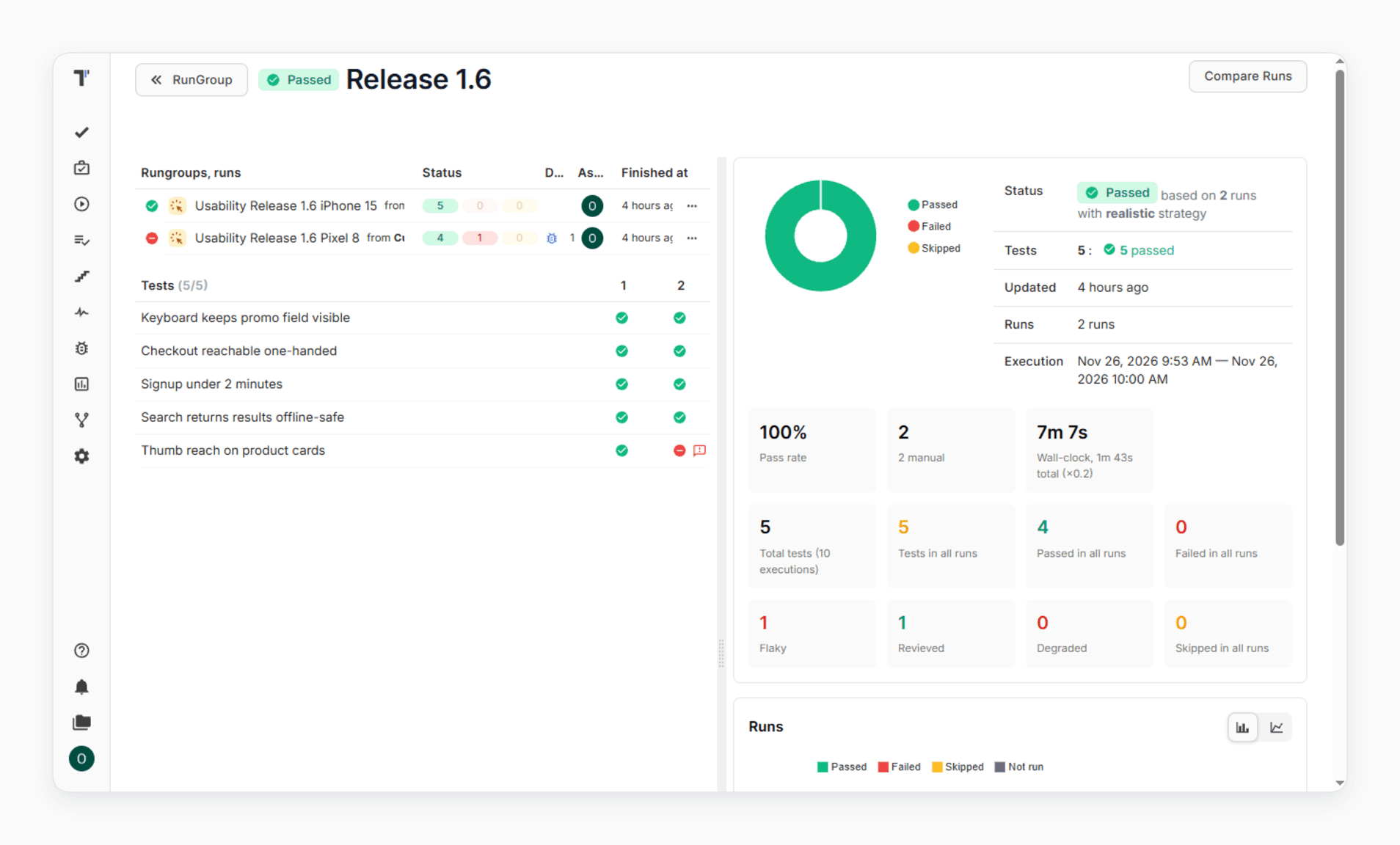
AI groups the failures of a finished run by cause and gives each cluster a summary and a category, so you fix the shared cause instead of reviewing every failed test.
AI failure clusterization in action AI failure clusterization in action

Benefits of AI failure clusterization

https://testomat.io/wp-content/uploads/2026/11/clusterization-benefit-error-clusters.svg
Error clusters
Similar failures land in a single group.
https://testomat.io/wp-content/uploads/2026/11/clusterization-benefit-shared-cause-first.svg
Shared cause first
Each cluster names the likely reason.
https://testomat.io/wp-content/uploads/2026/11/clusterization-benefit-affected-tests-listed.svg
Affected tests listed
You see which tests share the error.
https://testomat.io/wp-content/uploads/2026/11/clusterization-benefit-error-categories.svg
Error categories
Each cluster gets a category, such as timeout.
https://testomat.io/wp-content/uploads/2026/11/clusterization-benefit-follow-up-questions.svg
Follow-up questions
You ask AI for more detail in the same window.

Testomat.io AI failure clusterization features

Clusterize errors

Generate test case components like descriptions, expected results, and steps from existing tests, user stories, or requirements. Faster than writing from scratch.

Learn more
Clusterize errors
Cluster summary and category

Ask questions about your test project in natural language. The AI assistant answers using your real test cases, runs, and coverage data.

Learn more
Cluster summary and category
Affected tests and error messages

Chat with AI to find unused or unlinked tests, remove duplicate or unneeded sets, and simplify complex cases that have grown unwieldy.

Learn more
Affected tests and error messages
AI assistant follow-up questions

AI groups automated test failures by pattern, so you fix one root cause instead of triaging fifty separate errors.

Learn more
AI assistant follow-up questions
Explain failure for a single test

Mix and match the AI model behind every feature. Pick a provider that fits your team’s preferences, security policy, and project context.

Learn more
 Explain   failure for a single test
Custom AI provider

Tailor the language of AI-generated answers to match your project. Useful for non-English teams and projects with mixed-language documentation.

Learn more
 Custom AI  provider

How AI failure clusterization can help?

The same cluster view serves a single nightly pipeline and hundreds of daily runs.
Startups & small teams
Short triage of a failed run
Read clusters instead of every test.
Shared causes first
Fix the locator that failed many tests.
Fewer duplicate tickets
Report a cluster as a single defect.
Setup in company settings
Enable AI and click the button.
Mid-sized products
Scheduled run review
Check the clusters after each regression run.
Error categories
Send timeouts and code errors to two teams.
Recurring issues
See the same cluster in many runs.
Clear hand-off
Send each cluster to the right team.
Enterprise projects
Your AI provider
Keep run data with your vendor.
Saved reports
Keep AI analysis in Insights.
Flaky and Failed labels
Let agents mark unstable tests.
Usage control
Track AI prompts per company.
What clients say

Recent reviews

“Excellent customer support”
Customer support is always prompt and high-quality. It's also great to see that user feedback is considered when developing new features. The team makes an effort to provide overviews of new features and keeps users informed about the latest updates.
4/5
Aliona Kovalchuk
Aliona Kovalchuk
General QA
“The Best TMS for Our QA Team!”
Our 15-person QA team has used Testomat.io daily for over two years. After comparing tools like TestRail, it stood out in both features and pricing. It’s affordable yet powerful. Jenkins integration works seamlessly, even manual testers can run tests easily. The clean UI speeds onboarding, improves collaboration, and saves time. We’ve recommended it widely, and others love it too.
5/5
Vladyslav M.
Vladyslav M.
General QA
“Testomat.io makes daily testing so much easier”
I’ve used Testomat.io daily for over two years, and it’s the best TMS I’ve worked with. Compared to tools like TestRail, it offers more features at a better price. Jenkins integration is seamless, even for manual testers. The UI is clean and easy to learn. It speeds up workflows, improves transparency, and makes team collaboration much smoother.
5/5
Dmytro H.
Dmytro H.
General QA
“Very convenient platform for managing test cases”
The platform is convenient and intuitive to use. I’ve been using it long enough to say it’s very user-friendly. It’s clear that the team is constantly working on and improving the platform.
5/5
Alina L.
Alina L.
Middle QA Engineer
“Great tool for creating and managing manual test cases efficiently”
As a Manual QA, I use Testomat.io to create and manage test cases with ease. The interface is intuitive, making onboarding simple. Test plans, runs, and results are well-structured in one place. Tagging helps organize cases efficiently. AI features speed up test creation. It keeps workflows transparent, improves collaboration, and reduces routine work.
5/5
Oksana G.
Oksana G.
General QA
“Testomat.io has been a great tool for managing both automated and manual tests in one place”
I really like how easy it is to integrate with frameworks and CI/CD tools, and the real-time reports with screenshots and analytics save a lot of time. Overall, it makes collaboration in the team much smoother and keeps testing well-organized.
5/5
Aleksey K.
Aleksey K.
Quality Assurance Engineer

Frequently asked questions

What is test failure analysis? Testomat

Test failure analysis is the review of failed automated tests to find the reason for each failure. Teams read logs and stack traces and then group failures by cause. AI Failure Clusterization does the grouping step for a finished run in Testomat.io.

What are error clusters in AI test failure analysis? Testomat

An error cluster is a group of failed tests that share the same error pattern. Each cluster in Testomat.io shows a summary of the likely reason, the affected tests, the error messages, and a category such as test code errors or timeout errors.

What is smart failure triage in test automation? Testomat

Smart failure triage sorts failures by cause before a person opens them. Testomat.io groups the failures of a finished run as clusters, and Explain Failure gives the reason and possible fixes for a single test, so the team starts with the cluster that blocks the most tests.

How does AI detect and handle flaky tests? Testomat

Analytics in Testomat.io calculates the success rate of each test and marks tests inside the custom range you set as flaky. The Mark Flaky Tests agent adds the Flaky label to them. Clusters of timeout errors in a run point to the same unstable tests.

How to do root cause analysis in software testing? Testomat

You start with the failures that share a cause and read their error messages and stack traces. The test code and the screenshot of the failure confirm the reason. Testomat.io covers these steps with Clusterize Errors for the run and Explain Failure for a single test.
Cluster failures with AI in Testomat.io

Cluster failures with AI in Testomat.io