
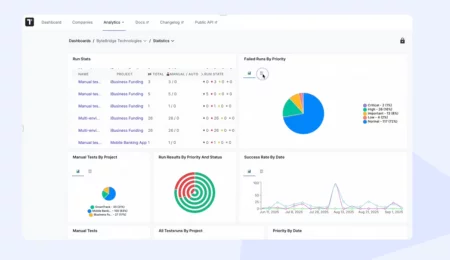
AI test orchestration

AI built into every stage of testing so your team plans, runs, and reports on releases with less manual work and clearer signals.

Trusted by over 500 forward-thinking companies

logo
logo
logo
logo
logo
logo
logo
logo
logo
logo
logo
logo
logo
logo
logo
logo
logo
logo

How AI Test Orchestration Can Help?

Bring planning, execution, and reporting into one AI-assisted workflow so every team ships faster without dropping quality signals.
Startups & small teams
Skip the setup
AI handles repetitive QA tasks
Generate from tickets
Jira to test cases fast
One shared run
Manual plus automated together
AI run summary
Stakeholders read, not chase
Mid-sized products
Spot flaky tests
Run history scanned automatically
Clean test debt
Find duplicates across suites
Faster releases
Run only the affected tests
Triage failures
Errors clustered by pattern
Enterprises projects
Stage-by-stage AI
Plan, run, report with AI
Deep coverage audit
Project-wide gap analysis
Custom AI provider
Bring your own model
Compliant orchestration
SSO, SCIM, audit log

Testomat.io AI-driven features

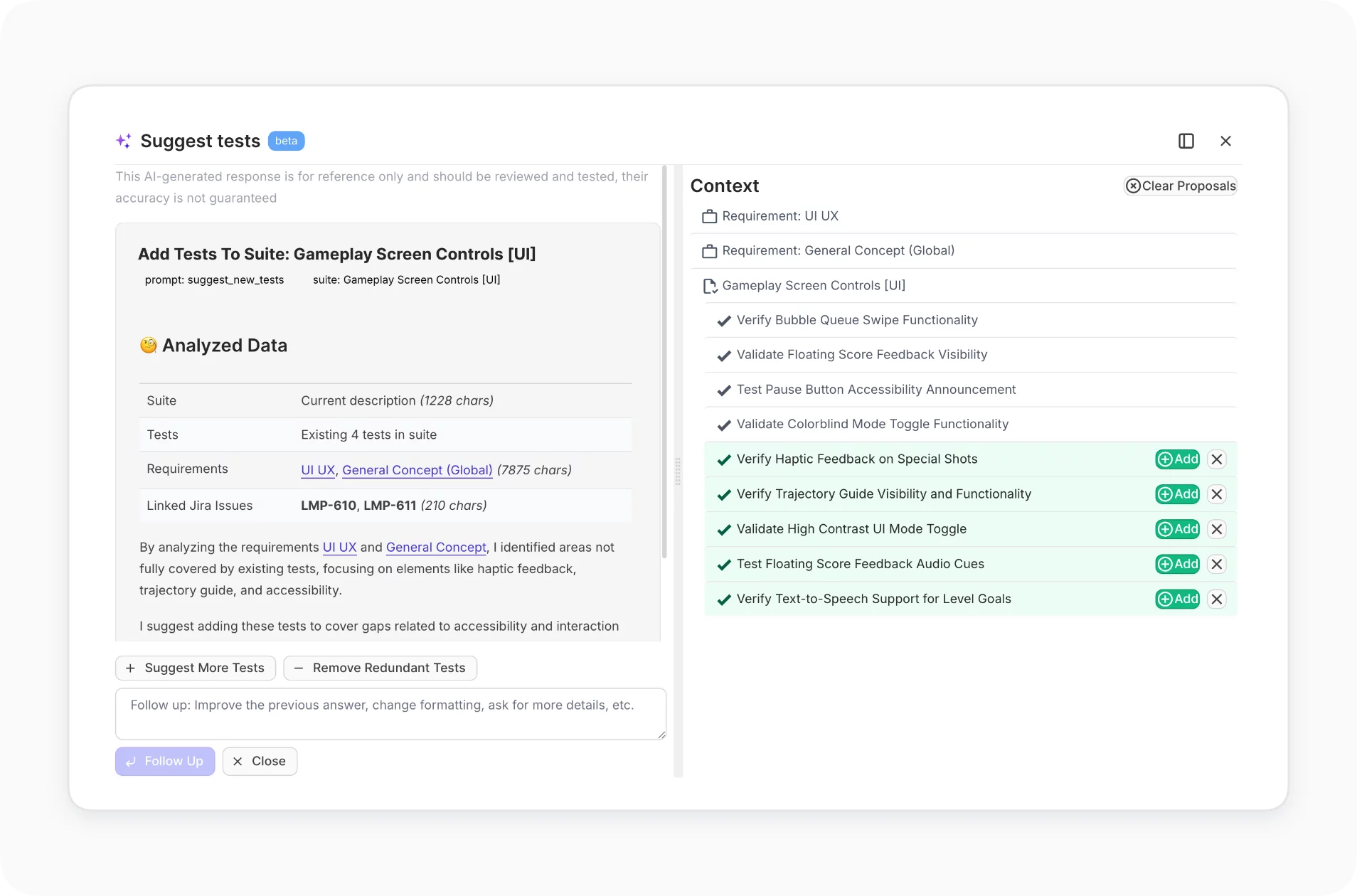
AI Test Generation

Turn Jira stories, GitHub issues, plain text, or existing tests into ready-to-run test cases. AI suggests steps, expected results, and edge cases.
Learn more
AI Test Generation
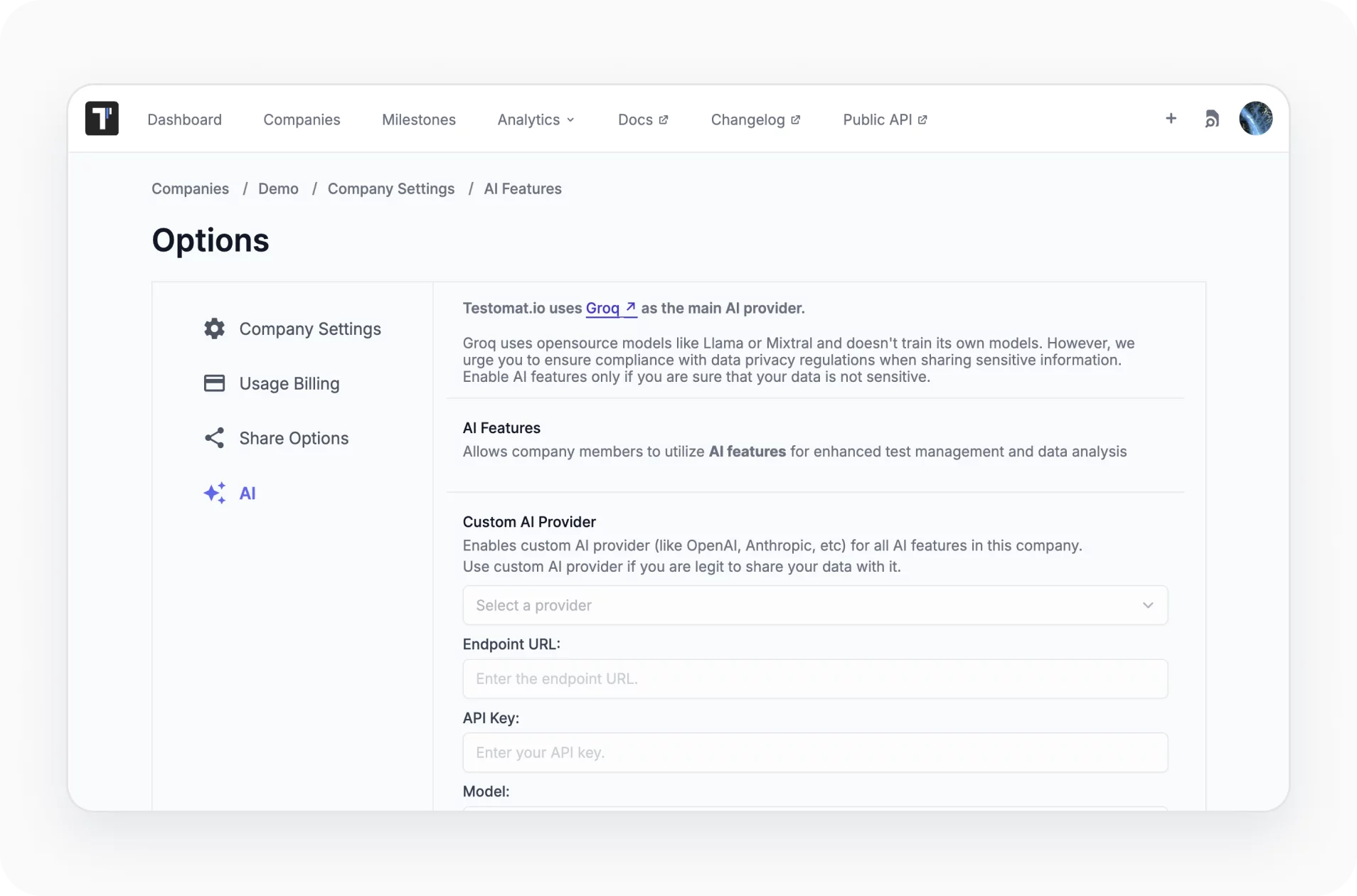
Custom AI provider

Mix and match AI providers. Choose a model for all AI-driven test management features that best aligns with team and project needs.
Learn more
Custom AI provider
AI response language customization

Customize project language allowing teams to tailor AI-generated responses to their preferred language.

Learn more
AI response language customization
AI detection of duplicated or unused tests

Chat within the AI field to find unused or unlinked tests, remove duplicate or unneeded sets or make complex ones simpler.

Learn more
AI detection of duplicated or unused tests
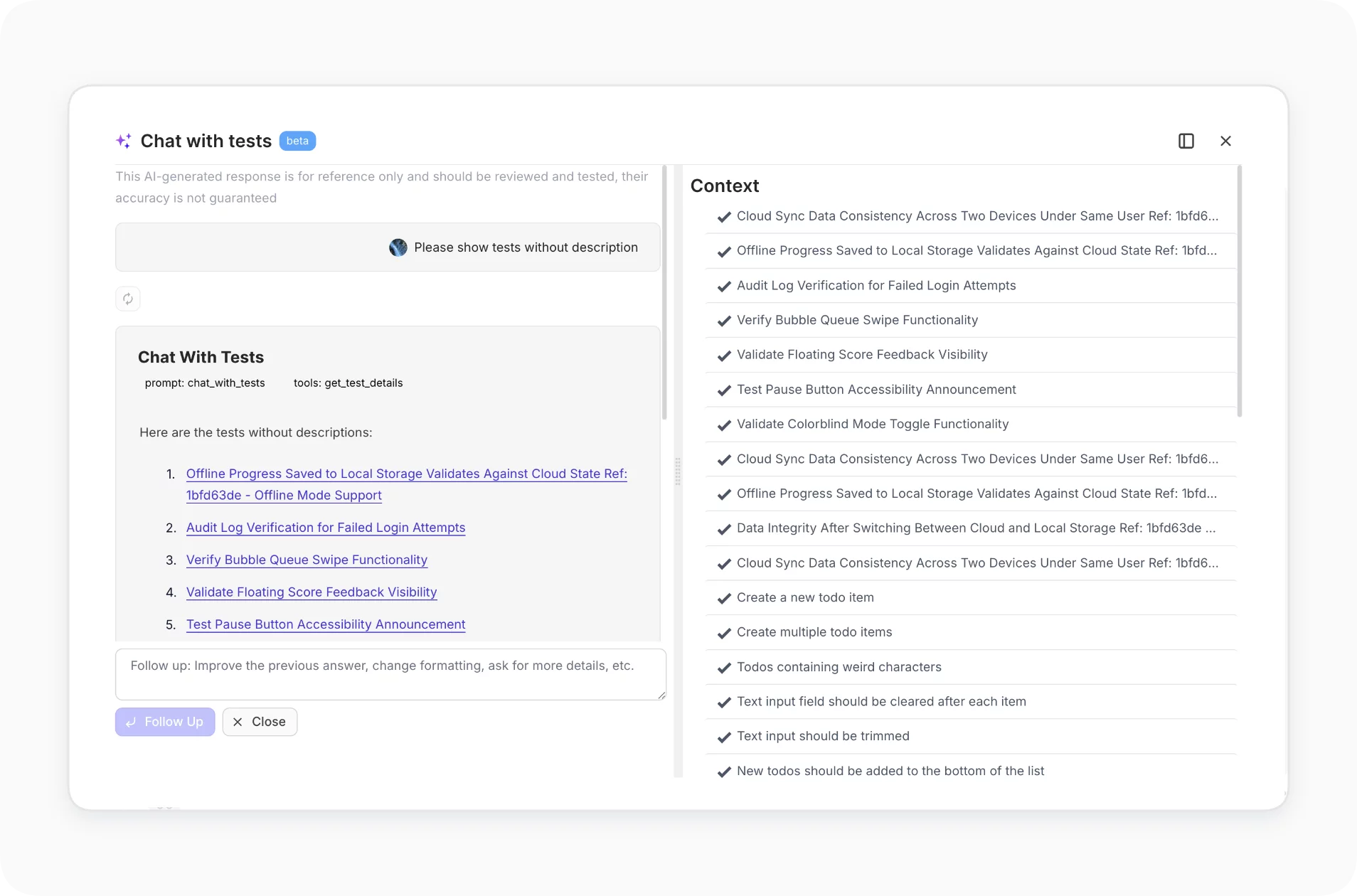
AI-powered chat with tests

Ask questions about existing tests in your project. AI analyzes your test repository and responds with insights or summaries based on actual content.
Learn more
AI-powered chat with tests
Summarize suite description based on test cases

Automatically generate a suite description by analyzing the test cases within it. Saves time on manual documentation and reflects test content accurately.

Learn more
Summarize suite description based on test cases
Test case and code quality review

AI analyzes manual descriptions and automated code against five quality dimensions. Returns a Test Case Score plus actionable improvement recommendations.

Learn more
Test case and code quality review
Generate bug description from test case

When creating a defect during execution, AI suggests a concise bug title and description based on the test case content and execution results

Learn more
Generate bug description from test case

Why teams choose Testomat.io

https://testomat.io/wp-content/uploads/2026/06/less-manual-work.svg
Less Manual Work
AI handles repetitive QA tasks
https://testomat.io/wp-content/uploads/2026/06/bdd-made-easy.svg
BDD Made Easy
Generate scenarios from existing BDD steps.
https://testomat.io/wp-content/uploads/2026/06/custom-ai-model.svg
Custom AI Model
You can use AI provider offered by Testomat or connect provider of your choice.
https://testomat.io/wp-content/uploads/2026/06/seamless-team-collaboration.svg
Seamless team collaboration
Centralized view through transparent reports make testing visible to the entire team.
https://testomat.io/wp-content/uploads/2026/06/test-case-code-quality-review.svg
Test Case & Code Quality Review
Ask questions about tests in your project.

All Jira test management features

AI-assisted test management
AI-driven test creation and maintenance
AI-driven test generation from requirements
AI-generation descriptions based on code
Trace view and exceptions view
Playwright trace viewer and troubleshooting
Versioning & collaboration
Test Archive history versioning, reverting changes
Ability to work in branches like Git in TMS
Defects mapping
Analytics & quality Insights
Advanced analytics
Flaky test detection
Detection of slow tests and never executed tests
Automation coverage metrics
Execution & orchestration
Configurable test execution
Extending shared run timeout
Test execution duration tracking
Parallel execution reporting
Run automated tests as manual
Mixed Run automation tests with manual together
Re-run failed tests only from TMS
Test authoring & structure
Importing tests
High-level tests grouping and organization
Parameterized test data support
Steps import and its reuse for BDD projects
Linking automated tests with user stories
Test Archive history versioning, reverting changes
Read-only reports for developers and other stakeholders
Reporting, artifacts 
& troubleshooting
Custom reporting
Built-in team alerts
Unlimited S3 artifacts
Viewing Attachments directly in TMS
Trace view and exceptions view
Trace Viewer for troubleshooting
Start with Testomat.io today

Start with Testomat.io today

Connect your project, point AI at a requirement or existing suite, and get test cases ready to review in minutes.
Start with Testomat.io today
What clients says

Recent reviews

“Excellent customer support”
Customer support is always prompt and high-quality. It's also great to see that user feedback is considered when developing new features. The team makes an effort to provide overviews of new features and keeps users informed about the latest updates.
4/5
Aliona Kovalchuk
Aliona Kovalchuk
General QA
“The Best TMS for Our QA Team!”
Our 15-person QA team has used Testomat.io daily for over two years. After comparing tools like TestRail, it stood out in both features and pricing. It’s affordable yet powerful. Jenkins integration works seamlessly, even manual testers can run tests easily. The clean UI speeds onboarding, improves collaboration, and saves time. We’ve recommended it widely, and others love it too.
5/5
Vladyslav M.
Vladyslav M.
General QA
“Testomat.io makes daily testing so much easier”
I’ve used Testomat.io daily for over two years, and it’s the best TMS I’ve worked with. Compared to tools like TestRail, it offers more features at a better price. Jenkins integration is seamless, even for manual testers. The UI is clean and easy to learn. It speeds up workflows, improves transparency, and makes team collaboration much smoother.
5/5
Dmytro H.
Dmytro H.
General QA
“Very convenient platform for managing test cases”
The platform is convenient and intuitive to use. I’ve been using it long enough to say it’s very user-friendly. It’s clear that the team is constantly working on and improving the platform.
5/5
Aleksey K.
Aleksey K.
General QA
“Great tool for creating and managing manual test cases efficiently”
As a Manual QA, I use Testomat.io to create and manage test cases with ease. The interface is intuitive, making onboarding simple. Test plans, runs, and results are well-structured in one place. Tagging helps organize cases efficiently. AI features speed up test creation. It keeps workflows transparent, improves collaboration, and reduces routine work.
5/5
Oksana G.
Oksana G.
General QA
“Testomat.io has been a great tool for managing both automated and manual tests in one place”
I really like how easy it is to integrate with frameworks and CI/CD tools, and the real-time reports with screenshots and analytics save a lot of time. Overall, it makes collaboration in the team much smoother and keeps testing well-organized.
5/5
Aleksey K.
Aleksey K.
Quality Assurance Engineer

Frequently asked questions

What does "AI Test Orchestration" actually include in Testomat.io?
Testomat

It is the umbrella for AI assistance across the full QA lifecycle: generating test cases from requirements, organizing them, running mixed manual and automated suites, detecting flaky and failed tests, summarizing runs for stakeholders, and triggering notifications. Each capability is documented as its own feature, and Orchestration is how they work together.

Do I need to give up my existing CI/CD or framework to use it? Testomat

No. AI Test Orchestration sits on top of your existing setup. Tests still run in your CI (GitHub Actions, GitLab, Jenkins, CircleCI, Azure DevOps, and others) using the framework you already use (Playwright, Cypress, Cucumber, Jest, WebdriverIO, pytest, JUnit, and more). Testomat.io ingests the results and applies AI on top.

Which AI provider powers the features?
Testomat

The default provider is built in and ships with the platform. On the Enterprise plan you can connect your own AI provider (OpenAI, Anthropic, Azure OpenAI, and others) for full control over which model handles your data. AI features are off by default and turned on in Company Settings.

Is my data sent to a third-party model? Testomat

Only when you enable AI features. Embeddings cover titles and descriptions of tests, suites, and steps. LLM calls cover the title, description, and code of the test on demand, plus stack traces from failed runs. You can review the data flow in the AI processing documentation before turning anything on.

Which plan unlocks AI Test Orchestration? Testomat

The full AI agent set and custom AI providers are part of the Enterprise plan. Core AI features like test generation and chat are available on Professional. The Free plan includes basic test management and reporting so you can try the platform before adding AI.
Try AI Test Orchestration

Try AI Test Orchestration







