





Playwright test managment
AI-powered Playwright test management with real-time reporting, flaky test detection, and seamless CI/CD integration. Start submitting your Playwright results in minutes.
Trusted by over 500 forward-thinking companies
















Smart testing workflow
Plan and coordinate every phase of your test project, adhering to the Agile process and release cycles.

1. Plan
Dynamic test planning based on filters allows for a focus on key areas.
Define test strategy goals
Design structure
Connect tools
Define environment

2. Design
Create test cases effortlessly and efficiently, saving time and resources.
Import existing test cases
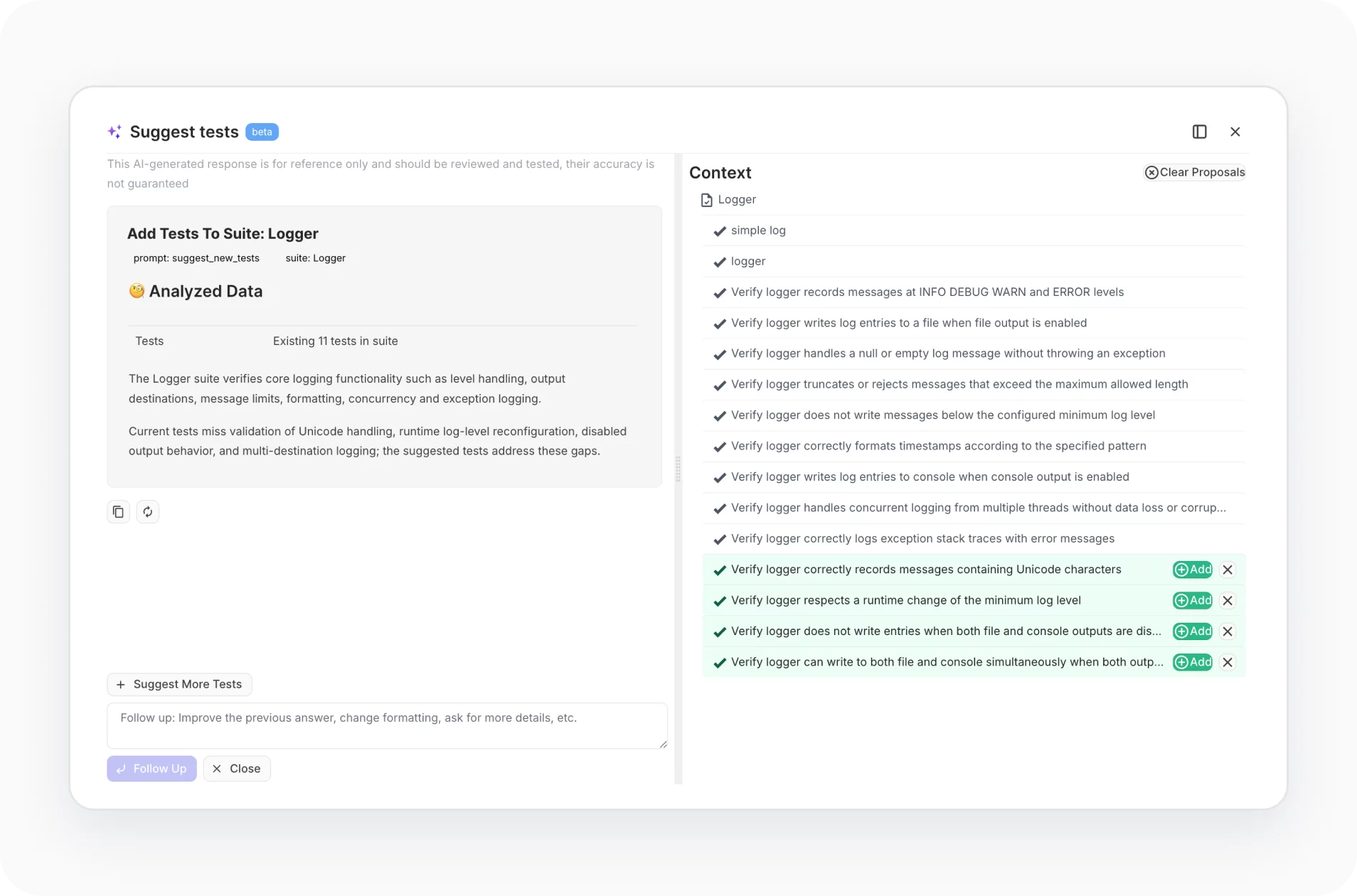
Use AI-testing bot
Use templates, duplicate
Steps from database

3. Execute
High-level test execution configurations filters, queries, multiselection, etc.
Wide CI\CD integration
Run from issue trackers, Jira
Run autotests as manual
Mixed runs

4. Analyze
Reports and a rich analytics dashboard are available from the very first test run.
Automation coverage
Usage statistics
Jira, defect statistics
PDF, XLS report export
Testomat.io features for Playwright
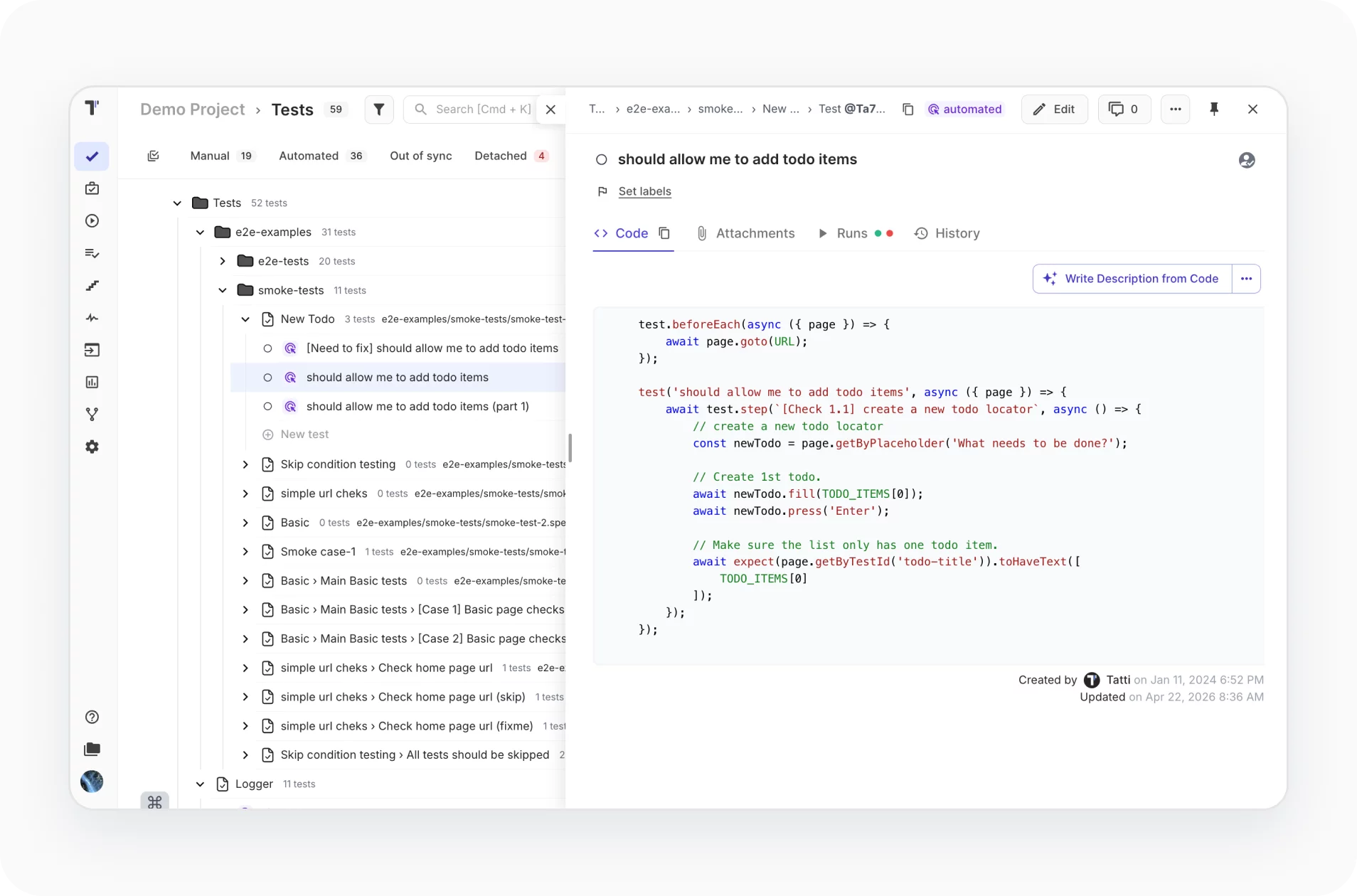
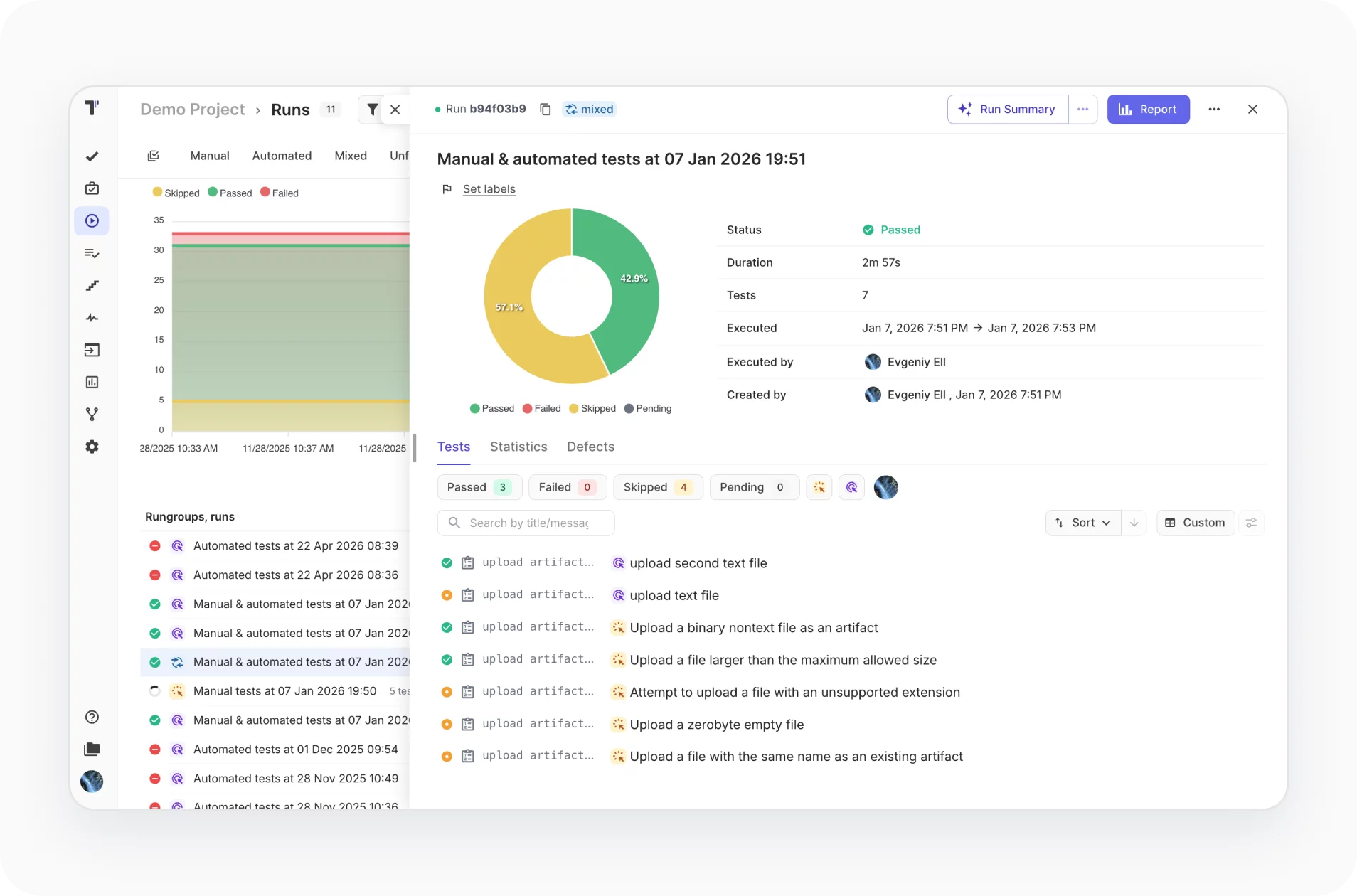
One-minute Playwright sync
Send all your existing Playwright tests to Testomat.io in just one minute and keep automated and manual tests in sync with requirements and execution plans.
- Sync tests, runs, logs, and artifacts automatically
- No custom exporters or complex setup
- Works with existing Playwright repositories
- Ready for local and CI executions
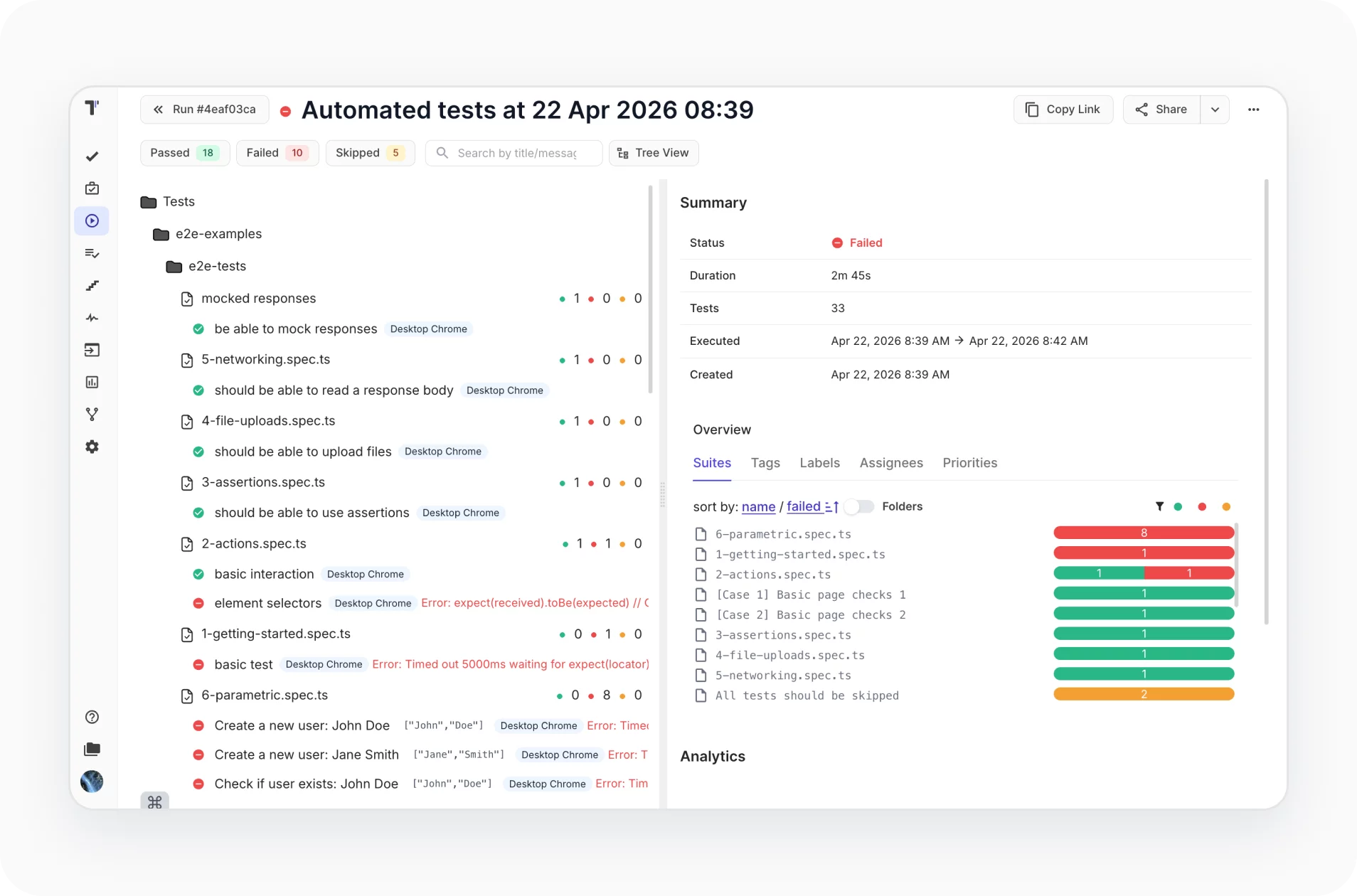
Parallel execution & unified reporting
Handle Playwright orchestration across environments and CI pipelines: run specs in parallel, then merge every result into a single, consistent report.
- Run Playwright tests in parallel
- Merge results into a single report
- Clear visibility for large test suites
- Perfect fit for CI/CD pipelines
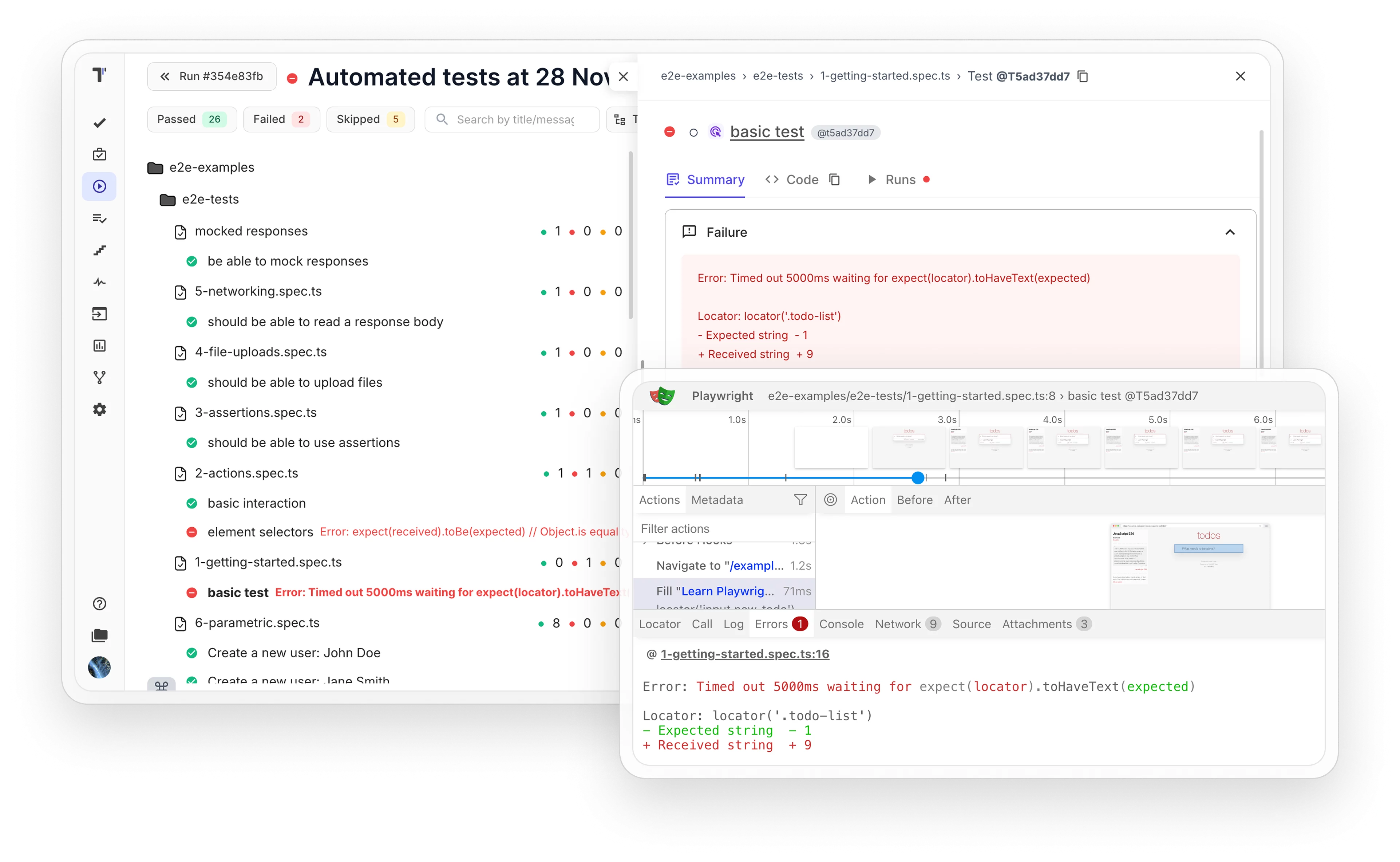
Built-in Playwright trace viewer
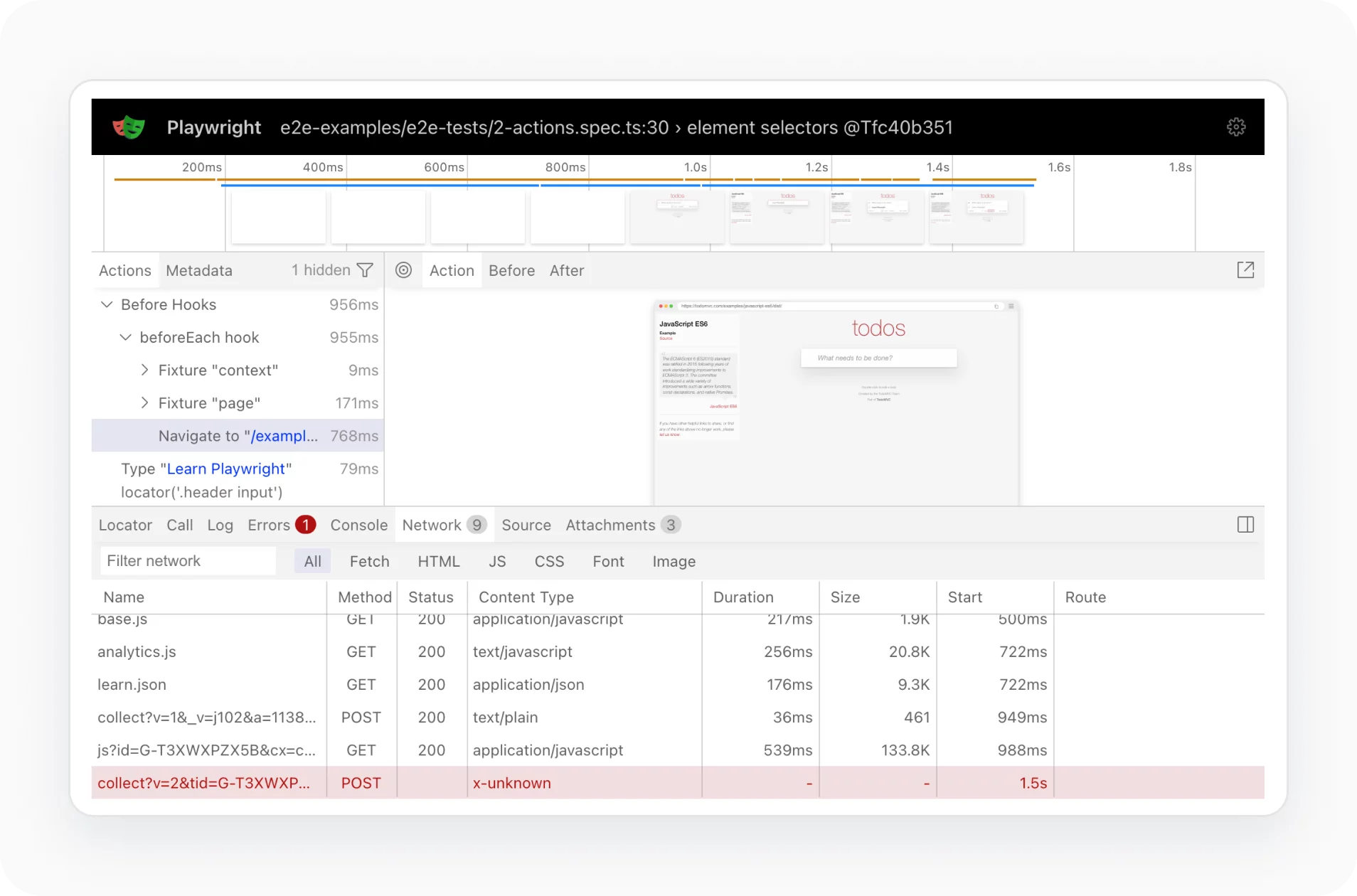
Replay, analyze, and debug Playwright test failures directly in Testomat.io using built-in trace visualization. Get full context for every step, action, and failure without leaving your Test Management System.
- Replay Playwright traces step-by-step
- Inspect actions, DOM snapshots, and network activity
- Analyze failures in real execution context
- Share traces as part of test evidence
Native logs & artefact management
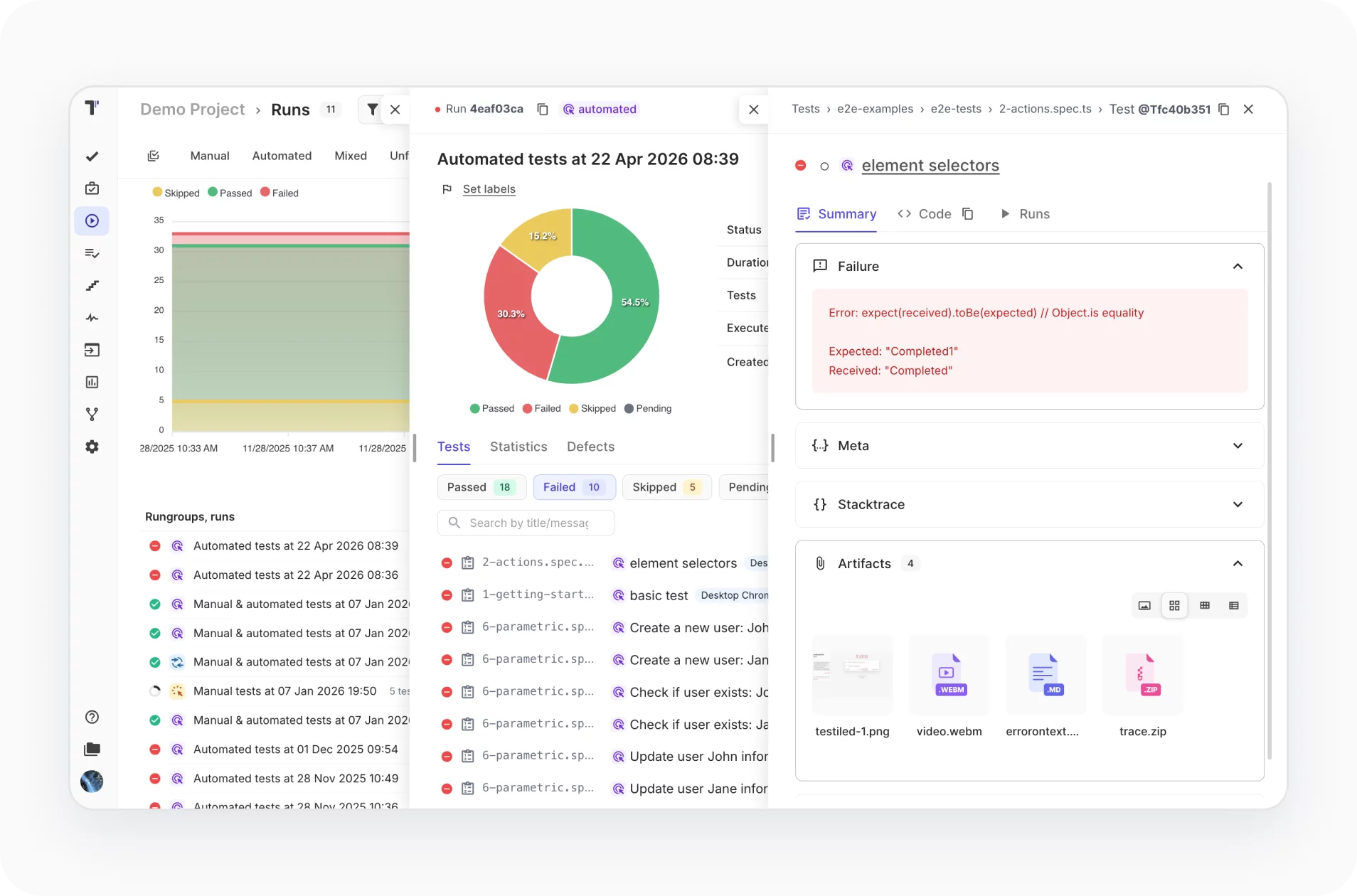
Collect and pass all Playwright logs and artifacts natively between test runs and Testomat.io, keeping complete testing evidence connected to every execution and test case.
- Pass logs between test runs and Testomat.io
- Unlimited artifact storage on your own S3 bucket
- Full control over test evidence and retention
![]() Playwright features that work better in Testomat.io
Playwright features that work better in Testomat.io
MCP server integration
Connect an MCP server to enhance Playwright workflows with cursor tracking and advanced AI coding tools like Claude Code.

Historical runs & analytics
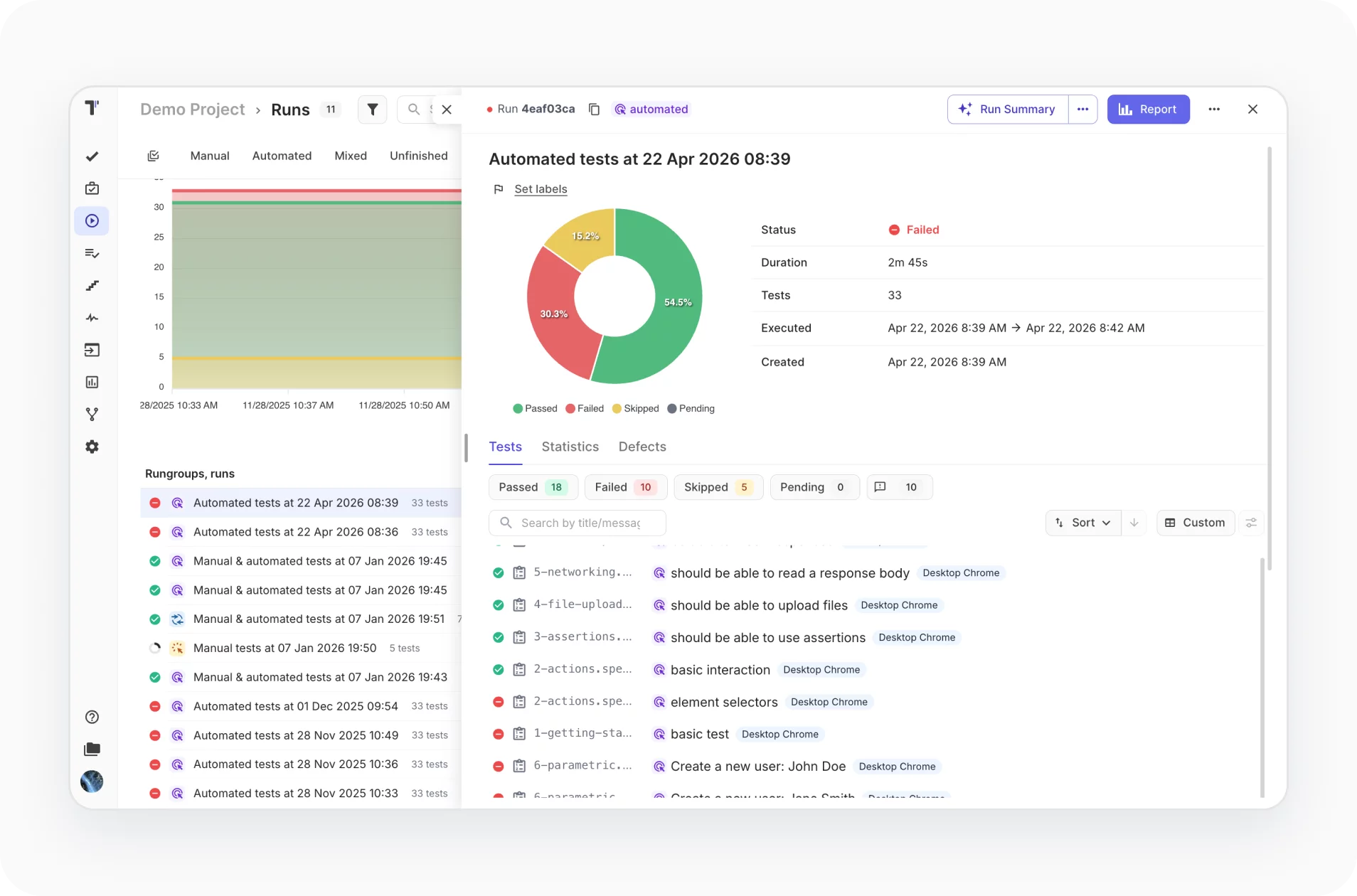
Track historical runs and analytics to uncover trends, detect flaky tests, and optimize Playwright performance over time
CI/CD orchestration from TMS
Orchestrate CI/CD from your TMS to run tests across browsers, compare results, and quickly spot compatibility issues and browser-specific failures
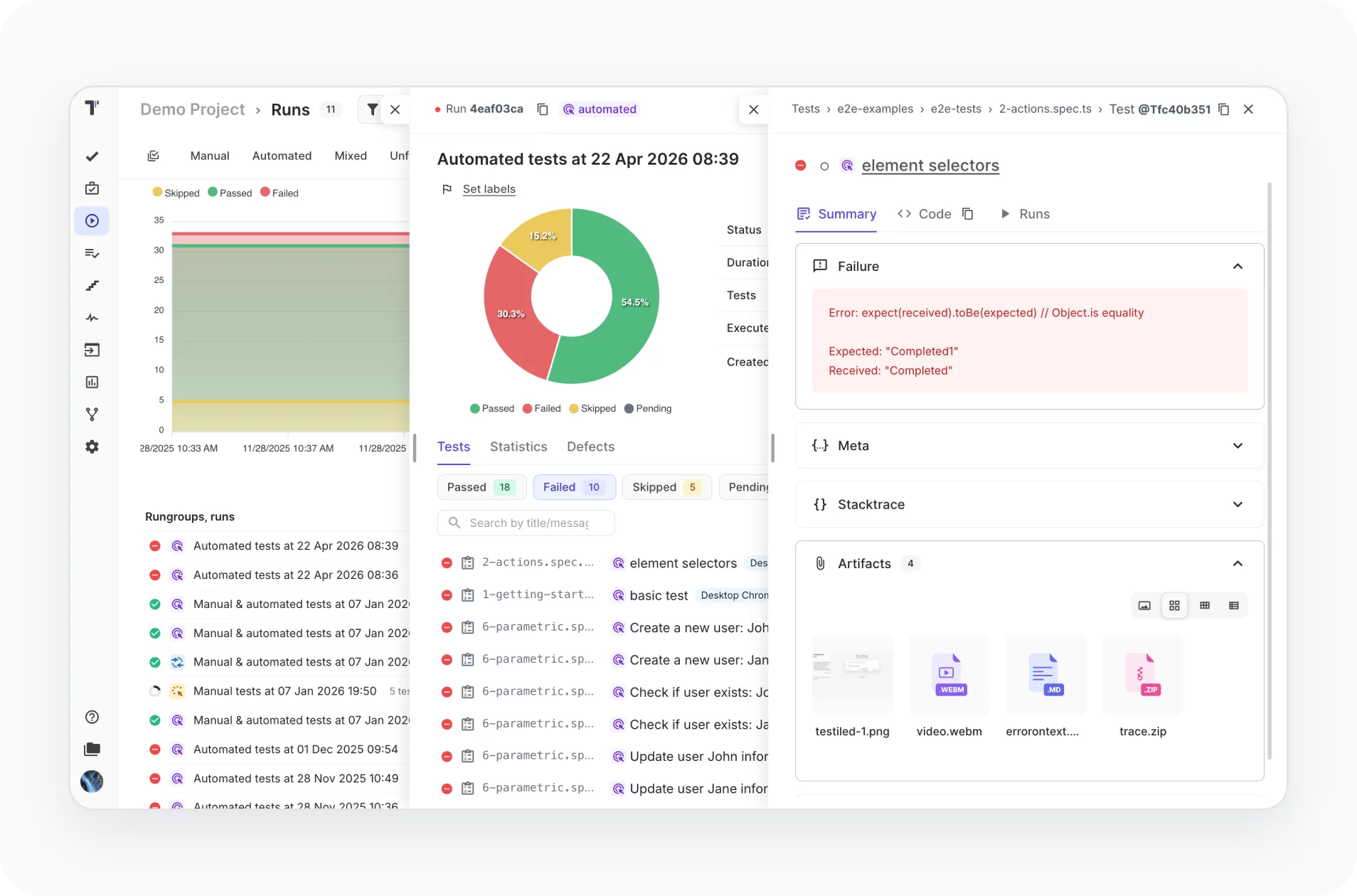
Mixed, manual, automated
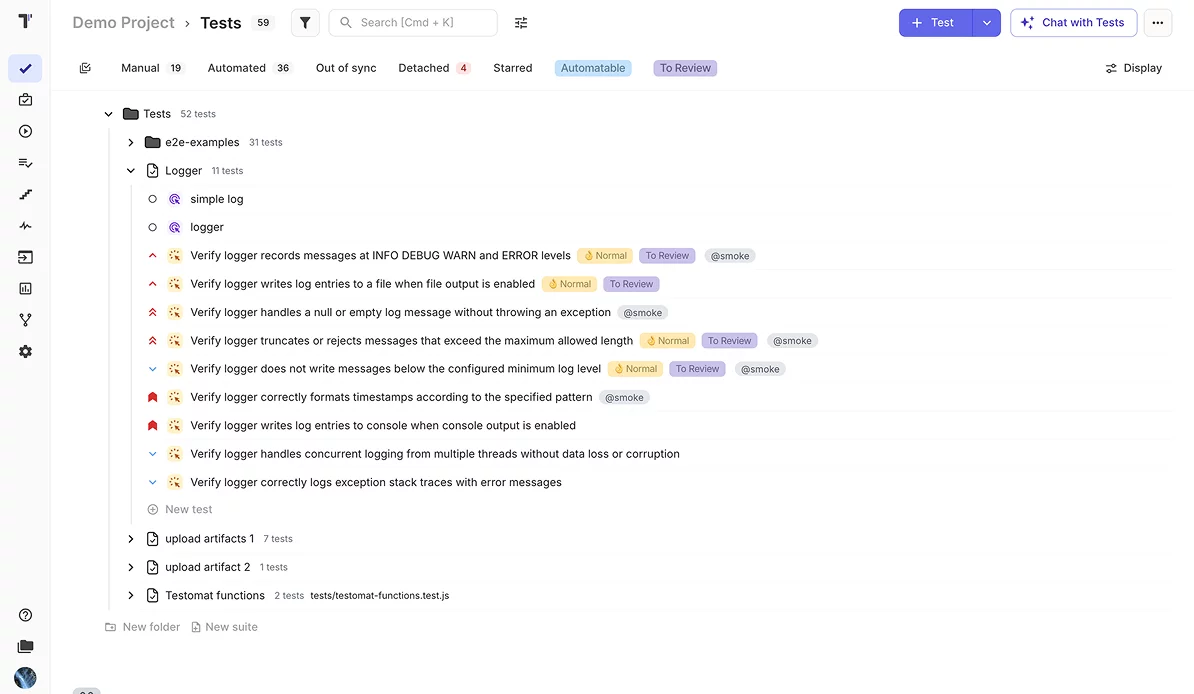
Unify manual and automated tests in one TMS to manage workflows, track results, and ensure complete testing coverage across teams
Why teams choose Testomat.io for Playwright

Code-to-TMS linking
Synchronization by IDs creates a direct link between tests and code lines.

Flexible test execution
Select the autotests required for smoke or regression testing, execute them, and track them.

Playwright copilot alternative
Starting automation, our AI intelligently helps transform your manual tests into automated ones.

Seamless team collaboration
Centralized view through transparent reports make testing visible to the entire team.

24/7 professional testing support
Always-on QA support ensures stable releases and reliable delivery across teams.
All Playwright test management features
AI-assisted test management
AI-driven test creation and maintenance
AI-driven test generation from requirements
AI-generation descriptions based on code
Trace view and exceptions view
Playwright trace viewer and troubleshooting
Versioning & collaboration
Test Archive history versioning, reverting changes
Ability to work in branches like Git in TMS
Defects mapping
Analytics & quality Insights
Advanced Playwright analytics
Flaky test detection
Detection of slow tests and never executed tests
Automation coverage metrics
Execution & orchestration
Configurable test execution
Extending shared run timeout
Test execution duration tracking
Parallel execution reporting
Run Playwright automated tests as manual
Mixed Run automation tests with manual together
Re-run failed tests only from TMS
Test authoring & structure
Importing Playwright Tests
High-level Playwright tests grouping and organization
Parameterized test data support
Steps import and its reuse for BDD projects
Linking automated tests with user stories
Test Archive history versioning, reverting changes
Read-only reports for developers and other stakeholders
Reporting, artifacts
& troubleshooting
Custom Playwright reporting
Built-in team alerts
Unlimited S3 artifacts
Viewing Playwright Attachments directly in TMS
Trace view and exceptions view
Playwright Trace Viewer for troubleshooting

Explore Playwright test management instantly
We've prepared a ready-to-go project complete with sample data, so you can immediately see Playwright test management power in action.

Download

Execute

Test result feedback
What clients says
Recent reviews

“Excellent customer support”
Customer support is always prompt and high-quality. It's also great to see that user feedback is considered when developing new features. The team makes an effort to provide overviews of new features and keeps users informed about the latest updates.
4/5

“The Best TMS for Our QA Team!”
Our 15-person QA team has used Testomat.io daily for over two years. After comparing tools like TestRail, it stood out in both features and pricing. It’s affordable yet powerful. Jenkins integration works seamlessly, even manual testers can run tests easily. The clean UI speeds onboarding, improves collaboration, and saves time. We’ve recommended it widely, and others love it too.
5/5

“Testomat.io makes daily testing so much easier”
I’ve used Testomat.io daily for over two years, and it’s the best TMS I’ve worked with. Compared to tools like TestRail, it offers more features at a better price. Jenkins integration is seamless, even for manual testers. The UI is clean and easy to learn. It speeds up workflows, improves transparency, and makes team collaboration much smoother.
5/5

“Very convenient platform for managing test cases”
The platform is convenient and intuitive to use. I’ve been using it long enough to say it’s very user-friendly. It’s clear that the team is constantly working on and improving the platform.
5/5

“Great tool for creating and managing manual test cases efficiently”
As a Manual QA, I use Testomat.io to create and manage test cases with ease. The interface is intuitive, making onboarding simple. Test plans, runs, and results are well-structured in one place. Tagging helps organize cases efficiently. AI features speed up test creation. It keeps workflows transparent, improves collaboration, and reduces routine work.
5/5

“Testomat.io has been a great tool for managing both automated and manual tests in one place”
I really like how easy it is to integrate with frameworks and CI/CD tools, and the real-time reports with screenshots and analytics save a lot of time. Overall, it makes collaboration in the team much smoother and keeps testing well-organized.
5/5
Frequently asked questions
How does the Playwright Testomat.io integration work?


Testomat.io connects directly to your Playwright project by importing tests from your codebase. Once imported, tests are structured, tracked, and enriched with IDs, making it easy to manage, update, and scale your test suite without duplications or manual syncing.
Can I keep my existing Playwright test structure?
Yes. Testomat.io preserves your source code structure during import, so your folders, test hierarchy, and naming stay intact. This ensures a smooth transition without breaking your existing workflows or requiring refactoring.
How does reporting improve with Testomat.io?
Testomat.io enhances Playwright reporting with centralized dashboards, detailed run history, and artifact management. You can access screenshots, videos, logs, and trace files in one place, making debugging faster and more transparent for the entire team.
Does it support scaling and parallel test execution?
Yes. Testomat.io supports parallel execution reporting by merging results into a single test run. With shared run configuration and environment variables, teams can scale testing across CI pipelines while maintaining clear, unified reporting.
Does Testomat.io help with Playwright test data management?
Yes. Dynamic Parameters cover data-driven testing, so each parameter row runs and reports as its own iteration. Environment variables, per-run artifacts (screenshots, videos, traces), and same-run parallel reporting keep run data consistent across CI pipelines.
