





Jira test management
AI-powered Jira test management with bidirectional test syncronization, BDD scenarios in Jira, and automated test execution. Seamlessly connect test cases, automation results, and requirements in one unified platform.
Trusted by over 500 forward-thinking companies
















Smart testing workflow
Plan and coordinate every phase of your test project, adhering to the Agile process and release cycles.

1. Plan
Dynamic test planning based on filters allows for a focus on key areas.
Define test strategy goals
Design structure
Connect tools
Define environment

2. Design
Create test cases effortlessly and efficiently, saving time and resources.
Import existing test cases
Use AI-testing bot
Use templates, duplicate
Steps from database

3. Execute
High-level test execution configurations filters, queries, multiselection, etc.
Wide CI\CD integration
Run from issue trackers, Jira
Run autotests as manual
Mixed runs

4. Analyze
Reports and a rich analytics dashboard are available from the very first test run.
Automation coverage
Usage statistics
Jira, defect statistics
PDF, XLS report export
Testomat.io features for Jira

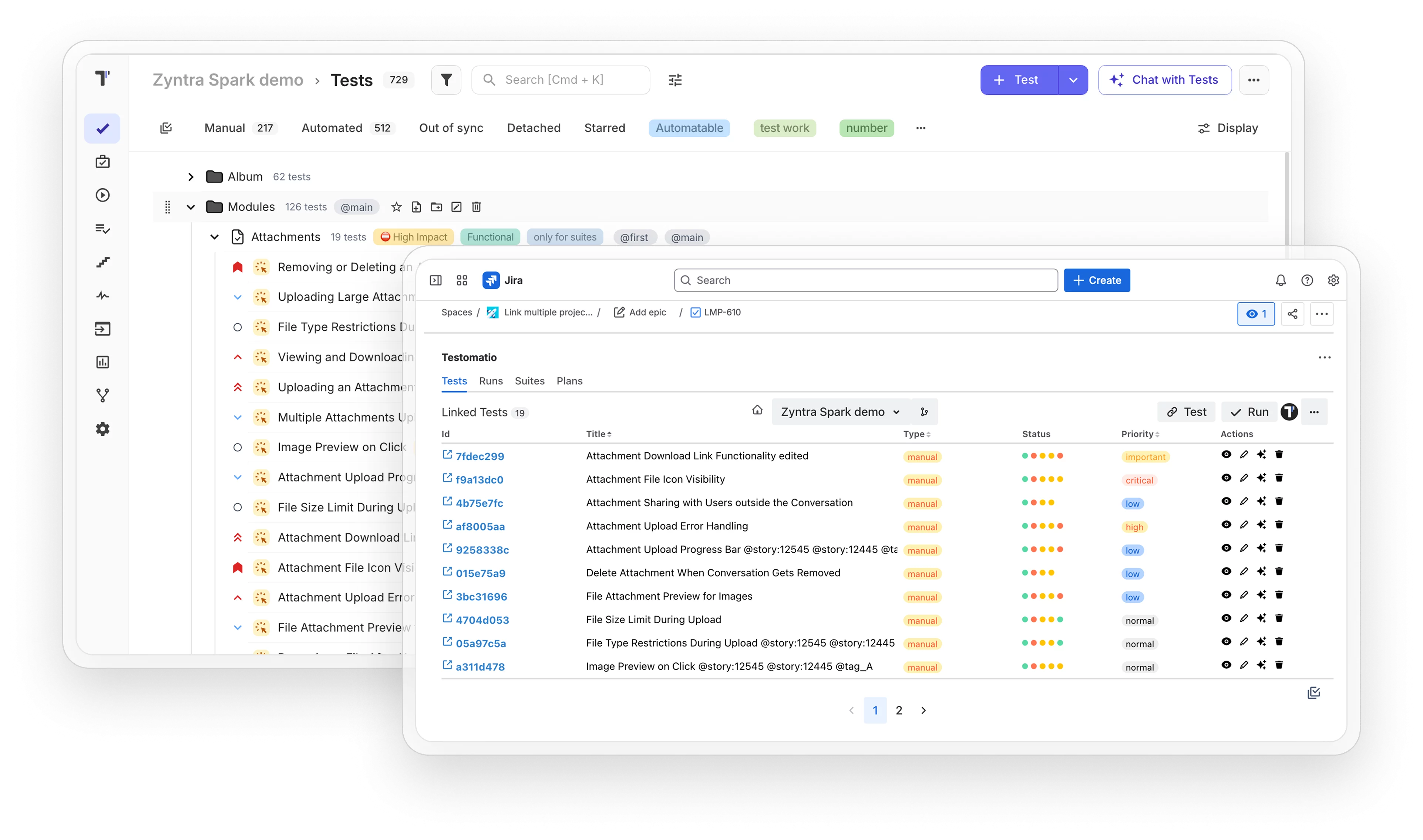
Run your tests directly from Jira
Run your tests directly from Jira to streamline your testing process, improve collaboration, and ensure seamless integration between development and quality assurance.
-
Create Jira issues from test failures
-
Link tests to user stories automatically
-
View test results in Jira tickets
-
Track epic test coverage in real time

Jira statistic & defects widgets
Get real-time insights into testing progress and defect tracking to effortlessly monitor and improve your project’s health.
-
CI/CD test results appear in Jira
-
Requirements coverage tracking per epic
-
Automated tests linked to user stories
-
Living documentation synced to Confluence

![]() Full-featured Jira integration
Full-featured Jira integration
Test organization
Changes made in Testomat.io appear instantly in Jira. Updates in Jira reflect immediately in Testomat.io. True two-way sync means your team works in whichever tool they prefer without data conflicts.

Native Jira plugin
Built-in Jira plugin ensures seamless sync. Every change in Testomat.io or Jira is reflected instantly with no data conflicts.

Test execution from Jira
Start and manage test runs directly in Jira. All execution data syncs автоматически with Testomat.io, keeping your team on the same page.

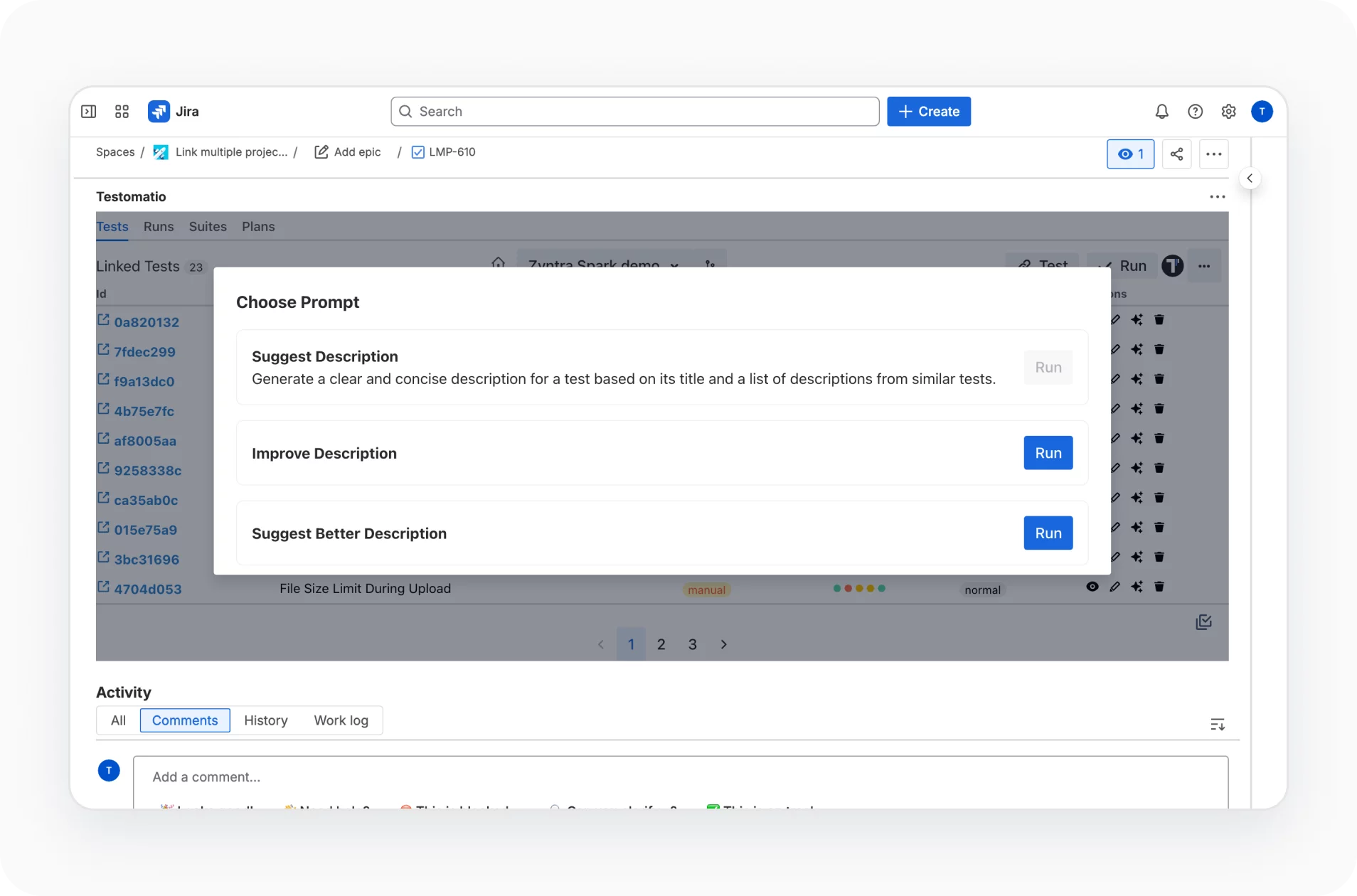
AI for Jira
Bring AI into Jira workflows. Automatically generate, update, and optimize test cases while keeping everything perfectly synced with Testomat.io.
Why teams choose Testomat.io as a Jira test management tool

Code-to-TMS linking
Synchronization by IDs creates a direct link between tests and code lines.

Flexible test execution
Select the autotests required for smoke or regression testing, execute them, and track them.

Top AI co-pilot for Jira
Starting automation, our AI intelligently helps transform your manual tests into automated ones.

Seamless team collaboration
Centralized view through transparent reports make testing visible to the entire team.

24/7 professional testing support
Always-on QA support ensures stable releases and reliable delivery across teams.
All Jira test management features
AI-assisted test management
AI-driven test creation and maintenance
AI-driven test generation from requirements
AI-generation descriptions based on code
Trace view and exceptions view
Playwright trace viewer and troubleshooting
Versioning & collaboration
Test Archive history versioning, reverting changes
Ability to work in branches like Git in TMS
Defects mapping
Analytics & quality Insights
Advanced analytics
Flaky test detection
Detection of slow tests and never executed tests
Automation coverage metrics
Execution & orchestration
Configurable test execution
Extending shared run timeout
Test execution duration tracking
Parallel execution reporting
Run automated tests as manual
Mixed Run automation tests with manual together
Re-run failed tests only from TMS
Test authoring & structure
Importing tests
High-level tests grouping and organization
Parameterized test data support
Steps import and its reuse for BDD projects
Linking automated tests with user stories
Test Archive history versioning, reverting changes
Read-only reports for developers and other stakeholders
Reporting, artifacts
& troubleshooting
Custom reporting
Built-in team alerts
Unlimited S3 artifacts
Viewing Attachments directly in TMS
Trace view and exceptions view
Trace Viewer for troubleshooting

Start managing tests in Jira today
Install the Testomat.io plugin from Atlassian Marketplace in under 5 minutes. Start executing tests, tracking coverage, and generating test cases from user stories today.

Install

Execute

Test result feedback

What clients say
Recent reviews

“Excellent customer support”
Customer support is always prompt and high-quality. It's also great to see that user feedback is considered when developing new features. The team makes an effort to provide overviews of new features and keeps users informed about the latest updates.
4/5

“The Best TMS for Our QA Team!”
Our 15-person QA team has used Testomat.io daily for over two years. After comparing tools like TestRail, it stood out in both features and pricing. It’s affordable yet powerful. Jenkins integration works seamlessly, even manual testers can run tests easily. The clean UI speeds onboarding, improves collaboration, and saves time. We’ve recommended it widely, and others love it too.
5/5

“Testomat.io makes daily testing so much easier”
I’ve used Testomat.io daily for over two years, and it’s the best TMS I’ve worked with. Compared to tools like TestRail, it offers more features at a better price. Jenkins integration is seamless, even for manual testers. The UI is clean and easy to learn. It speeds up workflows, improves transparency, and makes team collaboration much smoother.
5/5

“Very convenient platform for managing test cases”
The platform is convenient and intuitive to use. I’ve been using it long enough to say it’s very user-friendly. It’s clear that the team is constantly working on and improving the platform.
5/5

“Great tool for creating and managing manual test cases efficiently”
As a Manual QA, I use Testomat.io to create and manage test cases with ease. The interface is intuitive, making onboarding simple. Test plans, runs, and results are well-structured in one place. Tagging helps organize cases efficiently. AI features speed up test creation. It keeps workflows transparent, improves collaboration, and reduces routine work.
5/5

“Testomat.io has been a great tool for managing both automated and manual tests in one place”
I really like how easy it is to integrate with frameworks and CI/CD tools, and the real-time reports with screenshots and analytics save a lot of time. Overall, it makes collaboration in the team much smoother and keeps testing well-organized.
5/5
Frequently asked questions
Does the Jira integration support bidirectional synchronization in real time?


The integration works both ways. You can create and link Jira issues from Testomat.io, and see linked tests and their status on the Jira issue itself. Links and statuses update as tests run and as issues change, so both sides stay aligned, though updates sync on each change rather than as a constant live feed.
Can non-technical stakeholders view test reports inside Jira without a Testomat.io account?
With the Testomat.io Jira app installed, stakeholders can see linked tests and run results right on the Jira issue, so they get the summary without leaving Jira. For the full report and analytics inside Testomat.io, the simplest access is a read-only account.
How does Testomat.io link automated test results to Jira user stories?
You tag each test with its Jira issue key, either in the test itself or through the plugin. When automated results report in from CI, Testomat.io matches them to that key, so the pass/fail status rolls up to the right user story.
Can we migrate our existing test cases from TestRail or Xray into Testomat.io within Jira?
Yes. Testomat.io imports test cases from both TestRail and Xray. You run the import in Testomat.io, and the migrated tests then link to your Jira issues through the plugin, so they show up next to the stories they cover.
Is it possible to execute automated tests as manual tests directly from Jira tickets?
Yes. Testomat.io can import automated tests as manual, so a tester can step through them by hand. With the Jira app, you launch those tests from the linked ticket and record the result, without opening a separate tool.
