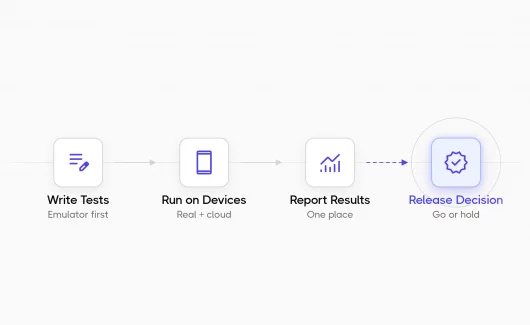



Writing manual test cases is one of those tasks that feels straightforward until it isn’t: every QA engineer on your team formats things slightly differently, context gets lost between features, and coverage gaps show up only when something breaks in production. My team solved this by building a reusable AI skill called test-case-drafting-template. This’s a structured prompt system that generates Testomat-ready QA cases from product context, live UI observations, and code review. This article walks through the skill’s anatomy, explains why context became the biggest challenge for our QA team, and shows how Testomat.io MCP transformed a simple drafting prompt into a scalable AI workflow.
The Problem We Were Solving
I lead a team of 8 QA engineers, each of them manages their own Product line that covers multiple product surfaces: home dashboard, account settings, billing, operations, and many, many more. Each scope has its own roles, routes, permission shapes, and regression risks. When an engineer asked for a test case, the QA had to mentally load all of that context before writing a single step. And with a growing team, consistency suffered. We needed a way to encode product knowledge once and reuse it whenever a case needed to be drafted, without inventing behavior that wasn’t confirmed in the UI or codebase.
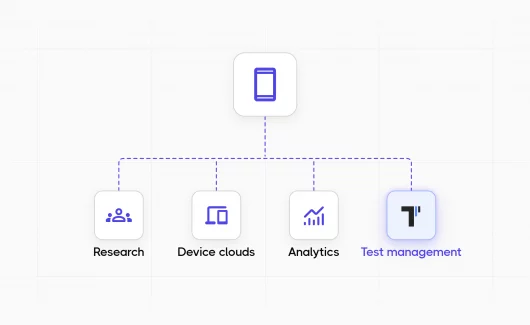
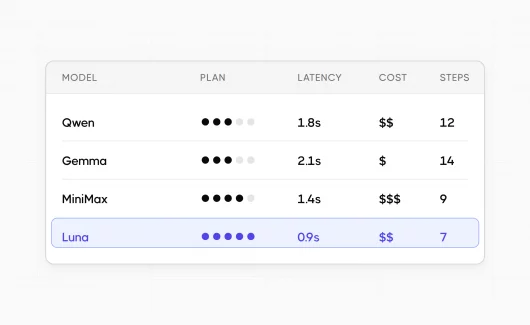
As I experimented with AI, I quickly learned that the model itself wasn’t the limiting factor, but the context was. A single Jira ticket rarely contains enough information to generate reliable test cases. Business rules that live in product documentation, implementation details live in the codebase, and the final user experience can only be verified in the live UI. Instead of asking AI to rediscover all of that information for every prompt, we decided to build a reusable context layer. Testomat.io MCP became the bridge that allowed our skill to access and organize that context while keeping Testomat.io as the single place for managing and reviewing generated test cases.
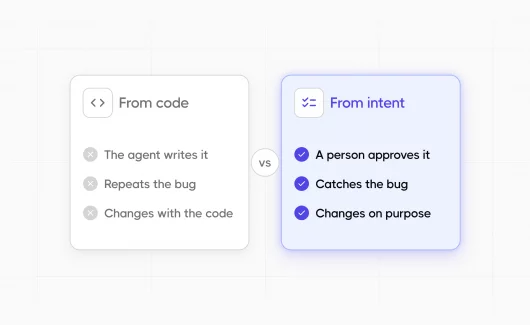
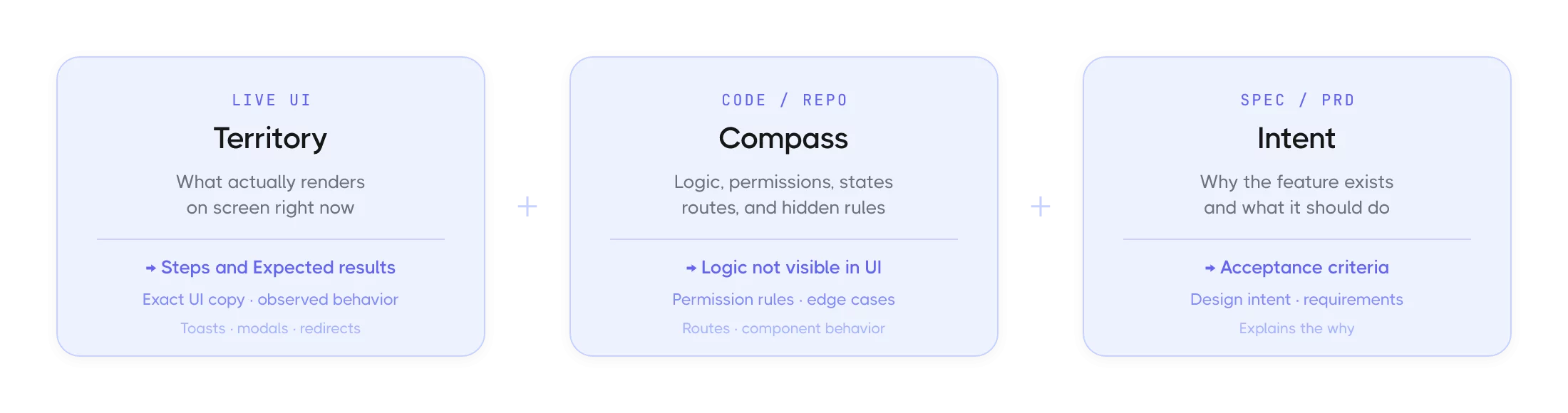
Draft only what the current source of truth supports. Never invent screens, copy, fields, statuses, permissions, redirects, or edge cases. Live UI is the source of truth for runnable steps. Code is the compass for logic and permissions.
Skill Anatomy
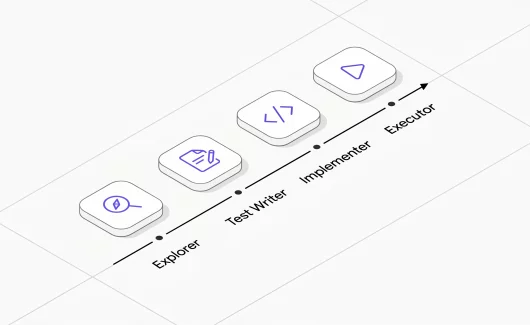
The skill is a directory of markdown files: a router (SKILL.md), scope-specific context, writing rules, and a Testomat.io upload guide. The diagram below shows how it maps to four distinct operating modes.
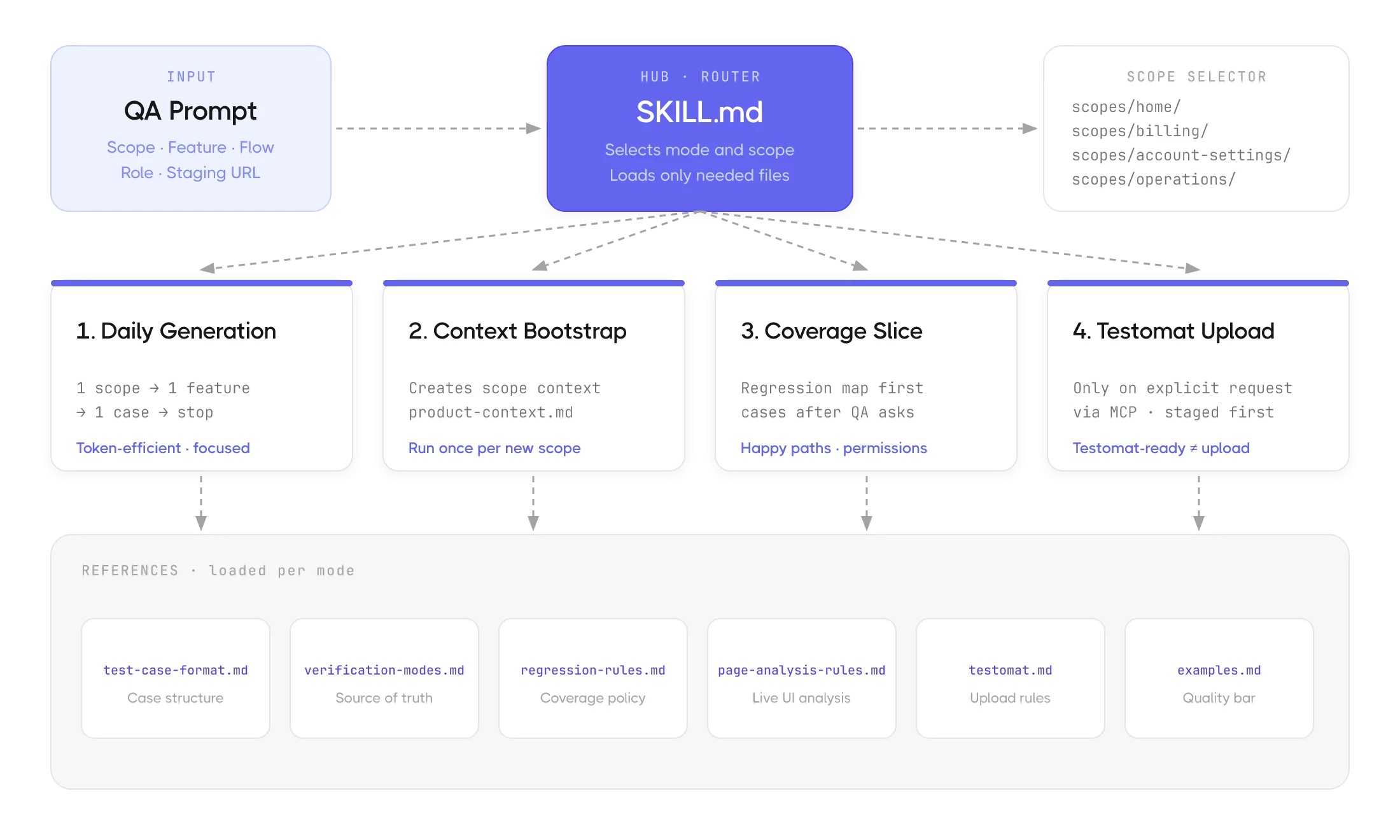
Single Router With Four Modes
The SKILL.md file acts as a central dispatcher. When a QA sends a prompt, the skill reads it, identifies the scope, selects the appropriate mode, and loads only the references that the mode needs. No full-repo scans. No stale context from unrelated features.
| Mode | Trigger | Output |
| Daily | Default | One scope, one feature, one flow, one case, then stop. Token-efficient and focused. |
| Bootstrap | /context-bootstrap | Inspects the repo and creates product-context.md with feature-map.md. Run once per new scope. |
| Coverage | Explicit request | Short regression map: happy paths, permissions, validations, cross-surface checks. |
| Upload | Push | Staged, reviewed cases pushed to the right suite via MCP. Being Testomat.io-ready doesn’t mean automatic upload. |
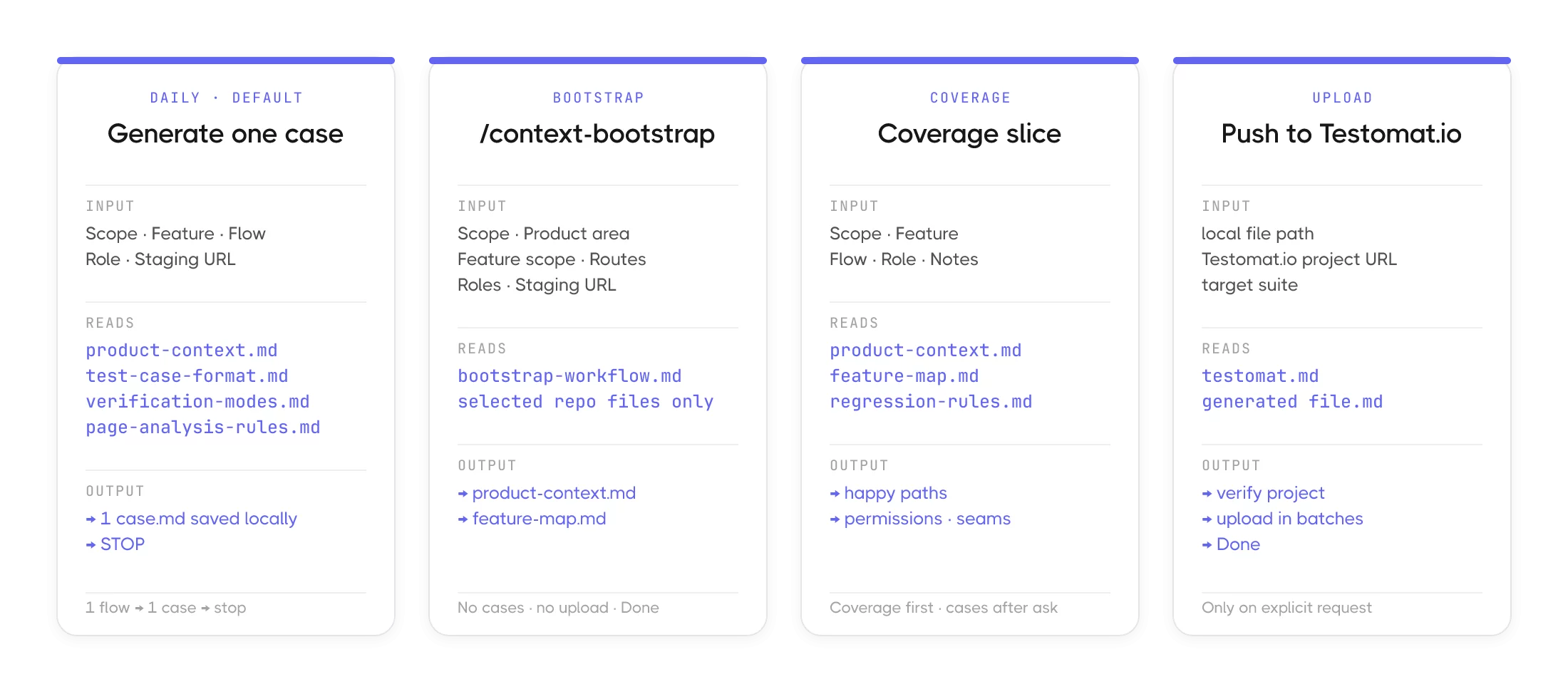
Each mode reads different files and produces a different result. Here’s what that looks like in practice, prompt by prompt:
Scope-Based Memory
The real power of the skill is its scope and context system. Each product area gets its own folder under references/scopes/ with two files that act as the skill’s memory for that area.
references/scopes/
├── home/
│   ├── product-context.md   ← stable scope context, roles, routes
│   └── feature-map.md       ← permissions, seams, cross-surface
├── billing/
│   ├── product-context.md
│   └── feature-map.md
├── operations/
│   ├── product-context.md
│   └── feature-map.md
└── account-settings/
    ├── product-context.md
    └── feature-map.md
product-context.mdholds the stable knowledge: what this scope is, which roles exist, what the main routes are, shared terminology, and common regression risks.feature-map.mdis the lightweight navigation map, which flows exist, which have permission-sensitive behavior, and where the regression seams are.
Stable rules update rarely. Scope context updates through /context-bootstrap. Generated cases are created daily. Testomat upload happens only on explicit request. These four update frequencies are what keep the skill clean.
Why Choose a Test Management System with MCP for AI Test Generation
I found Testomat.io 3 years ago when I was focused on a new, powerful tool. Earlier, we evaluated several test management platforms before committing to Testomat.io, and when all of us faced the AI era, I realized that the decision I’d made three years ago was one of the best for my team. Here are 3 important things that came down for my team: format alignment, team fit, and the MCP server.
Testomat.io’s test case format is already markdown-native. Our generated cases use a structured ### Permission, ### Pre-conditions, and ### Steps layout, and Testomat.io renders that structure exactly as intended. There is no conversion layer, no copy-paste reformatting, and no loss of hierarchy in a rich text editor. Suite hygiene is built in. The platform’s file/folder distinction maps cleanly to our concepts: a feature lives in a file suite, not a folder. Cases are placed deliberately, not auto-created in unnamed buckets. And most importantly, Testomat.io has a Model Context Protocol (MCP) server.
Connecting via Testomat MCP is Just Three Lines
MCP (Model Context Protocol) is a standard that lets AI agents connect to external tools directly from their context window, following the open MCP specification. Testomat.io MCP server exposes the full API: reading suites, creating tests, and updating cases. Configuring it in Claude Code looks like this:
// mcp_servers in your Claude config
{
"type": "url",
"url": "https://app.testomat.io/mcp",
"name": "testomat"
}
Once the server is connected, our skill can verify the active Testomat.io project, find the target suite, split a markdown file on separators, and upload each case, all without leaving the QA’s workflow. The QA reviews a local file, confirms it’s ready, can be pushed to Testomat.io, and it’s done.

Testomat-ready does not mean auto-upload. The skill always stages cases locally first. Upload happens only when the QA explicitly requests it. This gives QA engineers full control of what lands in the project. AI drafts, working like an AI agent test assistant. It doesn’t publish on its own.
What Does MCP Change?
MCP makes the upload disciplined. Before pushing anything, the skill confirms the active Testomat.io project matches the configured target. It finds the right suite, reusing existing ones instead of creating duplicates. It flags any verification markers left in the case. Large batches get processed in groups of 3 to 5. Here’s how that changes the workflow:
| Without MCP | With MCP |
| AI generates markdown | AI generates markdown |
| QA copies it | QA reviews |
| QA opens Testomat.io | QA says it can be pushed |
| QA creates test manually | Done |
| QA formats each step |
A Prompt in Practice
Here is what a daily generation prompt looks like in production:
// QA prompt → SKILL.md → case.md
Scope: home
Feature: Home page dashboard
Flow: Verify dashboard widgets are displayed for a Manager
Role: Manager
Staging URL: https://staging.yourapp.com/home
The skill reads home/product-context.md for stable context, test-case-format.md for the exact structure, verification-modes.md to decide whether to use live UI or code skeleton, and home/feature-map.md only if the flow touches permission-sensitive behavior. It produces one case, saves it locally, and stops.
The generated case follows a strict format — action-style or ISBAT title, Permission section only when role matters, Pre-conditions that include only what the scenario actually needs, and Steps with exact UI copy and user-visible Expected results at every step.
Getting Started with Testomat.io MCP
The template I share is open source and product-agnostic. Replace the example-feature scope with your own product areas, adapt the scope context files to your product’s roles and routes, and point the Testomat.io config to your project slug. The skill structure handles the rest. The full template is available here. The README covers setup, scope creation, naming conventions, and the Git workflow for keeping your team’s context in sync. Good luck with the setup, and don’t forget to think AI first!