




There’s a particular kind of frustration that lives in the gap between knowing what to test and knowing how to automate it. You’ve written the steps. You understand the logic. You know exactly what the button should do when clicked. But the moment someone mentions TypeScript, page objects, or async/await, the mountain starts looking very steep.
What if that mountain had an escalator?
This is exactly what happens when you combine Testomat.io’s structured test management with Playwright’s new AI Agent workflow. The manual work you’ve already done, the careful, methodical test cases you’ve written, becomes the raw material for working automation code. Not as a shortcut. Not as a crutch. As a genuinely smarter way to work.
Start Where You Already Are: Your Manual Tests
The key insight behind this workflow is deceptively simple: good manual tests are already almost-automation. They have steps. They have expected results. They describe user behavior precisely. The only thing missing is someone or something to translate them into code.
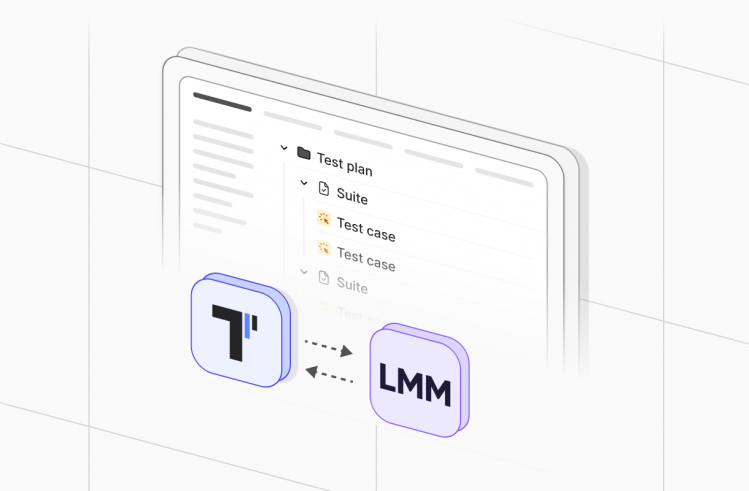
Testomat.io is built around this idea. It’s a test management platform that treats manual and automated tests not as separate worlds, but as two expressions of the same knowledge. When you create a test suite in Testomat.io, you’re not just writing documentation. You’re building a structured dataset that can power a generation step later.
Before we talk about robots and agents, we need good data. Testomat.io is a progressive test management tool that keeps your manual and automated tests in sync.
Create Your Test Suite
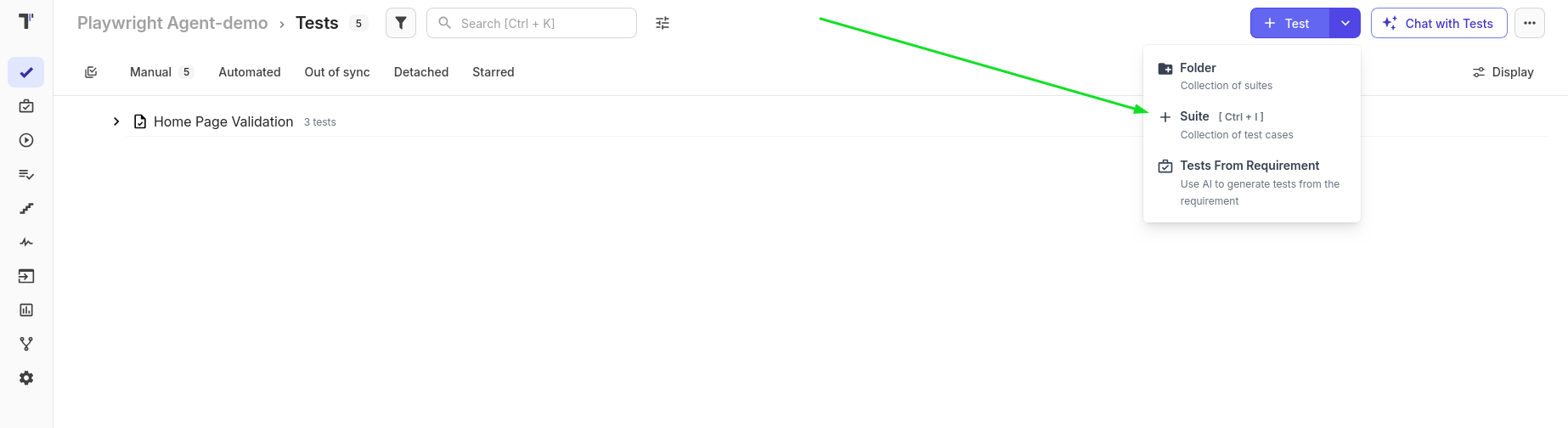
- Organize: Create a new Suite (e.g., “LOGIN PAGE VALIDATION”)
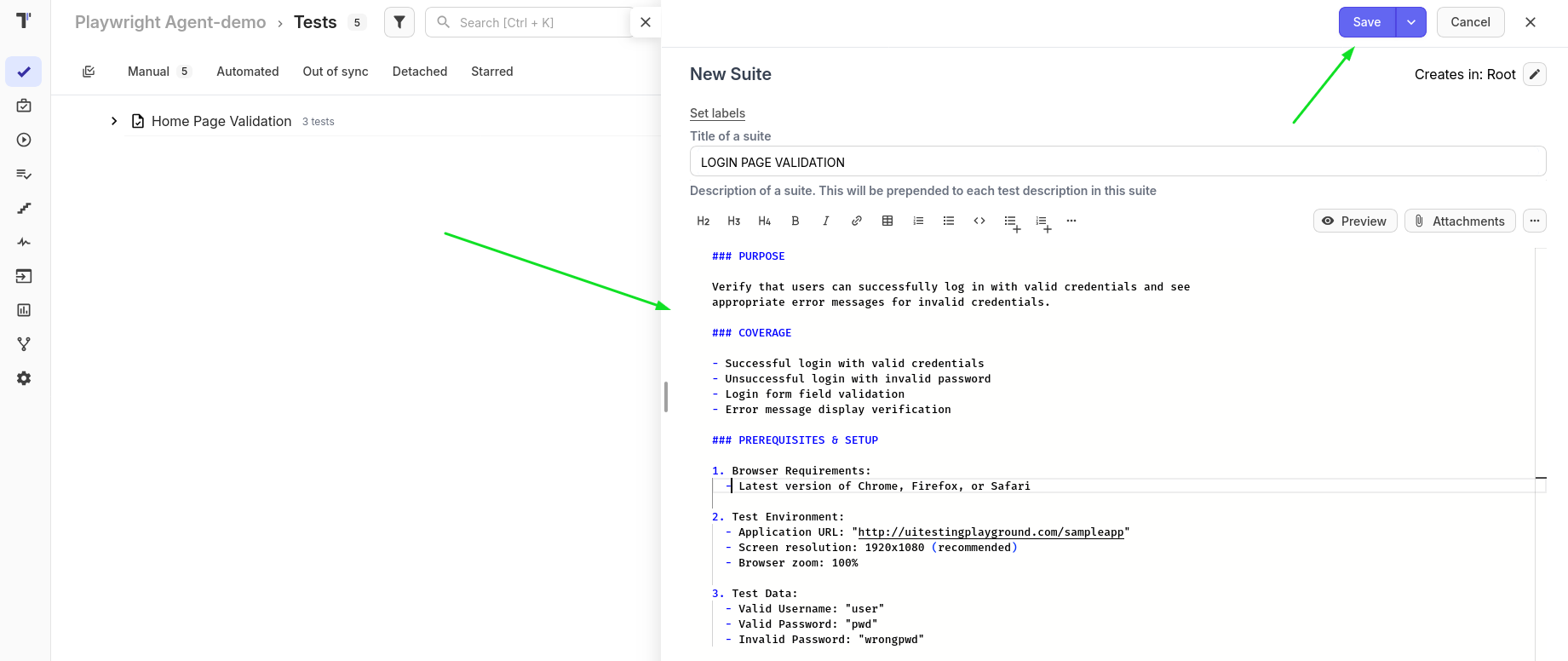
- Detail: Add a clear description and preconditions.
- Write Steps: For each test case, include clear Steps and Expected Results.
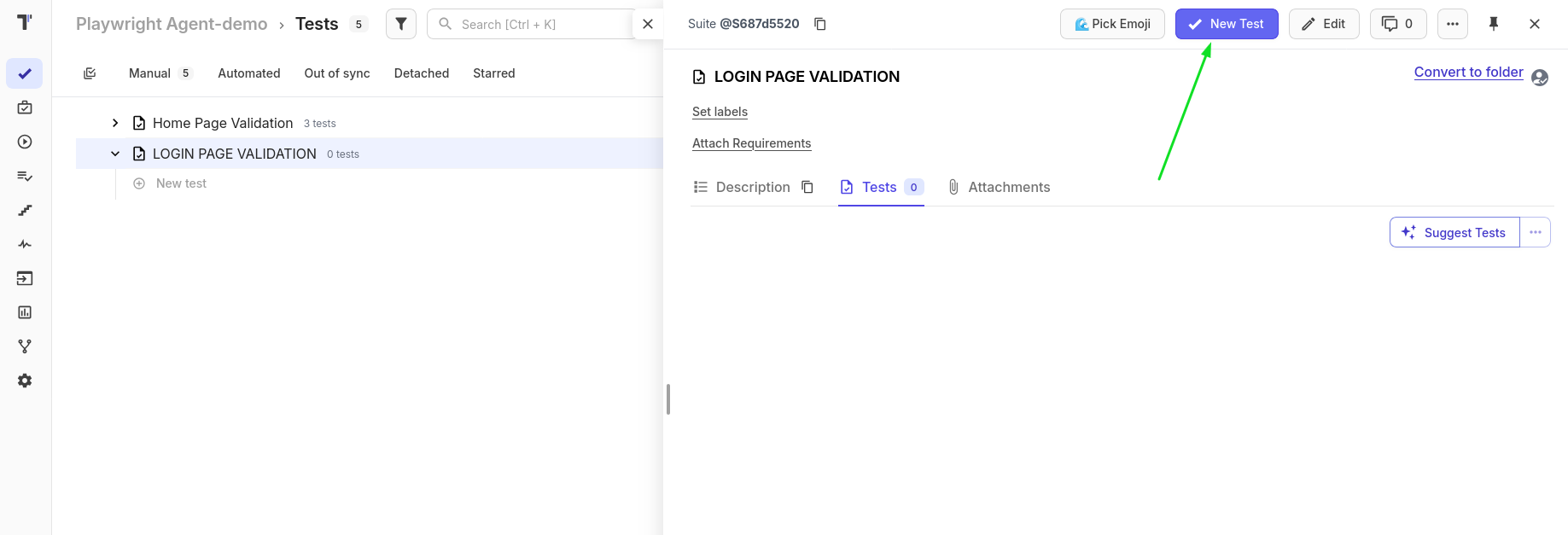
- Do all this for the tests we need
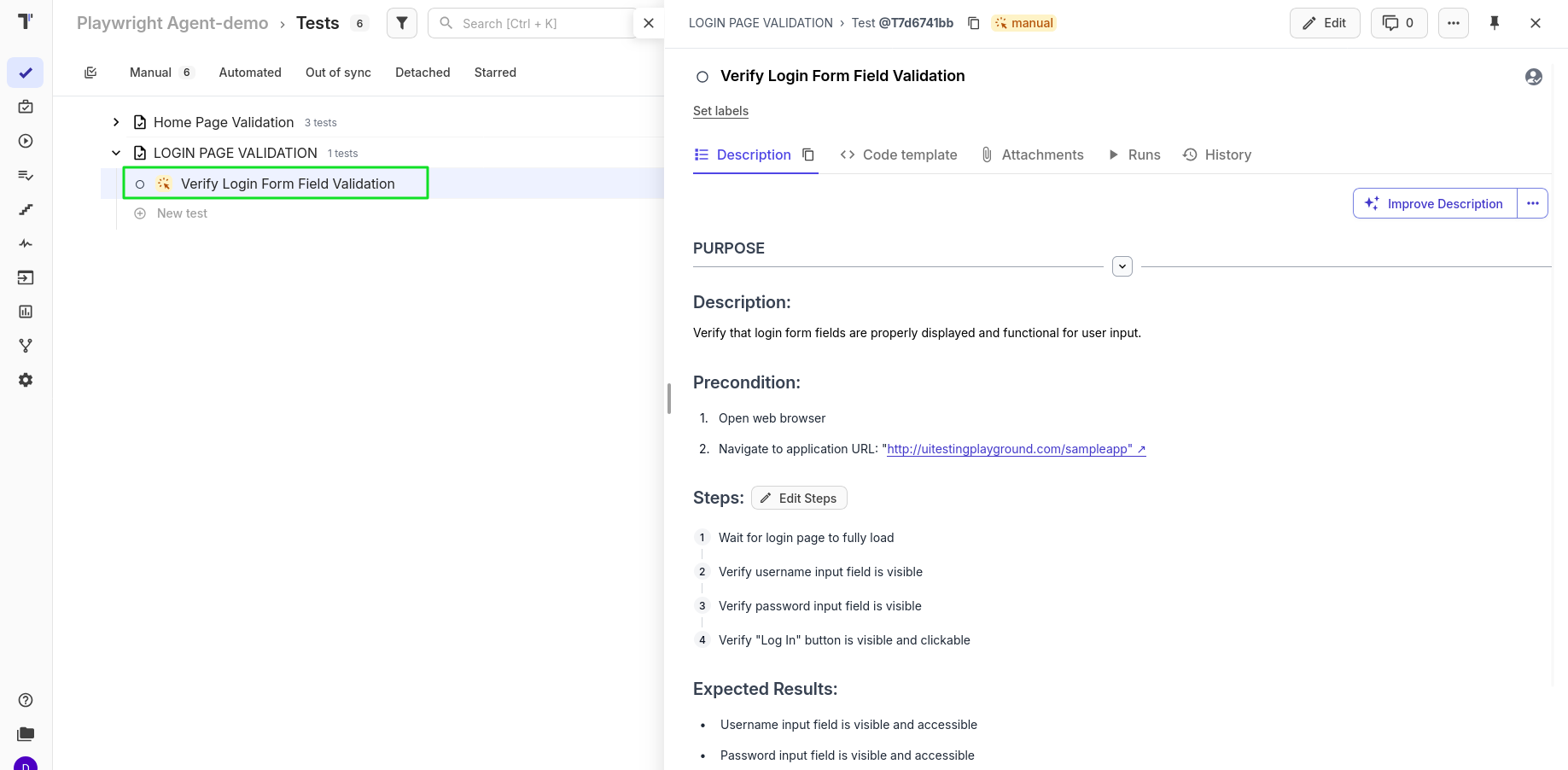
🤓 Tip: The more precise your manual steps are, the better the AI Agent will understand how to write the code later.
The Bridge: Exporting to Markdown
Once your test cases are ready, the next step is getting them out of Testomat.io and into a format that AI tools can work with directly. Testomat provides a command-line tool that does exactly this, pulling your test suite down into clean Markdown files.
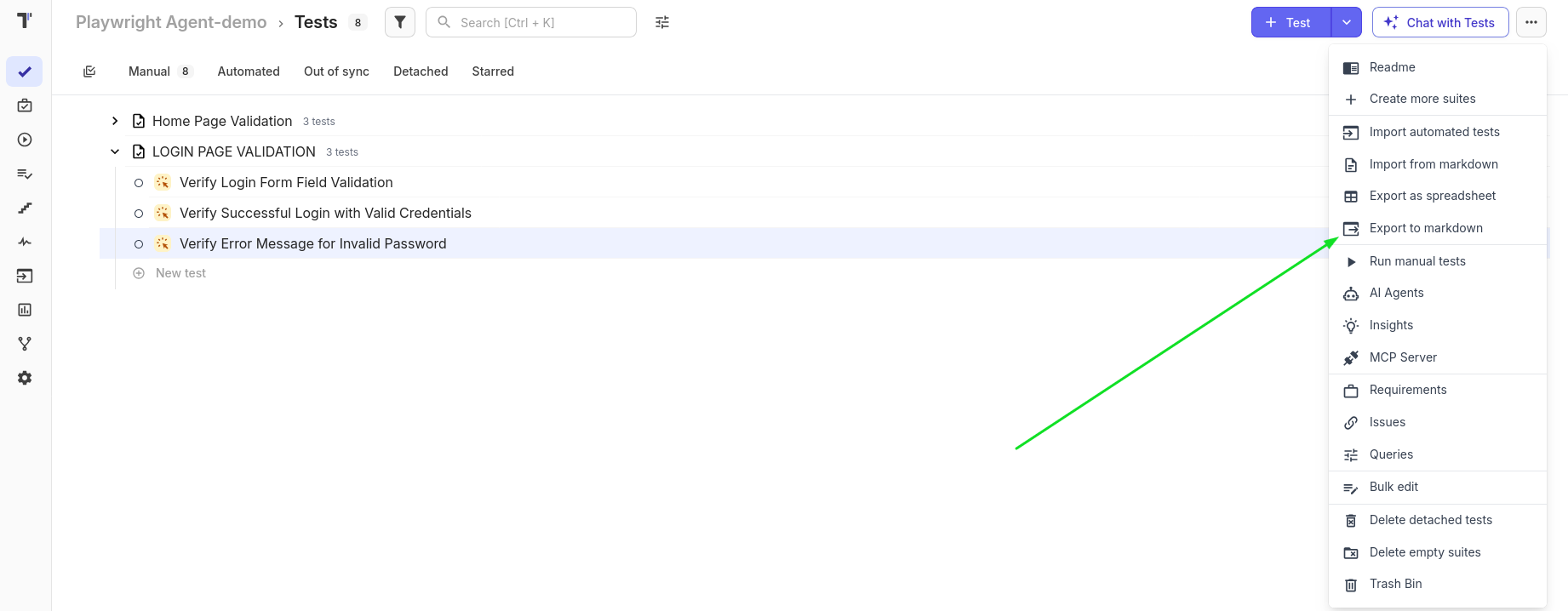
Navigate to your project directory and run:
TESTOMATIO_URL=http://xxx TESTOMATIO=tstmt_xx59 npx check-tests@latest pull
The result is a set of .test.md files — one per suite. A file called login_page_validation.test.md will contain all the structured logic you wrote, rendered in plain, readable Markdown. This file is your blueprint. It’s the artifact that carries your human understanding of the test into the automated world. Think of it as translating your thought process into a format that the next tool in the chain can understand.
Setting Up the Automation Foundation
With your Markdown blueprints ready, the next step is initializing a Playwright project. Playwright is Microsoft’s end-to-end testing framework — fast, reliable, and exceptionally well-documented. For this workflow, TypeScript is the right choice because it gives you better code suggestions and catches errors earlier.
How to Export:
Navigate to your project folder in your terminal and run the pull command provided by Testomat:
TESTOMATIO_URL=http://xxx TESTOMATIO=tstmt_xx59 npx check-tests@latest pull
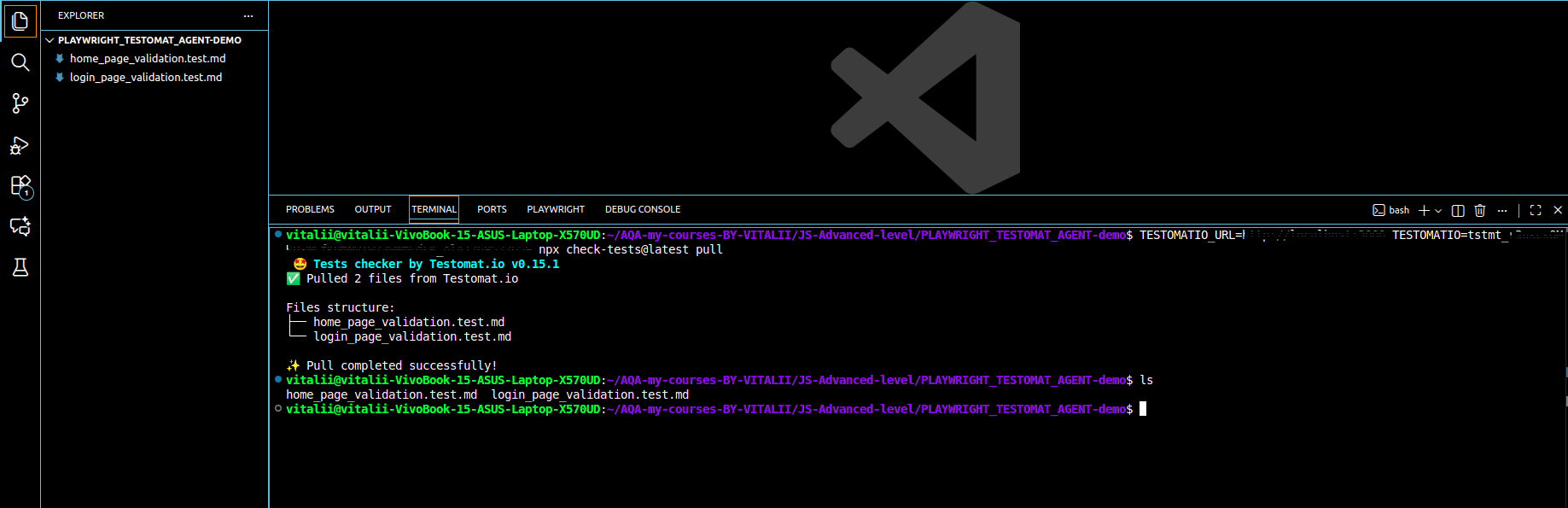
Why this matters:
- It creates a file like login_page_validation.test.md & home_page_validation.test.md files.
- This file contains your logic, steps, and assertions in a structured text format.
- It acts as the “blueprint” for your automation.
The Engine: Setting Up Playwright
We use Playwright with TypeScript because it’s modern, fast, and has incredible documentation.
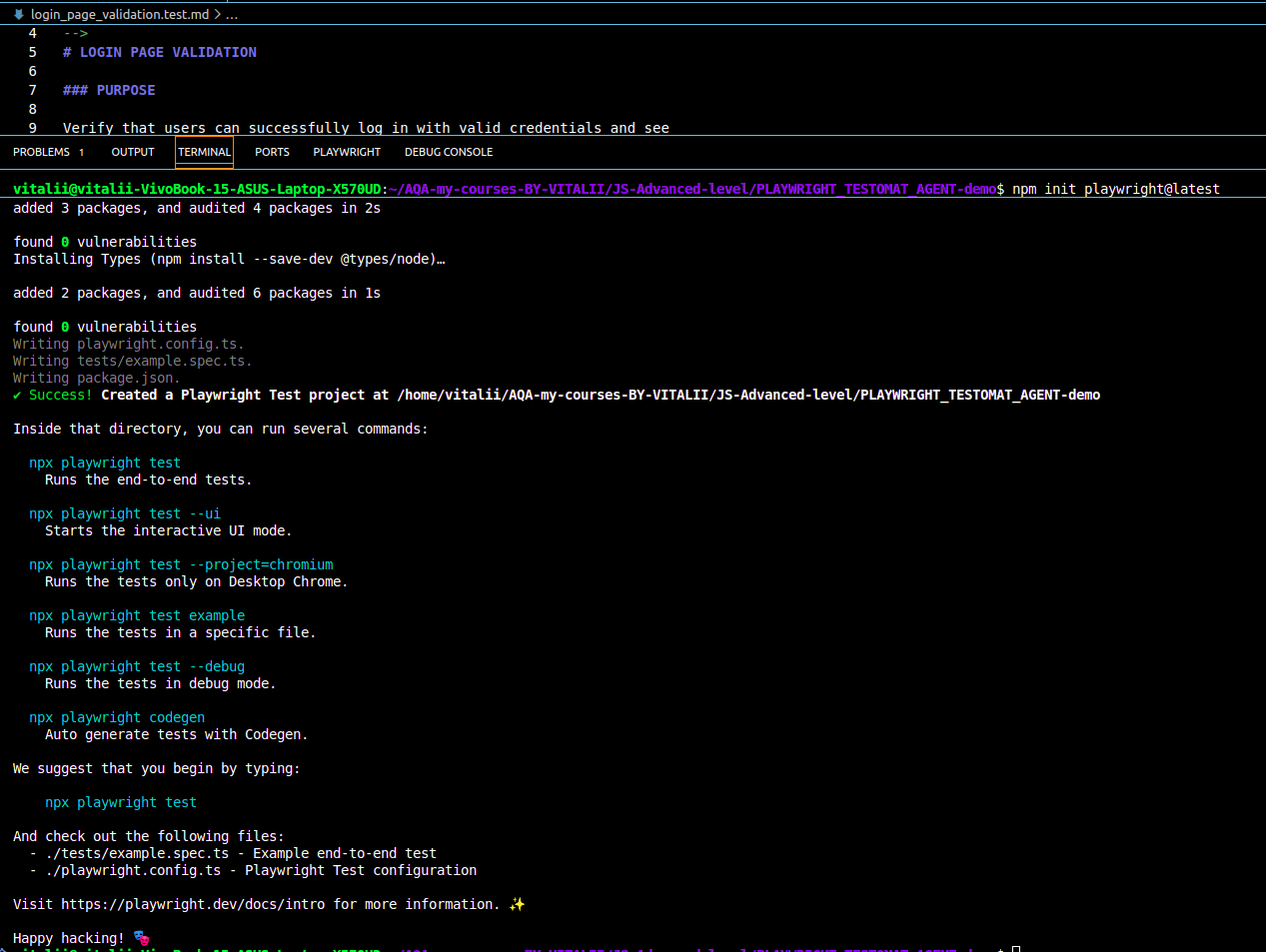
Initialize Your Project:
Run the following command in your terminal: npm init playwright@latest
- Select TypeScript for better code suggestions.
- Keep defaults for the test folder (tests/).
- Note: Ensure you have Node.js (v20 or higher) installed before starting.
Where the Magic Happens: Playwright Agents
This is the part of the workflow that changes everything.
Playwright Agents are AI-powered assistants built directly into the framework. They can generate tests, diagnose failures, and suggest fixes – all from inside VS Code. To activate them, run:
npx playwright init-agents –loop=vscode
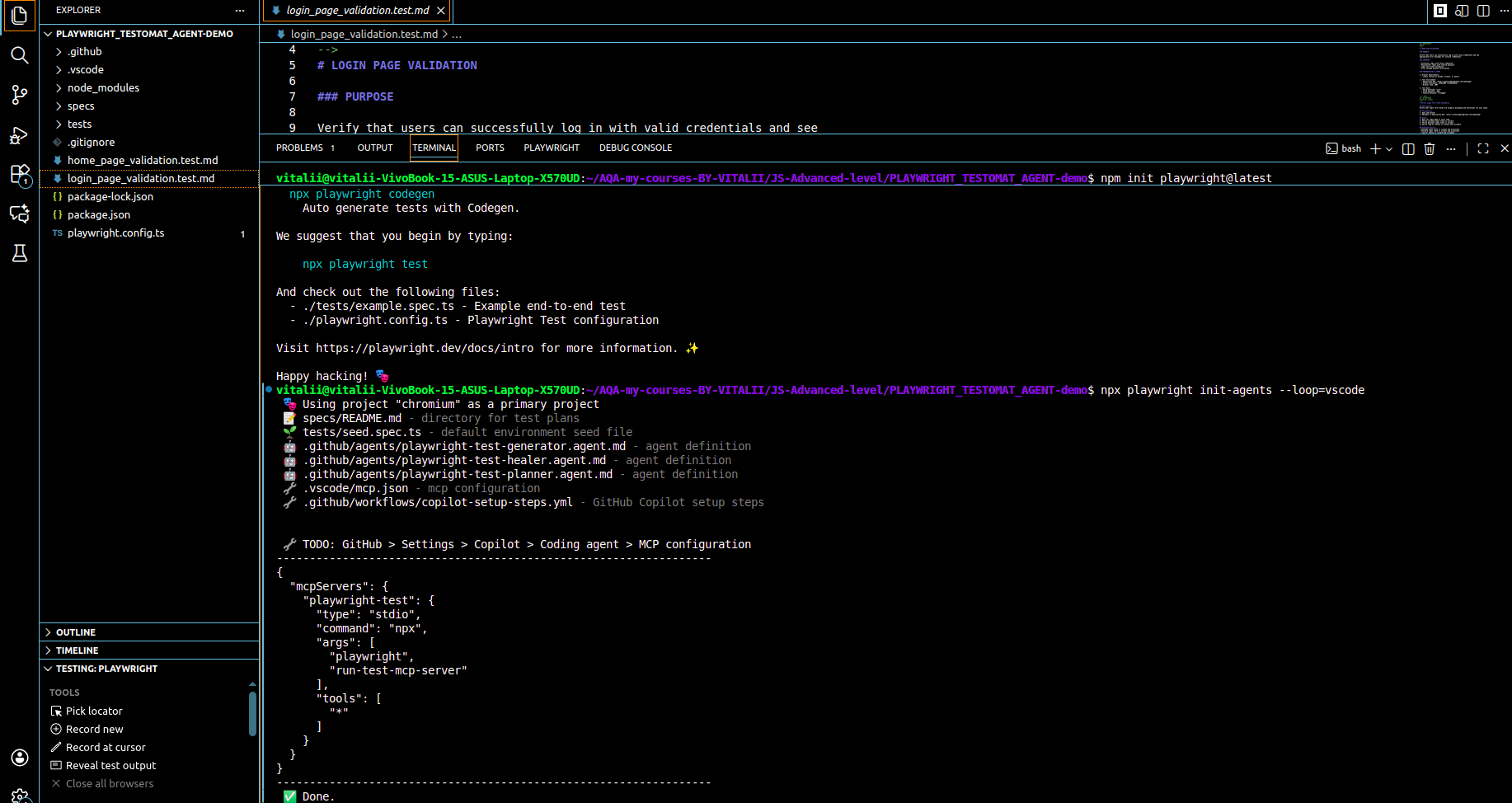
Once this is running, you no longer write tests from scratch. Instead, you have a conversation.
Point the Generator Agent at your Markdown file with a clear instruction:
“Analyze home_page_validation.test.md and generate Playwright tests for this suite, following best practices and matching all described test cases.”
Generate Tests from Markdown
You don’t need a complex “Planner” agent if you already have your Testomat Markdown files. Simply point the Generator Agent to your .md file with a prompt:
Prompt Example:
“Analyze home_page_validation.test.md and generate Playwright tests for this suite, following best practices and matching all described test cases.”
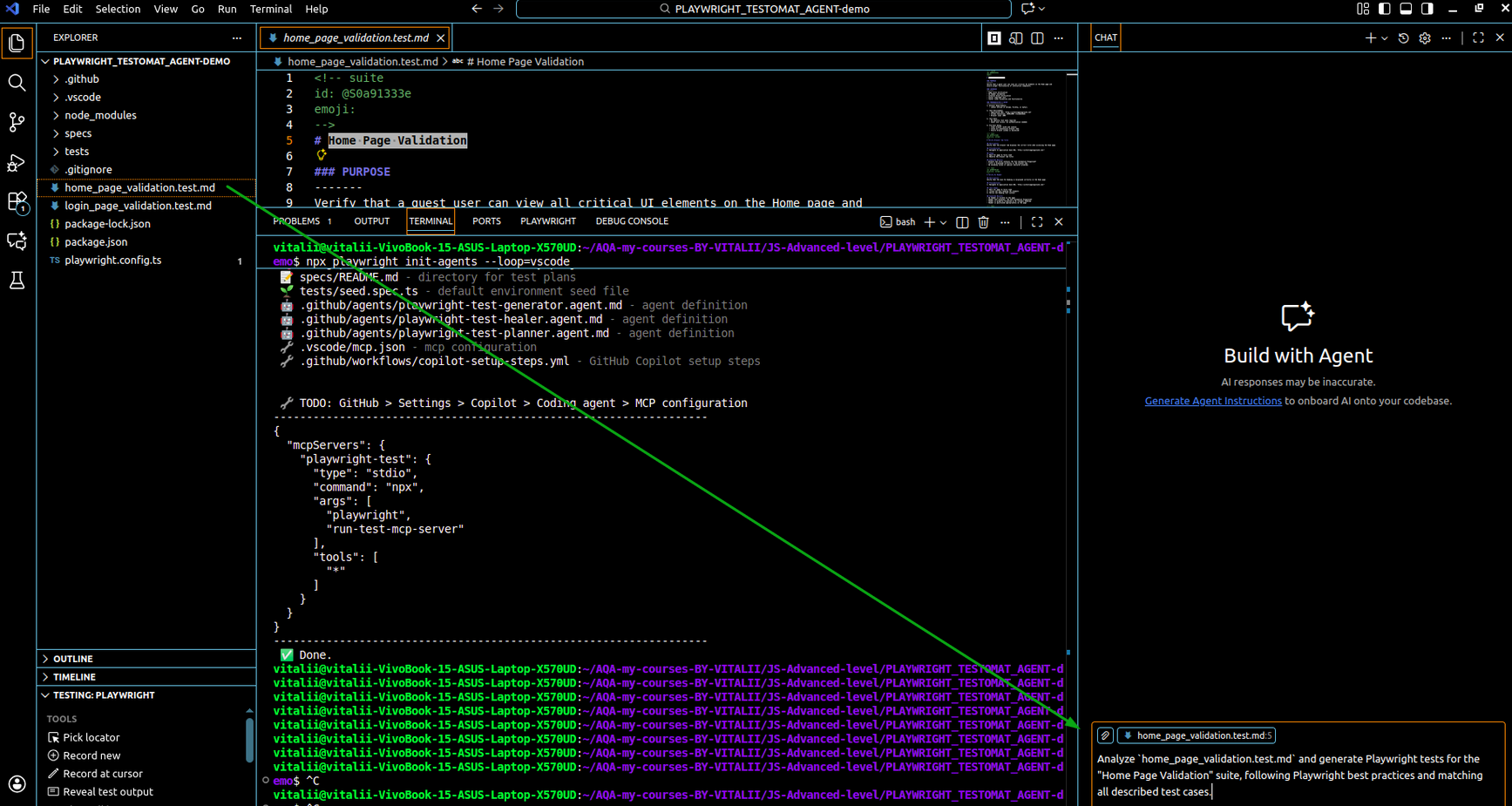
The Result: The agent will automatically create a home_page_validation.spec.ts file, translating your manual English steps into executable TypeScript code.
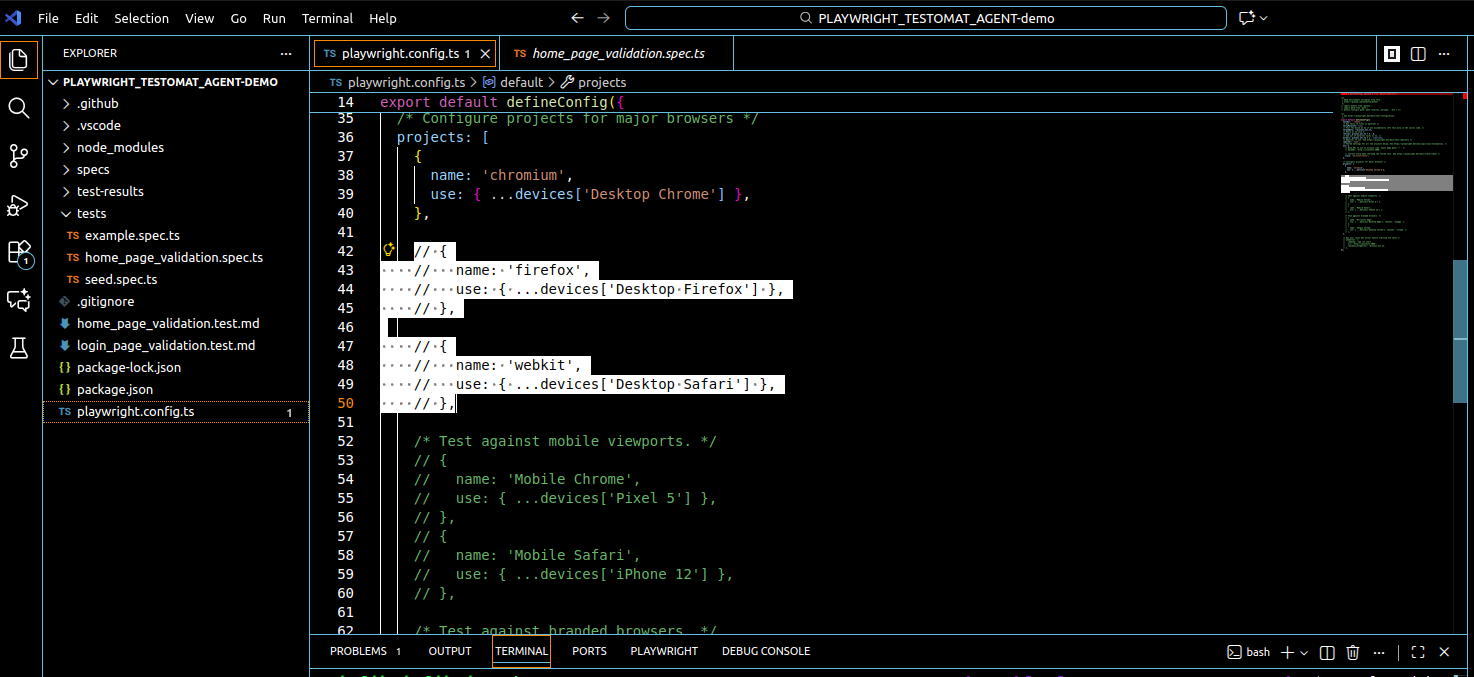
💡 Trick: But before starting let’s disable different browser execution by comment “firefox” and “webkit” code from the projects like on screen
The Safety Net: Auto-Healing
Even AI-generated code might fail on the first run due to tricky selectors or timing issues. This is where the Healer Agent shines.
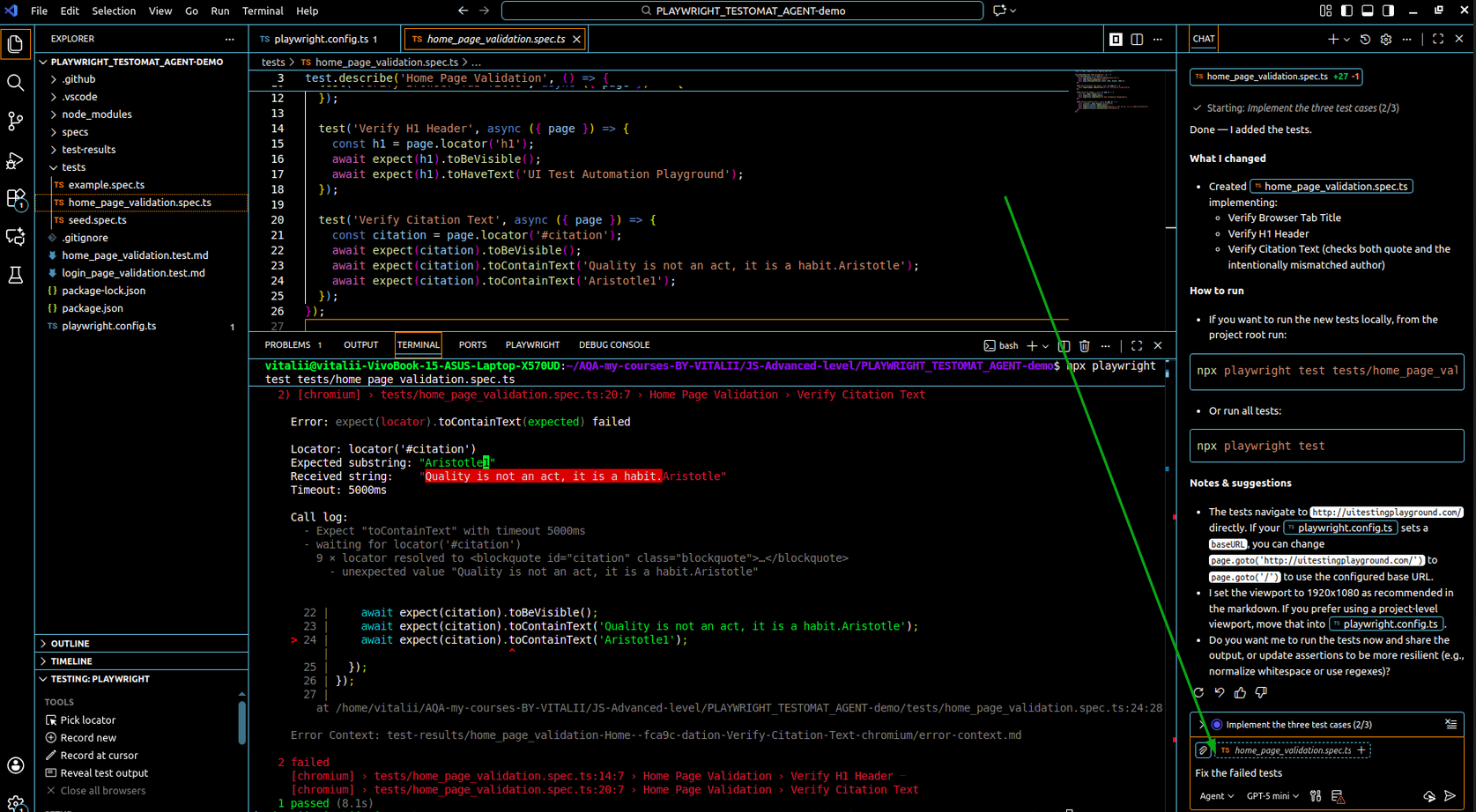
- Run your test: npx playwright test tests/home_page_validation.spec.ts
- If it fails: Don’t panic. Open the Agent and type: “Fix the failed tests.”
- The Agent’s Job: It analyzes the error logs, looks at the page structure, and suggests a fix (like updating a button selector).
Analysis & Conclusion
While this flow might not immediately create a complex “Page Object Model” architecture, it provides executable, readable, and functional code instantly with a clear report format (HTML).

For a Junior QA, this is a game-changer. You spend less time struggling with syntax and more time analyzing test results and ensuring software quality. By leveraging Testomat.io as your source of truth and Playwright Agents as your coding assistant, you are no longer just a manual tester – you are an efficient Automation Engineer.
The Bigger Picture
There’s a version of this story where automation is something that happens to QA engineers — a skill demanded of them that they must scramble to acquire. The tools get more complex, the learning curve steeper, and the gap between “tester” and “automation engineer” widens.
This workflow tells a different story. Your manual test cases aren’t a starting point you have to leave behind on the way to automation. They’re the most valuable thing you bring to the process. The knowledge encoded in them about how users interact with the software, what should happen when, where the edge cases live is irreplaceable. The code is just the expression of that knowledge.
Testomat.io keeps that knowledge structured and exportable. Playwright Agents translate it into working code. And you, the person who actually understands the product, end up in the right place: not wrestling with a framework, but making informed decisions about software quality. The mountain is still there. It’s just a lot easier to climb when you’re not starting from the bottom.