



Moving from one test management tool to another sounds risky. Teams worry about losing test cases built over years, breaking integrations with Jira or other tools, disrupting testing workflows, and spending weeks on migration while projects wait.
These concerns are valid. A poorly executed migration from TestRail can cause exactly these problems. But a well-planned migration process actually improves testing capabilities while preserving existing work.
This guide walks through migrating from TestRail to Testomat.io step by step. It covers three migration methods, explains what transfers and what requires adjustment, and provides practical advice for ensuring a smooth transition without disrupting your QA team’s work.
Why teams migrate from TestRail
TestRail has been a standard test management tool for years. So why do teams leave?
- Cost becomes prohibitive. TestRail pricing scales per user. As teams grow, license costs escalate quickly.
- Integration limitations appear. While TestRail provides Jira integration, connecting with modern automation frameworks, CI/CD pipelines, and developer tools often requires custom work or third-party plugins. Teams spend time building and maintaining these connections.
- The interface feels dated. TestRail’s UI hasn’t changed much in years. New team members find it less intuitive than modern cloud tools. Training takes longer than it should.
- Automation support is basic. TestRail excels at manual test case management but treats automated tests as an afterthought. Teams running extensive test automation want better integration between manual and automated testing.
Teams migrate when these limitations cost more than migration effort.
What Testomat.io offers instead
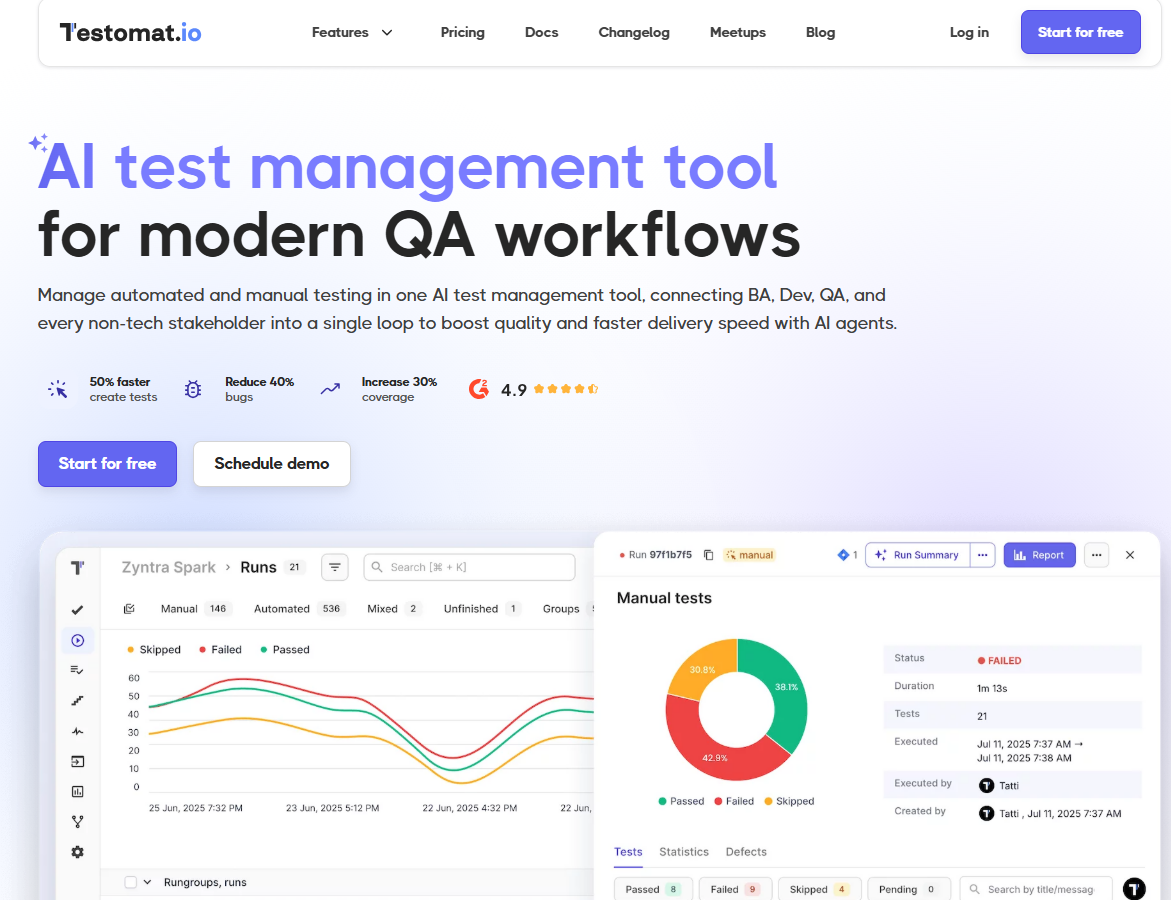
Testomat.io is a comprehensive test management platform built for modern QA teams who need manual and automated testing in one system.
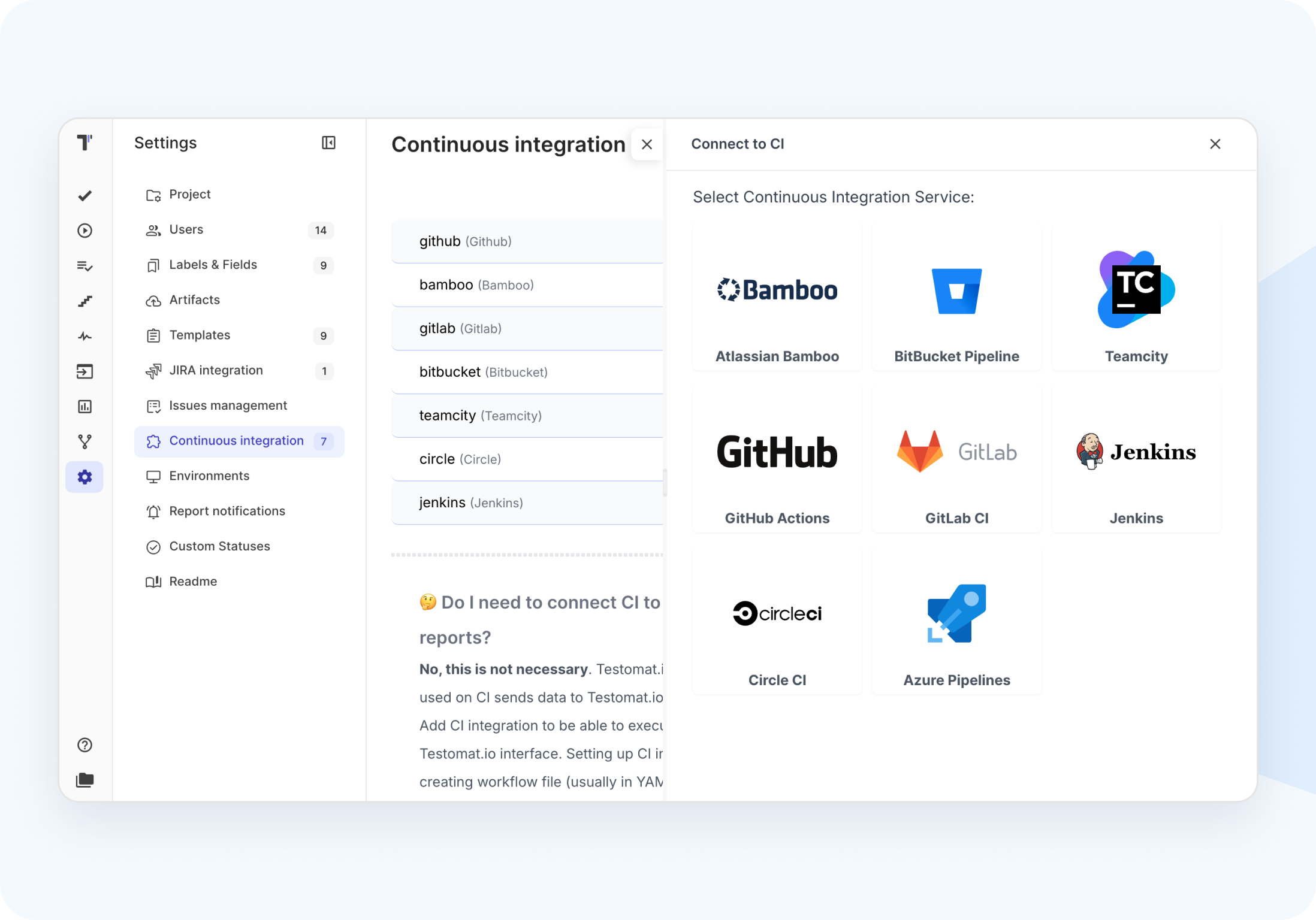
- Native automation integration. Connect directly with Playwright, Cypress, Selenium, WebdriverIO, and other automation frameworks. Test results from CI/CD pipelines flow automatically into the test repository.
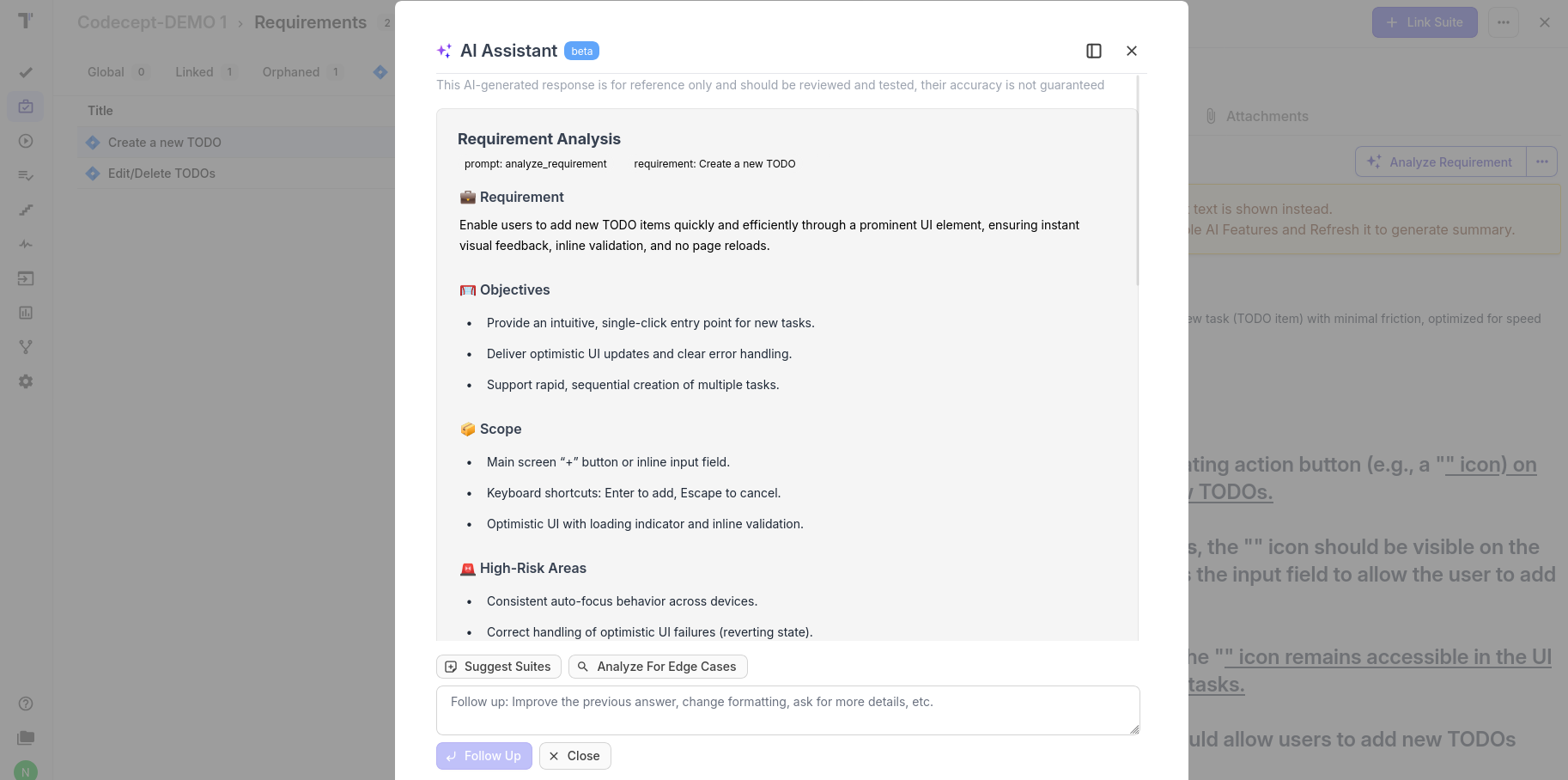
- AI-powered test generation. Create test cases from requirements or user stories automatically. The system suggests test scenarios, generates test steps, and identifies coverage gaps.
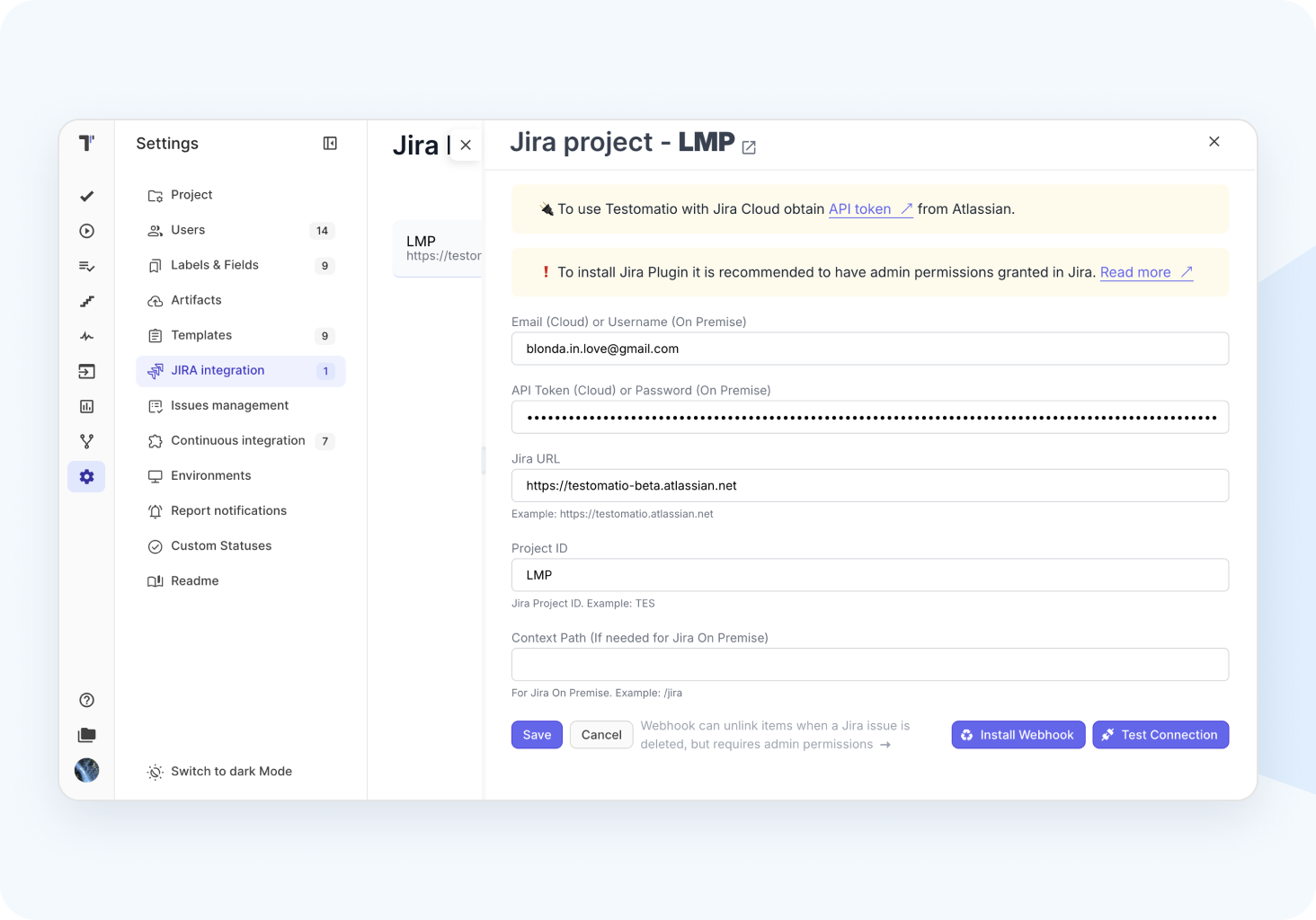
- Strong Jira integration. Link test cases to Jira issues automatically. Track which requirements have test coverage. See test execution status directly in Jira.
- Built-in migration tools. Testomat.io includes features designed specifically to help TestRail users migrate their existing test data without losing work.
Before starting the migration process
Successful migration requires preparation. Don’t just start exporting data.
Audit your TestRail project
Review what’s in TestRail currently:
- How many test cases exist?
- How many test suites and sections?
- What custom fields are in use?
- Which test cases have attachments?
- How many test runs should be preserved?
- Are there test cases nobody uses anymore?
This audit reveals the scope. A project with 500 test cases and minimal attachments migrates differently than one with 5,000 cases, extensive custom fields, and years of test run history.
Clean up before migrating
Migration is a good time to remove clutter:
- Delete obsolete test cases that don’t apply to current software versions
- Remove duplicate test suites created by mistake
- Archive old test runs that don’t need preservation
- Consolidate overlapping test cases
Migrating less data makes the process faster and results cleaner.
Document current workflows
Write down how your team currently uses TestRail:
- How are test cases organized (by feature, by release, by test type)?
- What custom fields matter and what do they mean?
- How are test runs structured?
- What integrations exist with other tools?
- What automation connects to TestRail?
This documentation helps recreate workflows in Testomat.io and identifies what needs attention during migration.
Back up TestRail data
Before any migration, export a complete backup of TestRail data. This provides a safety net if something goes wrong. TestRail allows XML export of entire projects. Store this backup securely.
Set up Testomat.io
Create your Testomat.io account and project before importing TestRail data. This allows you to:
- Familiarize yourself with the interface
- Set up Jira integration first (important for preserving Jira links)
- Configure team members and permissions
- Test import with a small sample before migrating everything
Three methods for importing tests from TestRail
Testomat.io offers three migration approaches. Choose based on your project size and requirements.
Method 1: CSV import for simple migrations
When to use: Small projects (under 500 test cases) without attachments, straightforward structure, minimal custom fields.
Advantages:
- Fastest method for small test suites
- No API setup required
- Works for teams without technical resources
- Good for testing migration with a subset of cases
Limitations:
- Doesn’t transfer attachments (screenshots, documents)
- Limited custom field support
- No test run history migration
- Manual export/import steps
How it works:
First, export from TestRail:
- Open your TestRail project
- Navigate to Test Cases section
- Select the test suite to export
- Click Export and choose CSV format
- Save the CSV file locally
Then, import to Testomat.io:
- Open your Testomat.io project
- Click the Imports tab
- Select Import From TestRail
- Choose Import tests from CSV file
- Select TestRail from the dropdown
- Upload your CSV file
- Click Create to start import
The system processes test cases, creating them in Testomat.io with their original structure. This typically completes in minutes for hundreds of test cases.
What transfers:
- Test case titles and descriptions
- Test steps and expected results
- Test suite organization
- Priority and status fields
What doesn’t transfer:
- Attachments (images, files)
- Custom fields beyond standard ones
- Test run results and history
- Comments on test cases
Method 2: Built-in UI tool (API-based) for medium projects
When to use: Projects with 100-1000 test cases, need to preserve attachments, want automated import without scripts.
Advantages:
- Handles attachments automatically
- Transfers custom fields
- Simple web interface, no coding needed
- Secure credential handling
- Faster than manual CSV export/import
Limitations:
- Performance slows with very large projects (over 1000 cases)
- Requires TestRail API access enabled
- Processes one project at a time
How it works:
Prepare TestRail:
- Log into TestRail as administrator
- Go to Administration > Site Settings > API
- Enable API access if it’s disabled
- Note your TestRail URL (like yourcompany.testrail.io)
- Generate or use existing API key (under My Settings > API Keys)
Pro tip: Before starting import, link your Jira project to Testomat.io if you use Jira. This ensures Jira links in TestRail test cases transfer correctly to Testomat.io.
Import in Testomat.io:
- Navigate to your Testomat.io project
- Click Imports tab
- Select Import From TestRail button
- Enter TestRail credentials:
- TestRail URL
- Username (email)
- API key or password
- Click Import Tests
The system connects to TestRail API, retrieves all test cases from the project, and creates them in Testomat.io. Progress shows in real time.
Import duration depends on project size:
- 100 test cases: 2-5 minutes
- 500 test cases: 10-20 minutes
- 1000 test cases: 30-45 minutes
What transfers:
- Test cases with all fields (steps, expected results, descriptions)
- Attachments (screenshots, documents)
- Test suites and sections (organizational structure)
- Custom fields configured in TestRail
- Priority, type, and status fields
- References and links (including Jira links if Jira is connected)
What doesn’t transfer (yet):
- Test run history and results
- Comments and discussion threads
- Milestones
- Test plans
Method 3: API migration script for large projects
When to use: Projects with more than 1000 test cases, need to migrate test run results, require customization of import logic, have complex custom field mappings.
Advantages:
- Handles projects of any size efficiently
- Migrates test runs with results (passed, failed, skipped)
- Transfers all attachments via S3 integration
- Fully customizable import behavior
- Can process specific test cases or runs for debugging
- Open source script you can modify
Limitations:
- Requires technical setup (Node.js environment)
- Need to handle credentials and tokens
- More complex than UI-based methods
How it works:
This method uses an open-source Node.js script that calls both TestRail and Testomat.io APIs to transfer data programmatically.
Setup requirements:
- Node.js 20 or higher installed
- TestRail API access enabled
- Testomat.io API token (General Token from settings)
- For attachments: S3 bucket configuration (optional)
What this method transfers:
- All test cases with complete data
- Test suites and sections
- Custom fields with full fidelity
- Attachments via S3
- Test runs with execution history
- Test results (passed, failed, skipped)
- Artifacts and evidence from test runs
After importing: validation and setup
Migration doesn’t end when import completes. Verify everything transferred correctly and set up your team for success.
Validate test case import
Check test cases systematically:
- Open several test suites and verify test cases appear with correct structure
- Check test steps and expected results display properly
- Verify attachments load (if applicable)
- Review custom field values transferred correctly
- Compare count of test cases in Testomat.io to TestRail (should match)
For large migrations, spot-check 5-10% of test cases from different suites rather than reviewing everything.
Verify organizational structure
Confirm test repository organization:
- Test suites match TestRail structure
- Sections within suites are correct
- Test cases are in the right suites
- Hierarchy and nesting preserved
Reorganize if needed. Testomat.io makes it easy to move test cases between suites after import.
Set up team access
Configure team members in Testomat.io:
- Invite all QA team members
- Assign appropriate permission levels
- Create teams if your organization uses them
- Set up notification preferences
Recreate integrations
Rebuild connections from TestRail:
Jira integration: If you linked Jira before import, test cases should have their Jira references. Verify:
- Jira links in test cases work
- Test execution results post to Jira when configured
- Bi-directional sync operates correctly
Automation integration: Connect your test automation:
- Install Testomat.io reporter in automation project
- Configure API token
- Run tests and verify results appear in Testomat.io
- Link automated tests to manual test cases
CI/CD integration: Set up continuous testing:
- Add Testomat.io to your CI/CD pipeline
- Configure test runs to execute automatically
- Verify results post back correctly
Train your team
Schedule training sessions:
- Walkthrough of Testomat.io interface for testers
- Creating and executing test cases
- Logging defects
- Running test runs
- Generating reports
Most teams need 1-2 hours of training for basic functionality. Advanced features like AI test generation can be introduced gradually.
Run parallel testing initially
Don’t immediately abandon TestRail. Run both systems in parallel for 1-2 weeks:
- Execute test runs in both platforms
- Compare results to ensure consistency
- Let team members get comfortable with Testomat.io
- Identify any missing functionality or workflow issues
This parallel period builds confidence before fully committing to the new tool.
Common migration challenges and solutions
Most issues teams face during TestRail to Testomat.io migration are predictable and solvable with the right preparation. Below are the most common challenges and proven ways to handle them smoothly.
| Challenge | Problem | Solution |
| Custom fields don’t map perfectly | TestRail custom fields may use different types, structures, or option sets than Testomat.io supports. | Review all custom fields before migration. Remove outdated or unused fields. For complex cases, use the API migration script’s custom mapping logic to transform field values during import. |
| Test runs have different structures | TestRail’s run organization may not align with how you want to structure test execution in Testomat.io. | Migrate test cases first. Recreate run structure natively in Testomat.io instead of importing legacy runs. Export critical TestRail reports beforehand to preserve historical results. |
| Attachments are missing or broken | Some attachments don’t load or links break after migration. | CSV imports don’t transfer attachments (known limitation). When using API migration, ensure S3 storage is configured correctly. Use the attachment repair script included with the migration tool to fix orphaned links. |
| Automation integration breaks | Automated tests that previously reported to TestRail stop syncing results. | Replace the TestRail reporter with the Testomat.io reporter. Update framework configuration and API tokens. Most integrations require fewer than 10 lines of code changes. |
| Team resists change | Team members are comfortable with TestRail and hesitant to adopt a new platform. | Involve the team early. Run parallel access during transition. Identify internal champions. Highlight practical benefits such as AI-powered test creation, improved automation workflows, and faster reporting. |
Best practices for TestRail migration
Don’t migrate everything at once. Choose a smaller project, migrate it completely, and learn from that experience before tackling larger projects.
- Migrate during a slow period. Don’t attempt migration during a major release or critical deadline. Choose a time when testing workload is lighter.
- Communicate throughout. Tell the team migration is happening, what to expect, and when. Update them on progress. Address concerns promptly.
- Document the new workflow. Create quick reference guides showing how to do common tasks in Testomat.io. Record training videos for team members who prefer that format.
- Gather feedback. After migration, ask the team what’s working and what isn’t. Testomat.io support team can help with issues that come up.
- Be patient with adoption. Team members need time to adjust. The first week always feels slower as people learn new workflows. Productivity typically returns to normal within 2-3 weeks.
Making the switch
Migrating from TestRail to Testomat.io is straightforward when approached systematically. Choose the migration method matching your project size. Prepare properly by cleaning up test data and documenting workflows. Validate thoroughly after import. Train your team and allow time for adjustment.
The result is a modern test management platform with better automation integration, AI-powered capabilities, and lower costs than TestRail. Teams typically report improved testing efficiency within a month of migration.
Ready to start? Create a Testomat.io account, set up a test project, and try importing a small test suite from TestRail using the CSV method. This hands-on experience shows exactly how migration works without commitment.
Test management shouldn’t be expensive or complicated. Migrate from TestRail and see the difference modern tooling makes for your QA team’s productivity and software quality.
Frequently asked questions
Can we migrate multiple TestRail projects to one Testomat.io project?


Yes. Run the migration script multiple times with different TestRail project IDs. Test cases from all projects will combine in Testomat.io. Organize them into different test suites to keep them separate.
What happens to TestRail data after migration?
Migration copies data from TestRail to Testomat.io. Your original TestRail project remains unchanged. You can keep TestRail access during transition period or cancel once comfortable with Testomat.io.
What if we find issues after migration?
Contact Testomat.io support team. They help resolve import problems and can assist with re-importing data if needed. This is why backing up TestRail data before migration is important.