



User Acceptance Testing (UAT) is the final phase of software testing where actual users validate whether a system meets business requirements and is ready for production deployment. Unlike technical testing performed by QA engineers, UAT involves end-users, business stakeholders, or clients who verify that the software works as expected in real-world scenarios.
Types of UAT Testing
- Alpha Testing – Conducted by internal staff in a controlled environment before releasing to external users
- Beta Testing – Performed by a limited group of external users in a production-like environment
- Contract Acceptance Testing – Validates that software meets contractual specifications
- Regulation Acceptance Testing – Ensures compliance with legal and regulatory requirements
- Operational Acceptance Testing – Verifies system readiness for operational deployment
Why UAT Matters
UAT testing bridges the gap between technical development and business expectations. Even if your software passes all functional and integration tests, it can still fail to meet user needs. UAT ensures:
- ✅ Business requirements are satisfied
- ✅ Real-world workflows function correctly
- ✅ User experience meets expectations
- ✅ Edge cases discovered by actual users are addressed
- ✅ Stakeholder confidence before production release
Why UAT Testing Tools Are Essential
Running UAT without proper user acceptance testing tools creates significant challenges:
- Scattered feedback – Testers send feedback via email, Slack, spreadsheets, making consolidation difficult
- No traceability – Difficult to track which requirements have been validated
- Poor collaboration – Business users and technical teams work in silos
- Time-consuming reporting – Manual compilation of test results delays decision-making
- Lack of visibility – Stakeholders can’t see real-time testing progress
- Version confusion – Hard to know which build is being tested
What UAT Tools Solve
Modern UAT testing software addresses these challenges by providing:
- Centralized test management – One place for all UAT activities
- User-friendly interfaces – Non-technical users can log issues easily
- Real-time dashboards – Stakeholders see progress instantly
- Requirement traceability – Link tests to business requirements
- Collaboration features – Comments, notifications, approvals in one platform
- Evidence capture – Screenshots, videos, logs attached to test results
- Integration capabilities – Connect with Jira, Slack, development tools
Key Features to Look for in UAT Testing Tools
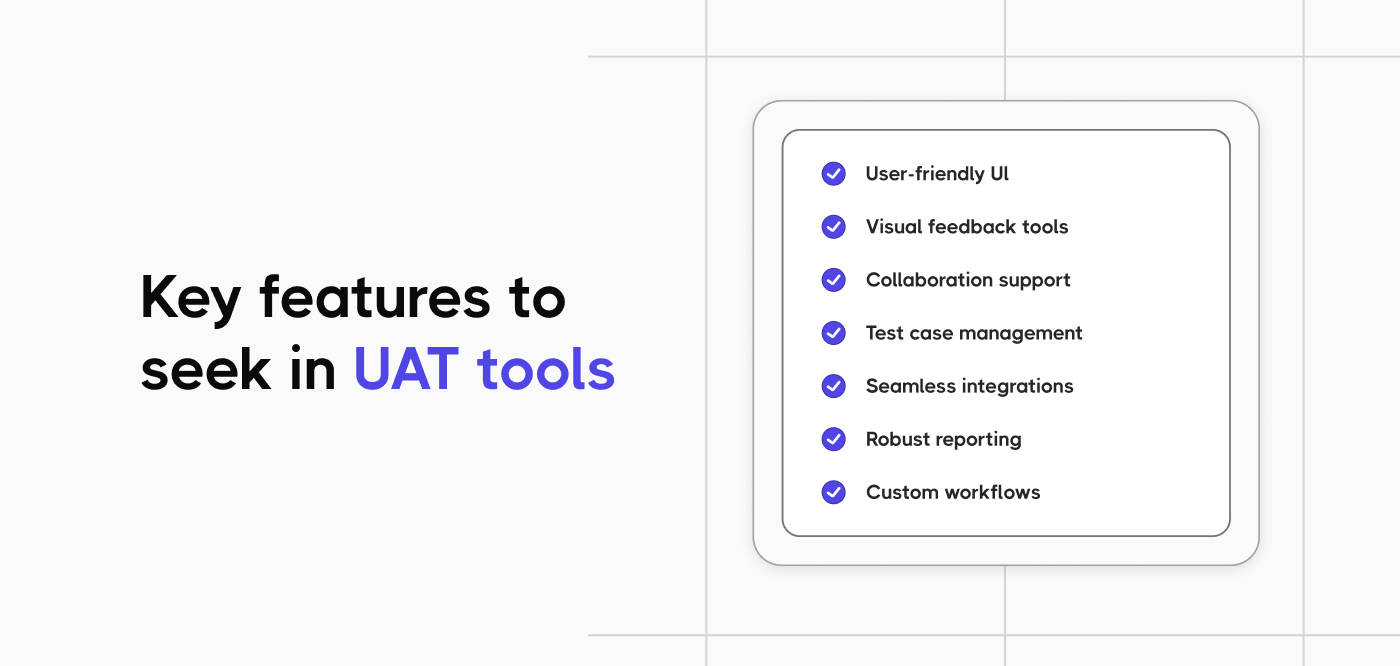
When evaluating tools for UAT testing, consider these essential capabilities.
1. User-Friendly Interface
Business users and stakeholders often aren’t technically trained. The best UAT tools offer intuitive interfaces where anyone can:
- Execute test cases without technical knowledge
- Log defects with simple forms
- Capture screenshots and recordings easily
- Understand testing progress at a glance
2. Test Case Management
Robust acceptance testing tools should allow you to:
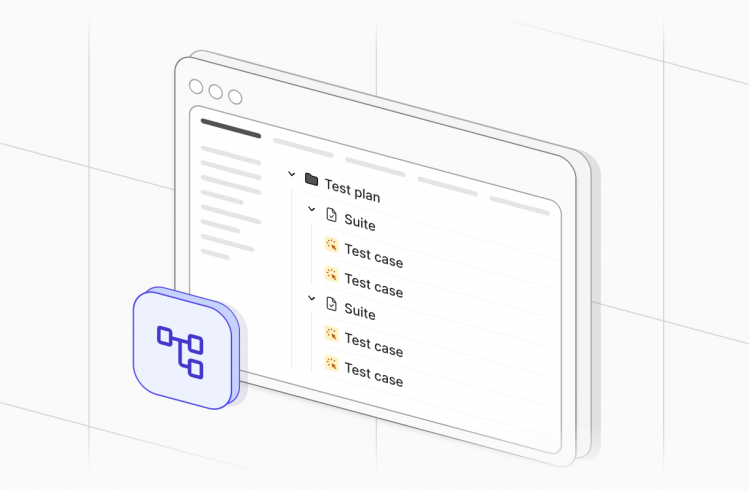
- Create and organize test cases by module or workflow
- Import test cases from requirement documents
- Assign tests to specific UAT participants
- Track test execution status (Not Started, In Progress, Passed, Failed)
- Reuse test cases across different UAT cycles
3. Defect Tracking
Seamless defect management includes:
- Simple defect logging process for non-technical users
- Ability to attach screenshots, videos, and logs
- Automatic linking of defects to failed test cases
- Integration with development teams’ bug tracking systems
- Status tracking from identification to resolution
4. Requirement Traceability
Enterprise-grade user acceptance testing tools provide:
- Bidirectional traceability between requirements and tests
- Coverage reports showing which requirements have been validated
- Impact analysis when requirements change
- Compliance documentation for regulated industries
5. Collaboration Features
Effective UAT requires seamless communication:
- In-context commenting on test cases and defects
- @mentions to notify specific team members
- Email notifications for assignments and updates
- Approval workflows for sign-offs
- Real-time activity feeds
6. Reporting and Analytics
Stakeholders need clear visibility:
- Real-time dashboards showing UAT progress
- Pass/fail metrics by module or requirement
- Defect trends and severity distribution
- Execution timelines and resource utilization
- Exportable reports for management presentations
7. Integration Capabilities
The best UAT automation tools integrate with:
- Requirement management – Jira, Azure DevOps, Confluence
- Communication platforms – Slack, Microsoft Teams
- Test automation frameworks – For automated acceptance testing
- CI/CD pipelines – To trigger UAT after deployments
- Cloud storage – For test data and evidence
8. Mobile Accessibility
Modern UAT often happens on mobile devices:
- Native mobile apps or responsive web interfaces
- Ability to execute tests on smartphones/tablets
- Easy screenshot capture on mobile
- Offline capability with sync when connected
The 13 Best UAT Testing Tools
| Tool | Primary Focus | Best For | Key Features | Pricing Model |
| Testomat.io | AI-powered test management | Modern teams needing intelligent UAT | AI test case generation, customised reporting, comprehensive test management | Tiered subscription |
| Usersnap | Visual feedback collection | Collaborative UAT with non-technical users | Screenshot annotations, in-app feedback, issue tracking | Monthly subscription |
| Marker.io | Bug reporting | Visual feedback and bug tracking | One-click bug reporting, automatic environment capture, Jira integration | Per-user pricing |
| LambdaTest | Cloud testing platform | Scaling UAT across devices | Live testing, automated screenshot testing, responsive testing | Usage-based |
| BugHerd | Visual feedback | Website and app testing | Point-and-click feedback, task board, browser plugin | Team-based pricing |
| UserTesting | User research | Gathering qualitative user feedback | Video recordings of real users, panel recruitment, insight analysis | Enterprise pricing |
| QA Touch | All-in-one testing | Small to mid-sized teams | Test case management, bug tracking, test execution | Tiered subscription |
| Selenium | Test automation | Teams wanting open-source automation | Cross-browser automation, extensive programming language support | Free UAT testing tools (open source) |
| Testpad | Lightweight testing | Agile teams with changing requirements | Checklist-style testing, collaborative testing, simple UI | Per-tester pricing |
| Userlytics | User experience testing | Gathering detailed user feedback | Remote user testing, UX metrics, video recordings | Pay-per-test |
| TestMonitor | Test case management | Client-vendor testing collaboration | Risk-based testing, requirements traceability, intuitive UI | Tiered pricing |
| Azure Test Plans | Microsoft ecosystem | Teams using Azure DevOps | Test planning, execution, exploratory testing, test automation | Azure DevOps add-on |
| Applause | Crowdtesting | Diverse user testing needs | Access to global testing community, managed testing services | Custom pricing |
Testomat.io – Best Overall UAT Testing Tool
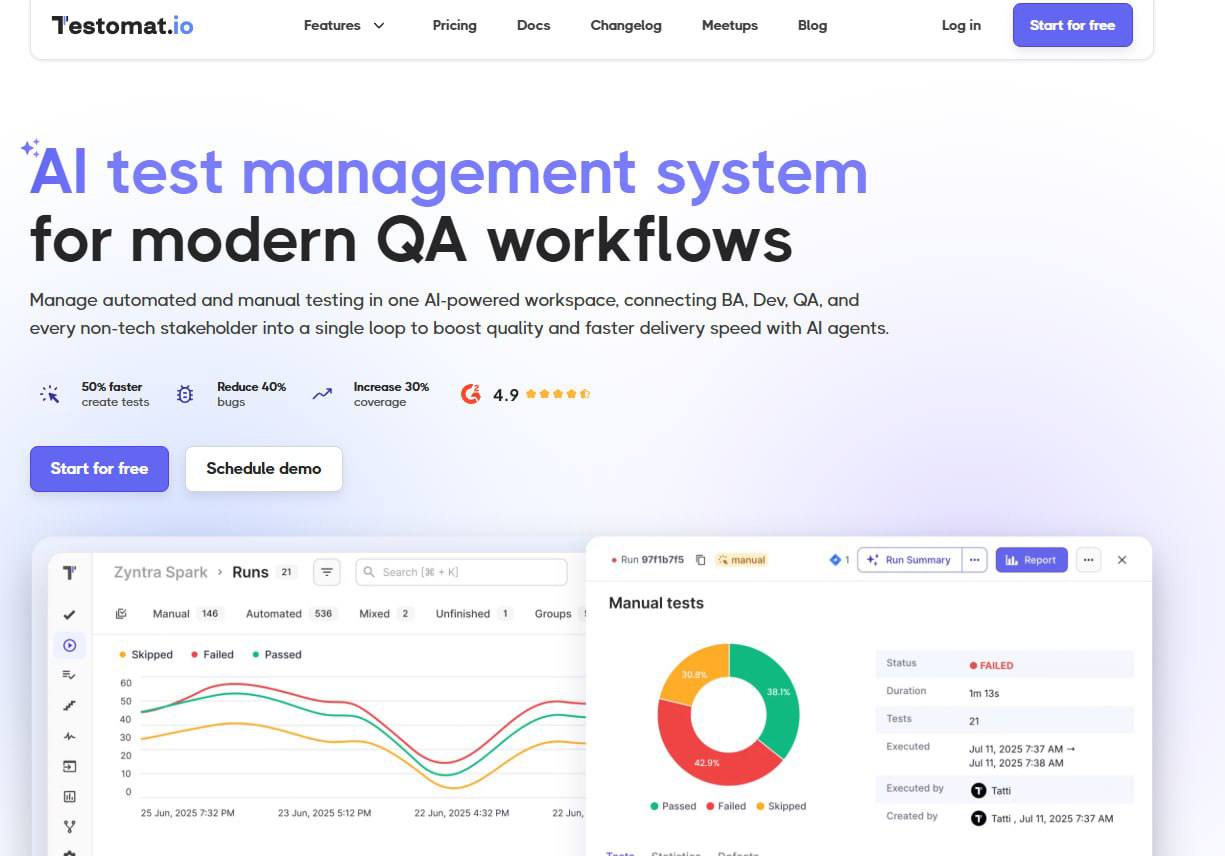
Website: testomat.io
Best For: Teams seeking AI-powered UAT with seamless automation integration
Testomat.io stands out as a comprehensive UAT testing tool that combines user-friendly test management with powerful AI capabilities and deep automation integration. It’s designed specifically for modern software teams who need both manual UAT by business users and automated acceptance testing.
Key Features
AI-Powered Test Generation
Testomat.io AI functionality
- Generate UAT test cases from user stories and acceptance criteria
- Suggest test descriptions and steps automatically
- Identify missing test coverage using AI analysis
- Create automated test scripts from manual test descriptions
User-Friendly for Non-Technical Users
- Intuitive interface perfect for business stakeholders
- Simple test execution workflow
- Easy defect logging with screenshot capture
- No technical training required
Requirement Traceability
- Direct Jira integration for linking requirements
- Import acceptance criteria automatically
- Track which requirements have been validated
- Generate compliance reports
Collaboration Features
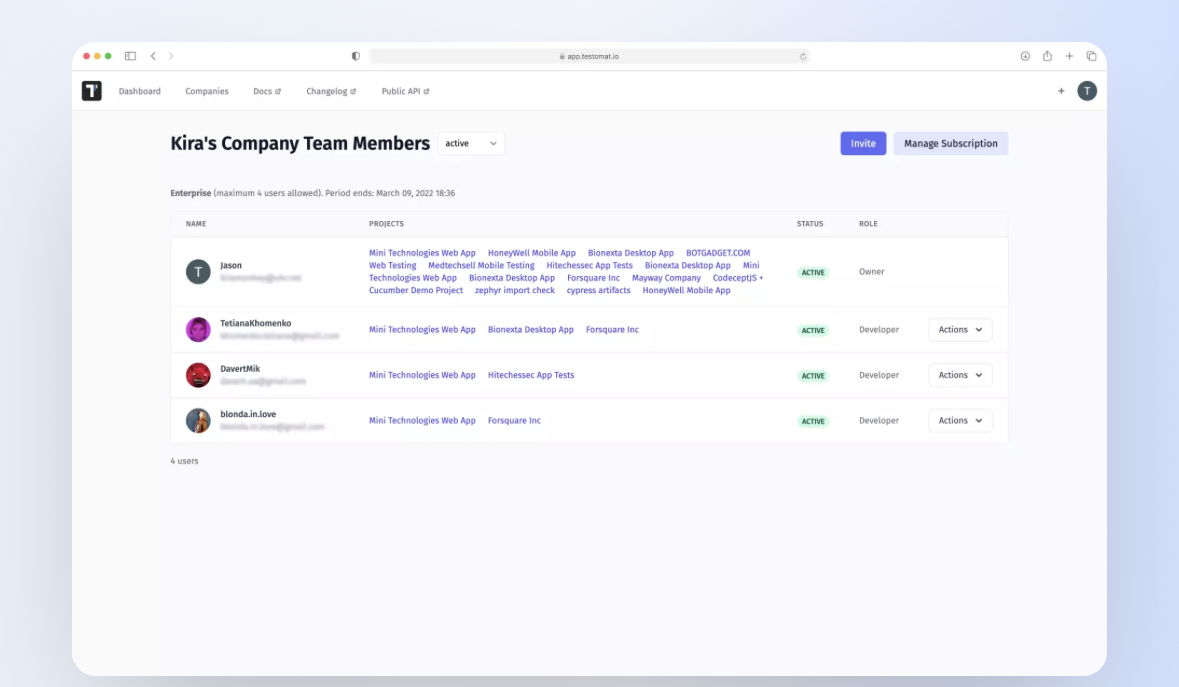
- Real-time commenting on test cases
- @mention team members for quick responses
- Approval workflows for UAT sign-offs
- Activity feeds showing all testing progress
Automation Integration
- Connect with Playwright, Cypress, Selenium, WebdriverIO
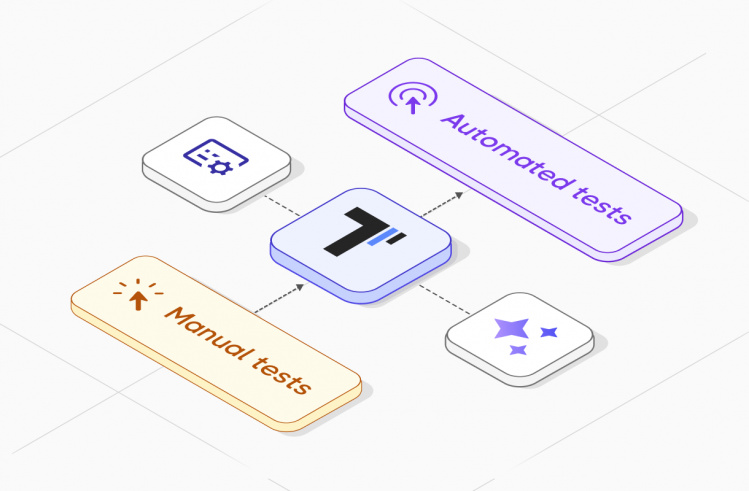
- Synchronize manual and automated test cases
- Track automation coverage
- Run automated acceptance tests from CI/CD
Reporting and Analytics
- Real-time UAT dashboards
- Requirement coverage reports
- Defect distribution analytics
- Executive summary exports
Best Use Cases
- Agile teams running regular UAT sprints
- Organizations transitioning to automated acceptance testing
- Companies needing AI assistance in test creation
- Teams requiring seamless Jira integration
Automated vs Manual UAT Testing Tools
Understanding the difference between automated UAT testing tools and manual UAT tools helps you choose the right approach.
Manual UAT Testing Tools
What They Do: Manual user acceptance testing tools facilitate human testers (usually business users or clients) executing test cases step-by-step and recording results.
Ideal For:
- Exploratory testing where scenarios aren’t fully defined
- Usability validation requiring human judgment
- Testing subjective elements (look and feel, user experience)
- Initial UAT cycles for new features
- Ad-hoc testing scenarios
Key Capabilities:
- Test case execution tracking
- Screenshot capture
- Simple defect logging
- Approval workflows
- Non-technical user interfaces
Automated UAT Testing Tools
What They Do: Automated user acceptance testing tools execute predefined test scripts automatically, validating that software meets acceptance criteria without manual intervention.
Ideal For:
- Regression UAT across multiple releases
- Acceptance tests that run frequently
- High-volume transaction scenarios
- Continuous deployment pipelines
- Scenarios with clear, repeatable steps
Key Capabilities:
- Test script creation and execution
- CI/CD integration
- BDD (Behavior-Driven Development) support
- Automated reporting
- Cross-browser/device testing
The Hybrid Approach (Recommended)
The most effective UAT automation strategy combines both approaches:
Start with Manual UAT
- Business users validate new features manually
- Record feedback and identify stable scenarios
- Refine test cases based on real-world execution
Transition to Automated Acceptance Testing
- Convert stable, repeatable tests to automation
- Run automated tests in CI/CD for regression
- Free up business users for exploratory UAT
Tools Supporting Hybrid UAT:
- Testomat.io – Best hybrid solution with AI-powered transition from manual to automated
- qTest – Good DevOps integration for hybrid testing
- Xray – Strong BDD support for automation
How to Choose the Right UAT Tool
Selecting the perfect UAT testing tool for your organization requires evaluating several factors:
1. Team Size and Structure
Small Teams (1-10 people)
- Consider: TestLodge, TestMonitor, Testuff
- Priority: Simplicity, affordability, quick setup
- Budget: $50-200/month
Medium Teams (10-50 people)
- Consider: Testomat.io, Zephyr Scale, TestFLO
- Priority: Collaboration, integration, scalability
- Budget: $200-1,000/month
Enterprise Teams (50+ people)
- Consider: TestRail, qTest, PractiTest
- Priority: Advanced features, support, security
- Budget: $1,000+ month
2. Technical Expertise Level
Non-Technical Business Users Choose user acceptance testing software with:
- Intuitive interfaces (TestMonitor, Testomat.io)
- Minimal training requirements
- Visual test execution
- Simple defect logging
Technical QA Teams Opt for UAT automation tools offering:
- Automation integration (qTest, Xray)
- API access
- BDD support
- CI/CD connectivity
3. Existing Tool Ecosystem
Heavy Jira Users
- Best options: Zephyr Scale, Xray, TestFLO
- Benefit: Native integration, no context switching
DevOps-Focused Organizations
- Best options: Testomat.io, qTest, Zephyr Scale
- Benefit: CI/CD integration, automation support
Microsoft Shops
- Best options: qTest, TestRail, Azure Test Plans
- Benefit: Azure DevOps integration
4. Budget Considerations
Free/Open Source
- TestLink (self-hosted)
- Limited features but zero cost
Budget-Friendly ($0-500/month)
- TestLodge, TestMonitor, Testuff
- Good for startups and small teams
Mid-Range ($500-2,000/month)
- Testomat.io, Zephyr Scale, TestFLO
- Best value for growing companies
Enterprise ($2,000+/month)
- TestRail, qTest, PractiTest
- Comprehensive features and support
5. Specific Requirements
- Need AI-Powered Test Generation? → Choose Testomat.io (only tool with built-in AI)
- Must Have Native Jira Integration? → Choose Zephyr Scale or Xray
- Require Strong Automation Support? → Choose Testomat.io, qTest, or Xray
- Need Multi-Project Management? → Choose PractiTest or TestRail
- Want Simple, Affordable Solution? → Choose TestMonitor or TestLodge
UAT Testing Best Practices
Regardless of which UAT tool you choose, follow these practices for successful user acceptance testing:
1. Define Clear Acceptance Criteria
Before UAT begins:
- Document specific, measurable acceptance criteria
- Link criteria to business requirements
- Ensure all stakeholders agree on success metrics
- Include both functional and non-functional requirements
2. Involve Real Users Early
Don’t wait until the end:
- Conduct UAT in multiple phases (alpha, beta)
- Include diverse user personas
- Gather feedback on prototypes before full development
- Create a UAT user group from actual customers
3. Create Realistic Test Scenarios
Your acceptance testing tools should contain:
- End-to-end business workflows
- Real-world data (anonymized if necessary)
- Common user paths through the application
- Edge cases users actually encounter
Bad Test Case: “Verify login works”
Good Test Case: “As a returning customer, log in with saved credentials, navigate to previous orders, and reorder the most recent purchase”
4. Establish Clear UAT Phases
Phase 1: Preparation
- Set up UAT environment (identical to production)
- Import test cases to your UAT testing software
- Assign testers and provide access
- Conduct training on the UAT tool
Phase 2: Execution
- Testers execute assigned test cases
- Log defects immediately
- Capture evidence (screenshots, videos)
- Track progress in real-time
Phase 3: Resolution
- Development team fixes critical defects
- Retest failed scenarios
- Verify fixes don’t break other functionality
Phase 4: Sign-Off
- Stakeholders review UAT results
- Formal approval workflow
- Document lessons learned
- Archive test results for compliance
5. Automate Repetitive UAT Scenarios
Don’t manually test the same scenarios every sprint:
- Identify stable, repeatable test cases
- Convert to automated acceptance testing scripts
- Run automated tests in CI/CD
- Focus manual UAT on new features and edge cases
Use Testomat.io to:
- Create manual UAT test cases
- Generate automation code from descriptions
- Sync with automation frameworks
- Track both manual and automated coverage
6. Communicate Progress Continuously
Avoid “UAT black box” syndrome:
- Use real-time dashboards from your UAT tool
- Send daily status updates to stakeholders
- Hold brief daily stand-ups during UAT
- Flag blocking issues immediately
7. Manage UAT Environment Carefully
Environment issues kill UAT productivity:
- Freeze the environment during UAT cycles
- Ensure test data is realistic and complete
- Match production configuration exactly
- Have a rollback plan for critical issues
8. Document Everything
Good user acceptance testing software should capture:
- All test executions (passed/failed)
- Detailed defect descriptions
- Evidence (screenshots, videos, logs)
- Tester comments and feedback
- Approval decisions and rationale
This documentation is critical for:
- Compliance audits
- Future reference
- Lessons learned
- Contract disputes (if applicable)
9. Don’t Rush UAT
Common mistake: compressing UAT into 1-2 days:
- Allocate sufficient time (minimum 1 week for major releases)
- Account for defect fixes and retesting
- Build in buffer for unexpected issues
- Don’t pressure testers to “just approve it”
UAT is the last gate before production. Take it seriously.
10. Learn from Each UAT Cycle
After every UAT phase:
- Hold a retrospective meeting
- Review what went well and what didn’t
- Update test cases based on learnings
- Improve processes for next cycle
- Share insights across teams
Conclusion
Selecting the right UAT testing tools is critical for delivering software that truly meets user needs. While many excellent options exist, Testomat.io stands out in 2026 as the most comprehensive and forward-thinking solution.
Don’t let manual UAT processes slow down your releases. Modern UAT automation tools like Testomat.io can transform how your team validates software:
- Start a free trial at testomat.io
- Import your first set of requirements
- Generate AI-powered test cases in minutes
- Invite your UAT team and start testing
- See the difference modern tools make
The future of user acceptance testing is here – automated, intelligent, and collaborative. Choose the right UAT testing tool and make every release confident and successful.