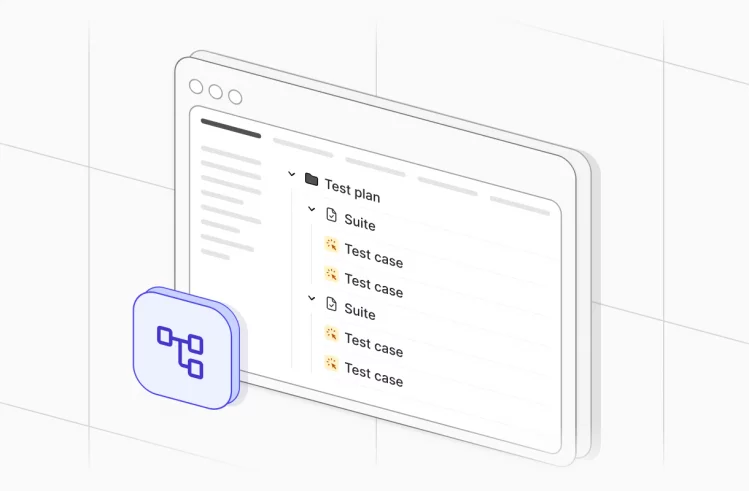






When you aim to achieve software quality throughout the development process from requirement analysis to product deployment, you need to apply the Software Testing Life Cycle (STLC) approach to detect problems before they affect users. A properly implemented STLC system decreases project risks while simultaneously enhancing operational performance and maintaining clear collaboration between product owners, developers and QAs. In the article below, you can learn more about each stage of the STLC process, reveal challenges and solutions at each stage of STLC and discover how AI technology influences software testing practices.
What Is the Software Testing Life Cycle?
Software Testing Life Cycle, or the STLC follows an organized process to validate software and confirm whether it works correctly and adheres to the initial requirements. The process of STLC enables quality assurance engineers to select testing methods or combine them depending on the requirements and goals of the project to maximize bug detection. They also work closely with the development team to fix identified bugs and communicate with stakeholders when requirements clarification is needed.
How is the STLC different from the SDLC?
Both the Software Development Life Cycle (SDLC) and the Software Testing Life Cycle (STLC) focus on creating high-quality software. They are interconnected, but are used to accomplish different purposes. The scope of SDLC is broad: it includes activities like requirement analysis, system design, coding, testing, and deployment. Its main goal is to successfully deliver a functional software system which fulfills all specified user needs and business requirements. It involves various stakeholders, including business analysts, developers, project managers, and testers.
The STLC operates as a part of the SDLC. The scope of STLC is narrow: it handles quality assurance and testing operations. The STLC maintains a limited focus on software quality validation and verification activities. Its main goal is to systematically identify, report, and manage defects/bugs until software reliability and a defect-free status are achieved before release.
| Feature | Software Development Life Cycle (SDLC) | Software Testing Life Cycle (STLC) |
| Process Scope | The entire software development process, from start to finish. | The process that integrates testing activities into the overall development cycle. |
| Phases Covered | It covers all phases of the software development. | It covers activities from testing planning to the formal closure of testing efforts. |
| Team Involvement | It involves many roles: business analysts, developers, and testers. | It mostly involves Quality Assurance roles: test engineers and QA leads. |
| Main Goal | The main goal is to successfully deliver the final, functional software product. | The main goal is to guarantee documented quality while discovering and monitoring defects. |
Role of STLC in Modern SDLC Processes
The software testing life cycle (STLC) serves as a core element of modern SDLC because it supports quality development from the beginning of software development through all its stages. It enables teams to create test strategy, plans and designs, and perform execution and assessment of testing activities from project start to its finish.
The current SDLC models, including Agile, DevOps and CI/CD, demand ongoing verification because they have replaced the previous method of testing, which happened after development completion. The testing process enables teams to work together with developers, product owners and operations staff for better collaboration during shift-left testing and continuous integration practices.
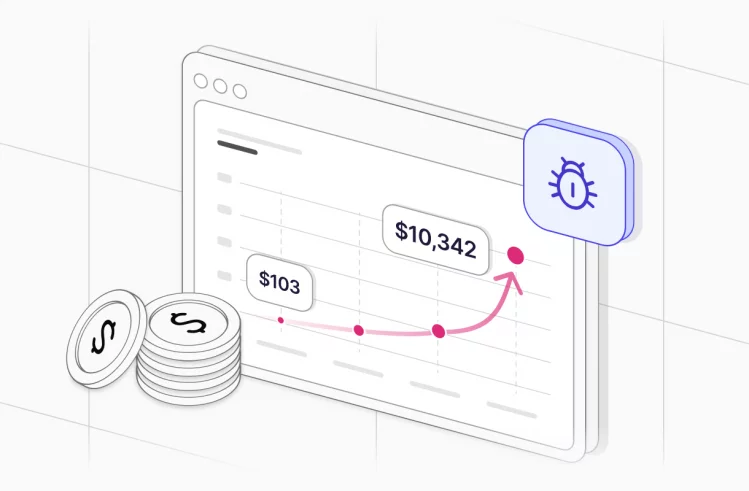
The STLC process enables organizations to detect issues during early stages, which results in cost savings from reduced rework and maintains product quality during high-speed development operations. The method allows organizations to document testing materials correctly, which provides them with clear evidence that can be tracked.
The main advantages of STLC include:
- clear project structuring
- quality control or quality assurance
- predictable development workflow
- rapid bug identification
Entry and Exit Criteria for STLC Phases
The STLC follows a structured approach which enables complete and productive testing that supports project development goals. Here, we are going to mention why we need the entry and exit criteria:
- Entry Criteria establish the requirements which must be met before starting each phase of development. The team needs to possess all required inputs and resources before starting work because these criteria prevent unnecessary project delays and minimize wasted work.
- Exit Criteria establish specific requirements which must be met for the completion phase before the team can proceed to the following stage.
The indicators serve as project status indicators, which enable organizations to track both project completion progress and quality achievement results.
With this structured approach to testing in place, let us examine key phases of STLC and how each criteria provide direction for each phase:
6 Phases of the STLC
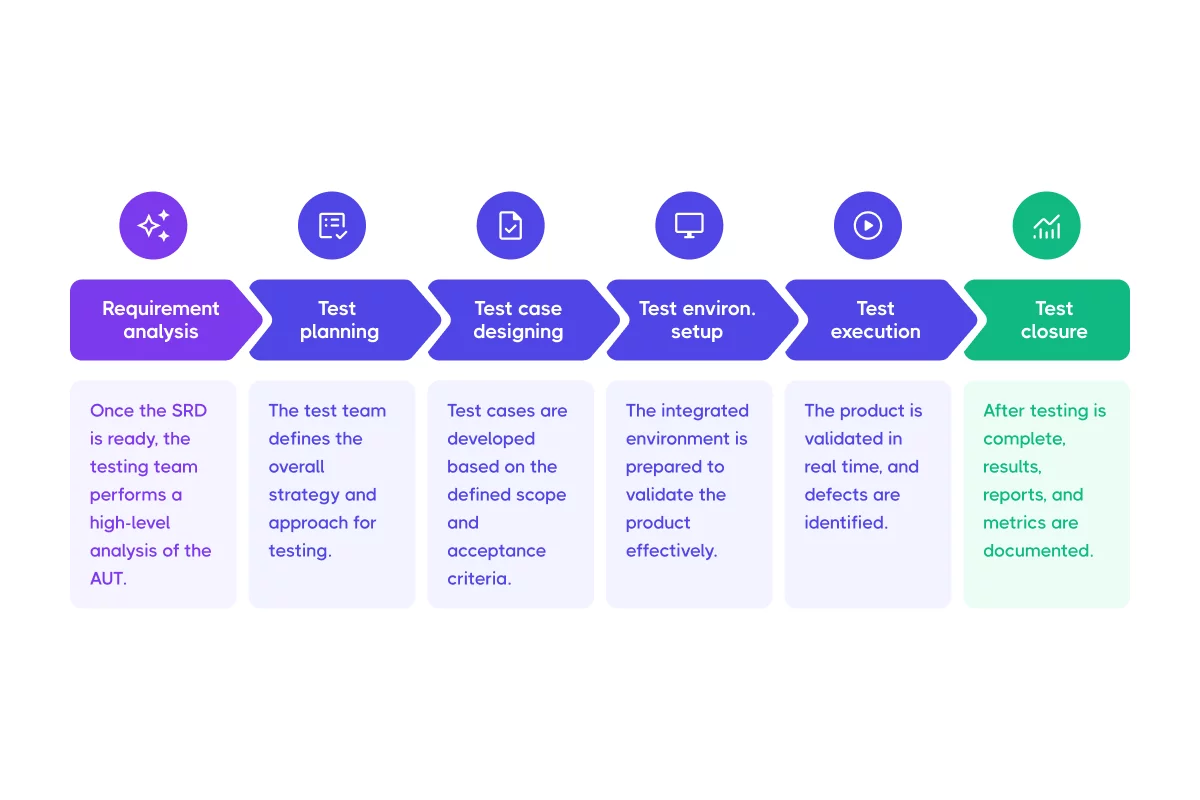
Requirement Analysis
At this stage, software testers work with stakeholders to obtain and interpret testing requirements. They use the Requirement Traceability Matrix (RTM) to document the collected information, which serves as the base for testing strategies.
The Software Testing Life Cycle depends here on three amigos or main stakeholders who need to work together. They are:
- Product Owners: they are responsible for establishing the essential problems that need resolution.
- Developers: they create the solution through the execution of the provided specifications.
- Testers: they are responsible for verifying the functionality of the product while detecting system problems.
These roles need to maintain open communication for successful collaboration. With the Behavior-Driven Development (BDD) approach, organizations can create straightforward requirements, which results in well-defined test development. If testers find problems when implementing requirements, they need to sync up with the business team to either change plans or find a new solution.
| Entry Criteria | Exit Criteria |
|
|
What Not to Do:
- Don’t wait for “complete” requirements. The practice of waiting for complete requirements before testing will result in delayed anomaly identification and reduced testing time. The process of early QA’s involvement helps detect defects before they turn into expensive problems.
- Don’t think everyone understands requirements the same way. The lack of requirement alignment leads to design and implementation mistakes, which result in additional defects in the defect backlog.
- Don’t ignore early non-functional expectations. The identification of essential requirements at the beginning of development helps organizations avoid performing expensive modifications during later testing stages.
Test Planning
The software testing process includes test planning activities during this phase. Testers start developing test cases based on the requirements and planning outcomes. They also perform cost and effort assessments needed for the full testing life cycle to establish test schedules.
The main goal of this phase involves creating documentation for PMs, explaining project organization, defining testing approach and execution methods, including testing schedule information and potential test constraints.
| Entry Criteria | Exit Criteria |
|
|
What Not to Do:
- Don’t plan testing around favorite tools. The selection of tools before designing workflows results in additional work and reduced operational efficiency. The project plan must prioritize risk management and essential software requirements instead of accommodating individual preferences for tools.
- Don’t aim for perfect upfront planning. The approach of complete planning at the start does not consider changing project needs or unexpected obstacles. The plan needs to stay flexible while concentrating on delivering essential testing instead of seeking absolute perfection.
- Don’t mix test strategy with test plan. The strategy outlines the general approach while the plan explains how to execute it. The combination of these two elements results in testing activities that become disconnected from their intended purpose.
Test Case Designing and Development
The test case design phase determines the method you would use for test case development. It’s important to mention that the test suite requires proper maintenance and reusability throughout its entire lifecycle, because poorly designed test cases will not detect application bugs.
| Entry Criteria | Exit Criteria |
|
|
What Not to Do:
- Don’t implement automation for unstable operational systems. The practice of automating development processes results in fragile automated code that requires ongoing maintenance. Organizations should delay automation of core workflows until they reach stability.
- Don’t use the same approach for manual and automated testing. These two testing approaches require different design methods because using the same approach for both will reduce their individual performance.
Test Environment Setup
The main objective of this testing phase is to create a controlled testing area, which enables testing team members to verify all new and modified code produced by developers. The testing environment enables them to detect system flaws, which they then communicate to developers through detailed test results.
You need to take into account that the selection of testing approaches determines which test environment configuration will work best. Because some tests need to be executed in a specific order, while others need to be run in parallel.
The QAs perform a detailed evaluation of multiple environment factors, including hardware and software, test data and network settings to match each test case.
| Entry Criteria | Exit Criteria |
|
|
What Not to Do:
- Don’t forget to validate testing environments. The majority of defects stem from environmental problems, which include misconfigured or unstable settings instead of product bugs. The process of regular validation helps teams confirm that test failures are due to actual product issues instead of environmental problems.
- Don’t allow test data to become inconsistent. Test sets of data need to stay consistent throughout all testing processes. The use of inconsistent/outdated data leads to incorrect test results, which produce both false positive and false negative outcomes.
Test Execution
At this phase of STDL, quality assurance teams execute all test cases and scripts within designated test environments. The software testing process includes multiple functional and non-functional tests, which testers use to detect bugs. They also compare the outcomes to the expected results. Once developers fix the discovered bugs, QAs conduct retesting after developers fix identified issues to verify that all detected defects have received proper resolution.
| Entry Criteria | Exit Criteria |
|
Providing details for testing reports. Updating test results and the RTM document with test results. |
What Not to Do:
- Don’t automate flaky tests. The execution of unstable scripts leads to decreased automation trust and extended CI/CD pipeline delays. So the automation process should focus on stable tests which produce consistent results to deliver lasting benefits.
- Don’t execute the full test suite after every code commit. The execution of all tests without analysis wastes resources and makes it difficult to identify critical areas that need attention. The system should execute tests according to code modification levels and potential risks to achieve maximum efficiency.
- Don’t ignore execution analytics. The analysis of test results without understanding their meaning leads to unnecessary work. That is why you need to review test execution data in order to enhance quality through the identification of slow tests, repeated failures and coverage gaps.
Test Closure
The software testing life cycle requires two essential tasks for the test closure phase, which involve performance metric collection and full documentation completion. The QAs create a Test Closure Report, which summarizes the test process and the results obtained. The document functions as an official document and confirms that the STLC phase has finished.
| Entry Criteria | Exit Criteria |
|
|
What Not to Do:
- Don’t close the testing cycle because of the deadline. The evaluation of essential defects remains unfinished when you focus on risk assessment, quality performance indicators and coverage metrics instead of following fixed deadlines.
- Don’t rely on coverage metrics only. Achieving high coverage rates does not guarantee that testing has been effective. A complete understanding of quality requires bug pattern analysis, together with exploratory testing findings and risk evaluation metrics.
- Don’t skip retrospectives. The lack of structured reflection might produce similar problems. The process requires teams to document their learned experiences while they need to detect operational delays to enhance their upcoming testing work.
The Role of Automation in STLC
Manual testing takes up most of the time within the STLC. To execute repetitive and large-scale test cases faster and enhance the efficiency of your testing processes, it is crucial to implement automation. Thanks to automated testing, teams can run tests in parallel, accelerate the time of testing and improve test coverage. Furthermore, it helps reduce the chance of human errors, which leads to the accuracy of the results.
Examples of cases where automation can be particularly beneficial include:
- Regression testing.
- Cross-browser testing.
- Complex and multi-step workflows.
- Load and performance testing.
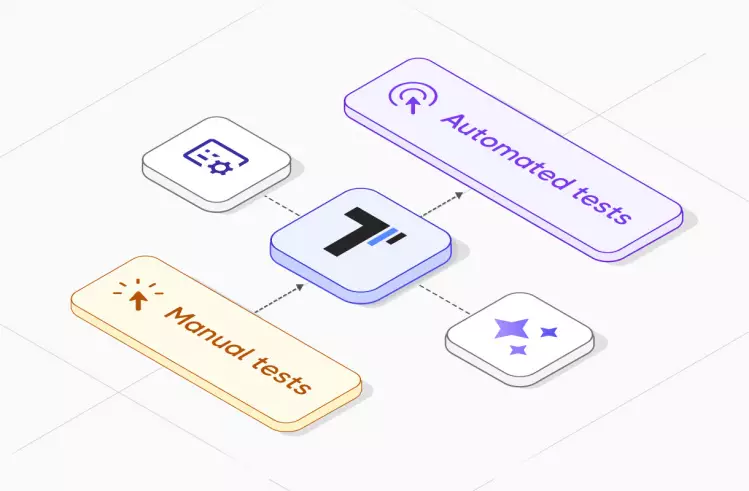
When you have a test case management system like Testomat.io in place, you can make testing more effective because it connects the development and QA management with AI-based features as well. TMS uses AI to speed up test development, execution and reporting, while its analytics dashboard and proactive testing features enable teams to better monitor test coverage levels. The tool also enables team collaboration through its support of CI/CD integration, BDD and Agile. Furthermore, its reporting and automation functionality help QA teams deliver software quickly and with improved quality and efficiency.
Common Challenges and Solutions in the Software Testing Life Cycle (STLC)
| STLC Challenges | STLC Solutions |
| Changing Requirements |
|
| Unrealistic Timelines and Poor Test Planning |
|
| Too Many Test Cases and Low Test Coverage |
|
| Unstable Test Environments |
|
| Slow Defect Triage and Poor Collaboration |
|
| Flaky Scripts |
|
| Outdated Test Datasets |
|
The Future of STLC: AI in Testing
The Software Testing Life Cycle (STLC) faces multiple challenges because of its growing complexity in modern software systems. Artificial Intelligence (AI) and Machine Learning (ML) technologies now enable organizations to plan and execute testing operations with enhanced efficiency, better coverage and flexibility.
AI’s Impact Across the STLC
- Requirement Analysis and Test Planning. AI performs requirement analysis through NLP to detect ambiguities and risks, which enables it to create advanced data-based test plans. The system predicts work duration and detects potential roadblocks while enabling teams to select tasks based on their risk level and past defect occurrence patterns.
- Test Case Design and Test Environment Setup. AI tools help to design new test cases and realistic test data which human testers might miss during their testing process. It can also provide assistance in selecting the best test environments for testing and executing automatic environment setup.
- Test Execution and Test Reporting. AI focuses on critical tests while handling user interface changes and running tests at increased speed. AI technology can also group defects while removing duplicate reports and determine their severity level to enhance debugging efficiency and minimize unnecessary information.
- Test Closure. AI unites all quality performance data to reveal process weaknesses while producing readiness assessments for product releases. It can also provide teams with a complete understanding of test results by showing both test outcomes and their underlying causes and future improvement strategies.
How Testomat.io Enhances Each Phase of the Software Testing Life Cycle
With Testomat.io, you can integrate AI into every stage of the STLC and make the testing process faster and smarter. Let’s review how it supports each phase and what features it offers at each phase:
Requirement Analysis
At this phase, Testomat.io can be utilized to grasp requirements better while creating effective test plans for significant test coverage.
Testomat.io Features:
- AI-Generated BDD Scenarios to produce BDD scenarios which analyze current BDD steps for generating new scenarios.
- Intelligent Steps Autocompletion to provide intelligent step completion, which both standardizes actions and generates new steps automatically.
- Living Docs to produce real-time collaborative documentation through Living Docs which helps teams maintain alignment.
Test Planning
At this phase, Testomat.io enables users to determine which tests to execute while establishing test priorities and developing reusable test assets during this phase.
- AI Test Creation / AI-Powered Test Case to create tests and speed up test case development while maximizing coverage.
- Custom AI Provider (Mix & Match) to select their preferred AI model
- AI Response Language Customization enables users to define specific AI output formats that produce uniform planning results.
Test Case Development
At this phase, teams can use Testomat.io to develop test cases while maintaining complete and relevant test content.
- AI Test Creation / AI-Powered Test Case Autogeneration to generate high-quality test cases at speed.
- AI Detection of Duplicated and Unused Tests to identify and remove duplicate tests as well as simplify complex test cases through its function.
- Intelligent Steps Autocompletion to generate consistent test steps that can be reused.
Test Environment Setup
At this phase, teams can prepare their testing environment through Testomat.io for successful test execution.
- AI Agent Test Assistant / AI-Powered Bot Assistant / Chat with Tests to help users navigate test documentation and setup processes.
- AI Jira Plugin Intelligence to use AI functionality to work directly with Jira for improved team operations. Read how to build Jira MCP Server integration with test management here.
Test Execution
At this phase, teams use Testomat.io to perform tests efficiently while detecting defects and obtaining valuable insights
- AI Failure Clusterization to identify failure patterns, which helps teams find causes more efficiently.
- AI Project Runs Status Report to deliver immediate access to test stability information, along with essential problem areas.
- AI-Powered Run Summary Overview to convert complex test information into simple reports which display essential risk areas and patterns.
- Flaky Tests Detection to enable teams to address problems before they become major issues.
Test Closure
At this phase, users complete testing activities through Testomat.io, create documentation for results and implement improvements for upcoming testing cycles.\
- AI Detection of Duplicated and Unused Tests to identify and remove duplicate tests and unused tests in order to maintain portfolio quality before the closure process of closure begins.
- Living Docs to generate current documentation and support both audit requirements and team handovers.
- AI Management to track AI usage while producing results that fulfill established standards.
Thanks to AI Testomat.io TMS, development and testing teams can apply it at every stage of the Software Testing Lifecycle to automate routine tasks, optimize test creation, and get intelligent insights instead of performing manual tasks.
Bottom Line
The Software Testing Life Cycle (STLC) guarantees that the software product is tested thoroughly and systematically. By following STLC, teams can increase their chances of releasing high-quality, reliable software that meets user expectations and business requirements. Furthermore, if you combine this structured process with modern tools and AI automation testing, your organization can make testing more optimized, reduce defects, and accelerate delivery. In addition to that, using the AI-based Testomat.io tool can speed up your STLC, boost QA efficiency, and deliver software faster. Contact us today if you need any help in making your STLC smarter, simpler, and more effective for your team.