Artificial intelligence (AI) holds a key position in the evolution of software development and testing, which advances faster than ever before. When it comes to the integration of artificial intelligence into the test automation process, it changes the way software products are tested and launched. The reason for intelligent test automation is the growing demand for faster and more reliable software deployment.
Deloitte’s 2025 QA Transformation Survey found that teams adopting AI testing report 32% faster release cycles and 25% lower defect leakage. The gains are clearest in regression testing for complex applications. In this article, we will reveal what AI automation testing is, its key components and common use cases, overview benefits and limitations, and share actionable tips to help you get started with AI-powered test automation. Let’s get started 😃
What is AI automation testing?
AI automation testing applies artificial intelligence to the test automation process: it generates test cases and repairs broken scripts automatically. This cuts maintenance work and speeds up release cycles.
How to use AI in automation testing?
Using AI in automation testing means handing the repetitive, expensive parts of your workflow to a model while you keep control of strategy. You don’t replace your framework. You add AI where automation gets expensive. Here’s where the teams start:
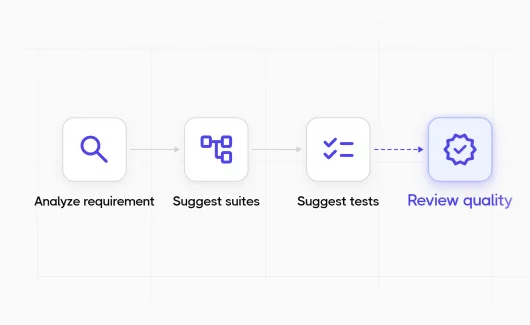
- Generate test cases from requirements. Feed user stories or specs to an AI tool and get structured draft cases back, ready to refine.
- Self-heal locators. When the UI changes, AI updates selectors so tests keep running instead of failing on a renamed class.
- Triage failures. AI groups stack traces by root cause and suggests fixes, so you read one cluster instead of every failure line.
- Predict risk. Models score which areas are likely to break next, based on code changes and run history.
AI vs Traditional Test Automation
Traditional automation runs the exact steps you scripted. AI automation adapts those steps as the application changes. Here’s how they compare:
| Traditional Automation | AI Automation | |
| Test creation | Written manually in code |
Generated from requirements or plain language
|
| Maintenance | Engineer fixes every broken locator |
Self-healing updates selectors automatically
|
| Failure analysis | Manual log reading |
Clustered by root cause, with suggested fixes
|
| Coverage decisions | Based on team judgment |
Risk-scored from code changes and run history
|
| Flaky tests | Found by repeated reruns |
Flagged statistically across runs
|
The pattern is consistent across the table. Traditional automation does exactly what you wrote, and AI automation reacts to what changed. The reactivity comes from a few specific technologies working underneath. AI and ML in test automation rely on the following building blocks.
Key Components of AI For Automation Testing
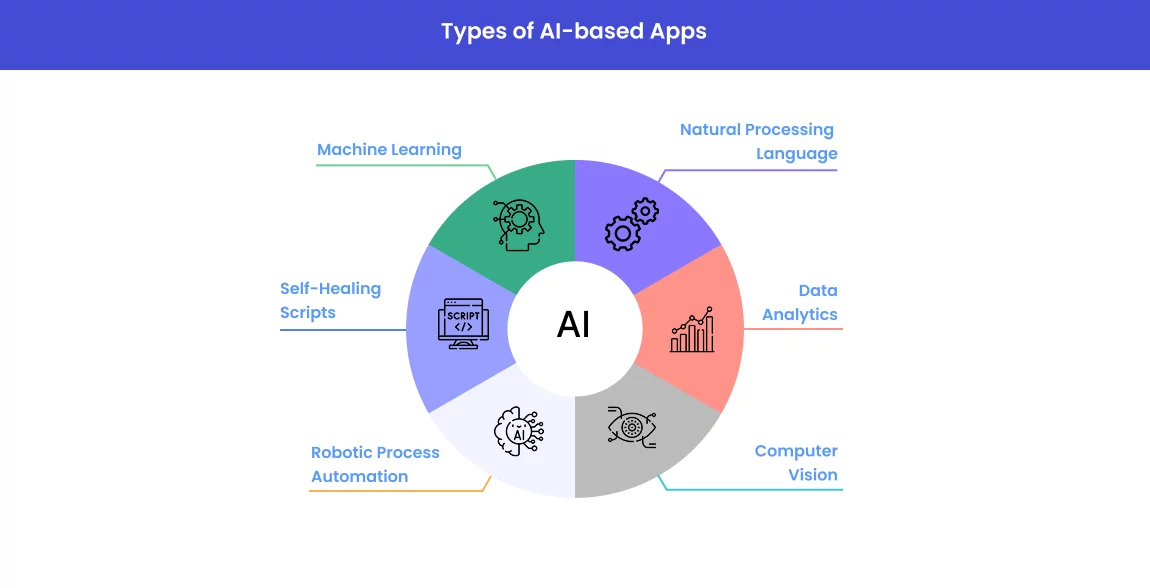
- Machine Learning (ML). ML-based algorithms are main in AI automation testing in terms of their ability to learn from historical data, identify patterns, and forecast potential defects or anomalies.
- Natural Language Processing (NLP). In the context of testing, NLP equips AI automation testing tools with the ability to understand and interpret human language. While testing teams can use plain language for writing test cases, the AI automation testing tool can then turn them into scripts for further execution.
- Data Analytics. With advanced data analytics incorporated into AI testing tools, teams can assess large volumes of test data and extract meaningful insights. Artificial intelligence can also be used for test results analysis to detect recurring issues or performance faults.
- Computer Vision. AI-driven image recognition helps detect visual anomalies in highly descriptive UIs and maintain consistent visual layouts.
- Robotic Process Automation (RPA). When RPA integrates with AI, it enables the automation of repetitive, rule-based tasks – data entry, report generation, and environment setup, which can be performed within the testing lifecycle to let testing teams concentrate on more strategic activities or processes.
- Self-Healing Scripts. With these scripts, AI-based tools can automatically update scripts when either the UI or code changes, minimizing the maintenance efforts of the software development team.
Use Cases of AI in Test Automation
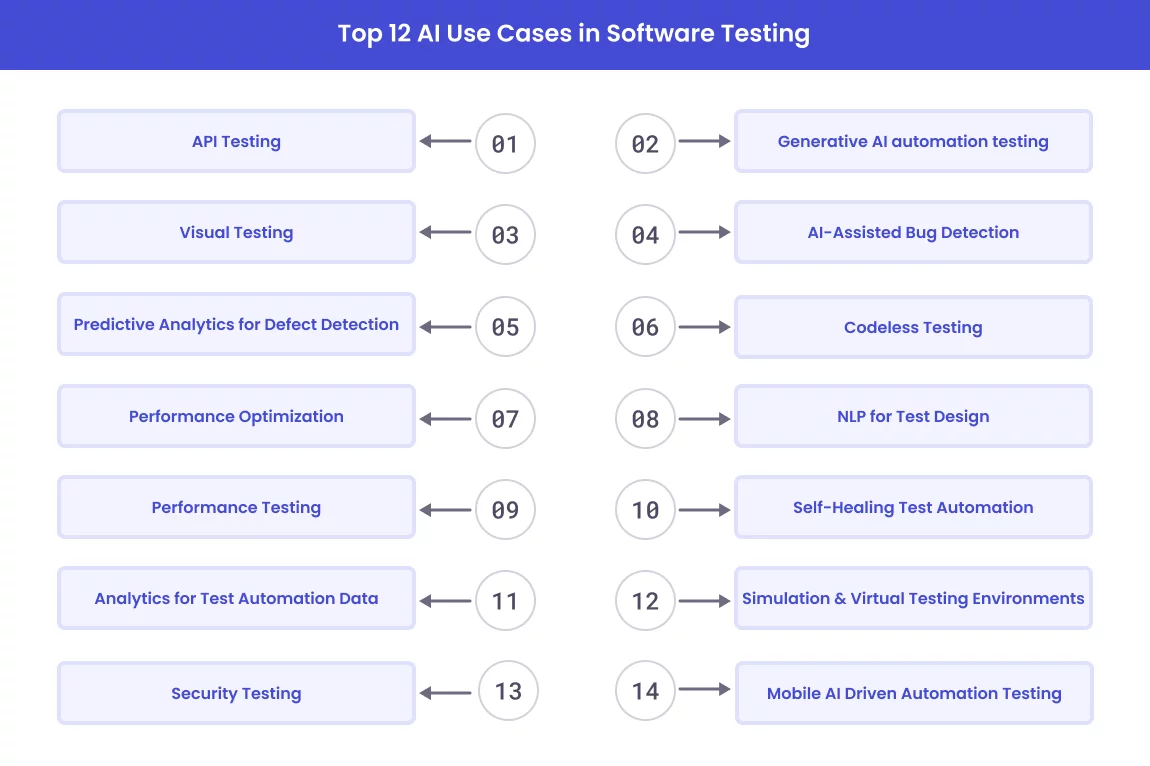
Artificial intelligence has had a major impact on automation testing that we can’t ignore. The uses of artificial intelligence in software testing for automation cover more use cases:
AI-based Exploratory Testing
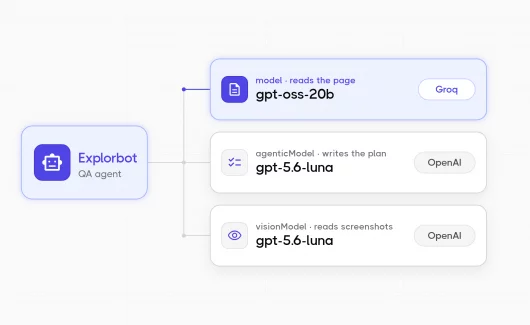
Traditional automation only walks the path you scripted. AI agents explore on their own, clicking through an application to find states a fixed script would never reach. Explorbot, an open-source AI agent, probes web apps without a predefined script and surfaces issues outside the happy path.
API Testing
With AI tool for automation testing, the process of API testing is more simple in terms of faster test cases generation, responses validation, and continuous monitoring of API performance. When used, it provides thorough API test coverage and helps detect issues before they impact production.
Visual Testing
AI-driven visual testing tools are used to detect UI inconsistencies across different environments. They can analyze screen elements, validate layout transitions, image misalignments, and incorrect colors to make sure that user interfaces are pixel-perfect based on the number of visual changes incorporated.
Performance Testing
When applying AI for performance testing, it enables analyzing performance data and predicting potential bottlenecks in the application that is being tested. Thanks to this approach to performance testing, developers can address performance issues in early development process.
Analytics for Test Automation Data
Tests generate vast amounts of data, which must be analyzed to derive meaning. The addition of AI to this process significantly improves its efficiency. AI-powered algorithms may discover and classify faults. More powerful AI systems can detect false negatives and genuine positives in test scenarios.
Predictive Analytics for Defect Detection
With predictive analytics, testers apply historical data from previous test results, code quality statistics, and defect patterns to create ML-based models. These models will help them uncover potential defects and predict future bugs by analyzing current test results in real time and identifying patterns and anomalies. Thus, they can optimize their testing strategies and accordingly allocate resources.
Generative AI automation testing
Generative AI generates information from diverse sources to create an array of test cases that cover a wide spectrum of scenarios. It provides a comprehensive testing process across a wide range of data inputs and helps in detecting potential bugs and anomalies.
AI-Assisted Bug Detection
AI can identify patterns that indicate potential bugs or issues even before traditional tests have been run. This predictive capability can help testers focus on areas that are more prone to defects.
Codeless Testing
Testing without code allows the testing teams to create automation test scripts without using programming languages. With visual interfaces, drag-and-drop functionalities, and sometimes natural language processing, they are able not only to design but also keep control of test cases through more intuitive and user-friendly ways.
Natural Language Processing for Test Design
With NLP, tools can extract requirements from user stories, use cases and functional specifications and automatically generate test cases in a structured format. They can also update test cases as requirements evolve to reduce manual testing effort and ensure better test coverage.
Self-Healing Test Automation
AI-driven algorithms in self-healing test automation identify, analyze, and dynamically update test scripts whenever application changes happen in the UI. It saves time and effort for QAs to maintain test scripts and continue execution of test cases, even when changes are made to the app under test.
Simulation & Virtual Testing Environments
AI-driven test automation can be used to create virtual environments where software can be tested under different conditions and scenarios. By simulating real-world situations, teams can test the software’s robustness and resilience – either network disruptions or hardware failures. Here we can include cross-browser testing.
Mobile AI Driven Automation Testing
AI-based tools can analyze UI and user interactions in mobile applications and check layout inconsistencies and performance issues to speed up mobile testing. Simulate testing on various devices.
Security Testing
AI test automation tool is built to scan code for security loopholes and find weak points in both APIs and web applications. It helps detect vulnerabilities and prevent potential cyberattacks and data breaches before deployment.
Benefits of AI software testing automation
Now, traditional testing methods struggle to keep up because organizations strive to deliver software solutions faster. With AI-driven test automation, they significantly streamline the testing process. Let’s discover more benefits below:
- Teams eliminate the need for manual data creation by automatically generating test cases and maintaining scripts while enhancing the efficiency of the process.
- Teams analyze historical and current data, predict areas which are likely to fail, and proactively address them before potential issues arise.
- Teams can focus on high-risk areas of the application and, through intelligent test execution, run tests based on various factors, such as code changes, historical results, and user behavior analytics.
- Teams integrate AI into CI\CD pipelines to carry out continuous testing.
- Teams identify edge cases and provide continuous testing coverage.
- Teams detect issues faster, leading to long-term cost savings.
- Teams quickly resolve UI issues to improve the overall user interface, delivering a more aesthetic user experience.
Limitations of AI in automation testing
Despite its benefits, AI automation testing has some drawbacks to consider:
- When it comes to implementing AI-powered testing tools, it demands an initial investment of money, as commonly AI-powered testing platforms require a subscription.
- AI systems require training and expertise from team members in order to manage AI test automation more effectively.
- AI can’t replace human judgment in usability testing, where whether a product feels intuitive is a human call. It can’t fully own exploratory testing either, though AI agents now handle more of it.
- While AI can reduce test maintenance, it still requires oversight and periodic updates.
- There is a need to have enough quality data for AI’s effectiveness.
- In terms of “low-code” platforms, test creation is getting more intuitive and accessible to non-engineers.
AI and Automation Testing: Tips To Follow
When you think of implementing AI in test automation to streamline processes and improve testing efficiency, a few strategies help you get the best results.
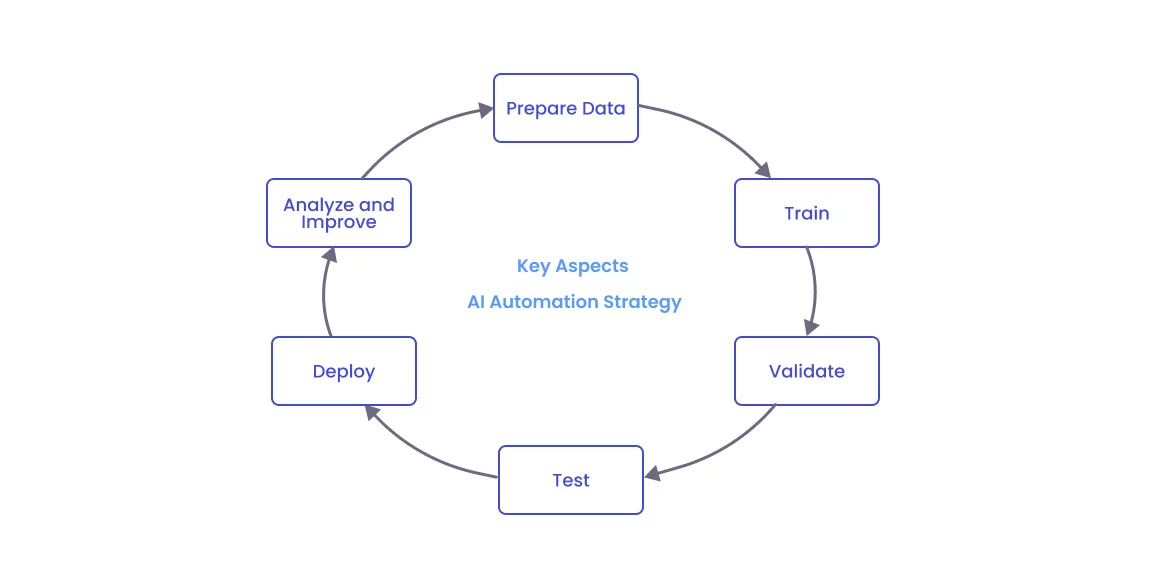
Here are some tips to help you implement AI in your test automation process:
- From the very start of using AI in your testing process, you need to define what you want to achieve with it – improve the test coverage, reduce the test execution time, speed up test case generation, etc.
- You need to train your QA teams so that they can use AI tools effectively.
- You need to understand how the AI tools work and how to use them. So, start by automating a few key areas to try it and only then scale up.
- You need a lot of relevant data to train AI to produce the best results. If you use a small or biased dataset, you face overfitting and get unreliable results.
- You need to balance the testing capabilities of AI tools with human problem-solving skills to get the most out of the AI test automation process.
Check out some of our other posts:
CodeceptJS AI Self-Healing Capabilities in Your Testing
Codeceptjs testing framework is one of our team’s developments, embraced by teams worldwide. It supports the AI Test Self-healing functionality for Automated tests, which boosts UI test reliability by smartly fixing broken selectors. When UI updates alter classes, IDs, or DOM structures, static locators often fail. Codeceptjs analyzes past selectors and pattern matching to locate elements, keeping tests on track.
AI in test automation example: self-healing a broken locator
Say your login test targets a button by #submit-btn. A frontend update renames it to #login-submit. In a traditional suite, the test fails. A QA engineer opens the spec and patches the selector by hand. With CodeceptJS AI healing, the run hits the failed step, sends the surrounding HTML to the configured model, and asks for a matching element. The model returns the new button, the step passes, and the suggested locator fix lands in the report for you to confirm.
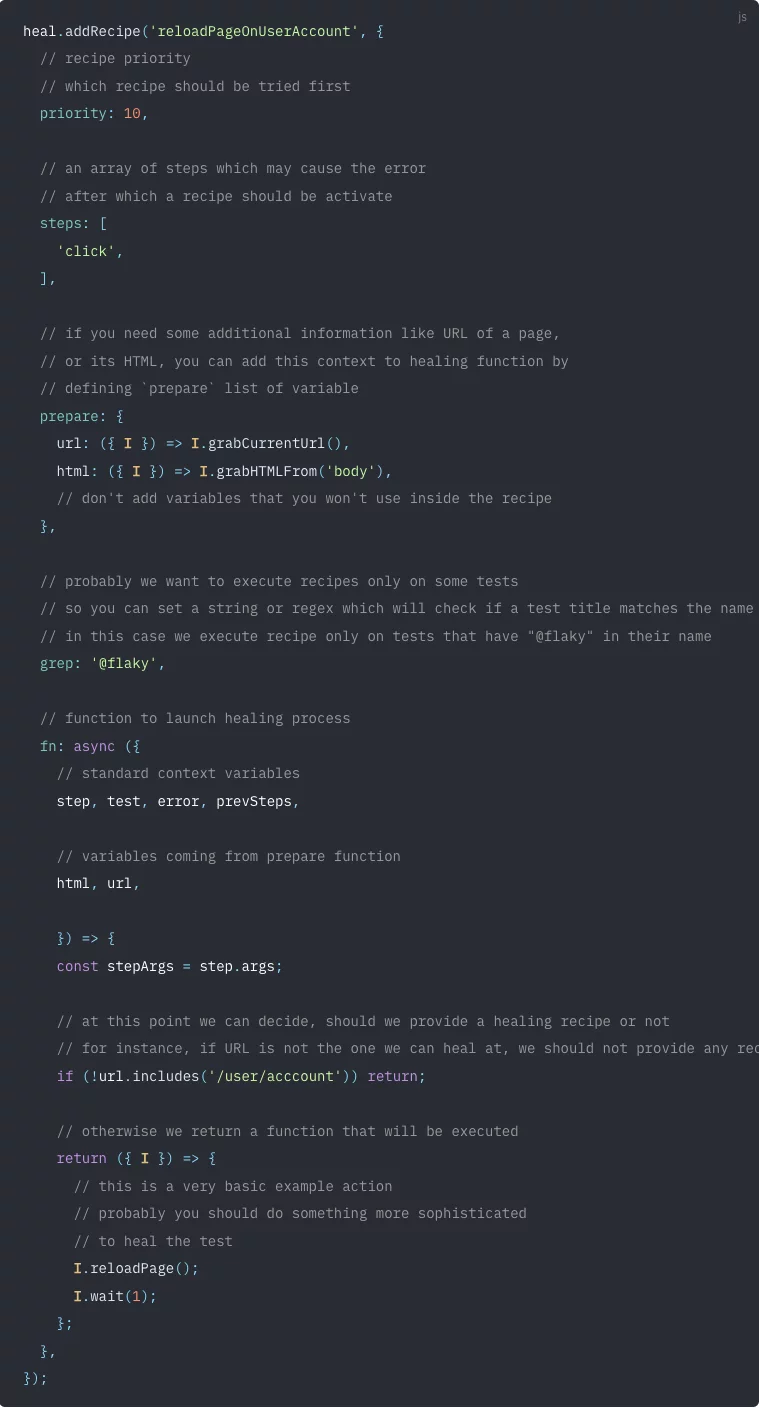
AI Self-healing Automation Test ExampleThe key benefits of Codeceptjs AI Healing are cutting maintenance costs and reducing flaky test failures in dynamic web apps.
Powered AI Automation Test Management
A test management system plays a central role in the testing process, especially when AI-powered automation feeds into it. It brings manual and automated tests into one platform, so a team organizes, runs, and analyzes everything in the same place. That drives quality at speed and smarter QA decisions. When a test fails, the stack trace and exception show where the error is located.
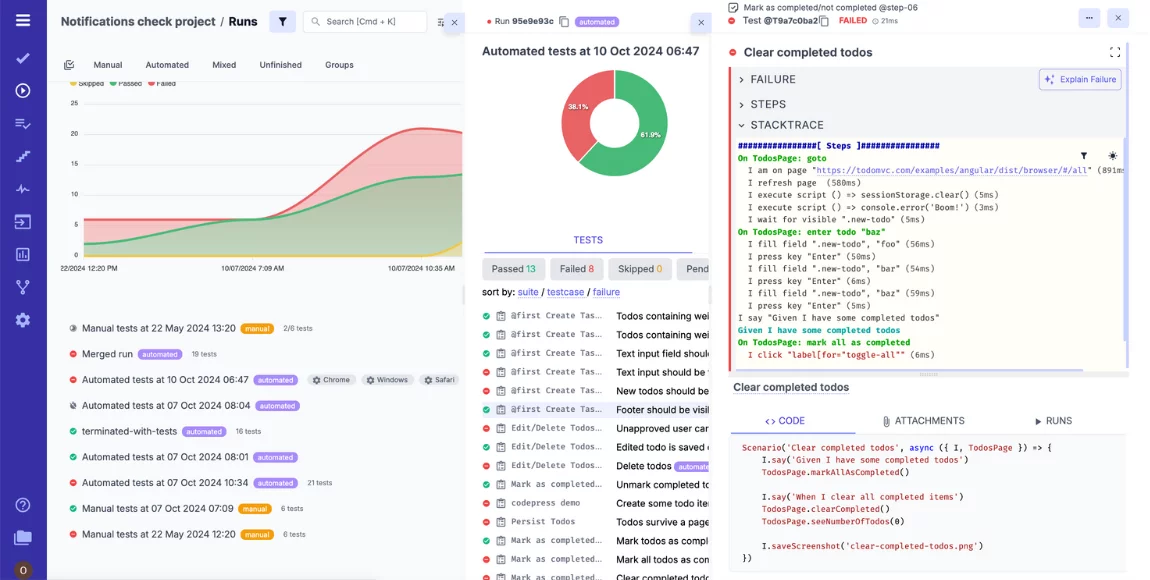
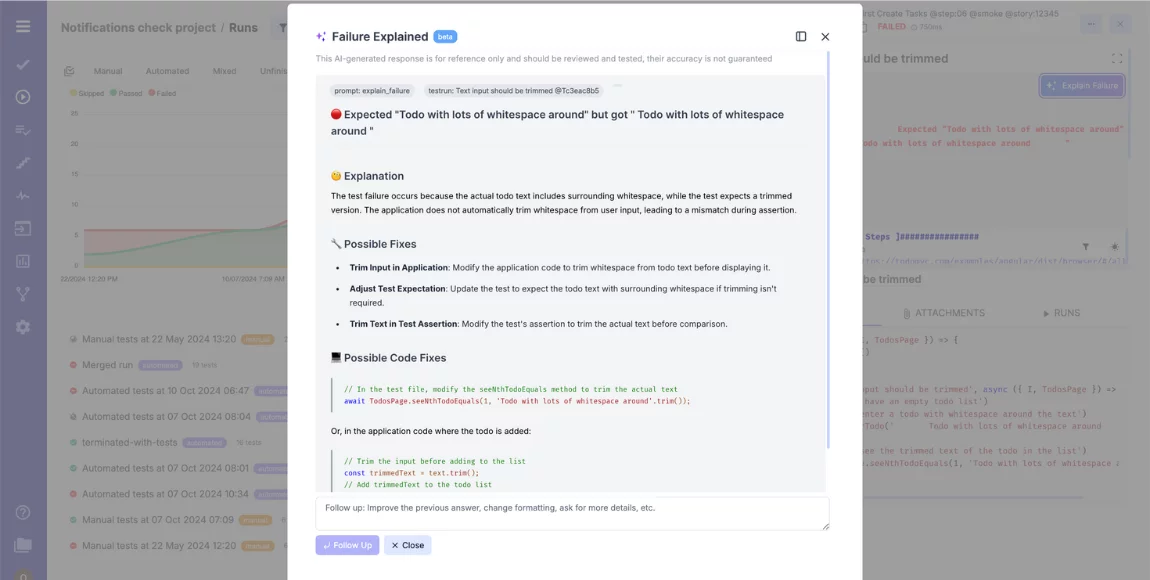
AI failure clusterization extracts the error, links it to historical failures, and suggests a fix. Flaky tests get isolated from statistical run data, and Project Insights flags coverage gaps across the suite. If you press the button Explain Failure, AI analyzes the execution logs to explain why the test failed.
Bottom Line: Future of AI in Test Automation
AI changes test automation through intelligent test case generation and defect detection. It also speeds up report generation. It handles repetitive work well, but there is no one-size-fits-all solution. QA testers remain essential for judgment and creativity that AI cannot match, like spotting unexpected user behavior or small interface inconsistencies. The strongest automation pairs both. Testers bring intuition and problem-solving while AI handles the repetitive upkeep, from generating cases to healing broken selectors. Used together, they produce higher-quality software than either does alone. If you want to bring AI into your automation testing, Try Testomat.io free. .