Automated tests

Keep automated tests aligned with your code and watch results stream in real time as the suite runs on CI.
Automated tests

Benefits of automated tests

https://testomat.io/wp-content/uploads/2026/06/sync-bage.svg
Always in sync
Code and tests stay aligned.
https://testomat.io/wp-content/uploads/2026/04/icon-badge-9.svg
Real-time reporting
See results as they happen.
https://testomat.io/wp-content/uploads/2026/06/plugin-badge.svg
CI\CD friendly
Works with major CI tools.
https://testomat.io/wp-content/uploads/2026/04/icon-ba.svg
Automation analytics
Track coverage and flakiness.
https://testomat.io/wp-content/uploads/2026/06/code-badge.svg
Wide framework support
Plug into your stack.

Testomat.io automated tests features

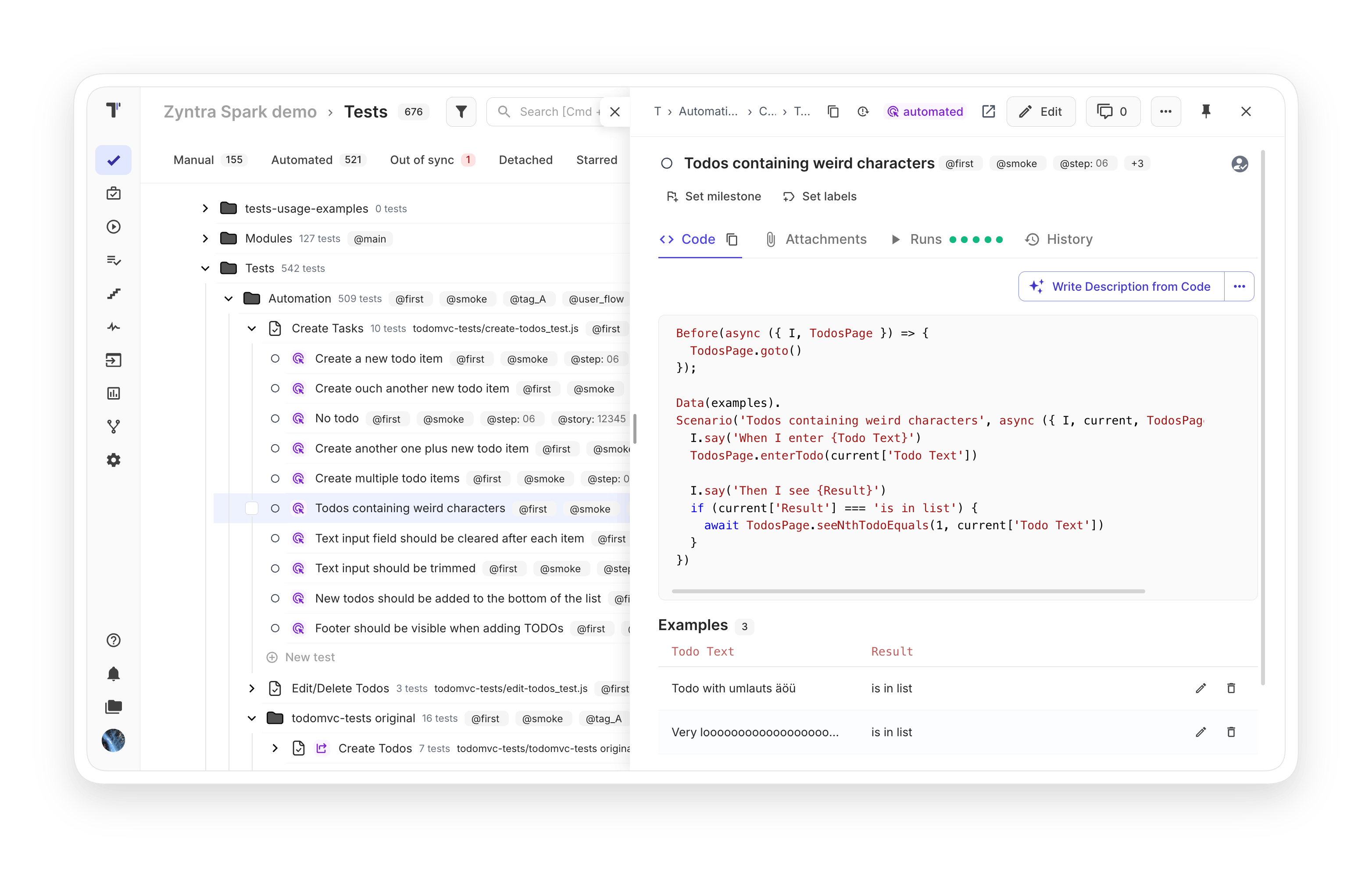
Automated tests synchronization

Keep manual and automated tests aligned in one place. Imports stay in lockstep with your codebase, so the test management system always reflects what your engineers actually wrote.

  • Import automated tests
  • Convert manual tests into automated
  • Import into branch
  • API & Jira
Learn more
Automated tests synchronization
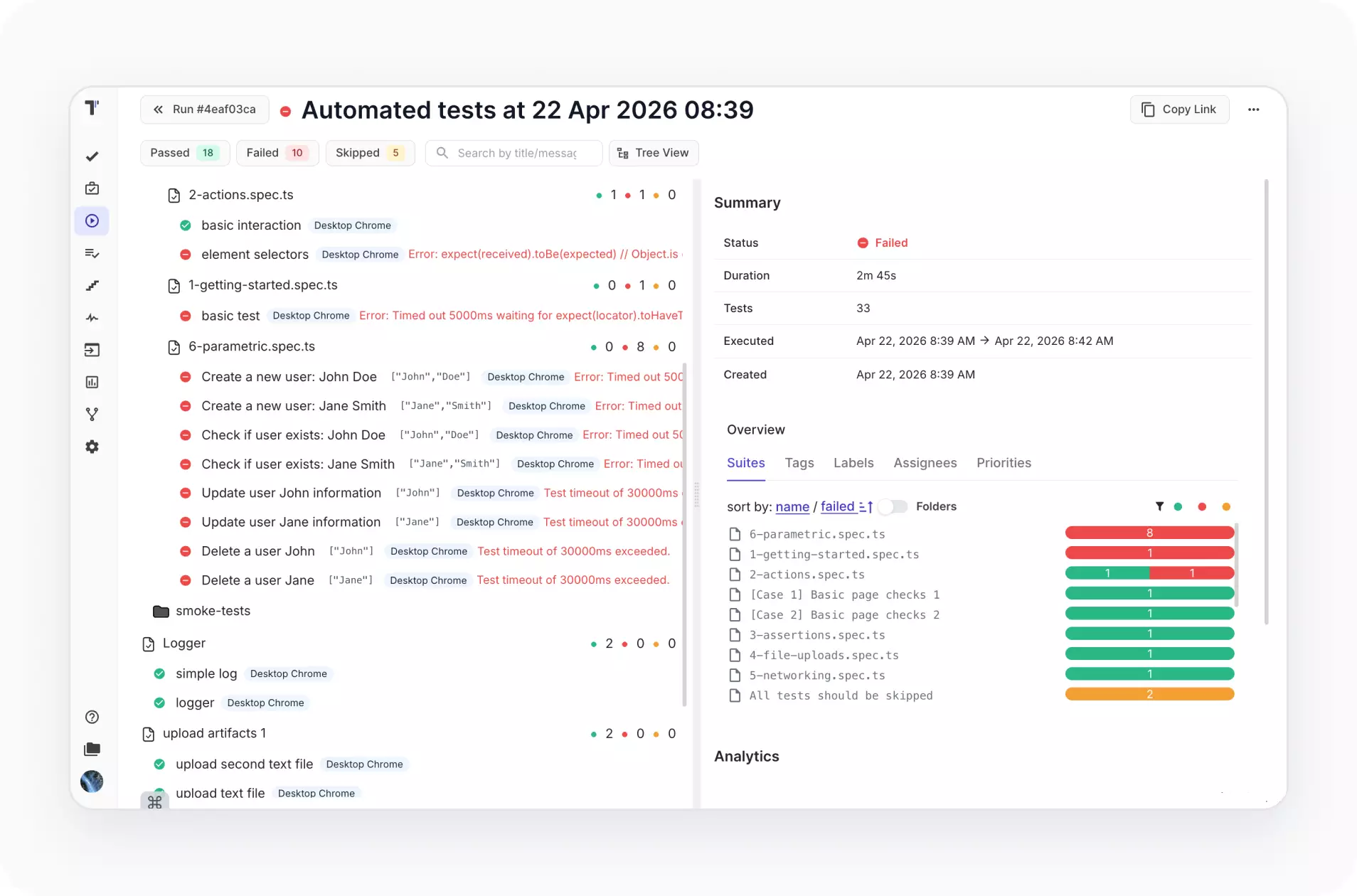
Test automation execution

Launch automated runs from the dashboard or from CI, and rerun only the failed tests when you need a quick retry. Combine manual checks with automation in a single flow, and track every status in one report.

  • Reporters by testing frameworks
  • Parallel execution support
  • Rerun failed tests
  • CI\CD execution
Learn more
Test automation  execution
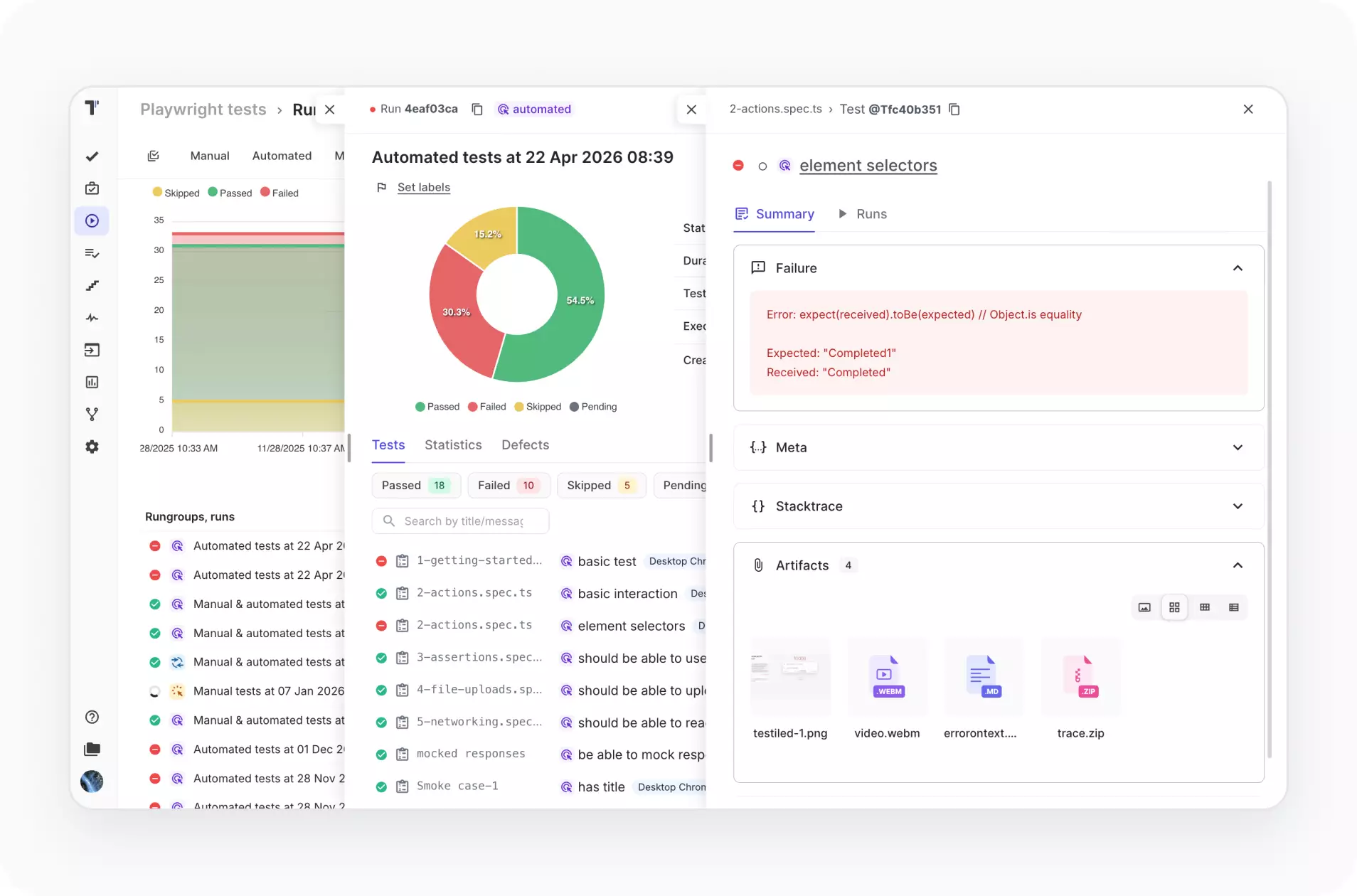
Automated tests reporting

Get real-time test reports the moment your suite starts running. Every failure carries the screenshots and logs you need to debug it, and artifacts live in your own S3-compatible bucket.

  • Screenshots capturing artifacts
  • Video capturing artifacts
  • Analytics & metrics
  • Flaky tests
Learn more
Automated tests reporting
Test automation integrations

Out-of-the-box support for JavaScript, PHP, Python, and Java frameworks, plus native connections to Jira and the most popular CI/CD tools. JUnit XML covers anything that is not natively listed.

  • JavaScript testing frameworks
  • PHP testing frameworks
  • MCP server
  • Jira integration
Learn more
Test automation integrations

How automated tests can help?

Clear results and real confidence, from your first reporter to 100K+ tests across releases.
Startups & small teams
Free forever plan
No card required to start.
One-step reporter setup
Install package and go.
Real-time results
See runs as they happen.
Mid-sized products
Parallel execution support
Cut total run time.
Flaky test detection
Stop chasing ghosts.
Self-owned S3 artifacts
Stay in control of your data.
Enterprise projects
100K+ tests per project
No hard limits.
SSO and audit log
Ready for compliance.
Branch-aware imports
Test features in isolation.
What clients says

Recent reviews

“Excellent customer support”
Customer support is always prompt and high-quality. It's also great to see that user feedback is considered when developing new features. The team makes an effort to provide overviews of new features and keeps users informed about the latest updates.
4/5
Aliona Kovalchuk
Aliona Kovalchuk
General QA
“The Best TMS for Our QA Team!”
Our 15-person QA team has used Testomat.io daily for over two years. After comparing tools like TestRail, it stood out in both features and pricing. It’s affordable yet powerful. Jenkins integration works seamlessly, even manual testers can run tests easily. The clean UI speeds onboarding, improves collaboration, and saves time. We’ve recommended it widely, and others love it too.
5/5
Vladyslav M.
Vladyslav M.
General QA
“Testomat.io makes daily testing so much easier”
I’ve used Testomat.io daily for over two years, and it’s the best TMS I’ve worked with. Compared to tools like TestRail, it offers more features at a better price. Jenkins integration is seamless, even for manual testers. The UI is clean and easy to learn. It speeds up workflows, improves transparency, and makes team collaboration much smoother.
5/5
Dmytro H.
Dmytro H.
General QA
“Very convenient platform for managing test cases”
The platform is convenient and intuitive to use. I’ve been using it long enough to say it’s very user-friendly. It’s clear that the team is constantly working on and improving the platform.
5/5
Aleksey K.
Aleksey K.
General QA
“Great tool for creating and managing manual test cases efficiently”
As a Manual QA, I use Testomat.io to create and manage test cases with ease. The interface is intuitive, making onboarding simple. Test plans, runs, and results are well-structured in one place. Tagging helps organize cases efficiently. AI features speed up test creation. It keeps workflows transparent, improves collaboration, and reduces routine work.
5/5
Oksana G.
Oksana G.
General QA
“Testomat.io has been a great tool for managing both automated and manual tests in one place”
I really like how easy it is to integrate with frameworks and CI/CD tools, and the real-time reports with screenshots and analytics save a lot of time. Overall, it makes collaboration in the team much smoother and keeps testing well-organized.
5/5
Aleksey K.
Aleksey K.
Quality Assurance Engineer

Frequently asked questions

What are automated tests? Testomat

Automated tests are scripts that check software behaviour without manual steps, run by a framework instead of a person. They cover unit, API, integration, and web tests, and run on every code change to catch regressions early.

Which types of tests can be automated? Testomat

Most repeatable checks can be automated: unit, API, integration, end-to-end, and web tests, plus regression and smoke suites. Exploratory and usability testing stay manual because they rely on human judgment. Testomat.io imports and tracks all your automated tests in one place.

How do you write automated tests? Testomat

Writing automated tests starts with a clear scenario: a known input, an action, and an expected result. Pick a framework that fits your stack, keep each test independent, and run it in CI. Testomat.io then syncs those tests by ID and reports every result.

How to reduce flaky automated tests? Testomat

Reduce flaky automated tests by removing fixed waits, isolating test data, and controlling test order. Stable selectors and a clean environment cut most flakiness. Testomat.io flags flaky tests automatically so you can see which ones need attention first.

How to handle flaky automated tests? Testomat

Handle flaky automated tests by quarantining them so they stop blocking the pipeline, then fixing the root cause. Testomat.io detects flaky tests with a configurable flakiness threshold and keeps their history, so you can decide which to rerun, fix, or retire.
Connect your automated tests to Testomat.io

Connect your automated tests to Testomat.io