





MCP server
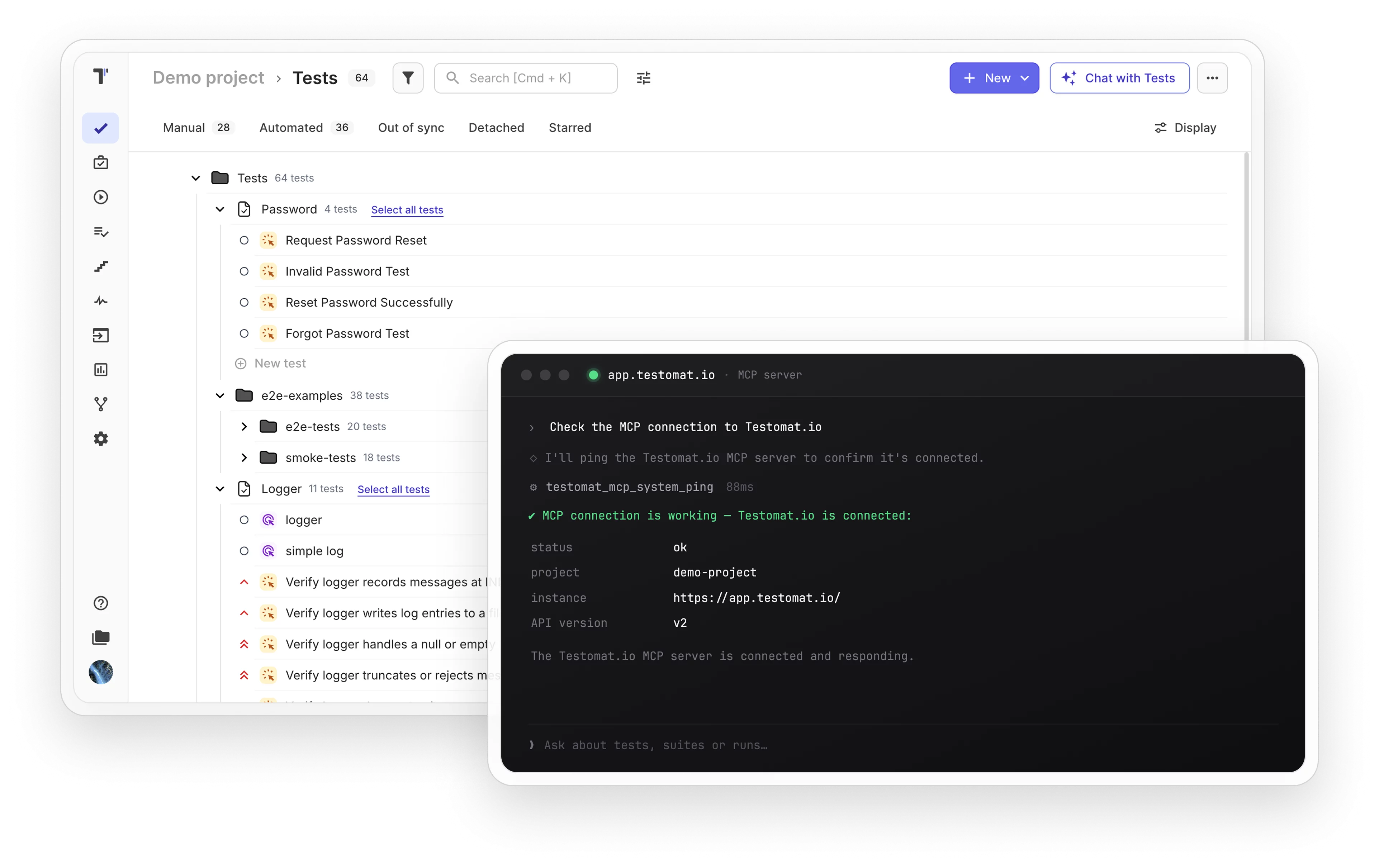
Connect AI agents to your Testomat.io project through the Model Context Protocol. Describe what you need and let them create, read, update, and delete tests, runs, and suites.
Trusted by over 500 forward-thinking companies
















How MCP server drives AI testing
From a plain-language request to a tracked and reviewable test run, five steps take your AI assistant from setup to full coverage.

1. Connect
Set up the AI assistant once.
Claude Desktop
Cursor IDE
OpenCode AI
Any MCP client

2. Describe
Tell AI your testing goal
What to test
Which suites
Which runs
Which labels

3. Generate
AI creates tests and runs
Create tests
Update runs
Link issues
Upload requirements

4. Track
Session history logs AI actions
Session history
Change log
AI audit trail
Team visibility

5. Refine
Improve coverage in chat
Edit tests
Adjust runs
Re-link issues
Add milestones
Testomat.io features for MCP server
Full CRUD for all entities
Create, read, update, and delete every object in your project through your AI assistant.
- Tests, suites, and plans.
- Runs, run groups, steps, and snippets.
- Labels, issues, tags, and milestones.
- Requirements.


Tags and Milestones access
Query tags and milestones across your project in read-only mode. Use them as filters when searching tests, suites, or runs from your AI assistant.
- Read-only access to tags and milestones.
- Use them as filters in AI search.
- Scope tests, suites, or runs by tag.
- Group and track work by milestone.

Run management
Create, launch, and finish test runs from your AI assistant. Status transitions follow the full Testomat.io run lifecycle.
- Create runs with kind and environment
- Launch, finish, and rerun via status_event
- Query run results by status or date
- Group runs by plan or label

Issue and requirement linking
Link issues from your Jira MCP server or GitHub MCP server to tests and runs. GitLab MCP server and Confluence MCP server follow the same pattern. Upload requirement files from your local file path.
- Link issues to tests, suites, and runs
- Unlink issues from any resource
- Upload requirements from local file paths
- Scoped helpers per entity type

Automatic API sessions
Every set of MCP changes is grouped into a named API session in Testomat.io history. Your team always sees what the AI changed.
- Changes grouped per AI conversation
- Full session history in Testomat.io
- Visible in project change log
- Separate from manual team changes

![]() More about MCP server
More about MCP server
Enterprise analytics
Add the @testomatio/mcp-enterprise package and your AI can get flaky and success-rate stats straight from the

AI skills
Add skills that teach AI agents how to write tests. Pair them with the MCP server for custom workflows.

TQL-only search interface
Both tests_list and runs_list use TQL as the single filter input. The MCP tool descriptions include exact TQL fields, operators, and query examples for AI agents.
Programmatic API
Use the npm package in your own code to build custom agents or add MCP to your internal AI workflows.

Compatibility layer
The MCP server handles flat and wrapped payload format differences automatically. Your AI sends requests and the server adapts them to the Testomat.io API format.

Why teams choose Testomat.io MCP server

AI takes actions
Your AI assistant builds, updates, and manages tests for you.

Speaks test management
AI understands TQL, run states, and Testomat.io structure natively.

AI follows your lead
Describe what you need and AI does the work.

Nothing gets lost
All AI changes tracked in named sessions automatically.

Instant setup
AI knows your test structure from the first conversation.
All MCP server features
Tests & Suites
Create, read, update, delete tests
Create, read, update, delete suites
Search tests with TQL filters
Assign labels, priority, and state
Link automated tests to user stories
Import and manage Playwright tests
Plans & Runs
Full CRUD for test plans
Create and manage test runs
Status transitions via status_event
Query runs by status, date, or label
Manage run groups
Issues & Requirements
Link issues to tests, suites, runs, plans
Unlink issues from any entity
Upload requirements from local file paths
Scoped issue helpers per entity
Steps & Snippets
Full CRUD for test steps
Full CRUD for code snippets
Add steps directly in AI conversation
Reuse steps across test suites
Search & Filtering
Smart Search with OpenAPI-aligned forwarding
TQL as single filter input for tests and runs
Built-in TQL field reference in tool descriptions
Filter by suite, label, state, priority, tag
Audit & History
Automatic API session grouping
All AI changes logged in project history
Tags and milestones in read-only access
API compatibility layer for payload formats

Give your AI agent full test control with MCP server
Connect an AI agent to your Testomat.io project in minutes. Ask it to create suites, launch runs, or link Jira issues in plain language inside your Testomat.io project.

One npx command to install

Works with AI agents

Open source on GitHub

What clients says
Recent reviews

“Excellent customer support”
Customer support is always prompt and high-quality. It's also great to see that user feedback is considered when developing new features. The team makes an effort to provide overviews of new features and keeps users informed about the latest updates.
4/5

“The Best TMS for Our QA Team!”
Our 15-person QA team has used Testomat.io daily for over two years. After comparing tools like TestRail, it stood out in both features and pricing. It’s affordable yet powerful. Jenkins integration works seamlessly, even manual testers can run tests easily. The clean UI speeds onboarding, improves collaboration, and saves time. We’ve recommended it widely, and others love it too.
5/5

“Testomat.io makes daily testing so much easier”
I’ve used Testomat.io daily for over two years, and it’s the best TMS I’ve worked with. Compared to tools like TestRail, it offers more features at a better price. Jenkins integration is seamless, even for manual testers. The UI is clean and easy to learn. It speeds up workflows, improves transparency, and makes team collaboration much smoother.
5/5

“Very convenient platform for managing test cases”
The platform is convenient and intuitive to use. I’ve been using it long enough to say it’s very user-friendly. It’s clear that the team is constantly working on and improving the platform.
5/5

“Great tool for creating and managing manual test cases efficiently”
As a Manual QA, I use Testomat.io to create and manage test cases with ease. The interface is intuitive, making onboarding simple. Test plans, runs, and results are well-structured in one place. Tagging helps organize cases efficiently. AI features speed up test creation. It keeps workflows transparent, improves collaboration, and reduces routine work.
5/5

“Testomat.io has been a great tool for managing both automated and manual tests in one place”
I really like how easy it is to integrate with frameworks and CI/CD tools, and the real-time reports with screenshots and analytics save a lot of time. Overall, it makes collaboration in the team much smoother and keeps testing well-organized.
5/5
Frequently asked questions
What is an MCP server?


An MCP server is a Model Context Protocol server that lets AI assistants connect to external tools without custom integrations. The Testomat.io implementation connects Claude, Cursor, and other AI assistants to your test management data via a standard config block.
Which AI assistants does the Testomat.io MCP server support?
The MCP server works with Claude Desktop, Cursor IDE, and OpenCode. Any AI assistant that supports the Model Context Protocol can connect using the standard configuration block.
Do I need to know TQL to use MCP?
No. The MCP server includes built-in TQL field references, syntax, and mcp server examples inside every tool description. Additional MCP server examples covering test creation, run management, and issue linking are available in the MCP README on GitHub.
How does MCP track changes made by AI?
The MCP server uses Automatic API Sessions to group all changes made during an AI conversation into a single named session. These sessions appear in the Testomat.io project history, separate from manual team changes.
Can I manage requirements through MCP?
Yes. The MCP server supports full CRUD for requirements, including file uploads from local file paths. You can create, update, and link requirements to tests and suites directly from your AI assistant.
