





GitHub test case management
Trusted by over 500 forward-thinking companies
















GitHub test case management workflow


Testomat.io features for GitHub test case management
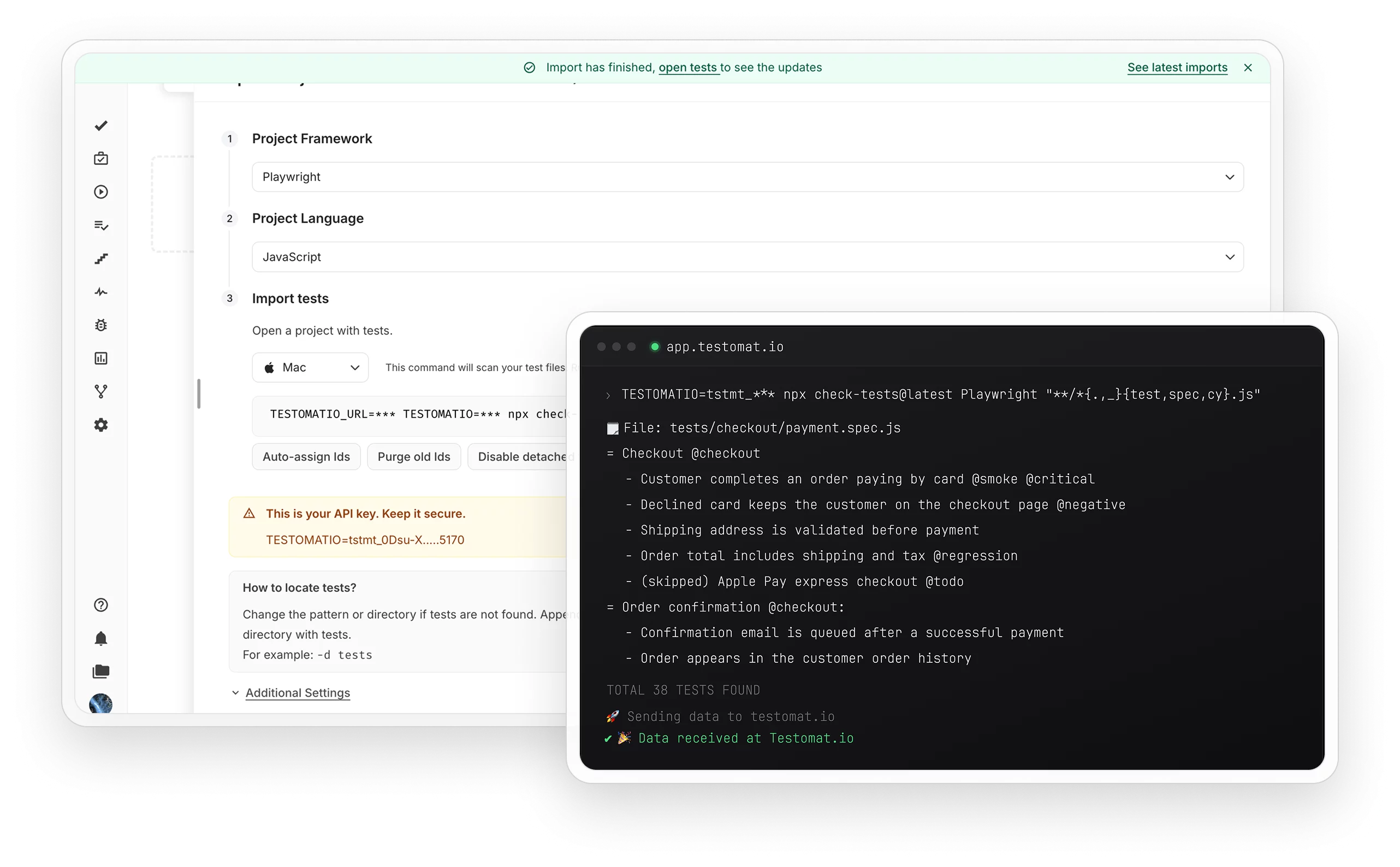
Avoid weeks of manual test migration and import your tests in minutes, keeping your existing structure. Every push auto-imports your tests, so the TMS matches your code.

Select the tests and the branch in the UI and click Launch. Manual testers run automated tests without GitHub access or YAML edits.

GitHub Pipe adds a pass/fail summary with stack traces and screenshots to the PR comment, so the team sees failed tests without a search in CI logs. Enable it with a single variable.

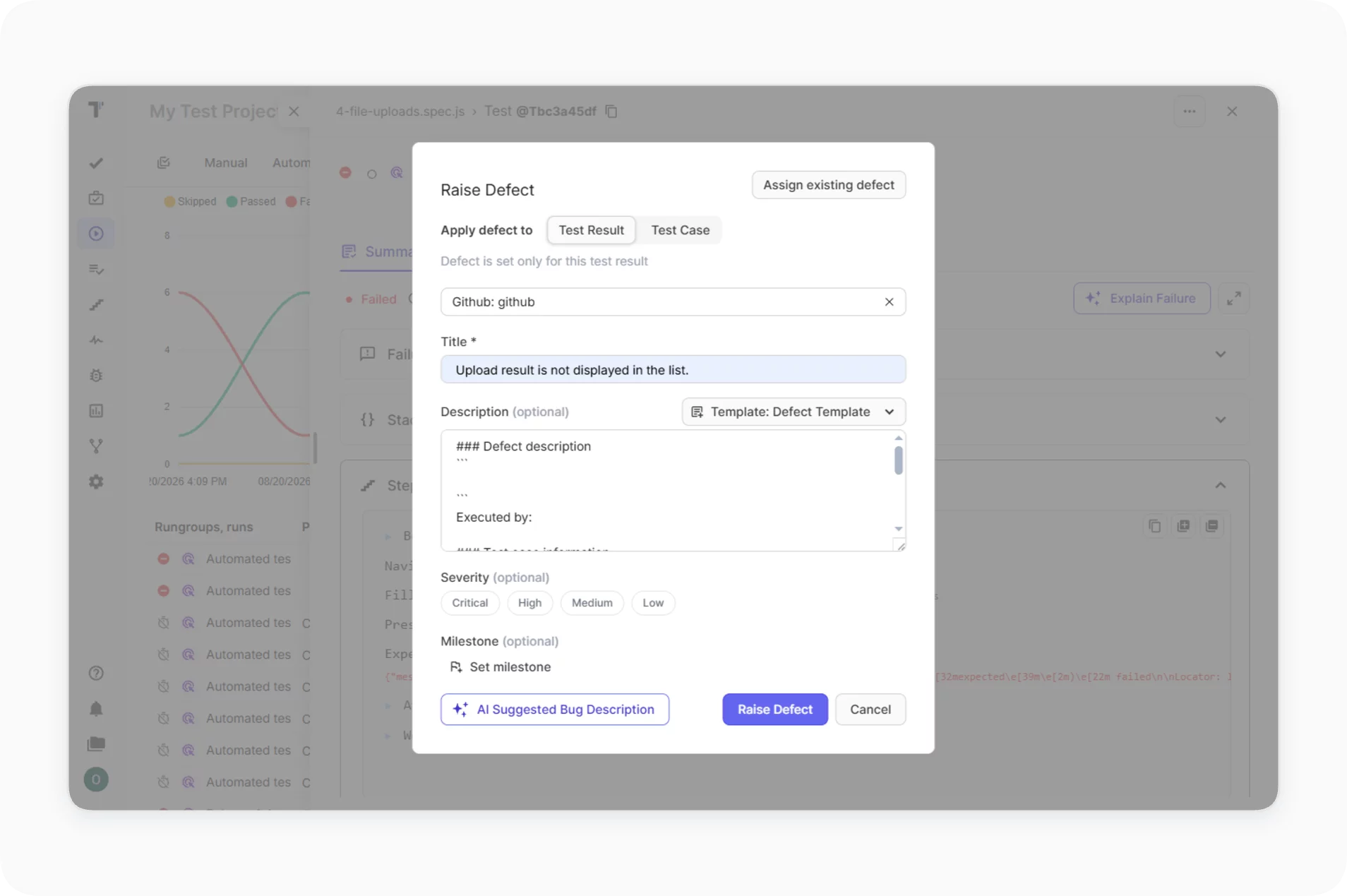
Create a GitHub issue directly from the run report with steps, environment, screenshots and logs attached. Developers get full context and can reproduce every failure.
Tests sync by ID, so each test case links to its spec file. Open the exact code line from any test case.

Keep manual test cases as Markdown files in Git next to your application code. Developers edit test steps in a branch and merge them through a pull request. The CLI syncs every change back to Testomat.io and keeps IDs, priorities and structure.

![]() GitHub features that work better in Testomat.io
GitHub features that work better in Testomat.io



Why teams choose Testomat.io for GitHub test case management


All GitHub test management features

Start test management for your GitHub project in minutes


Recent reviews






Frequently asked questions
How does the GitHub integration work?


How do I get test reports in pull requests?
Can manual testers trigger automated runs?
Can I create GitHub issues from failed tests?
Do I need to change my repo structure?
