

AI BDD support

Use all power of test case management tools to test your software together by a whole team.
AI BDD support

Trusted by over 500 forward-thinking companies

logo
logo
logo
logo
logo
logo
logo
logo
logo
logo
logo
logo
logo
logo
logo
logo
logo
logo

Benefits of AI BDD support

https://testomat.io/wp-content/uploads/2026/07/generate-scenarios.svg
Generate scenarios
AI writes Gherkin from steps.
https://testomat.io/wp-content/uploads/2026/07/transform-to-bdd.svg
Transform to BDD
Convert cases to Gherkin instantly.
https://testomat.io/wp-content/uploads/2026/07/fewer-duplicates.svg
Fewer duplicates
AI flags redundant test cases.
https://testomat.io/wp-content/uploads/2026/07/living-docs-1.svg
Living docs
Feature files stay current automatically.
https://testomat.io/wp-content/uploads/2026/07/your-ai-model.svg
Your AI model
Bring your own AI provider.

Testomat.io AI BDD support features

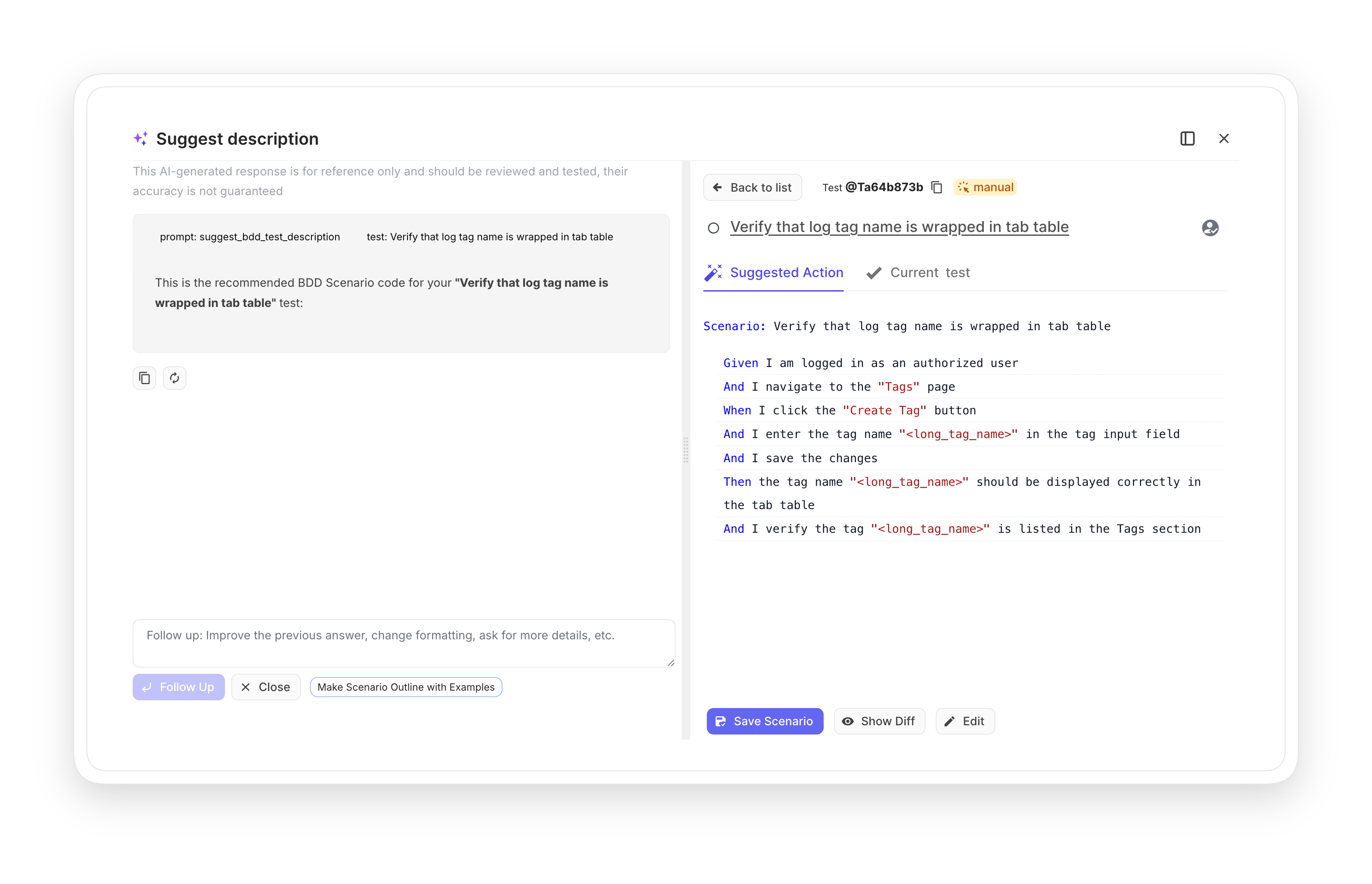
AI -generated BDD scenarios

Smart Generative AI analyses existing BDD steps across your project architects new ones and tests scenarios based on them.

Learn more
AI -generated BDD scenarios
AI response language customization

Customize project Language allowing teams to tailor AI-generated responses preferred answers.

Learn more
AI response language customization
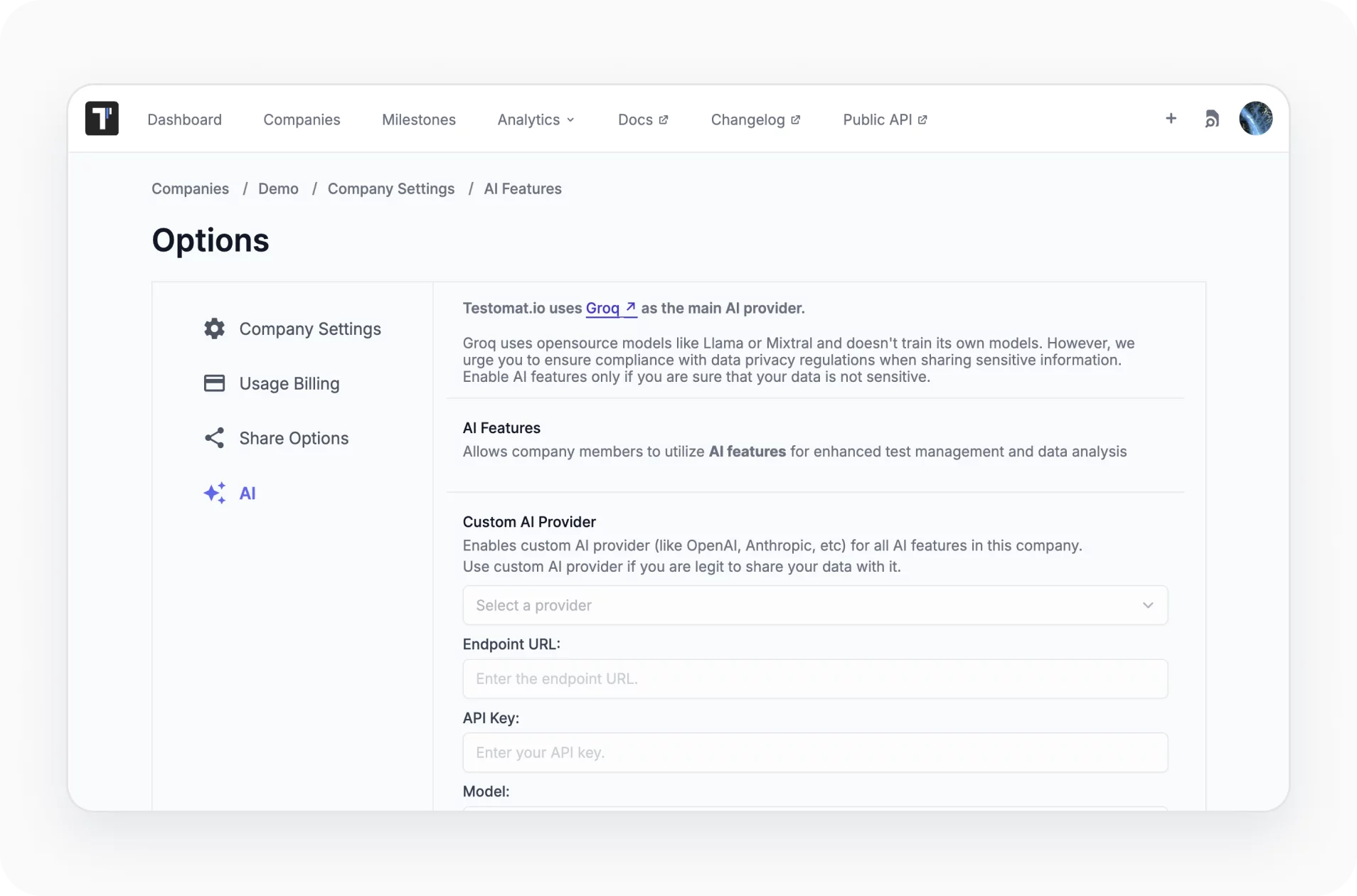
Custom AI provider

Choose a model for all AI-driven test management features that best aligns the team’s preferences and the project needs.
Learn more
Custom AI provider
AI detection of duplicated and unused tests

Chat within the AI field to find unused or unlinked tests, remove duplicate or unneeded sets or make complex ones simpler.

Learn more
AI  detection of duplicated and unused tests
Living docs

Collaborate with team members based on your tests. Generate publicly available documentation from your project. Living docs are updated all the time you do something with tests in real-time.

Learn more
Living docs
Intelligent steps autocompletion

Create a steps database that will describe application actions. Then quickly create test cases using built-in auto-suggestion and auto-completion features.

Learn more
Intelligent steps autocompletion

How AI BDD support can help?

BDD only works when scenarios stay clear and current. Here's how AI keeps that true for teams of every size.
Startups & small teams
Skip the blank page
AI drafts your first scenarios.
Adopt BDD fast
Convert existing cases instantly.
No BDD expert needed
Autocompletion guides the syntax.
Mid-sized products
Consistent Gherkin
Shared steps across every feature.
Clean test suite
AI flags duplicate scenarios.
Docs that keep up
Living docs update automatically.
Enterprise projects
Bring your AI
Connect your own provider.
Scale scenarios
Generate coverage across many suites.
Traceable BDD
Map .feature files to cases.
What clients says

Recent reviews

“Excellent customer support”
Customer support is always prompt and high-quality. It's also great to see that user feedback is considered when developing new features. The team makes an effort to provide overviews of new features and keeps users informed about the latest updates.
4/5
Aliona Kovalchuk
Aliona Kovalchuk
General QA
“The Best TMS for Our QA Team!”
Our 15-person QA team has used Testomat.io daily for over two years. After comparing tools like TestRail, it stood out in both features and pricing. It’s affordable yet powerful. Jenkins integration works seamlessly, even manual testers can run tests easily. The clean UI speeds onboarding, improves collaboration, and saves time. We’ve recommended it widely, and others love it too.
5/5
Vladyslav M.
Vladyslav M.
General QA
“Testomat.io makes daily testing so much easier”
I’ve used Testomat.io daily for over two years, and it’s the best TMS I’ve worked with. Compared to tools like TestRail, it offers more features at a better price. Jenkins integration is seamless, even for manual testers. The UI is clean and easy to learn. It speeds up workflows, improves transparency, and makes team collaboration much smoother.
5/5
Dmytro H.
Dmytro H.
General QA
“Very convenient platform for managing test cases”
The platform is convenient and intuitive to use. I’ve been using it long enough to say it’s very user-friendly. It’s clear that the team is constantly working on and improving the platform.
5/5
Aleksey K.
Aleksey K.
General QA
“Great tool for creating and managing manual test cases efficiently”
As a Manual QA, I use Testomat.io to create and manage test cases with ease. The interface is intuitive, making onboarding simple. Test plans, runs, and results are well-structured in one place. Tagging helps organize cases efficiently. AI features speed up test creation. It keeps workflows transparent, improves collaboration, and reduces routine work.
5/5
Oksana G.
Oksana G.
General QA
“Testomat.io has been a great tool for managing both automated and manual tests in one place”
I really like how easy it is to integrate with frameworks and CI/CD tools, and the real-time reports with screenshots and analytics save a lot of time. Overall, it makes collaboration in the team much smoother and keeps testing well-organized.
5/5
Aleksey K.
Aleksey K.
Quality Assurance Engineer

Frequently asked questions

How does AI generate BDD scenarios? Testomat

It analyzes the Gherkin steps already used across your project, then drafts new scenarios that reuse that phrasing. So the output matches your existing conventions instead of inventing new ones.

Can I convert my old test cases to BDD? Testomat

Yes. The Transform to BDD agent turns classical step-by-step cases into Gherkin in one click. The title becomes the Scenario and preconditions become Given. Expected results become Then.

Which AI model does it use? Testomat

Grok is the built-in provider with no token limits on the Testomat plan. You can also connect your own OpenAI, Anthropic, or Azure OpenAI account through an API key.

Do I need to know Gherkin to use it? Testomat

No. Intelligent steps autocompletion suggests valid Given/When/Then lines from your steps database as you type, so writing correct Gherkin gets easier even for new team members.

Will my documentation stay up to date? Testomat

Living docs publish directly from your feature files and refresh whenever scenarios change. Your spec and your tests stay in sync without manual updates.
Try BDD test management

Try BDD test management







