API test management

Embed test management in your own environment. Create and run tests, then read and share results programmatically through a bidirectional REST API.
 API test management

Trusted by over 500 forward-thinking companies

logo
logo
logo
logo
logo
logo
logo
logo
logo
logo
logo
logo
logo
logo
logo
logo
logo
logo

How API test management works in Testomat.io

Get a token
1. Get a token
Open the Access Tokens section.
Pick General or Project type.
Use General for all projects.
Use Project for import and reporting.
Log in
2. Log in
Send the token to /api/login.
Log in with email as an option.
Receive a JWT from the server.
Add the JWT to request headers.
Call endpoints
3. Call endpoints
Send data in the JSON API format.
List root suites with GET.
Fetch child suites by ID.
Check the OpenAPI reference.
Manage entities
4. Manage entities
Work with tests, suites, and runs.
Create entities with POST.
Update entities with PUT.
Follow the schema for each entity.
Push results
5. Push results
Use a Project token for reporting.
Submit results with the reporter.
Save each result as a Test Run.
Retrieve results with GET /testruns.

How API test management can help?

Give engineers a REST API that reads and writes test management data, including result reporting and data migration.
Startups & small teams
Push results
Submit automated runs by reporter.
Custom scripts
Build to your own workflow.
CLI option
Run and report from the command line.
Free reporter
Push results on the Free plan.
Mid-sized products
Bulk upload
Import many tests at once.
Sync cases
Align tests across environments.
Fast responses
Calls return quickly.
High volume
Automate frequent, large jobs.
Enterprise projects
Legacy migration
Move data from old systems.
Custom dashboards
Feed results to your tools.
Automated triggers
Run on commit or cron.
Run reporting
Parse runs into clean structures.

Testomat.io API test management features

CI/CD execution

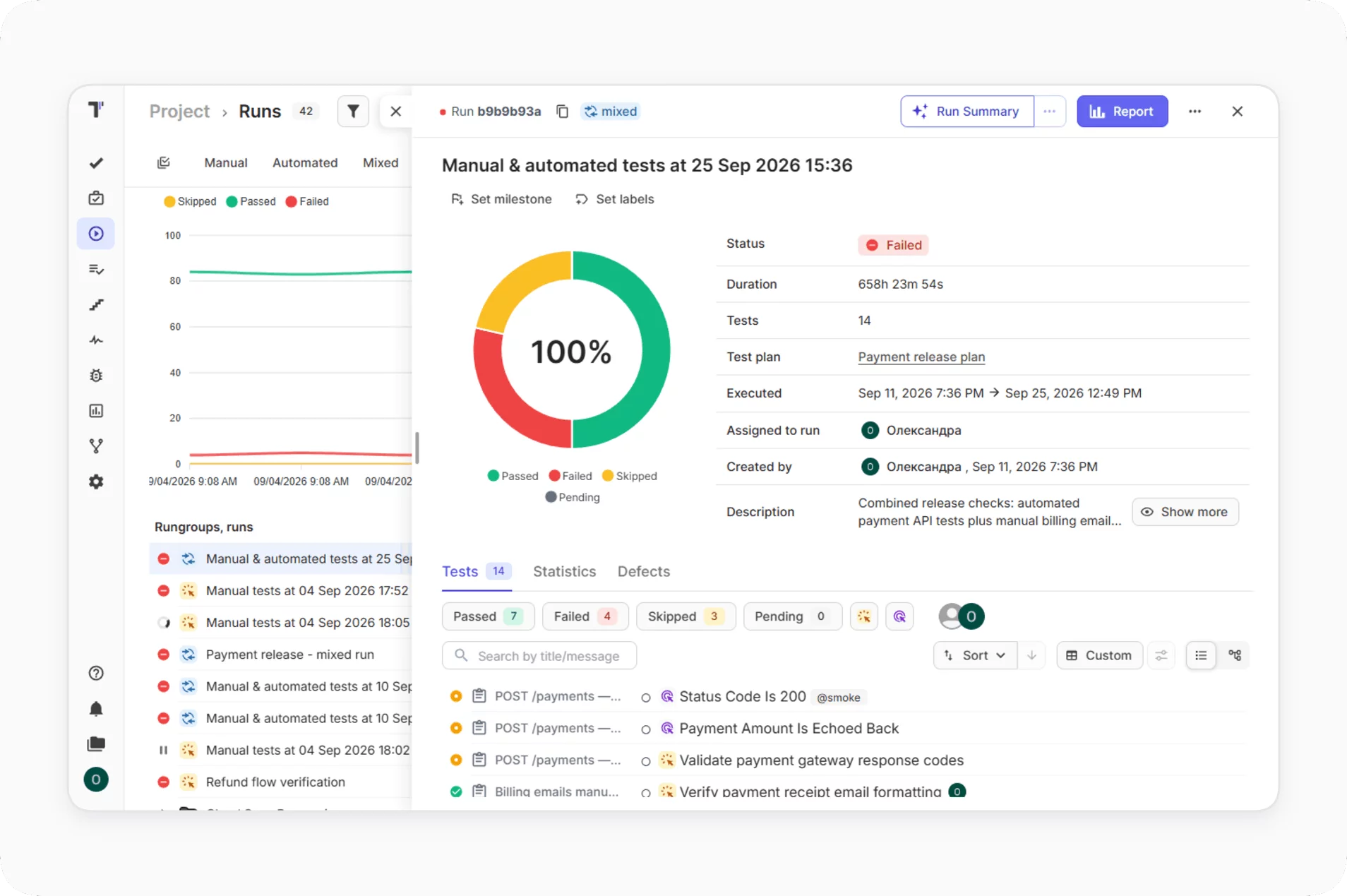
Run all or selected automated tests from your CI\CD pipeline: GitHub, GitLab, Jenkins, Bamboo, and CircleCI. A run starts on every commit and reports to Testomat.io. The team checks every build with the same tests.
Learn more
CI/CD  execution
Reporters by testing frameworks

The reporter supports popular JavaScript, Java, Python, PHP, Ruby, and C# frameworks. You send test results to Testomat.io or, through the API, to a custom dashboard. Results from every framework arrive in a single dashboard.

Learn more
Reporters by testing frameworks
Bulk edit

Bulk edit changes the same field across many tests in a single action. You create or update multiple cases in an editor instead of clicking through each case. Routine updates take less time, and the suite stays consistent.

Bulk edit
Real-time reporting

The reporter sends each result to Testomat.io as soon as the test finishes. You read the report while the run continues. The team reacts to failures before the full run ends.

Learn more
Real-time reporting
Analytics dashboard

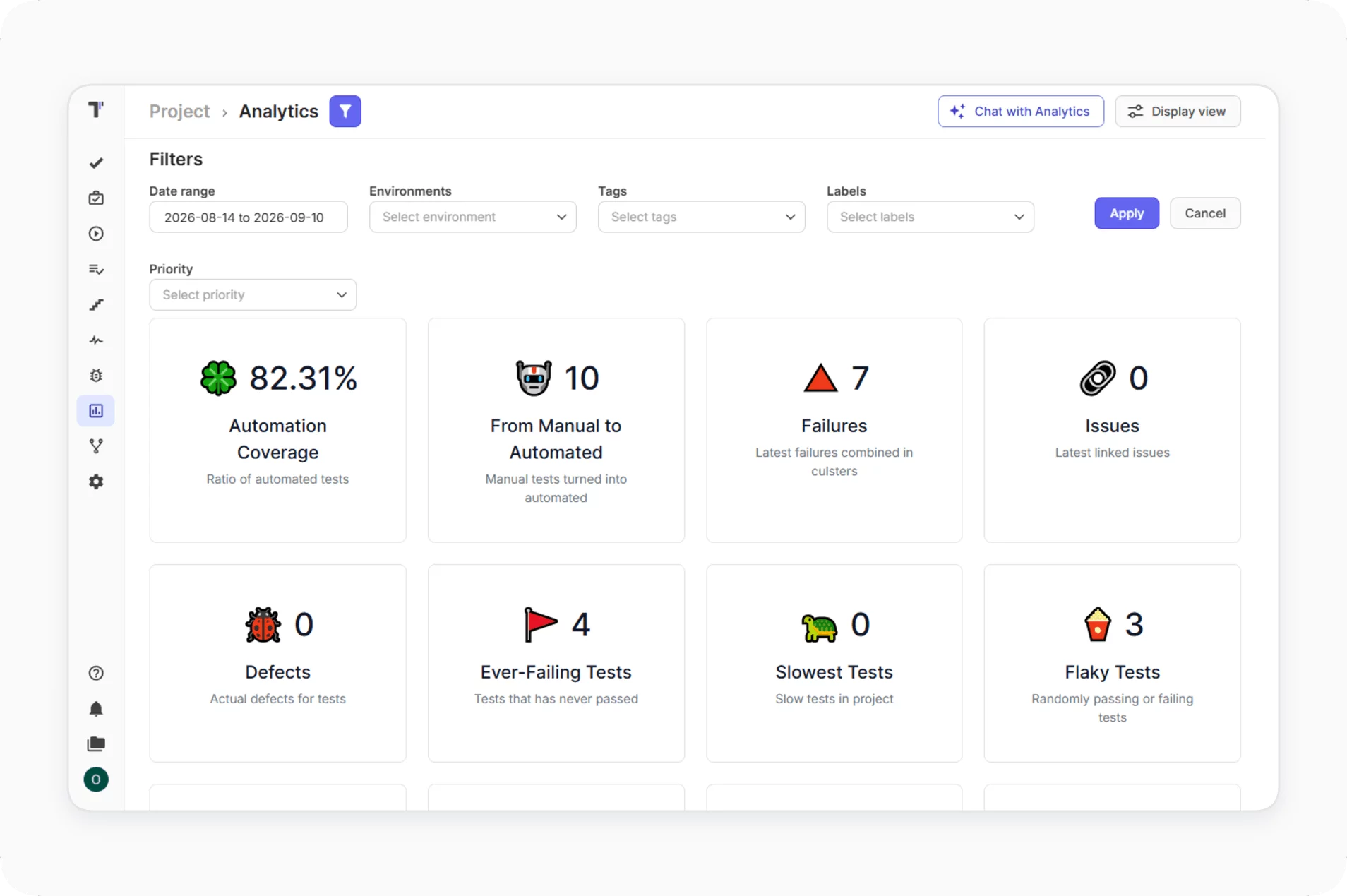
The dashboard tracks flaky tests, slow tests, automation coverage, and tag statistics. You select the metrics you need and query the results through the API by type or tag. Test health data reaches your reports without manual exports.
Learn more
Analytics dashboard
Test case management

Create, update, delete, and view test cases and suites in a single space. The app and the API give equal access, so each engineer picks a comfortable way to work. Every change lands in the same system.

Learn more
Test case management
Jira integration

The bidirectional Jira plugin links tests to user stories. You edit tests in Jira and see the changes in Testomat.io, and the reverse. QA and product work with the same test data.

Learn more
Jira integration

Why teams choose Testomat.io API test management

https://testomat.io/wp-content/uploads/2026/10/full-integration.svg
Full integration
Embed test management in your stack.
https://testomat.io/wp-content/uploads/2026/10/bidirectional.svg
Bidirectional
Create, read, update, and delete.
https://testomat.io/wp-content/uploads/2026/10/fast-responses-1.svg
Fast responses
Calls return quickly.
https://testomat.io/wp-content/uploads/2026/10/high-volume-1.svg
High volume
Built for bulk and frequent calls.
https://testomat.io/wp-content/uploads/2026/10/automatable.svg
Automatable
Trigger by CLI, cron, or commit.
Start using the API today

Start using the API today

Enable AI, point it at the provider you trust, and run every AI feature on your own model.
Get a token
Get a token
Call endpoints
Call endpoints
Push results
Push results
Start using the API today
What clients say

Recent reviews

“Excellent customer support”
Customer support is always prompt and high-quality. It's also great to see that user feedback is considered when developing new features. The team makes an effort to provide overviews of new features and keeps users informed about the latest updates.
4/5
Aliona Kovalchuk
Aliona Kovalchuk
General QA
“The Best TMS for Our QA Team!”
Our 15-person QA team has used Testomat.io daily for over two years. After comparing tools like TestRail, it stood out in both features and pricing. It’s affordable yet powerful. Jenkins integration works seamlessly, even manual testers can run tests easily. The clean UI speeds onboarding, improves collaboration, and saves time. We’ve recommended it widely, and others love it too.
5/5
Vladyslav M.
Vladyslav M.
General QA
“Testomat.io makes daily testing so much easier”
I’ve used Testomat.io daily for over two years, and it’s the best TMS I’ve worked with. Compared to tools like TestRail, it offers more features at a better price. Jenkins integration is seamless, even for manual testers. The UI is clean and easy to learn. It speeds up workflows, improves transparency, and makes team collaboration much smoother.
5/5
Dmytro H.
Dmytro H.
General QA
“Very convenient platform for managing test cases”
The platform is convenient and intuitive to use. I’ve been using it long enough to say it’s very user-friendly. It’s clear that the team is constantly working on and improving the platform.
5/5
Aleksey K.
Aleksey K.
General QA
“Great tool for creating and managing manual test cases efficiently”
As a Manual QA, I use Testomat.io to create and manage test cases with ease. The interface is intuitive, making onboarding simple. Test plans, runs, and results are well-structured in one place. Tagging helps organize cases efficiently. AI features speed up test creation. It keeps workflows transparent, improves collaboration, and reduces routine work.
5/5
Oksana G.
Oksana G.
General QA
“Testomat.io has been a great tool for managing both automated and manual tests in one place”
I really like how easy it is to integrate with frameworks and CI/CD tools, and the real-time reports with screenshots and analytics save a lot of time. Overall, it makes collaboration in the team much smoother and keeps testing well-organized.
5/5
Aleksey K.
Aleksey K.
Quality Assurance Engineer

Frequently asked questions

Is the API bidirectional? Testomat

Yes. You can create, update, delete, and view test cases and test suites, push results, and read runs and projects, so data flows both ways through the API.

What authentication does the API use? Testomat

You authenticate by sending a General token, or your email and password, to the login endpoint. In return you receive a JWT, which you pass in the Authorization header on every subsequent request. Project tokens are used for importing and reporting to a specific project.

Which plan includes the API? Testomat

Pushing automated results with the reporter is available on the Free plan. The full REST API, for reading runs, managing cases, and migrating data, is available on the Professional and Enterprise plans. Every account starts with a free 30-day trial that unlocks Enterprise features.

What can I do with the API? Testomat

Common uses include pushing automated results, migrating legacy data, syncing cases across environments, and creating suites, plans, and custom scripts programmatically.

I already use Xray or TestRail APIs. Is this similar? Testomat

Yes. The API uses standard REST conventions, so if you have set up Xray, TestRail, or Azure DevOps APIs before, you can start with the Testomat.io API easily.
Use the API to manage tests in Testomat.io

Use the API to manage tests in Testomat.io