





Mixed test execution
Trusted by over 500 forward-thinking companies
















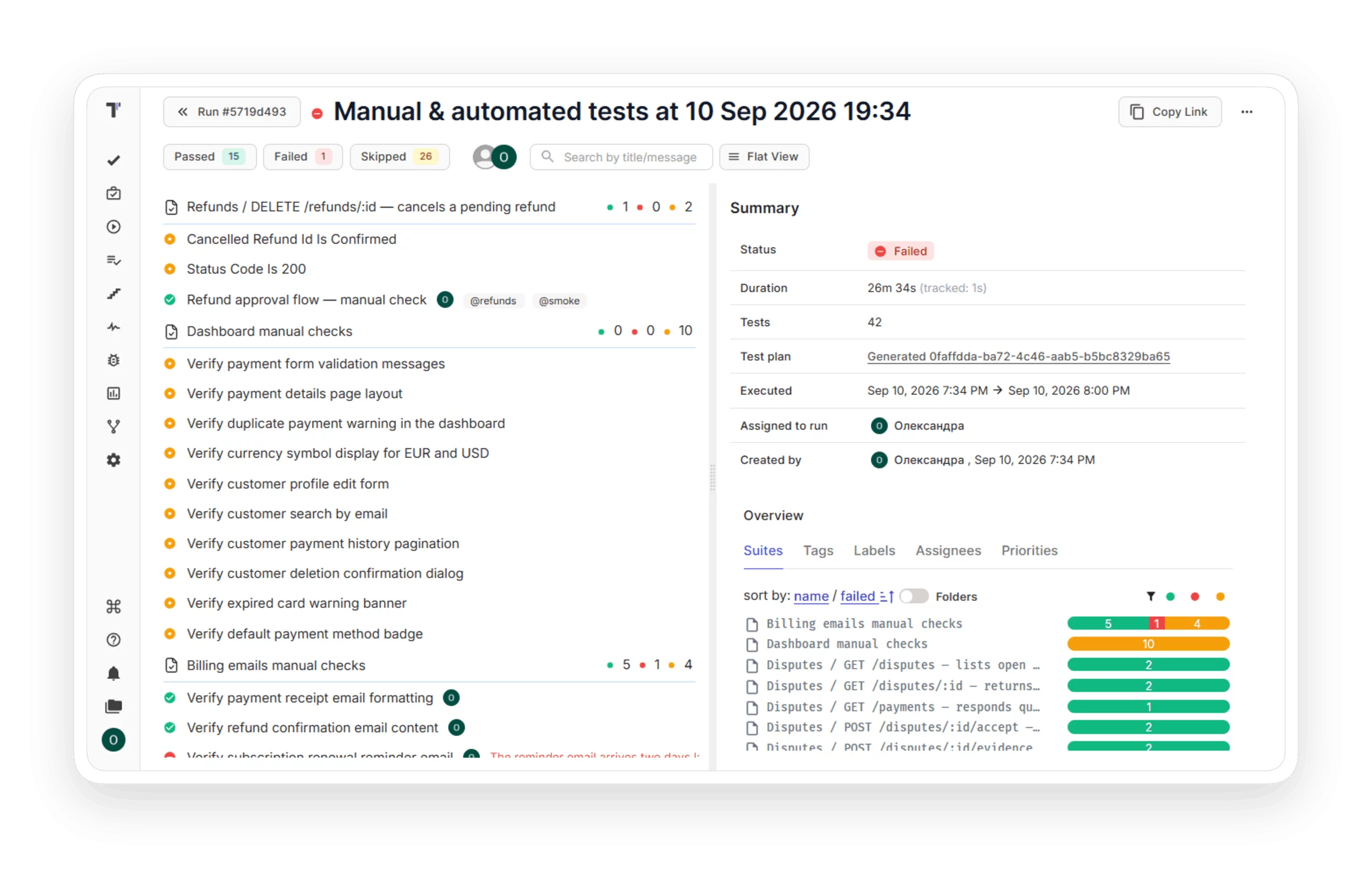
How mixed test execution works in Testomat.io


How can mixed test execution help?


Benefits of mixed test execution


Testomat.io features that work with mixed test execution
Imports tests from Playwright, Cypress, pytest, Jest, and other frameworks, so a mixed run always matches the current source.

Test plan allows you to follow your testing strategy. Add tests regardless of their status, combine them into logical groups depending on the context, and start running without switching between windows.

A project can hold thousands of test cases, and your plan only needs some of them. Type @ in a test title to tag it. One tag covers both manual and automated tests, so you filter by it and add the whole group to a plan in seconds.

Run all or specific automated tests from your pipeline once CI/CD is set up. Trigger runs on every commit with the GitHub and GitLab integration, and send results from any CI service like Jenkins, CircleCI, or Bamboo. The results land in the same mixed run next to your manual checks.
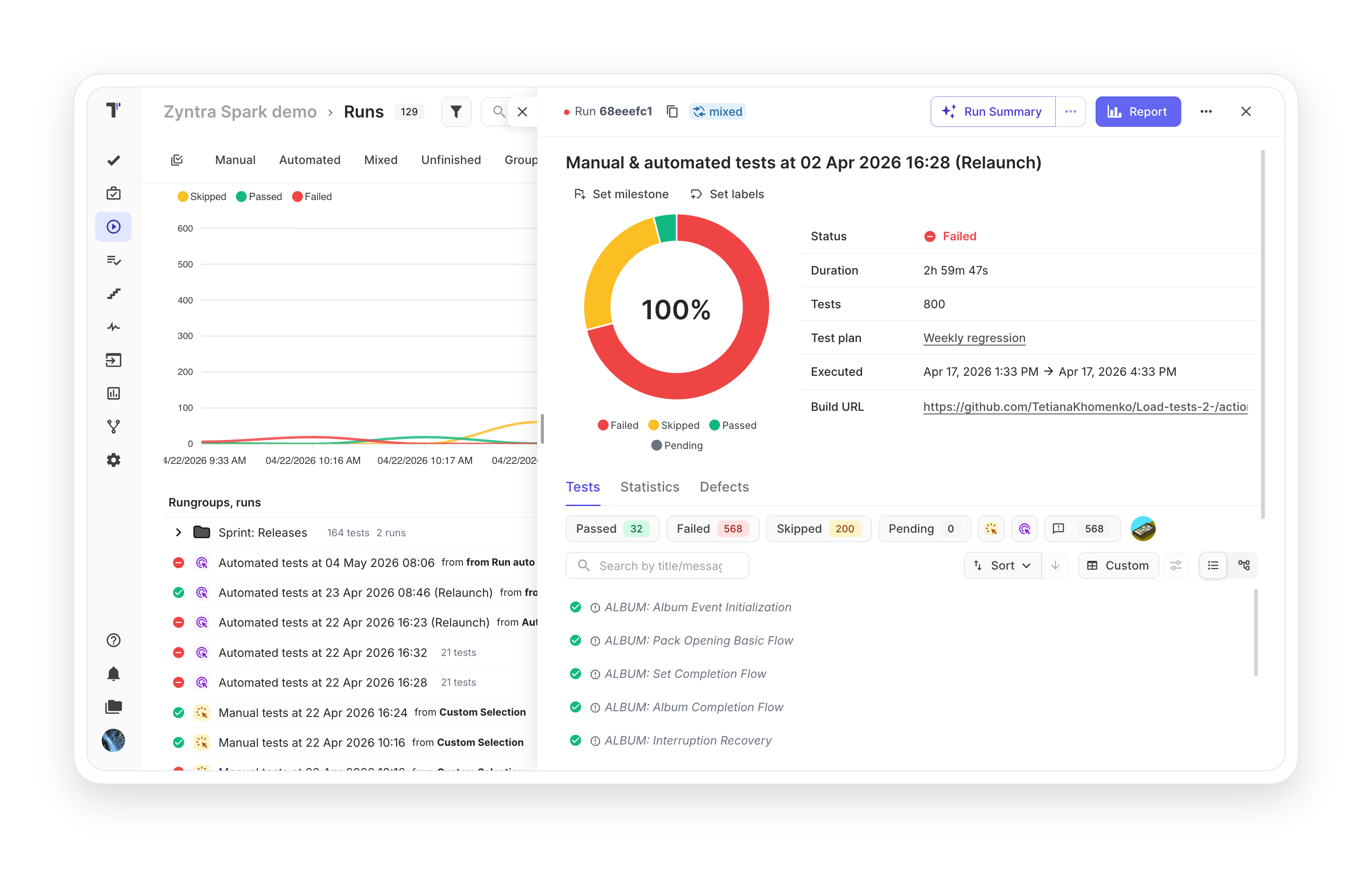
A mixed run can take hours. The development team doesn’t have to wait. The report updates during execution: which tests finished, passed, failed, or got skipped. You read the product status before the run ends.

Spot the riskiest areas of your product at a glance. Heatmaps highlight where defects cluster and where coverage is thin, so QA effort goes where it pays off.

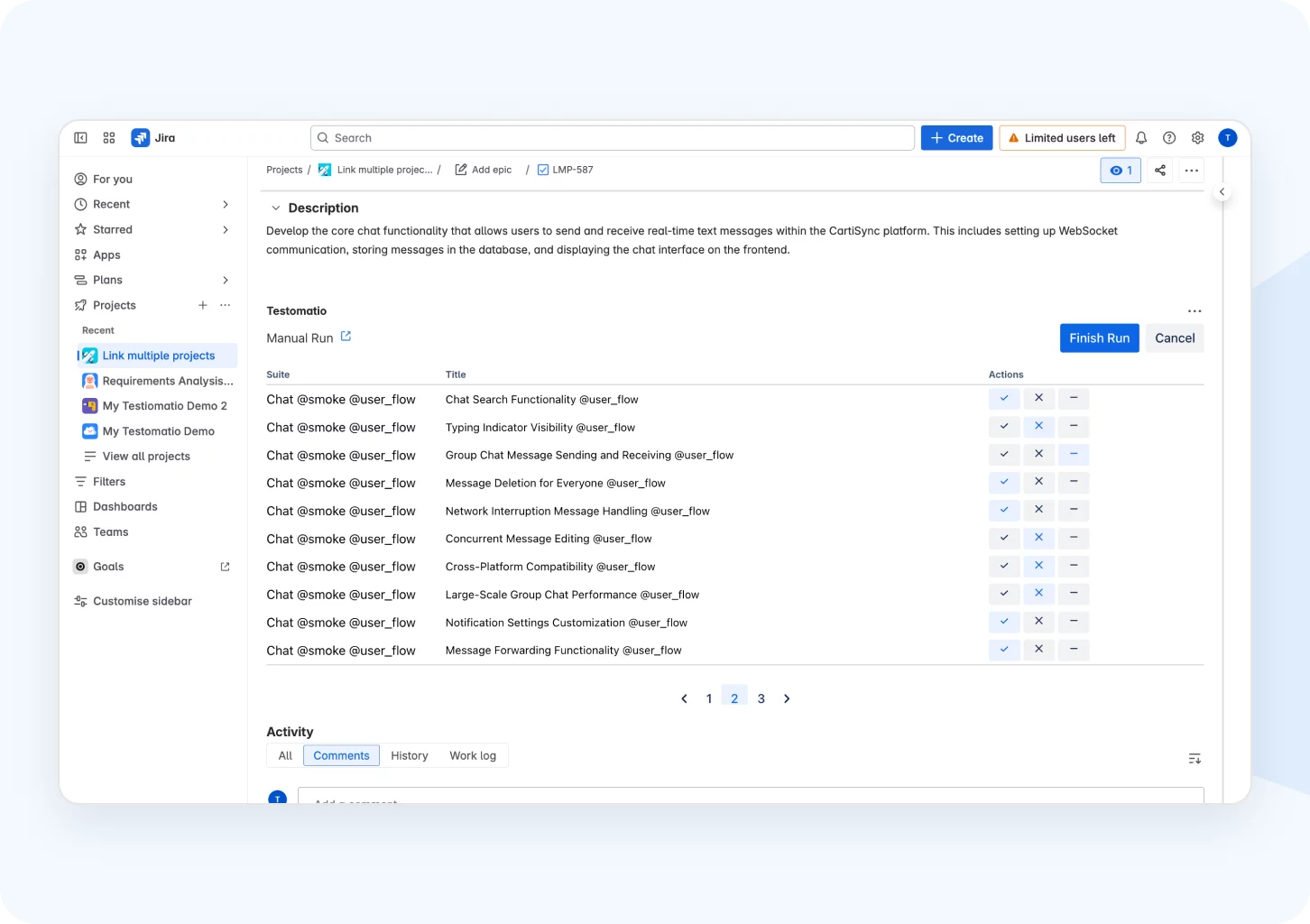
Run manual and automated tests from a Jira ticket and watch results land in the issue as they come in. When the run finishes, attach the report with one click so the whole team sees what was tested without leaving Jira.
All mixed test execution features

Launch a mixed run in minutes


Recent reviews






Frequently asked questions
What is a Mixed Run in Testomat.io?


Do I need CI to use Mixed Runs?
Can I rerun only the failed automated tests?
Can I change a run after it starts?
Which frameworks work with a Mixed Run?
