Most QA teams track too many metrics, act on too few, and report on ones that look good rather than ones that reveal problems. A dashboard full of green numbers that hides a deteriorating codebase is worse than no dashboard at all — it creates false confidence.
This article covers the software testing metrics worth tracking, what each one actually measures, and how to use them to make decisions rather than just fill reports.
What QA Metrics Are For
QA metrics exist to answer three questions:
- Is the software getting better or worse over time?
- Is the testing process finding defects efficiently?
- Where should the team focus testing effort next?
Metrics that don’t answer one of those questions are probably noise. Teams often track things because they’re easy to measure — test case count, for example — rather than because the number drives decisions. Test case count tells you nothing about software quality or testing effectiveness. A suite of 5,000 tests that all test the same happy path is worse than 500 tests with real coverage.
Defect Metrics
Defect Density
What it is: Number of defects found per unit of code, typically per 1,000 lines or per module.
What it tells you: Which parts of the codebase are most error-prone. A module with consistently high defect density either has a design problem, is changing too fast to maintain quality, or isn’t being tested thoroughly enough.
How to use it: Track defect density by module over time, not just as an overall average. A codebase average of 2 defects per 1,000 lines might look fine while one module runs at 15 and another at zero. The average hides the problem.
Defect Detection Rate
What it is: Percentage of defects found during testing vs. found in production.
What it tells you: How effective your testing is at catching problems before users see them. A detection rate of 80% means 20% of defects are slipping to production. Whether that’s acceptable depends entirely on what your software does.
How to use it: Track it separately by testing phase — unit testing, integration testing, pre-release QA, UAT. If your unit tests catch almost nothing but pre-release QA catches a lot, your unit test coverage probably isn’t testing real behavior.
Defect Leakage
What it is: Defects found in production that were present in code that had been tested and passed. A specific subset of detection rate — these aren’t defects that were never tested, they’re defects that testing missed.
What it tells you: Whether your tests are testing the right things. High defect leakage with high test coverage means your tests pass but don’t verify actual behavior — a common problem with tests written after the fact to hit a coverage target rather than to catch real failures.
Defect Age
What it is: Time between when a defect was introduced and when it was found.
What it tells you: How quickly your process catches problems. In a shift-left testing model, defects should be found in development, not weeks later in integration testing. Long defect age is a signal that testing is happening too late in the cycle.
Defect Removal Efficiency (DRE)
What it is: (Defects found before release ÷ total defects including post-release) × 100.
What it tells you: A summary of testing effectiveness. A DRE of 95% means 95% of defects were caught before users saw them. Below 85% is generally considered a problem for most production software.
| Metric | Formula | Healthy signal | Warning sign |
|---|---|---|---|
| Defect Density | Defects ÷ KLOC | Stable or declining per module | One module consistently 3–5× higher than average |
| Defect Detection Rate | Pre-release defects ÷ total defects | Above 90% | Below 80% |
| Defect Leakage | Production defects ÷ total defects | Below 10% | Rising quarter-over-quarter |
| Defect Age | Days from introduction to detection | Under 3 days | Over 2 weeks |
| DRE | Pre-release defects ÷ (pre + post-release) × 100 | 95%+ | Below 85% |
Test Execution Metrics
Test Pass Rate
What it is: Percentage of test cases that passed in a given run.
What it tells you: At a surface level, whether the build is stable. But pass rate alone is misleading. A pass rate of 98% in a suite of 200 tests means 4 tests failed. Whether that’s fine or a blocker depends on which tests failed. Always look at which tests failed, not just the percentage.
Watch for: Pass rates that are consistently too high. A suite that passes 99% of tests every run either has excellent code quality or has tests that aren’t checking anything meaningful. Healthy test suites fail occasionally because the code changes and tests catch real problems.
Test Coverage
What it is: Percentage of code, requirements, or user scenarios covered by tests.
What it tells you: How much of the system is being tested. There are several types:
- Code coverage: lines, branches, or functions executed by tests
- Requirements coverage: requirements with at least one associated test case
- Risk coverage: high-risk areas of the application with adequate test depth
Code coverage is the most commonly tracked and the most frequently misunderstood. 80% line coverage doesn’t mean 80% of possible behaviors are tested. A function can have 100% line coverage and still have untested edge cases if the tests don’t vary the inputs.
Requirements coverage is often more useful than code coverage for functional QA. The requirements traceability matrix is the tool for tracking it — every requirement has associated test cases, and every test case links back to a requirement.
Flaky Test Rate
What it is: Percentage of tests that produce inconsistent results across runs without code changes.
What it tells you: How reliable your test suite is. Flaky tests are a serious problem — they train developers to ignore test failures, which defeats the purpose of having tests. When a build fails, the first question becomes “is this a real failure or another flaky one?” That question is expensive if it’s asked dozens of times a day.
Acceptable rate: For most teams, below 2% is manageable. Above 5% and you have a trust problem with your test suite. Fix flaky tests aggressively rather than marking them as expected failures.
Automation Coverage
What it is: Percentage of test cases that are automated vs. manual.
What it tells you: How much of your testing can run without human intervention. Low automation coverage is a bottleneck in CI/CD — if most tests require a human to run them, you can’t test on every commit.
What it doesn’t tell you: Whether the automated tests are good. 90% automation coverage of a test suite that only covers happy paths is less useful than 50% automation coverage of tests that catch real defects.
| Metric | Healthy signal | Warning sign |
|---|---|---|
| Test Pass Rate | 85–98%, occasional failures from real code changes | Consistently 99–100% (may mean weak tests) or below 70% |
| Code Coverage | 70–80%+ for critical paths | Below 50% on business-critical modules |
| Requirements Coverage | All P0/P1 requirements have test cases | Any high-priority requirement untested |
| Flaky Test Rate | Below 2% | Above 5% |
| Automation Coverage | 60%+ for regression suite | Most tests require manual execution |
Process Metrics
Test Cycle Time
What it is: Time from when testing starts to when results are available.
What it tells you: Whether your testing is fast enough to be useful. If a full regression run takes 8 hours, developers aren’t getting feedback during the workday — they’ve moved on to the next feature before they know the previous one broke something.
Target: For pre-merge tests, feedback in under 10 minutes. For full regression, under an hour is a reasonable goal for most applications. Longer than that and your suite probably needs parallelization, pruning, or both.
Mean Time to Detect (MTTD)
What it is: Average time between a defect being introduced and being found.
What it tells you: The speed of your feedback loop. A defect introduced on Monday morning ideally appears in test results Monday morning. If it takes until Thursday, your testing isn’t running frequently enough, or it’s running on the wrong things.
Mean Time to Resolve (MTTR)
What it is: Average time from defect detection to verified fix.
What it tells you: How quickly your team handles issues once they’re found. High MTTR with low defect count can indicate that defects are complex. High MTTR with high defect count usually indicates a process problem — too many bugs open simultaneously, unclear ownership, or a backlog nobody’s working through.
Blocked Test Rate
What it is: Percentage of test cases that couldn’t be executed due to environment issues, missing functionality, or blockers.
What it tells you: How much of your testing effort is being wasted. A team that can only execute 60% of their planned tests because environments aren’t stable or dependencies aren’t ready is losing significant QA capacity. Track what’s blocking tests to identify recurring infrastructure or process problems.
| Metric | Target | High/slow numbers indicate |
|---|---|---|
| Test Cycle Time (pre-merge) | Under 10 minutes | Pipeline needs parallelization or pruning |
| Test Cycle Time (full regression) | Under 1 hour | Suite too large to run frequently |
| MTTD | Hours, not days | Testing runs too infrequently or covers wrong areas |
| MTTR | Under 2 days for high-severity bugs | Unclear ownership or unmanaged backlog |
| Blocked Test Rate | Below 10% | Environment instability or dependency problems |
Quality Metrics
Production Defect Rate
What it is: Number of defects reported by users or found in production per release or per time period.
What it tells you: The bottom-line quality metric. Everything else is a proxy — this is actual user impact. A team with a high production defect rate has a problem regardless of how good their other metrics look. A team with a low production defect rate is delivering quality regardless of what their coverage numbers say.
How to use it: Track it per release, per team, and per area of the application. If one part of the product consistently generates production bugs, that’s where testing needs to deepen.
Customer-Found vs. Internally-Found Defects
What it is: Ratio of defects reported by users vs. defects caught by the team.
What it tells you: At a glance, how much your QA is actually protecting your users. If customers find more bugs than your testing does, your testing isn’t covering the right scenarios.
Escaped Defect Severity
What it is: Severity distribution of defects that reached production.
What it tells you: Whether the defects slipping through are minor annoyances or critical failures. A team with 50 production bugs per quarter where all of them are cosmetic issues is in a different position than a team with 10 production bugs per quarter where two are data loss incidents.
Metrics to Stop Tracking
Total Test Case Count
The number of test cases tells you almost nothing about quality. A test case that checks “does the page load” is not equivalent to one that checks complex business logic. More tests is not better — better tests is better.
Test Execution Count
How many times a test ran is not a quality indicator. Running the same 200 tests 500 times doesn’t improve software quality.
Number of Bugs Reported by QA
Reporting this as a performance metric for QA engineers creates the wrong incentive. QA engineers who know their bonus depends on bug count will find more low-severity bugs. The goal is to find the right bugs, not the most bugs.
How to Choose Which Metrics to Track
Start with the decisions you need to make, not the data you can collect.
| Decision | Metrics to use |
|---|---|
| Is this release ready to ship? | Defect detection rate, escaped defect severity, pass rate on critical tests |
| Where should we focus testing effort? | Defect density by module, requirements coverage gaps, flaky test rate |
| How do we report quality to stakeholders? | Production defect rate, DRE over time, customer-found vs. internally-found defects |
| What’s slowing down the testing process? | MTTD, test cycle time, blocked test rate |
| Are our automated tests actually useful? | Defect leakage, automation coverage of high-risk areas, flaky test rate |
Pick five or six metrics that map to your actual decisions. Track them consistently. Review them in retrospectives. A test report that nobody reads because it’s 20 pages of numbers is not a working quality system.
Tracking QA Metrics in Practice
Use a Test Management Platform
Tracking QA metrics manually in spreadsheets works up to about 50 test cases. Beyond that, the overhead of keeping spreadsheets current means they’re usually stale. A test management platform tracks execution results, coverage, and trends automatically.
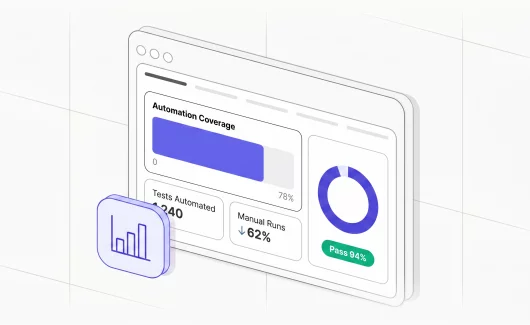
Testomat.io’s analytics dashboard covers automation coverage, flaky test identification, defect trends, and requirements coverage without requiring manual data entry. Test runs feed in from CI/CD pipelines, results are stored, and the metrics update automatically.
Connect Metrics to CI/CD
Metrics that update once a week after someone manually exports a report aren’t actionable. Metrics that update on every commit are. Connecting your test management platform to your CI/CD pipeline — GitHub Actions, GitLab, Jenkins , or Azure DevOps — means execution data flows automatically and your dashboards reflect the current state of the codebase, not what it was last Tuesday.
Use Quality Gates to Enforce Thresholds
Tracking metrics is passive. Quality gates make them active — if coverage drops below a threshold or critical test failures appear, the pipeline stops. This turns metrics from a reporting tool into a control mechanism. The team doesn’t have to monitor dashboards and decide whether to act; the process enforces the standards automatically.
Review Trends
A single data point tells you where you are. A trend tells you where you’re going. Defect density of 3 per 1,000 lines this sprint means nothing without knowing whether that’s up from 1.5 last sprint or down from 6. Software testing quality metrics only become useful when you have enough history to see the direction.