





Custom AI provider
Mix and match the AI behind your test management. Run Testomat.io's AI features on the model you trust, from the built-in default to OpenAI, Anthropic, Amazon Bedrock or Microsoft Azure OpenAI, set at the company level.
Trusted by over 500 forward-thinking companies
















How custom AI provider works in Testomat.io

1. Enable AI
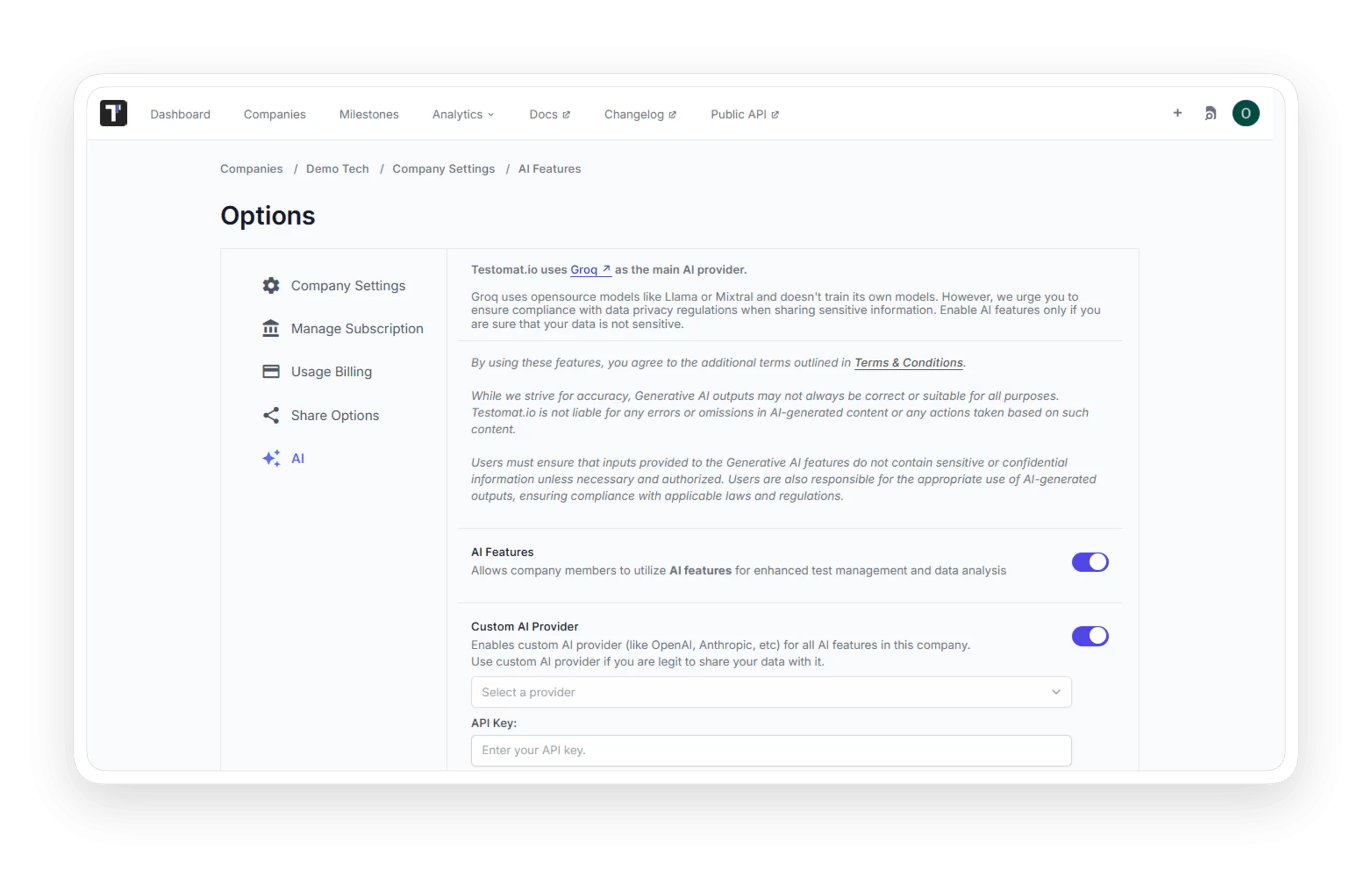
Open Company Settings
Select the AI tab
Turn on AI features
Enable Custom AI provider

2. Pick provider
Check your security policy
Choose a provider
Match your security policy
Replace the default Groq

3. Add key
Create a provider key
Paste the API key
Add the endpoint URL
Keep billing in-house

4. Set model
Enter the model name
Set max tokens
Keep the default limit
Change the model anytime

5. Save
Click save settings
Apply to all members
Run AI through your provider
Update settings anytime
Testomat.io custom AI provider features
AI test generation
Generate suggested test cases from your suites and requirements. The provider you choose powers every suggestion across the project.

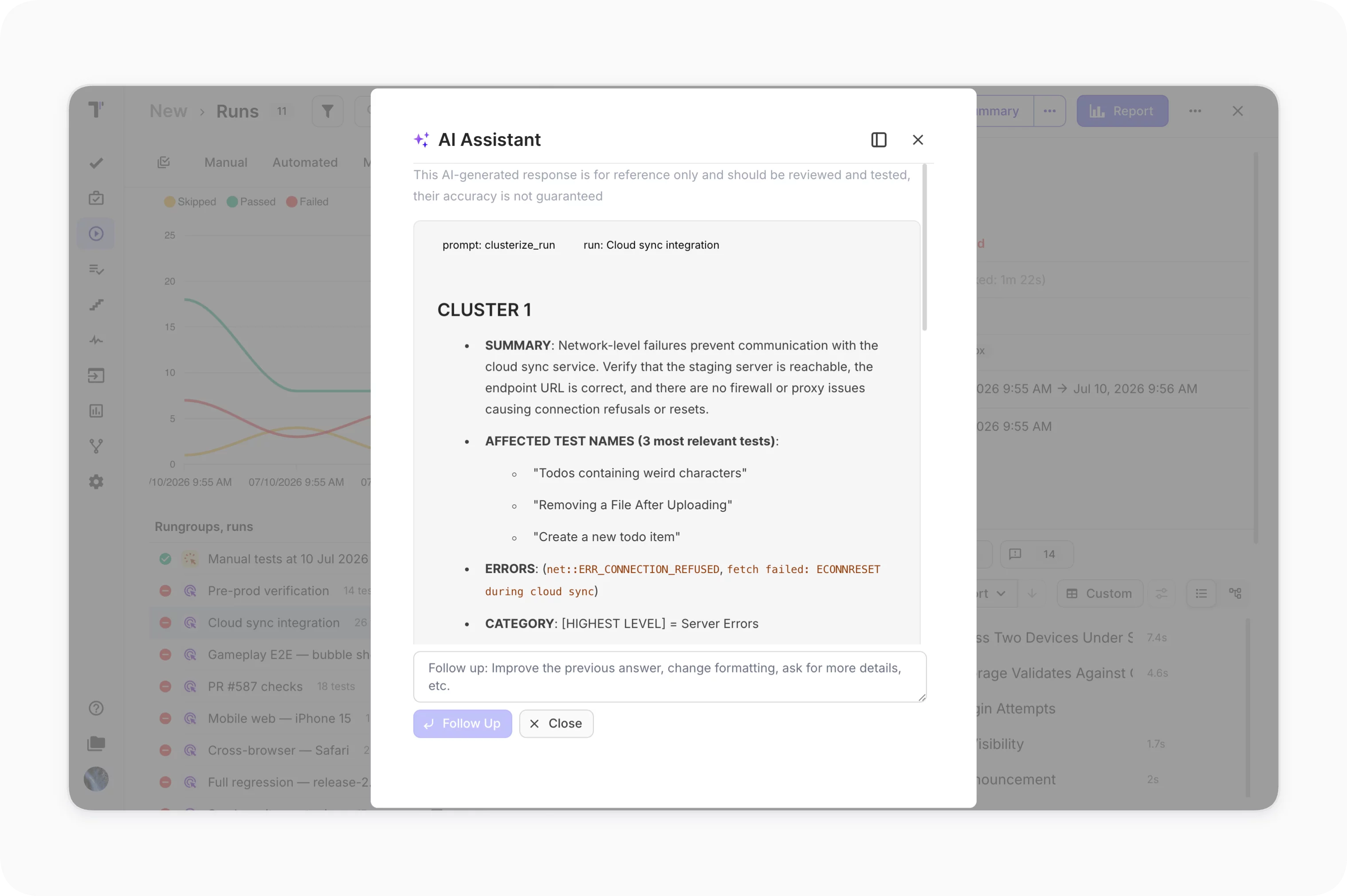
AI failure clusterization
Group automated failures by shared root cause after a run, analyzed by your selected model.
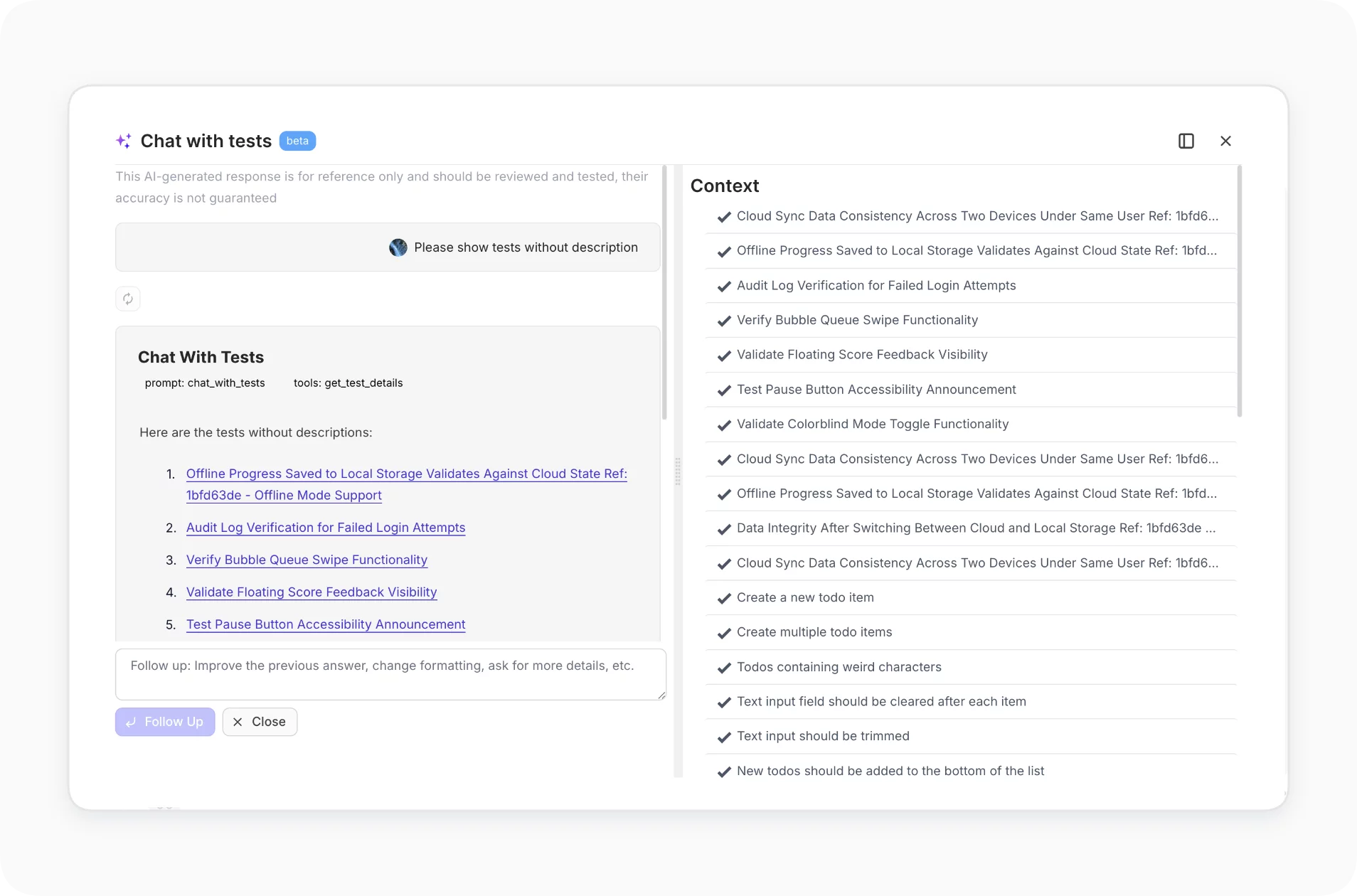
Chat with tests
Ask questions about your test repository at the project or folder level, answered by your chosen model.
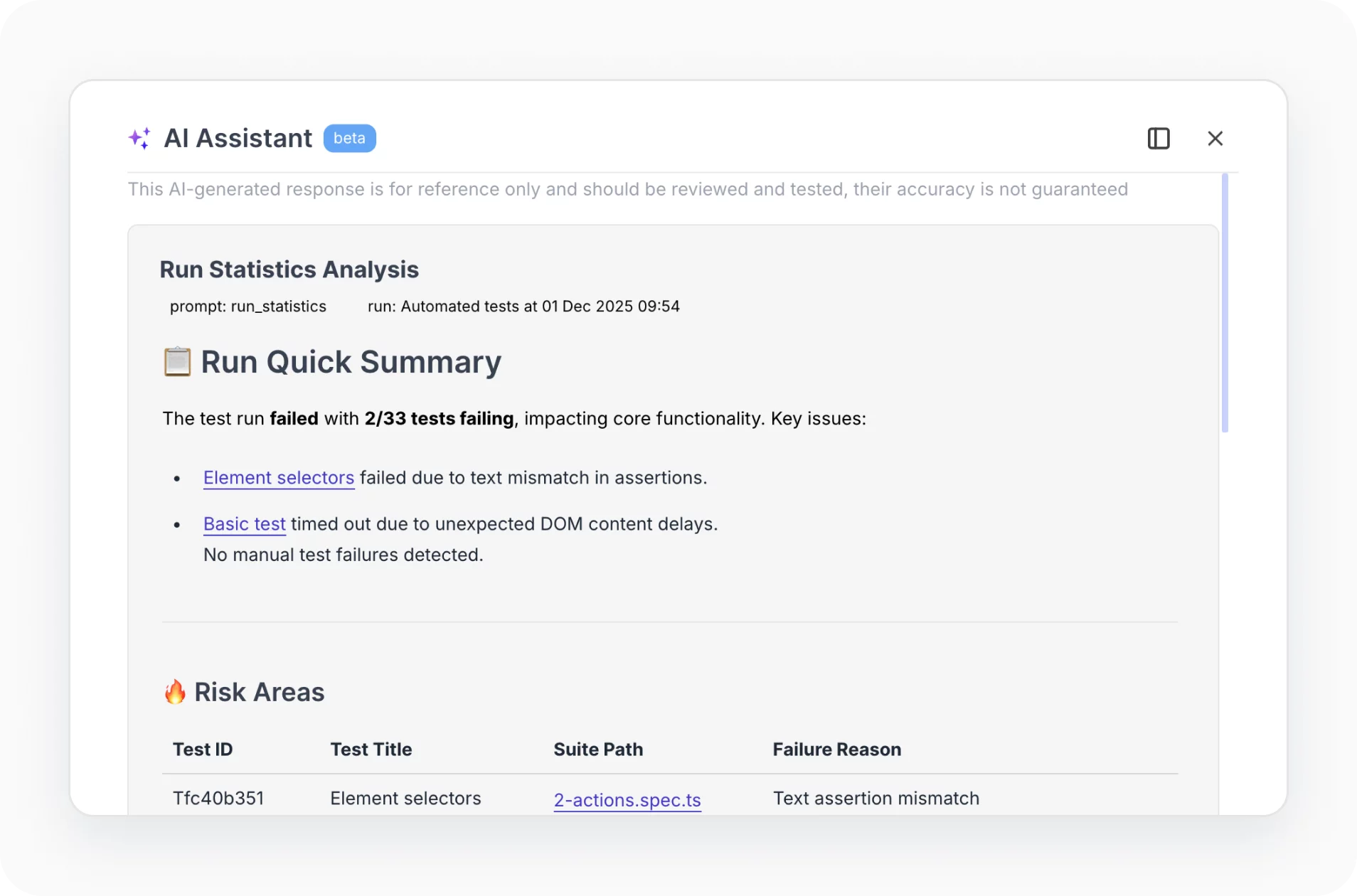
AI run summary
Summarize a finished run, with risk areas and recommendations, on the provider you configure.
AI duplicate detection
Analyze test descriptions to flag duplicate test cases for removal, keeping the repository clean.

AI Jira plugin intelligence
Inside the Jira plugin, AI suggests test cases and drafts defect details, running on your configured provider.
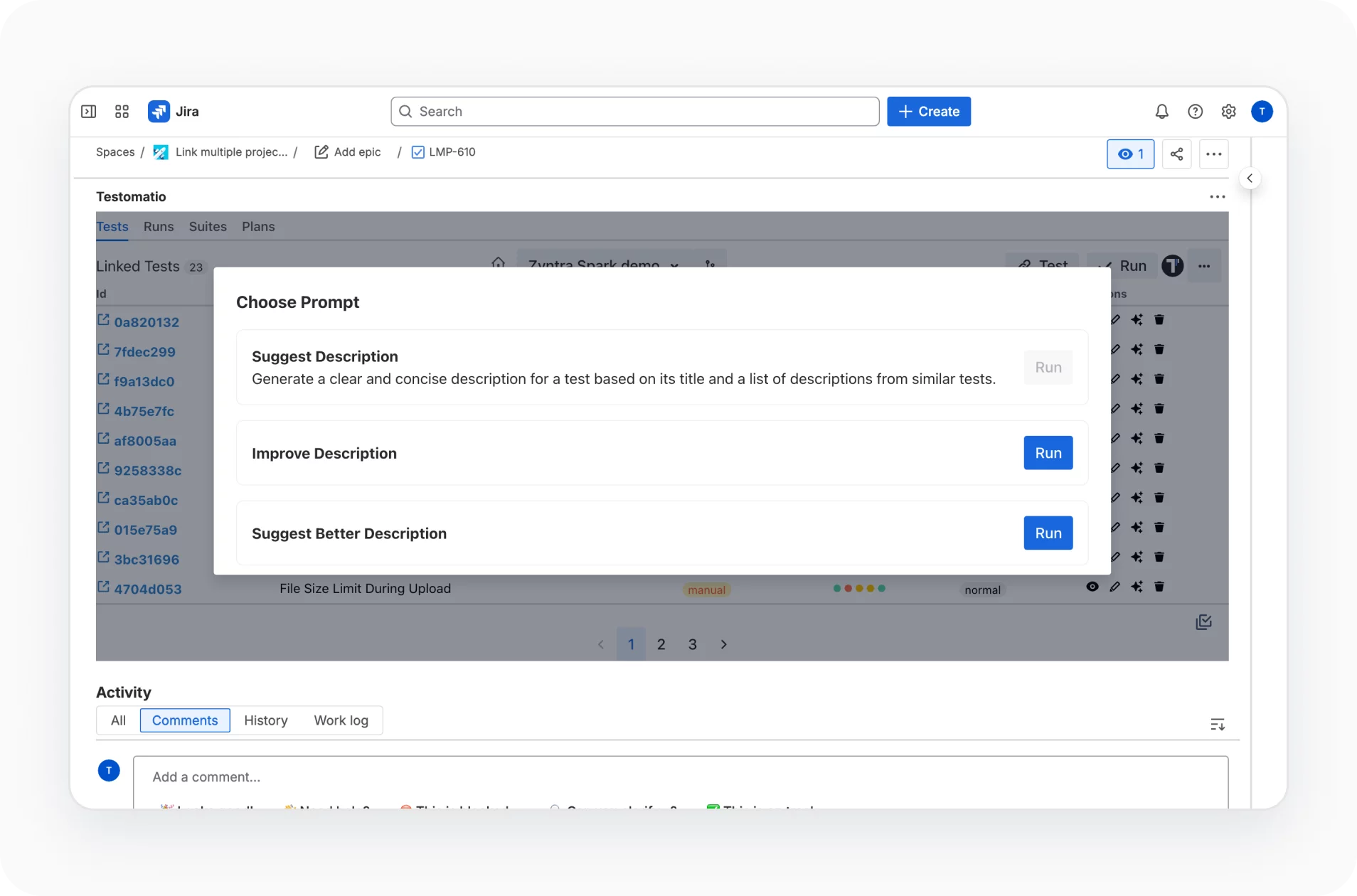
How custom AI provider can help?
Give every team the AI features of Testomat.io on a provider that fits its security and data policy, from the built-in default to your own vendor.
Startups & small teams

Built-in default
Groq runs AI without any setup.

Off by default
Turn on AI when ready.

Company-wide switch
Turn on AI company-wide.
Mid-sized products

Trusted vendor
You connect a provider you trust.

Shared settings
Every project uses your provider setup.

Model choice
You pick the model and tokens.
Enterprise projects

Your API keys
Your provider account handles every request.

Provider choice
OpenAI, Anthropic and Azure OpenAI work.

On-premise support
Self-hosted instances use the same setup.
What clients say
Recent reviews

“Excellent customer support”
Customer support is always prompt and high-quality. It's also great to see that user feedback is considered when developing new features. The team makes an effort to provide overviews of new features and keeps users informed about the latest updates.
4/5

“The Best TMS for Our QA Team!”
Our 15-person QA team has used Testomat.io daily for over two years. After comparing tools like TestRail, it stood out in both features and pricing. It’s affordable yet powerful. Jenkins integration works seamlessly, even manual testers can run tests easily. The clean UI speeds onboarding, improves collaboration, and saves time. We’ve recommended it widely, and others love it too.
5/5

“Testomat.io makes daily testing so much easier”
I’ve used Testomat.io daily for over two years, and it’s the best TMS I’ve worked with. Compared to tools like TestRail, it offers more features at a better price. Jenkins integration is seamless, even for manual testers. The UI is clean and easy to learn. It speeds up workflows, improves transparency, and makes team collaboration much smoother.
5/5

“Very convenient platform for managing test cases”
The platform is convenient and intuitive to use. I’ve been using it long enough to say it’s very user-friendly. It’s clear that the team is constantly working on and improving the platform.
5/5

“Great tool for creating and managing manual test cases efficiently”
As a Manual QA, I use Testomat.io to create and manage test cases with ease. The interface is intuitive, making onboarding simple. Test plans, runs, and results are well-structured in one place. Tagging helps organize cases efficiently. AI features speed up test creation. It keeps workflows transparent, improves collaboration, and reduces routine work.
5/5

“Testomat.io has been a great tool for managing both automated and manual tests in one place”
I really like how easy it is to integrate with frameworks and CI/CD tools, and the real-time reports with screenshots and analytics save a lot of time. Overall, it makes collaboration in the team much smoother and keeps testing well-organized.
5/5
Frequently asked questions
Which AI providers can I use?


Testomat.io ships with Groq as the built-in default, using open-source models that are not trained on your data. On a custom provider you can switch to OpenAI, Anthropic, Amazon Bedrock or Microsoft Azure OpenAI, configured for the whole organization.
How do I set up a custom provider?
In Company Settings, open the AI section, enable Custom AI Provider, select a provider from the dropdown, enter your API key, set the model name and max tokens if required, then save. The setting applies to every project in the company.
Is my data used to train the models?
The built-in Groq provider does not train on your data. With a custom provider, requests go to your own vendor under your account and its data policy, so you control how your data is handled.
Is AI on by default?
No. AI features are disabled by default and user-initiated. Nothing is sent in the background. A user selects a specific test, suite, or run and triggers the action, so only the relevant context is sent.
Which plan includes a custom AI provider?
AI features run on the paid plans, and the custom provider option is aimed at Enterprise teams with specific security or vendor requirements. Every account starts with a free 30-day trial that unlocks the full AI layer so you can try it first.
