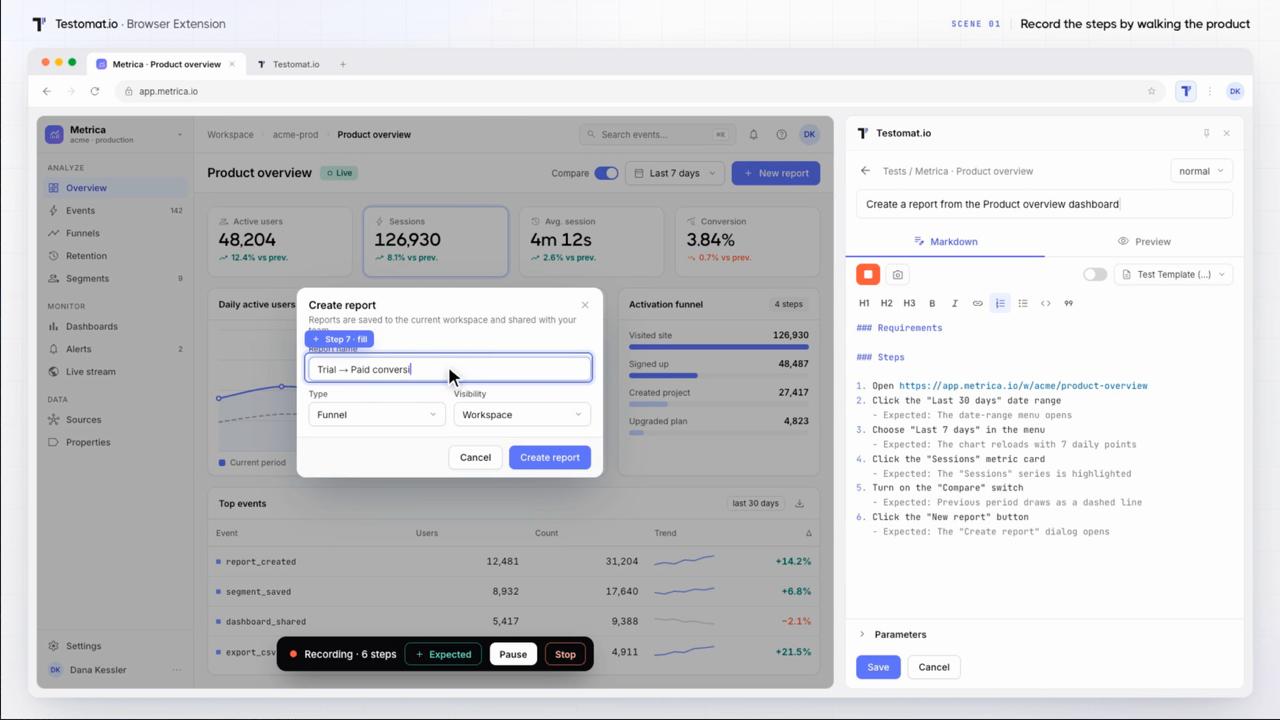
AI test assistant inside your project

Test design takes hours when teams write every case and polish descriptions by hand. The AI assistant in Testomat.io helps inside the object you open: a test, a suite, or a requirement. Click an action and review the result. Refine it with Follow up and add what fits. AI does the routine, and you control every change.
AI test assistant inside your project

Trusted by over 500 forward-thinking companies

logo
logo
logo
logo
logo
logo
logo
logo
logo
logo
logo
logo
logo
logo
logo
logo
logo
logo

Benefits of the AI assistant

https://testomat.io/wp-content/uploads/2026/11/ai-assistant-help-where-you-work.svg
Help where you work
The assistant opens inside a test, suite, or requirement.
https://testomat.io/wp-content/uploads/2026/11/ai-assistant-you-stay-in-control.svg
You stay in control
Every change waits for your approval.
https://testomat.io/wp-content/uploads/2026/11/ai-assistant-focused-results.svg
Focused results
The assistant reads a single suite or requirement, so suggestions match the context.
https://testomat.io/wp-content/uploads/2026/11/ai-assistant-faster-test-design.svg
Faster test design
AI suggests test cases, and you add the relevant ones.
https://testomat.io/wp-content/uploads/2026/11/ai-assistant-built-in-quality-review.svg
Built-in quality review
AI checks test descriptions and code and suggests improvements.

Testomat.io AI assistant features

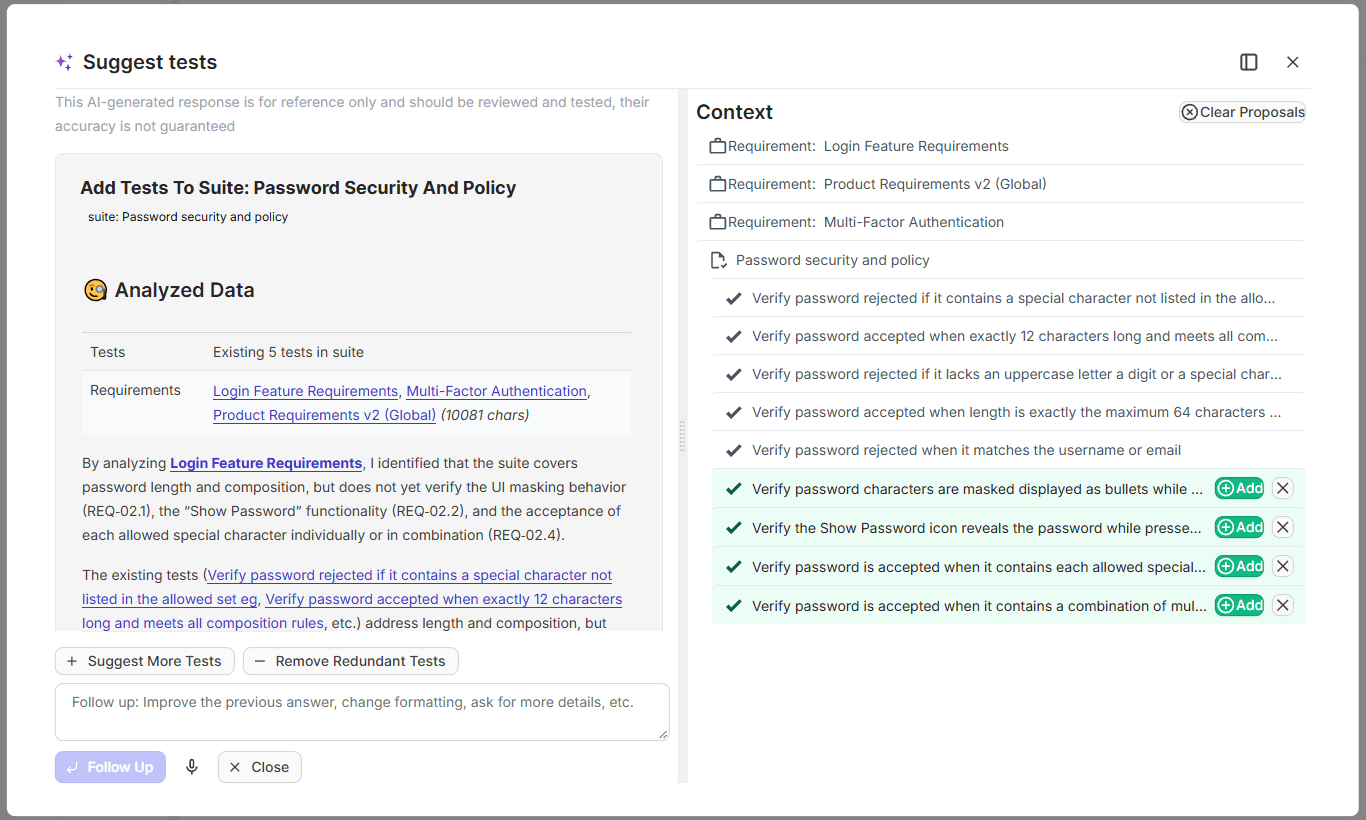
Suggest tests

Open a suite, and the assistant suggests test cases that match its content or the linked requirement. You edit titles and ask for more options with Follow up, then add the relevant cases. The suite gets ready test cases, and the team saves design time.
Learn more
Suggest tests
Analyze for edge cases

The assistant reads a requirement and finds edge cases with possible logic resolutions. You discuss unclear points with the team before development starts. Risky scenarios reach the test suite instead of production.

Learn more
Analyze for edge cases
AI test descriptions from screenshots

Upload a screenshot, and the assistant writes a test description with user actions, expected results, and the test data it finds on the screen. You edit the draft and save it when it matches the scenario. Tests get documented faster, and details stay in place.

AI test descriptions from screenshots
Write description from code

The assistant analyzes the code of an automated test and writes a readable description. Manual testers and managers understand automated tests without reading the code. The whole team works with the same clear test base.

Learn more
Write description from code
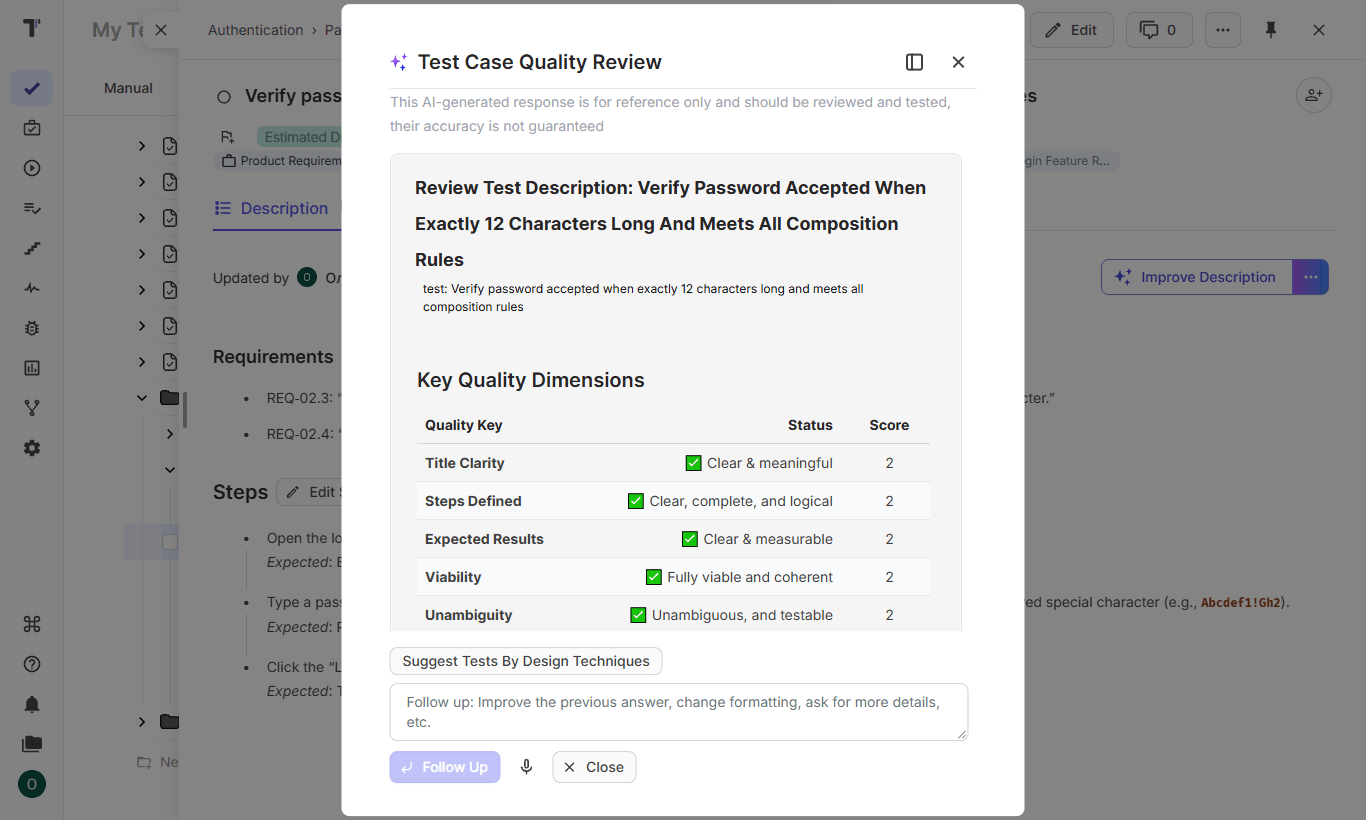
Test quality review

AI reviews a test description or test code and suggests improvements. You apply the suggestions that match your standards. Clear tests reduce confusion during execution and onboarding.
Learn more
Test quality review
AI-assisted TQL queries

Describe the runs or tests you need in plain language, and AI writes the TQL query. The assistant uses a separate schema for Runs and for Tests, so the query matches the fields of each area. You build advanced filters without the exact TQL syntax.

Learn more
AI-assisted TQL queries
Chat with requirements

You ask questions about project documentation in plain language. The AI assistant searches the requirements and answers with the context of your project. Decisions take less time, and knowledge stays available to the whole team.

Learn more
Chat with requirements
Analyze tests coverage

The assistant compares a requirement with its linked suites. You add missing tests and remove redundant ones directly in the AI window. Coverage grows where it matters, and the suite stays clean.

Learn more
Analyze tests coverage

How the AI assistant can help?

The assistant speeds routine test design for teams of every size, and each change waits for your approval.
Startups & small teams
Build the test base fast.
Fast test design
Suites get ready cases in a few clicks.
Screenshot drafts
A screenshot becomes an editable description.
Edge cases early
Risks appear before development.
Help in place
The assistant works where you click.
Mid-sized products
Keep coverage and quality in order.
Coverage checks
Requirements get the missing tests.
Quality review
Tests and code get clear feedback.
Readable automation
AI writes descriptions for automated tests.
Easy TQL queries
AI writes filters for runs and tests.
Enterprise projects
Control AI at the company level.
Full control
Every change waits for approval.
Shared standards
Reviews align tests with team practices.
Traceability
Suites from requirements link automatically.
Safe rollout
A company owner enables AI in Company Settings.
What clients say

Recent reviews

“Excellent customer support”
Customer support is always prompt and high-quality. It's also great to see that user feedback is considered when developing new features. The team makes an effort to provide overviews of new features and keeps users informed about the latest updates.
4/5
Aliona Kovalchuk
Aliona Kovalchuk
General QA
“The Best TMS for Our QA Team!”
Our 15-person QA team has used Testomat.io daily for over two years. After comparing tools like TestRail, it stood out in both features and pricing. It’s affordable yet powerful. Jenkins integration works seamlessly, even manual testers can run tests easily. The clean UI speeds onboarding, improves collaboration, and saves time. We’ve recommended it widely, and others love it too.
5/5
Vladyslav M.
Vladyslav M.
General QA
“Testomat.io makes daily testing so much easier”
I’ve used Testomat.io daily for over two years, and it’s the best TMS I’ve worked with. Compared to tools like TestRail, it offers more features at a better price. Jenkins integration is seamless, even for manual testers. The UI is clean and easy to learn. It speeds up workflows, improves transparency, and makes team collaboration much smoother.
5/5
Dmytro H.
Dmytro H.
General QA
“Very convenient platform for managing test cases”
The platform is convenient and intuitive to use. I’ve been using it long enough to say it’s very user-friendly. It’s clear that the team is constantly working on and improving the platform.
5/5
Aleksey K.
Aleksey K.
General QA
“Great tool for creating and managing manual test cases efficiently”
As a Manual QA, I use Testomat.io to create and manage test cases with ease. The interface is intuitive, making onboarding simple. Test plans, runs, and results are well-structured in one place. Tagging helps organize cases efficiently. AI features speed up test creation. It keeps workflows transparent, improves collaboration, and reduces routine work.
5/5
Oksana G.
Oksana G.
General QA
“Testomat.io has been a great tool for managing both automated and manual tests in one place”
I really like how easy it is to integrate with frameworks and CI/CD tools, and the real-time reports with screenshots and analytics save a lot of time. Overall, it makes collaboration in the team much smoother and keeps testing well-organized.
5/5
Aleksey K.
Aleksey K.
Quality Assurance Engineer

Frequently asked questions

What is an AI test assistant? Testomat

It is an interactive helper inside Testomat.io. You open a test, suite, or requirement and click an action. The assistant suggests test cases, finds edge cases, writes descriptions, and reviews quality.

How does AI generate test cases from requirements? Testomat

The assistant analyzes the requirement description and suggests suites and test cases for it. You refine the suggestions with Follow up and add the relevant ones. Added suites link to the requirement automatically.

Can AI write test case descriptions? Testomat

Yes. The assistant writes a description based on the test code, the suite context, or an uploaded screenshot. You edit the draft and save it when it looks right.

Does the AI assistant change my tests automatically? Testomat

The assistant suggests, and you decide. Every test case, description, or edit joins the project after your explicit action.

Which plan includes the AI assistant? Testomat

The AI assistant is available on the Professional plan and above. AI features are off by default; a company owner enables them in Company Settings.
Design tests with the AI assistant in Testomat.io

Design tests with the AI assistant in Testomat.io