Built-in AI agents

AI agents that audit your project, fix test descriptions, tag flaky and failed tests, and convert suites to BDD in one click each.
Built-in AI agents

Trusted by over 500 forward-thinking companies

logo
logo
logo
logo
logo
logo
logo
logo
logo
logo
logo
logo
logo
logo
logo
logo
logo
logo

How AI Agents Work in Testomat.io

Section subtitle
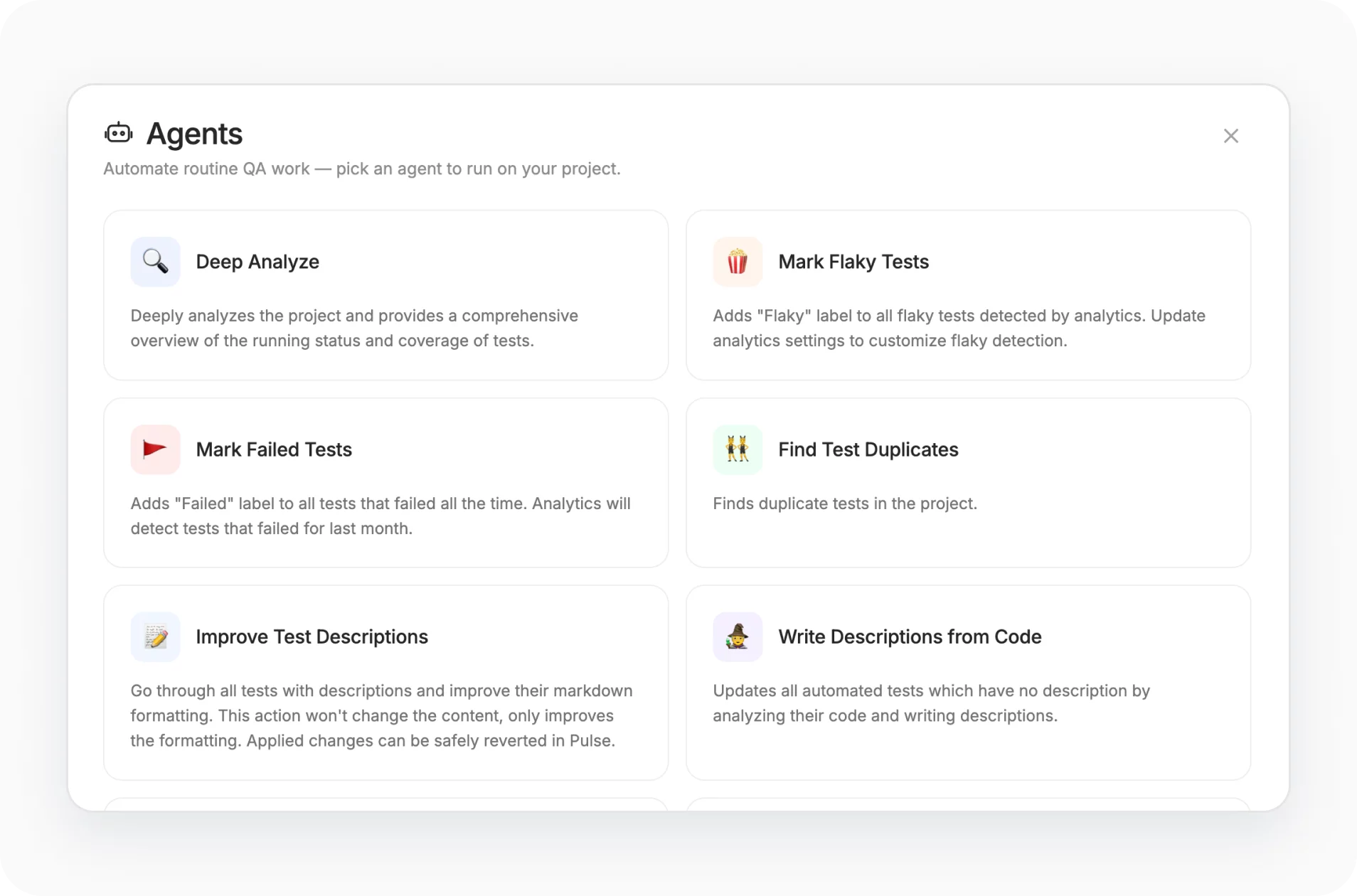
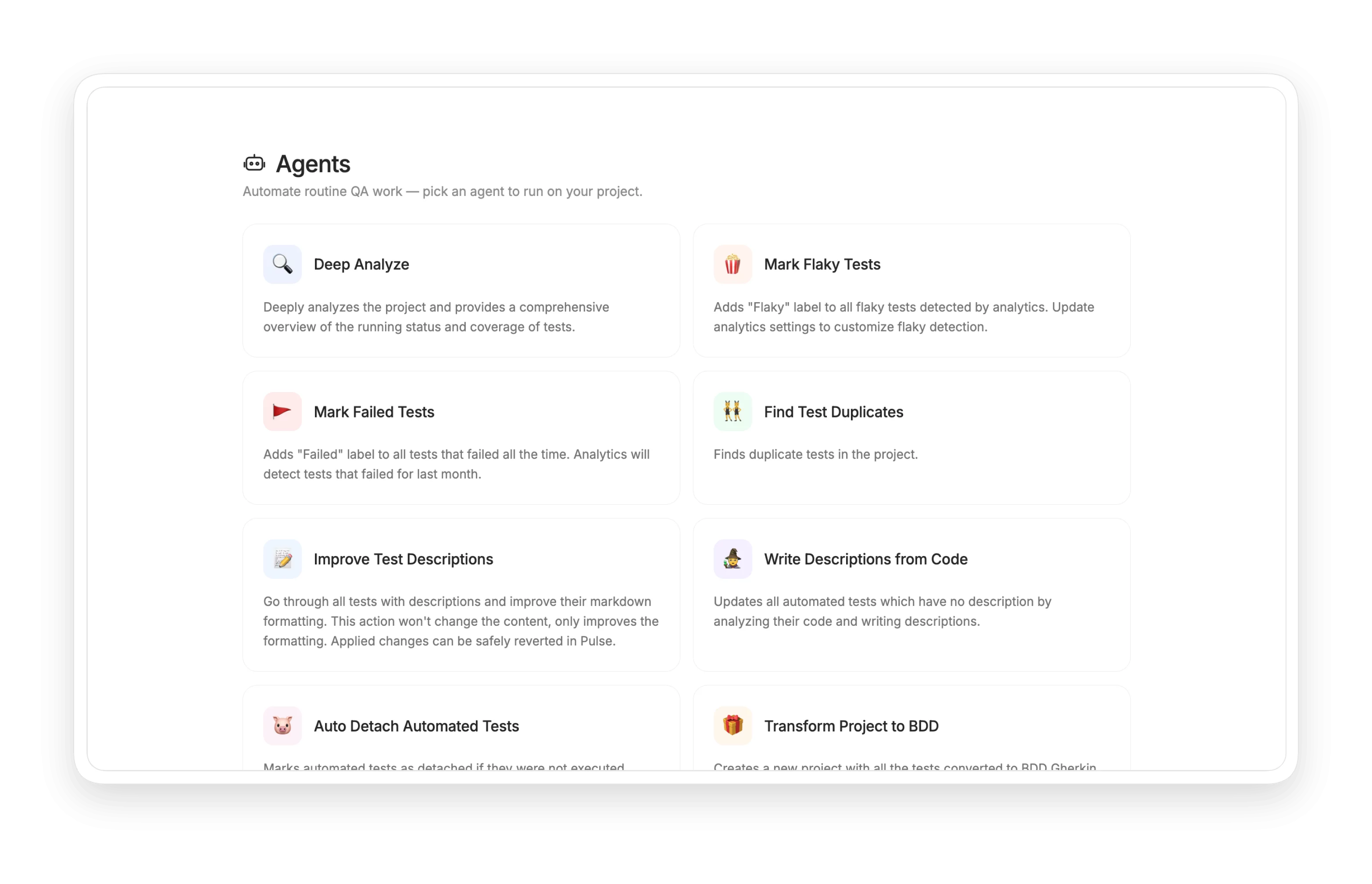
Pick an AI agent
1. Pick an AI agent
Choose the task you need.
Click run
2. Click run
Agent works on your project.
Review changes
3. Review changes
Every change visible in Pulse.
Revert if needed
4. Revert if needed
All edits safely reversible.
Repeat as needed
5. Repeat as needed
AI agents run again when ready.

How Testomat.io AI agents can help?

Replace hours of manual cleanup, audit, and documentation work with single-click agents that act on your real project data.
Startups & small teams
No prompt engineering
Click run, agent does the rest
Auto-documentation
Descriptions written from code
Stay focused
Agents handle the boring work
Safe to try
Change reverts in Pulse
Mid-sized products
Project-wide audit
Deep Analyze finds gaps
Tag the flakies
Stop chasing CI noise
Failed test triage
AI auto-labels 100%-failure tests
BDD on demand
Convert without rewriting
Enterprise projects
Pre-release audit
Readiness scored, gaps flagged
Stale test cleanup
Auto-detach inactive tests
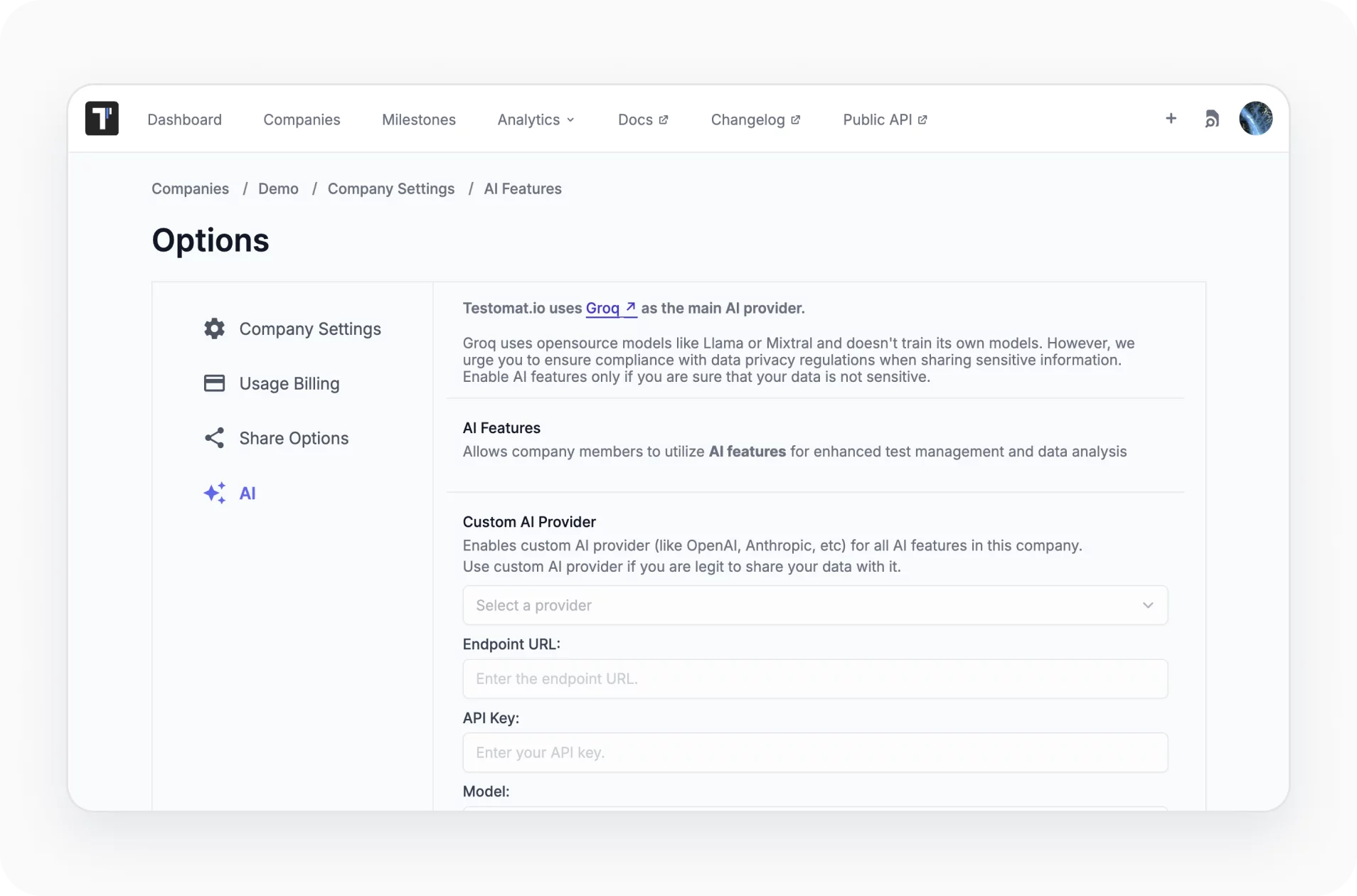
Custom AI provider
Default, OpenAI, Anthropic, Azure
Tunable thresholds
Analytics settings configure agents

Testomat.io AI agents

Deep analyze

Comprehensive AI audit of execution status, coverage, and gaps. Assesses release readiness from the last 14 days with actionable recommendations.

Learn more
Deep analyze
Write from code

Generates human-readable descriptions for automated tests by analyzing the source code, useful in large repositories and during onboarding.

Learn more
Write from code
Improve descriptions

Enhances Markdown formatting of test case descriptions: bullet points, emphasis, step/result separation. Content stays intact, structure improves.

Learn more
Improve descriptions
Mark failed tests

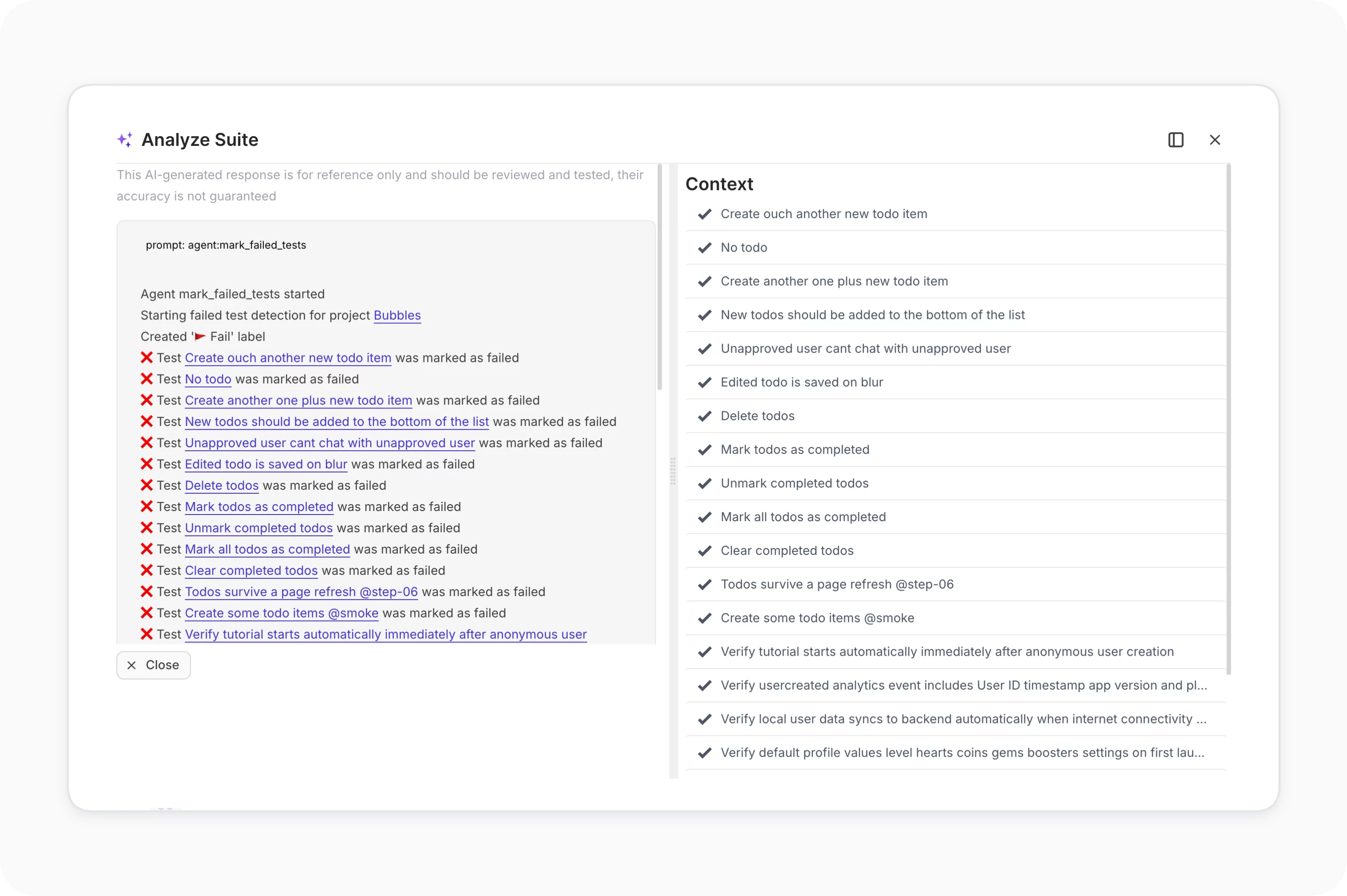
AI labels every test that failed 100% of the time over the past month. Persistent failures get surfaced, so they don’t block your release.
Learn more
Mark failed tests
Mark flaky tests

Scans execution analytics to detect tests that intermittently pass or fail without code changes, then labels them Flaky for targeted review.

Learn more
Mark flaky tests
Transform to BDD

Rewrites existing test cases into Gherkin Given/When/Then format, creating a new BDD-ready project without manual rewriting.

Learn more
Transform to BDD
Auto detach tests

Identifies automated tests not executed in the last 45 days and marks them Detached, keeping the suite clean and dashboards quiet.

Learn more
Auto detach tests
Find duplicates

Scans test descriptions across the project, flags duplicate or overlapping cases, and suggests safe removals to keep the suite lean.

Learn more
Find duplicates
Pulse rollback

Every AI agent action is non-destructive. Pulse logs every change and lets you revert any edit with one click if results need adjustment.

Learn more
Pulse rollback
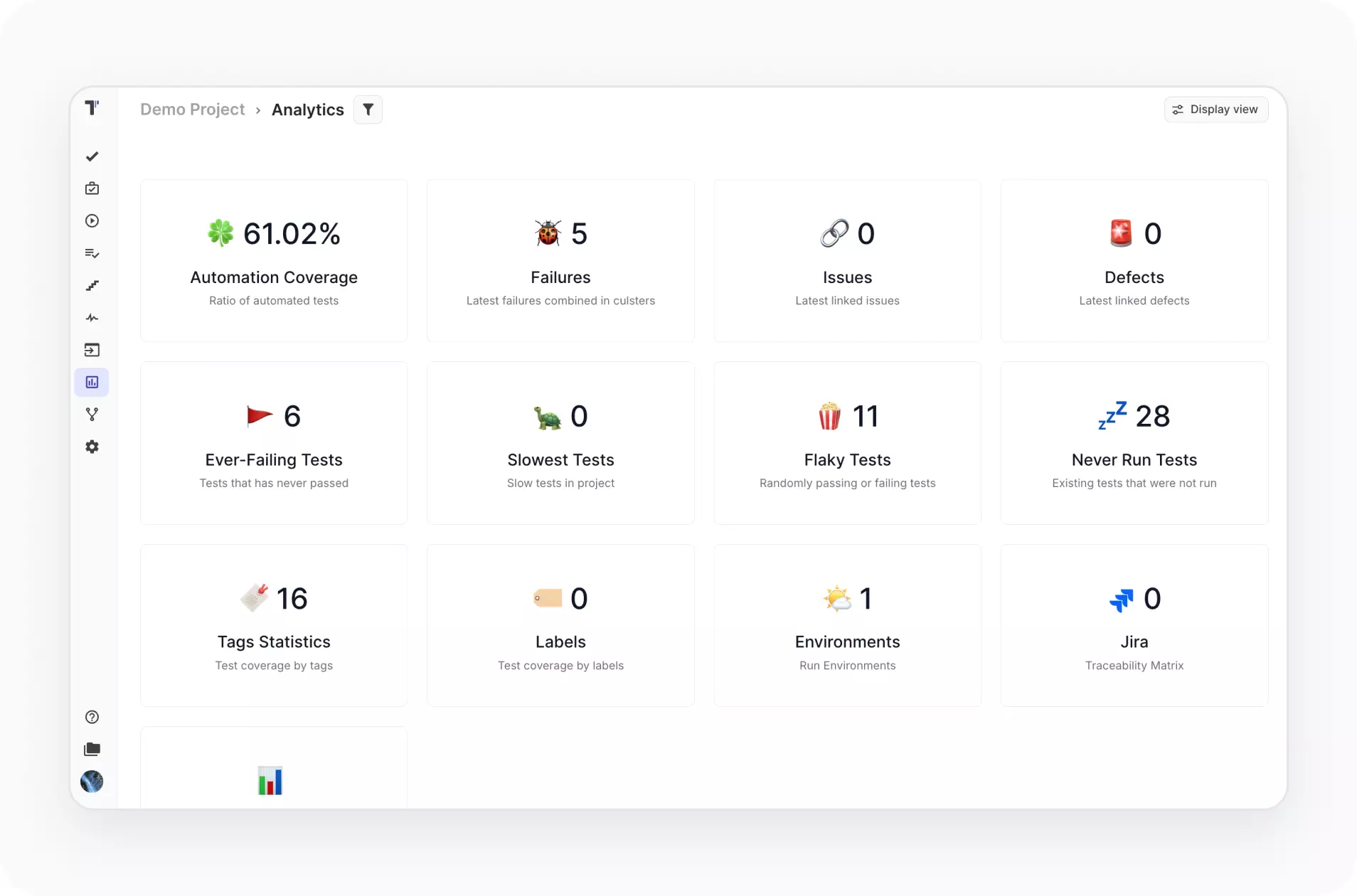
Customizable analytics

Tune the detection rules for flaky and failed marking through Analytics Settings so agents match your project’s specific stability thresholds.
Learn more
Customizable analytics

Additional features for AI agents

Custom AI provider
Pick the model behind every agent. Default works out of the box; Enterprise teams plug in OpenAI, Anthropic, Azure, or other providers.
Custom AI provider
AI agent assistant
An intelligent assistant built into the testing workflow at every stage. Complements the named agents with chat-driven recommendations.
AI agent assistant
MCP server
Trigger Testomat.io actions from Cursor, Claude, OpenCode, and other MCP-compatible AI assistants through the open-source MCP server.
MCP server
Custom AI provider
AI agent assistant
MCP server

Benefits of Testomat.io AI agents

https://testomat.io/wp-content/uploads/2026/05/icon-badge2.svg
One-click actions
No prompt engineering required.
https://testomat.io/wp-content/uploads/2026/04/icon-badge-9.svg
Project-wide impact
Run across the entire suite.
https://testomat.io/wp-content/uploads/2026/04/icon-ba.svg
Fully reversible
Every change rolls back in Pulse.
https://testomat.io/wp-content/uploads/2026/04/icon-be.svg
Stays accurate
Acts on your real test data.

https://testomat.io/wp-content/uploads/2026/06/faster-feedback.svg
Saves QA hours
Audits, cleanup, and docs automated.
Start working with AI agents today

Start working with AI agents today

Connect your AI agent to Testomat.io and turn plain prompts into real test changes, issue links, and suite updates.
Download
Download
Run a prompt
Run a prompt
Test result feedback
Start working with AI agents today
What clients says

Recent reviews

“Excellent customer support”
Customer support is always prompt and high-quality. It's also great to see that user feedback is considered when developing new features. The team makes an effort to provide overviews of new features and keeps users informed about the latest updates.
4/5
Aliona Kovalchuk
Aliona Kovalchuk
General QA
“The Best TMS for Our QA Team!”
Our 15-person QA team has used Testomat.io daily for over two years. After comparing tools like TestRail, it stood out in both features and pricing. It’s affordable yet powerful. Jenkins integration works seamlessly, even manual testers can run tests easily. The clean UI speeds onboarding, improves collaboration, and saves time. We’ve recommended it widely, and others love it too.
5/5
Vladyslav M.
Vladyslav M.
General QA
“Testomat.io makes daily testing so much easier”
I’ve used Testomat.io daily for over two years, and it’s the best TMS I’ve worked with. Compared to tools like TestRail, it offers more features at a better price. Jenkins integration is seamless, even for manual testers. The UI is clean and easy to learn. It speeds up workflows, improves transparency, and makes team collaboration much smoother.
5/5
Dmytro H.
Dmytro H.
General QA
“Very convenient platform for managing test cases”
The platform is convenient and intuitive to use. I’ve been using it long enough to say it’s very user-friendly. It’s clear that the team is constantly working on and improving the platform.
5/5
Aleksey K.
Aleksey K.
General QA
“Great tool for creating and managing manual test cases efficiently”
As a Manual QA, I use Testomat.io to create and manage test cases with ease. The interface is intuitive, making onboarding simple. Test plans, runs, and results are well-structured in one place. Tagging helps organize cases efficiently. AI features speed up test creation. It keeps workflows transparent, improves collaboration, and reduces routine work.
5/5
Oksana G.
Oksana G.
General QA
“Testomat.io has been a great tool for managing both automated and manual tests in one place”
I really like how easy it is to integrate with frameworks and CI/CD tools, and the real-time reports with screenshots and analytics save a lot of time. Overall, it makes collaboration in the team much smoother and keeps testing well-organized.
5/5
Aleksey K.
Aleksey K.
Quality Assurance Engineer

Frequently asked questions

Which plan unlocks AI Agents?

Testomat

The full named-agent set sits on the Enterprise plan. Individual AI features that overlap with agents (like Find Duplicates or Custom AI Provider) may be available on Professional. The Free plan covers basic test management without the AI agent layer so you can try the platform first.

What does "Pulse Rollback" actually mean? Testomat

Every change an AI agent makes is logged in Pulse, the activity audit inside Testomat.io. If an agent applies a change you don't want (a description rewritten too aggressively, a label applied incorrectly), open Pulse and click revert on that entry. Nothing is destructive. This applies to all agents that modify test content.

Can I tune how Mark Flaky and Mark Failed decide what to label? Testomat

Yes. Both agents read from your project's analytics, and the detection rules are configurable in Analytics Settings. Thresholds for flaky rate, lookback windows, and failure percentages can be set per project so the agents match your team's idea of "flaky" or "failed."

Does "Transform to BDD" change my original project? Testomat

No. The agent creates a new project with the Gherkin-converted suite. Your original test project stays intact. Useful when you want to evaluate BDD adoption without committing to a full migration upfront.

Can I trigger agents from outside the Testomat.io UI? Testomat

Yes, through the MCP server. AI assistants connected via @testomatio/mcp can trigger agent actions on your project, useful when you want agents running as part of a wider AI workflow in Cursor, Claude, or another MCP-compatible client.
Explore AI agents in Testomat.io

Explore AI agents in Testomat.io