Modern software development needs timely feedback, stable releases, and a well-organized QA process. But without a defined structure, tests can soon become messy and hard to handle. As projects scale, teams typically have trouble with tests that are spread out, run slowly, and don’t give them a clear picture of what is actually being tested.
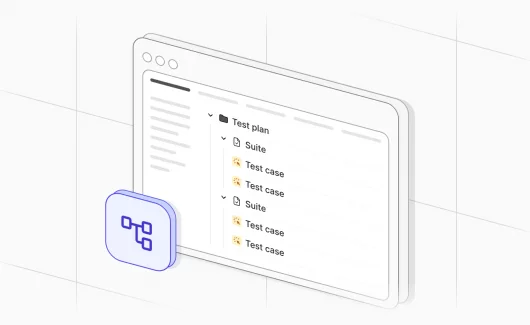
With test suites in modern CI/CD pipelines, everything can work smoothly. To fully benefit from CI/CD, they require thoughtful organization. A clear structure, logical grouping, and defined hierarchy turn test suites into a scalable system that supports both development speed and product quality. In the article, you can find more information on how to organize test suites and see a visual representation of this hierarchy.
What is a test suite and what it is not?
When we talk about a test suite, we mean a structured collection of related tests, which have been organized for checking a scope of functionality. Test suites can be used in both manual and automated testing to make sure the product is fully tested. All the tests are grouped based on feature, level, purpose, or release objective so that teams can more easily run them together, keep them updated, and get more comprehensive reports.
Test Suite vs Test Case
Terms like a test case and a test suite, which are often used interchangeably, can be misleading, so let’s clarify them:
- Test case. It is the smallest unit of validation that checks one single behavior in a set of criteria. It usually has preconditions, steps, intended outcomes, and actual outcomes. For instance, the user is able to log in successfully with a valid username and password.
- Test suite. It is a set of test cases which should be run to check if a software application works as expected.
Thus, in order to validate a larger component of the system, like a feature, module, or regression scope, a test suite aims to gather related test cases.
Ways For Organizing Test Suites
The first step to building a test suite is to pick the correct organizational model. Most teams don’t just select one of these four approaches and utilize a mix of them to make sure their testing is efficient and makes sense. Let’s overview each approach below:
#1: By Test Level
This approach organizes tests based on the granularity and scope of the code being verified. It follows the classic Testing Pyramid, ensuring a stable and cost-effective foundation:
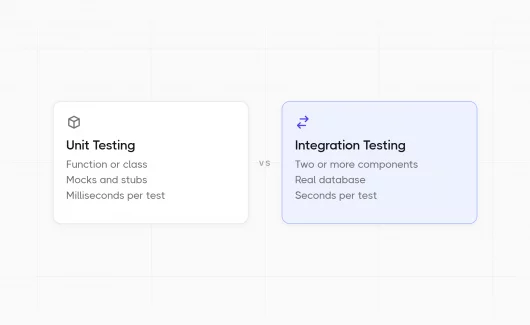
- Unit Tests. They validate isolated logic at the function or class level. These are your first line of defense, which is fast, cheap, and precise.
- Integration Tests. They check the connections between modules and services to guarantee they work together in sync.
- System/E2E Tests. To make sure that all the parts, services, or databases work together, these tests check the connections between them.
#2: By Functional Domain
This method puts test suites together based on the application’s business structure and features. Tests are categorized by what the system actually does from a user or product point of view, not by technical levels.
If your app has modules like Checkout, User Settings, or Product Catalog, your test suites should mirror those areas and check how they function. This structure enables you more easily:
- To find the right tests quickly when a feature changes
- To give feature teams the responsibility for tests
- To make sure that product development and test coverage stay in sync.
It works best in big systems where several teams work on different portions of the product because it keeps testing strongly linked to commercial value.
#3: By Test Type
When you organize by test type, you focus on the goal and depth of validation instead of the feature itself. It’s easier to understand and control the execution of tests when you separate them because they fulfill various quality goals.
Here are some such examples:
- Functional tests check to see if features work as they should.
- Performance tests check how fast, scalable, and stable a system is when it is under load.
- Security testing finds weaknesses and possible threats.
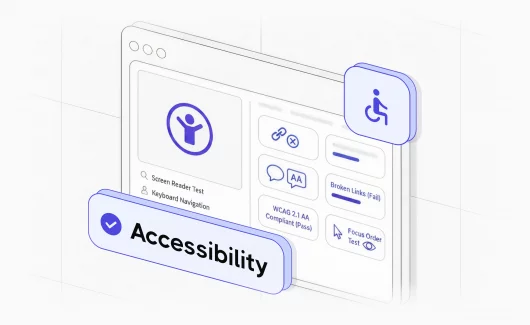
- Usability tests check how well the interface works and how users interact with it.
This way works well when various teams or tools are in charge of different kinds of testing. It also lets teams execute certain types of tests on their own, like running performance tests less often than functional checks.
#4: By Execution Purpose
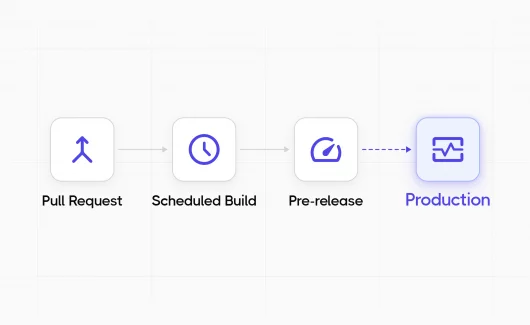
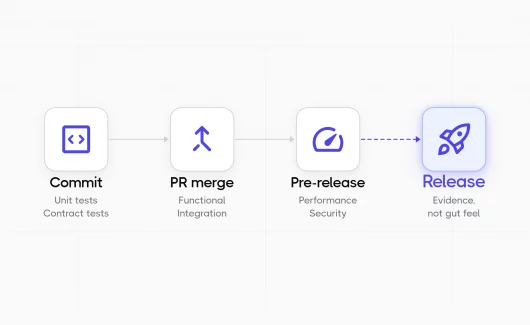
This technique puts test suites in order based on when and why they are run in the CI/CD pipeline. It helps teams find a balance between quick input and extensive testing.
Some common execution-based suites are:
- Smoke tests are a quick, modest set of important checks that run after each build to find big problems.
- Regression tests are a larger set of tests that make sure that new modifications haven’t broken anything that was already working.
- Extended suites are tests that run for a long time outside of business hours and often include extensive integration or performance checks.
Teams can make the pipeline work better, get feedback faster, and make sure that the proper level of validation happens at the right time when designing tests this way.
4 Levels of Structural Hierarchy
-
Test Case
A test case is the smallest part of the hierarchy that checks one behavior under certain conditions. A good way to structure test cases is with the Given–When–Then format: set the scene, do something, then check the outcome. Thanks to their small size, it is easy to find out what went wrong. When a test fails, it usually leads to a specific problem with the feature being tested.
-
Test Module
A test module puts together test cases that have a common context. At this level, it makes it easier to maintain and avoid duplication by letting teams share setup and teardown logic.
For instance, all of the test cases that have to validate logging in can use the same first steps, such as opening the authentication page, instead of producing redundant code.
-
Test Suite
A test suite brings together multiple classes or groups to validate a broader functional area. Suites typically align with features or business domains. For instance, a test suite for the checkout process might include groups for payment methods, invoice generation, subscriptions, order confirmation, etc., so that teams can run all tests related to a specific domain without executing the entire test set.
-
Test Plan
A test plan is at the top of the hierarchy and defines how test suites are executed. It focuses on timing, scope, and purpose rather than individual tests.
For instance, a release plan might have smoke and regression suites, but a security plan might simply have tests that look for vulnerabilities.
Why This Hierarchy Works
- Changes in one test case don’t impact the entire structure.
- Failures can be quickly traced to a specific level (case, module, or suite)
- Suites and groups can be executed in parallel, cutting down execution time and improving CI/CD performance.
Designing the Test Suite Hierarchy
A well-designed test suite hierarchy is clear, scalable, and fits with the architecture of your application. It makes sure that every test has a purpose and that they are easy to keep up with as the project expands. At every level, there are also clear responsibilities and roles:
- Test cases verify a single behavior.
- Test modules group related cases in a logical way.
- Test suites collect groups of modules that work together for a feature/domain.
- Test plans orchestrate suites for releases or milestones.
When clearly defining these responsibilities, you may avoid misunderstanding and make it easier to go through big test sets.
| Level | Purpose | Scope | Example Responsibility |
| Test Case | It checks one rule or behavior | Very narrow | Check that a user can log in with the right credentials |
| Test Module | It organizes test cases linked to relevant suites | Feature/component level | Group all login-related test cases together |
| Test Suite | It combines groups to validate a broader functional area | Module/feature set/test type | Execute all authentication tests as part of regression |
| Test Plan | It organizes test suites for execution strategy | Release/milestone/pipeline stage | Run smoke suite on every PR and full regression before release |
Below you can find an illustration of how a test plan organizes test execution from high-level orchestration down to individual checks.
The test plan defines the testing scope that mean what parts of the app need to be tested and when. In the plan, test suites are the main groups that organize linked features.
The Billing Suite has everything you need to handle payments. There are some test modules in it, such as:
- Credit Cards Module, which has test cases that check the operations for processing cards and making payments.
- Invoices Module, which includes test cases that examine how to make invoices and how accurate they are.
- Subscriptions Module, which has test cases for managing subscriptions.
The Authentication Suite is all about user access and security. It has modules like:
- Login Module, containing test cases for valid logins, invalid passwords, and locked accounts.
- Password Reset Module, with test cases that make sure password recovery is safe
By putting tests into suites, teams can run a bulk of tests for any given module, rapidly check how stable the features are, and keep the different areas of functionality separate from each other. Thus, teams can run tests more easily, get reports on them, and keep them up to date.
How to Better Manage Test Execution and Visibility with Testomat.io
Running tests on a large scale is not enough and needs organization, adaptability, and clear visibility. Testomat.io tool meets these needs by making test suites the main place to control both execution and reporting.
Teams may run tests immediately from a test suite with Testomat.io, which means they don’t have to go through a complicated setup process. While the system offers manual, automated, or hybrid execution depending on the suite’s composition, teams may swiftly adapt to diverse testing situations. Whether you need to run failed tests again, take a closer look at the flow to see where bugs happen, or check automated results manually, test execution is still flexible.
Furthermore, test suites are organized in a clear and hierarchical way that makes navigation intuitive, even if you work on a large project. Drag-and-drop management, tree and flat views, and the option to extend suites are some of the features that make the testing process easier and less complicated.
Testomat.io has strong management tools that help workflows run smoothly:
- Bulk editing across multiple test cases
- Tag-based filtering and search
- Custom fields and suite-level metadata
- Quick access to frequently used suites
These features help keep things consistent and make it easier to find the right tests fast.
Centralized reporting and living documentation improve visibility. The results of tests are immediately linked to suites, which gives teams a clear picture of the status of the execution, the coverage, and the risk areas. Instead of records that are hard to read, stakeholders get a clear, real-time picture of test results.
Testomat.io lets organizations manage test suites as a scalable and explicit quality system that fits with modern CI/CD processes by combining flexible execution, well-organized structure, and clear visibility.
Bottom Line
Structuring test suites is a strategic choice that has a direct effect on the development speed and the quality of the result. Well-organized test suites make things more efficient by putting tests into meaningful groups, allowing them to run at the same time, and letting you run tests in multiple contexts and phases of development. They help teams focus on the correct tests at the right time, whether they need quick feedback, regression coverage, or feature validation, all while keeping the whole testing process clear and under control. Tools like Testomat.io enable you to see and control test hierarchy, execution, and coverage on a large scale. Contact our specialists if you are ready to better organize your test suites and get full visibility across your testing process.