





Test management features
We are open-minded to taking part in your business. Our test management system can be easily adapted to your testing process. Most features can be tailored to your needs. Let's see what's our team developing
Testomat.io AI-driven features
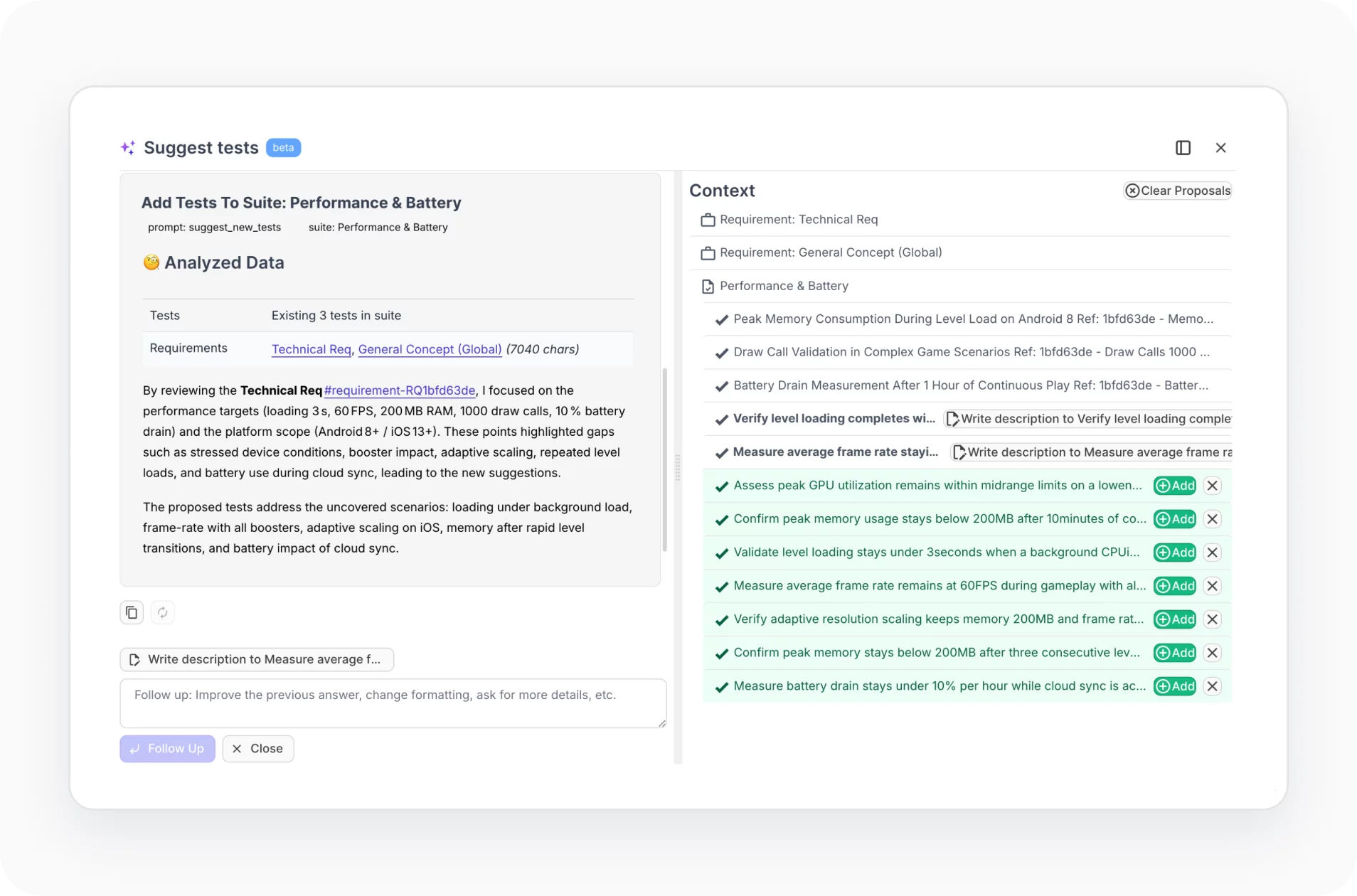
Automated tests synchronization
Sync automated and manual tests in one place in up-to-date. To do this, automatically load your tests from the source code with the simple importer. Track all your tests through a comfy and efficient dashboard test management system.
- Automated import
- Sync by IDs
- API
- History, Versioning
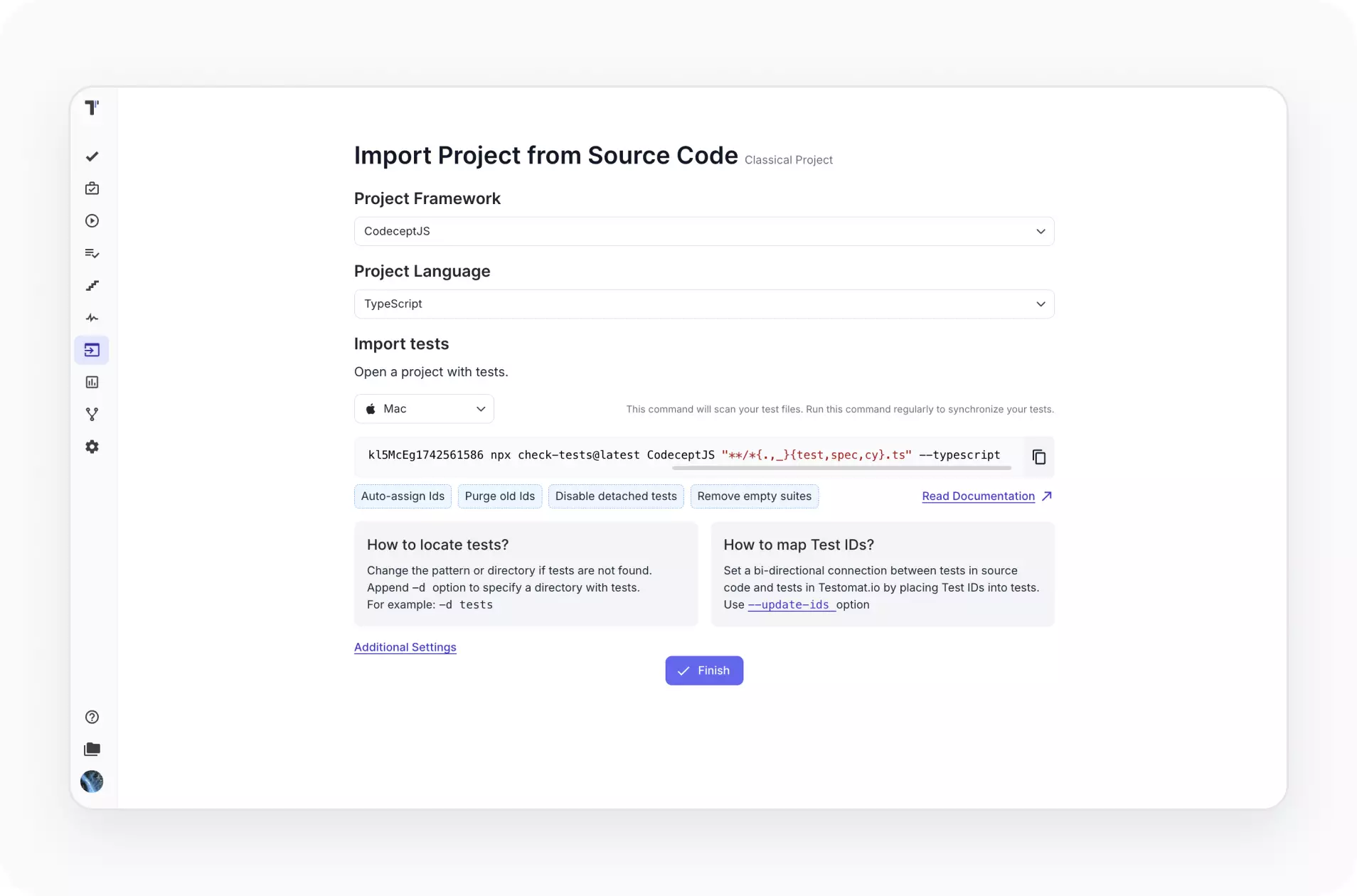
Test automation execution
Test Management System provides seamless native integration with test automation frameworks like Cypress, Codecept, Playwright, Jest, Mocha, Cucumber, WebdriverIO, TestCafe, Protractor, CI\CD tools. QA teams can just run their tests, any customization isn’t required.
- Built-in Reporters
- Rerun failures
- CI\CD execution
- Parallel execution
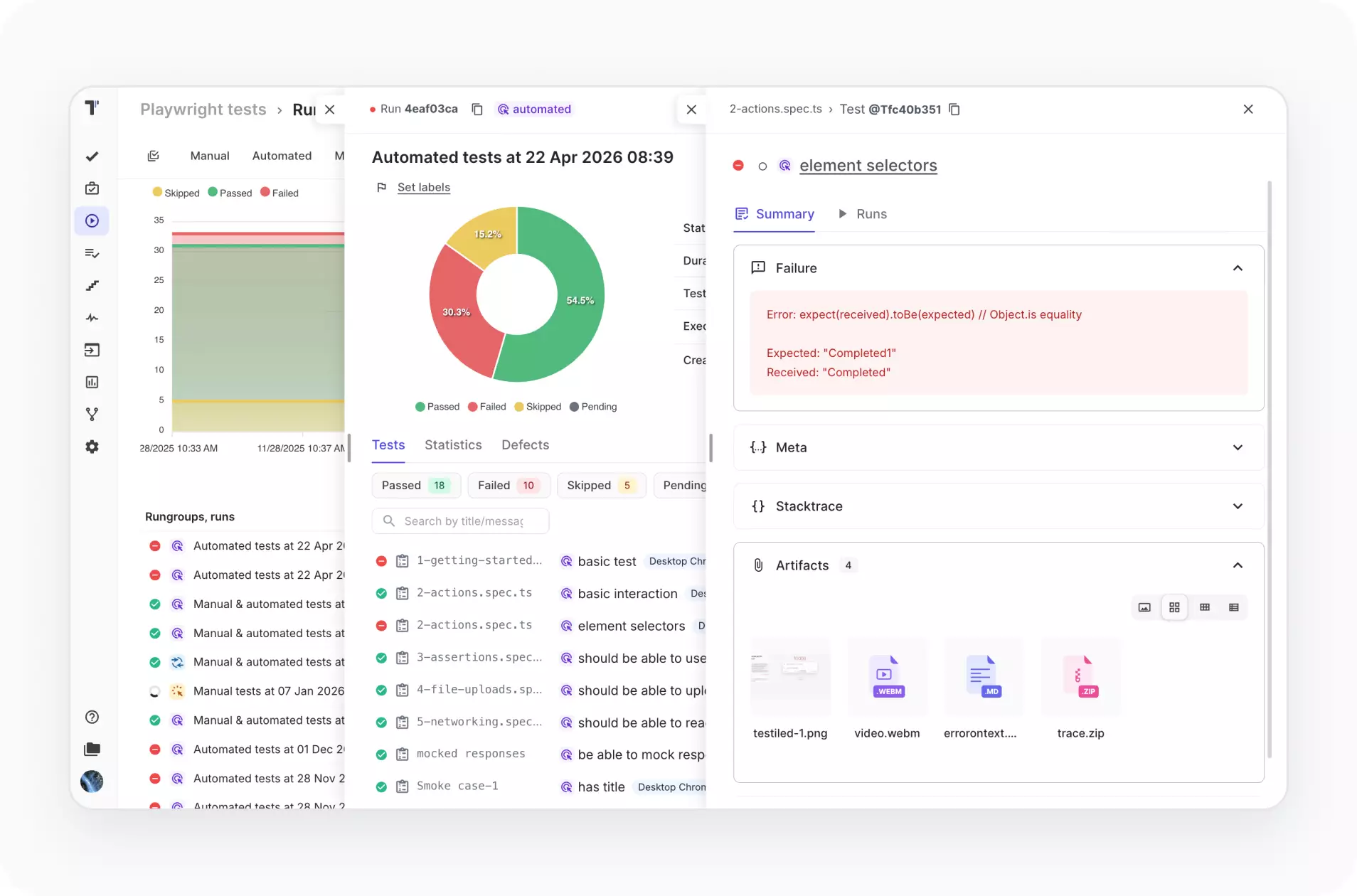
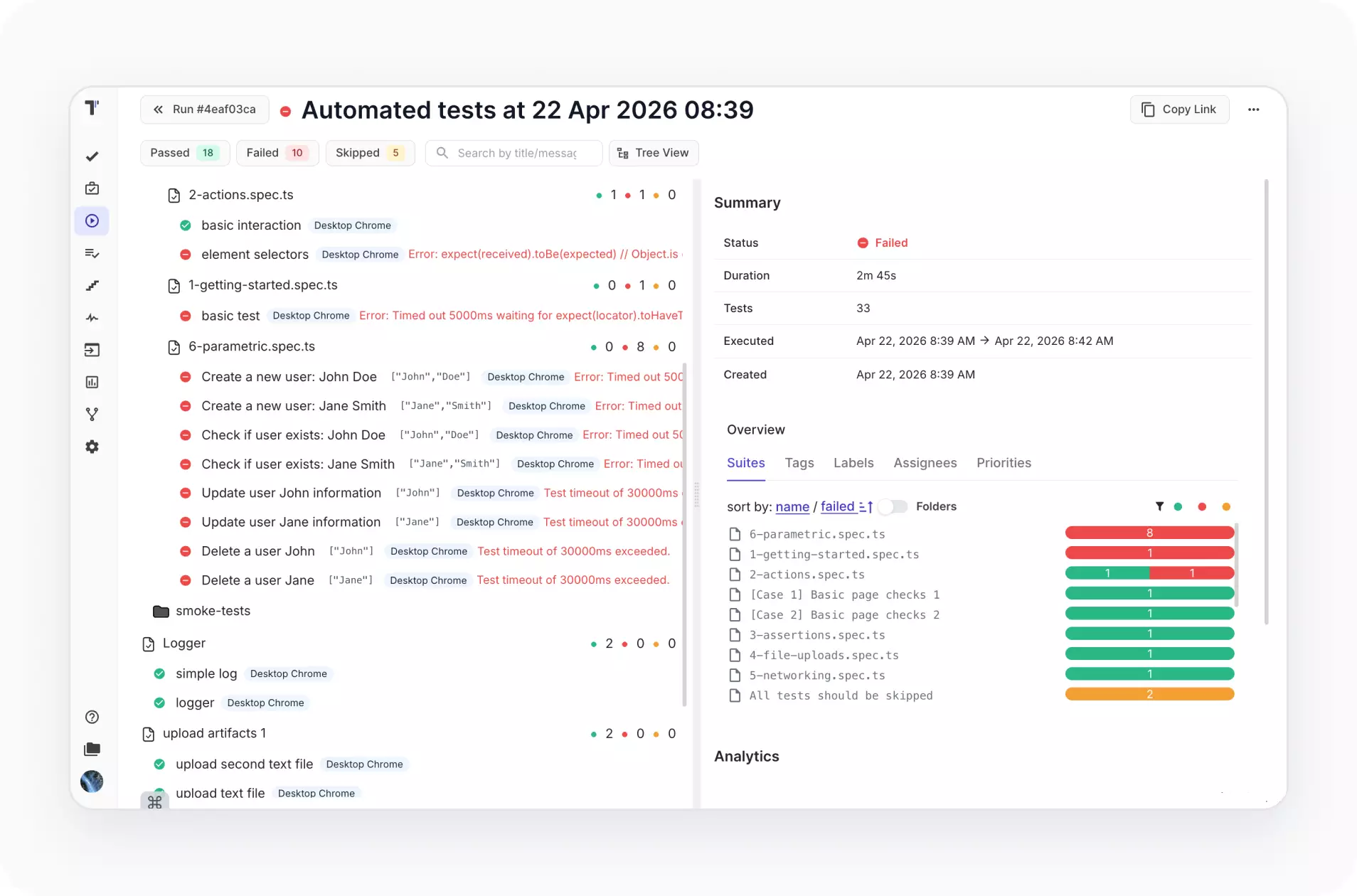
Automated tests reporting
Real-time reporting allows immediately track your automation testing executions. Analytics dashboard offers detailed testing metrics and KPIs. You can identify most failed tests, slow tests, flaky tests in your testing framework.
- Screenshots
- Video capturing
- Unlimited artifacts
- Analytics
Test automation integrations
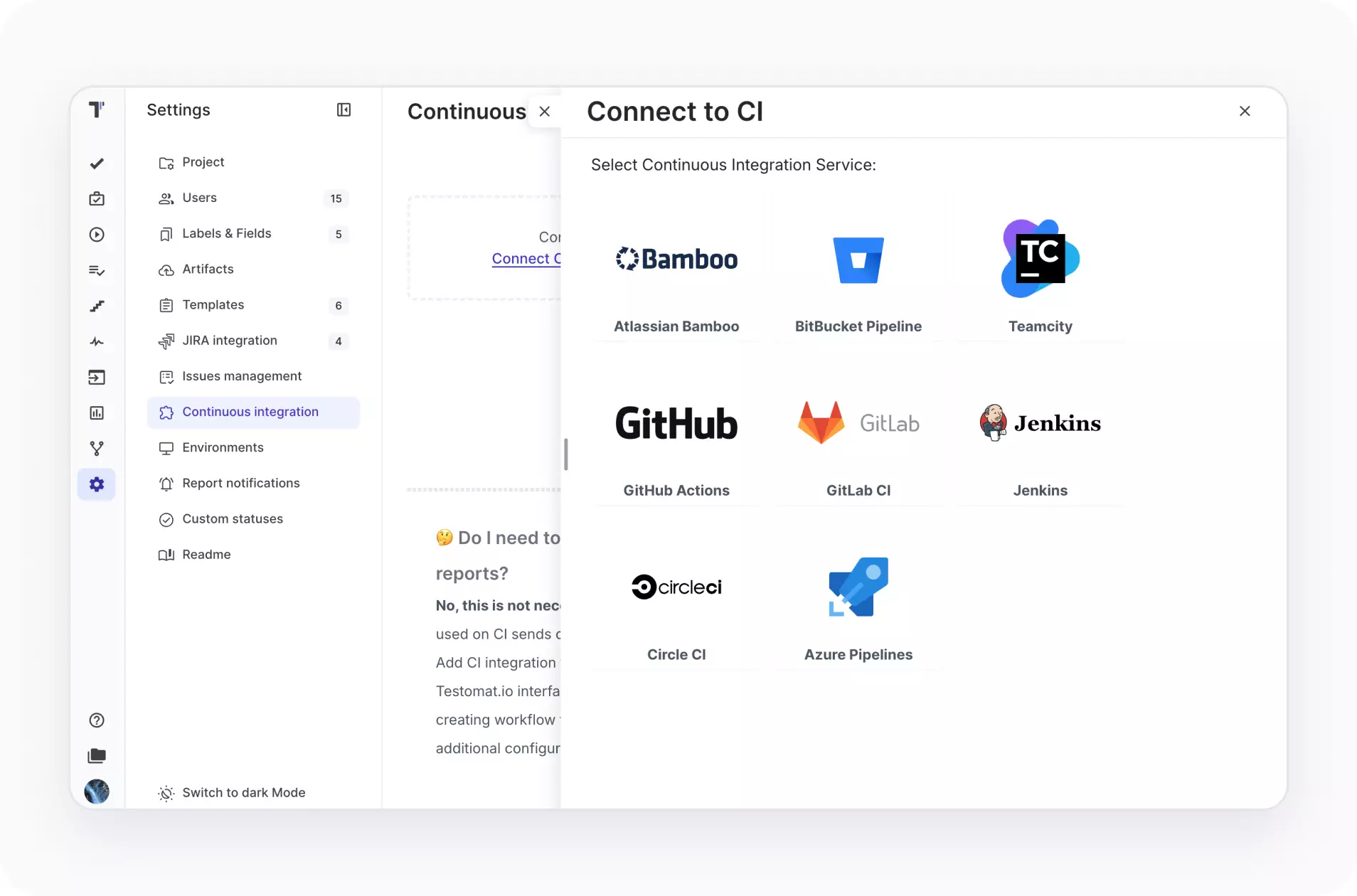
Spend more time for testing activities and less for configurations and tools integration. Use out-of-the-box integration with popular testing frameworks, CI\CD tools, third-party bug tracking apps like Jira.
- JS frameworks
- CI\CD pipelines
- PHP frameworks
- Jira plugin
Project organization
No extra set-up is required to get started with testomat.io test management system. An intuitive interface helps launch new testing projects as well as manage existing projects including planning and running regression testing.
- TMS migrations
- Filtering, Tags
- Labels & Custom Fields
- Priorities

Test design
Flexible and scalable test design optimized for productivity. Reusable elements, such as steps, templates, parameters speed up test case creation. Design numerous test cases is in an efficient and structured manner.
- Gherkin editor
- Parametrization
- Steps database
- Templates

Manual test execution
Easily compose your tests in logical groups like test plans. Then run them all at once and check the results of each test case. Also, use Jira plugin, it provides test cases execution directly from Jira.
- Test plans
- Multi-environment
- Public reports
- Defect tracking

QA efficiency
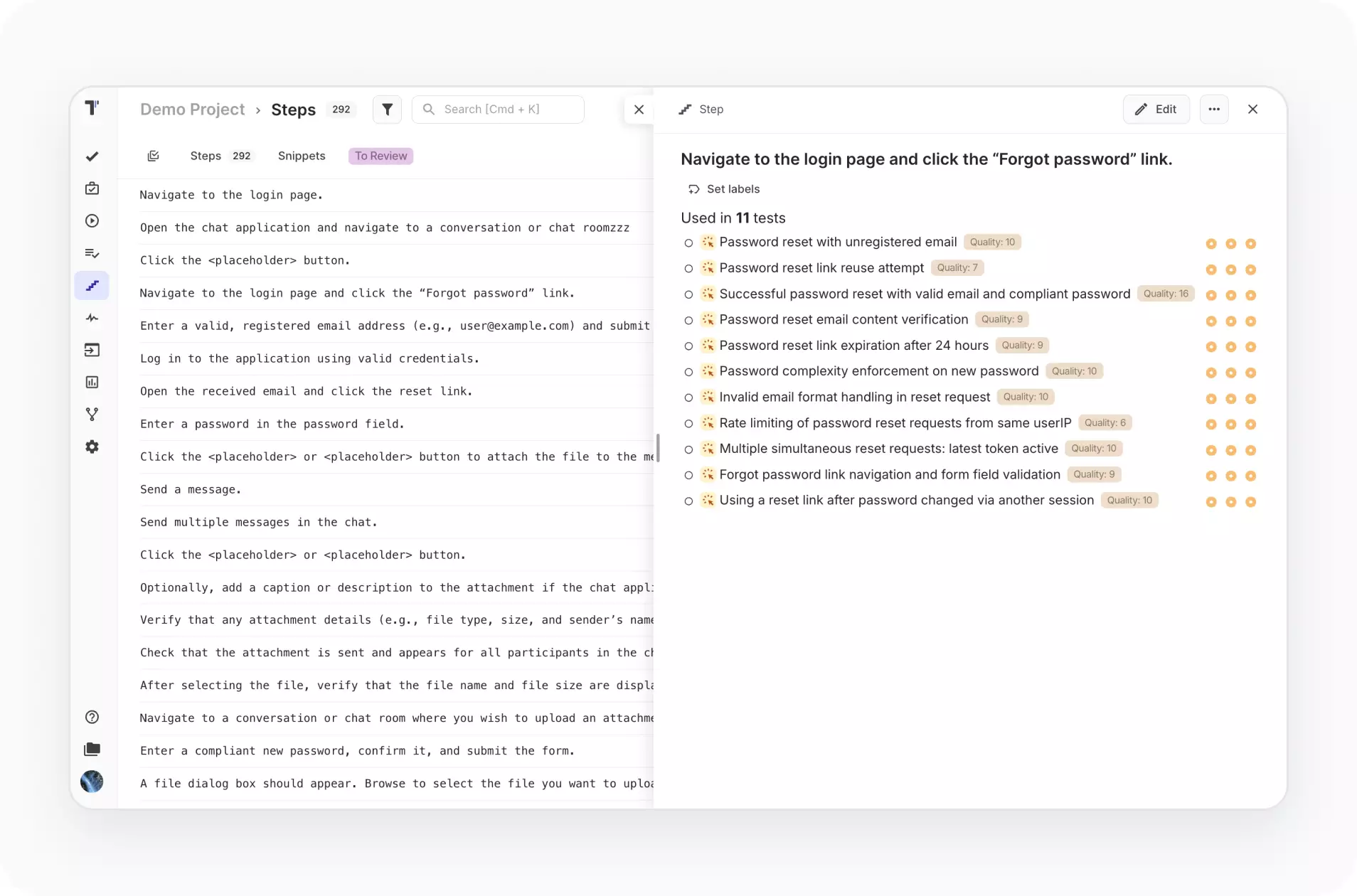
Test case creation can be faster. You might speed up your test case creation with reusable test case elements and easily content filling to save time during testing.
- Autocompletion
- Steps creation
- Drag and drop
- Built-in templates
Reporting
Real-time reporting makes it easy to catch issues in time and track problems fast. We implemented Screenshots and Video Capturing, rich analytics, test results sharing with stakeholders. We provide support in S3 compatible Storage with unlimited artifacts.
- Real-time report
- Public report
- Run group
- Notifications

Analytics
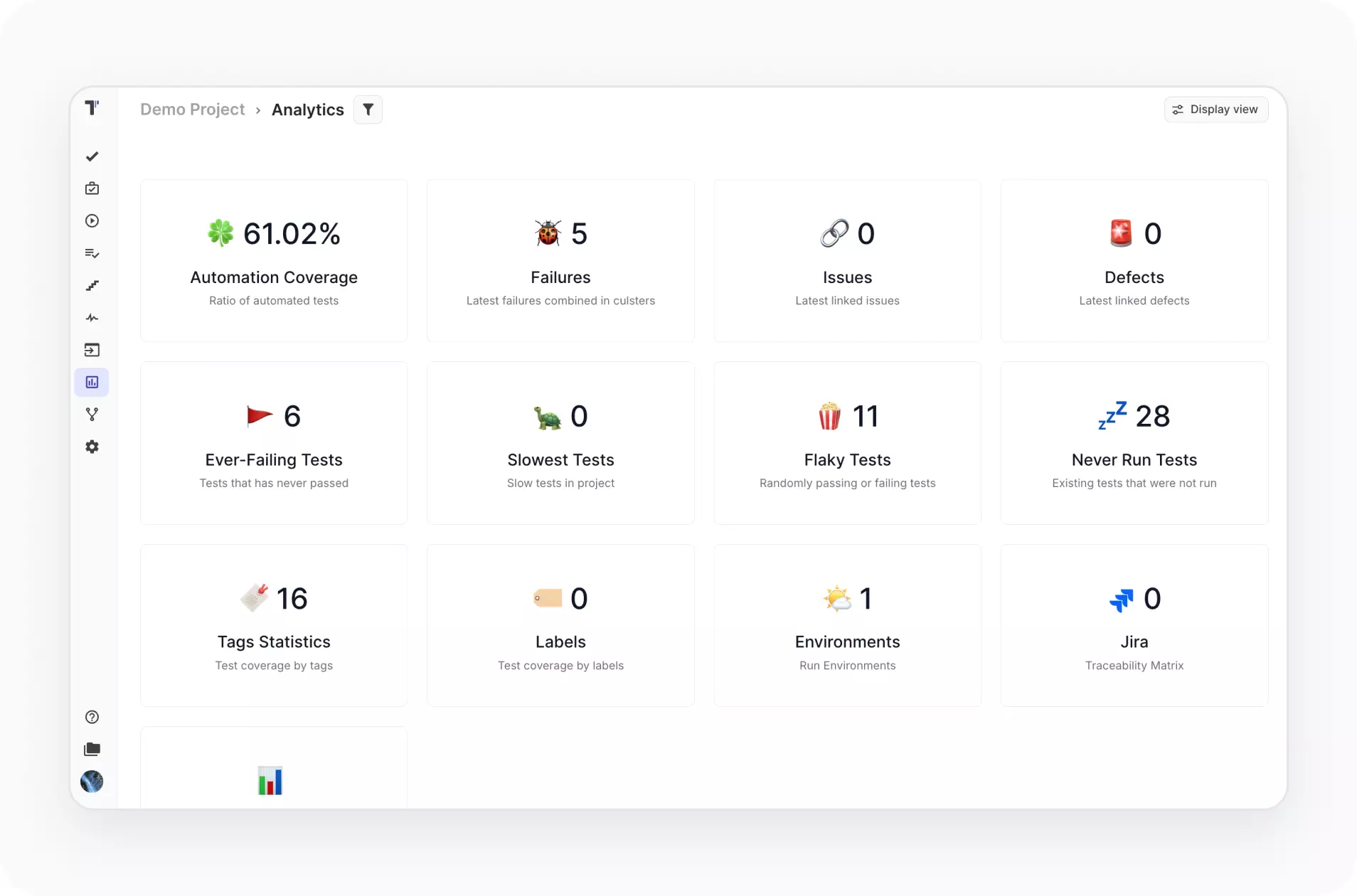
The analytics dashboard provides visibility of all testing activities by tracking KPIs and metrics for stakeholders and the management team. You can make the right decisions, mitigate risk based on this analytics to grow efficiency and gain business value.
- Defects tracking
- Automation coverage
- Flaky tests
- Requirements coverage
Agile workflow
We lead on Shift-left approach in the development of test management system. Agile Workflow is orientated on seamless integrations with automation tools. As well as scenarios described in BDD to prevent communication breakdowns across Agile teams.
- BDD support
- Jira integration
- Milestones
- Living Docs

BDD support
Collaborate and write BDD scenarios by the whole team. Then these scenarios will be synchronized with project management tools and Living docs within the test management system. And non-technical teammates can run automated BDD tests from the test management app interface.
- Gherkin editor
- Intelligent steps
- Cucumber Support
- Migration to BDD

Jira integration
Transform your Jira on a fully bidirectional Test Management tool. Install Jira plugin. Work in Jira. Immediately check changes in testomatio. And vice verse make changes in your tests in testomatio and check it in Jira.
- Jira BDD editor
- Jira test execution
- Sprint & Test Coverage
- Defects creation

Team management
Use all power of test case management tools to test your software together by the whole team. Create a testing project, customize project roles, users access. Make assignments. Track team progress in bird’s-eye view all in one place.
- Project dashboards
- Assignments
- User roles
- Report Notifications

Why teams choose Testomat.io for test management

Code-to-TMS linking
Synchronization by IDs creates a direct link between tests and code lines.

Flexible test execution
Select the autotests required for smoke or regression testing, execute them, and track them.

Top AI co-pilot
Starting automation, our AI intelligently helps transform your manual tests into automated ones.

Seamless team collaboration
Centralized view through transparent reports make testing visible to the entire team.

24/7 professional testing support
Always-on QA support ensures stable releases and reliable delivery across teams.
All Testomat.io test management features
AI-assisted test management
AI-driven test creation and maintenance
AI-driven test generation from requirements
AI-generation descriptions based on code
Trace view and exceptions view
Playwright trace viewer and troubleshooting
Versioning & collaboration
Test Archive history versioning, reverting changes
Ability to work in branches like Git in TMS
Defects mapping
Analytics & quality Insights
Advanced analytics
Flaky test detection
Detection of slow tests and never executed tests
Automation coverage metrics
Execution & orchestration
Configurable test execution
Extending shared run timeout
Test execution duration tracking
Parallel execution reporting
Run automated tests as manual
Mixed Run automation tests with manual together
Re-run failed tests only from TMS
Test authoring & structure
Importing tests
High-level tests grouping and organization
Parameterized test data support
Steps import and its reuse for BDD projects
Linking automated tests with user stories
Test Archive history versioning, reverting changes
Read-only reports for developers and other stakeholders
Reporting, artifacts
& troubleshooting
Custom reporting
Built-in team alerts
Unlimited S3 artifacts
Viewing Attachments directly in TMS
Trace view and exceptions view
Trace Viewer for troubleshooting

Start working with Testomat.io today
Turn your test suite into a powerful dashboard. Testomat.io helps teams manage cases, track results, and release with confidence. Try it free today.

Download

Execute

Test result feedback

What clients says
Recent reviews

“Excellent customer support”
Customer support is always prompt and high-quality. It's also great to see that user feedback is considered when developing new features. The team makes an effort to provide overviews of new features and keeps users informed about the latest updates.
4/5

“The Best TMS for Our QA Team!”
Our 15-person QA team has used Testomat.io daily for over two years. After comparing tools like TestRail, it stood out in both features and pricing. It’s affordable yet powerful. Jenkins integration works seamlessly, even manual testers can run tests easily. The clean UI speeds onboarding, improves collaboration, and saves time. We’ve recommended it widely, and others love it too.
5/5

“Testomat.io makes daily testing so much easier”
I’ve used Testomat.io daily for over two years, and it’s the best TMS I’ve worked with. Compared to tools like TestRail, it offers more features at a better price. Jenkins integration is seamless, even for manual testers. The UI is clean and easy to learn. It speeds up workflows, improves transparency, and makes team collaboration much smoother.
5/5

“Very convenient platform for managing test cases”
The platform is convenient and intuitive to use. I’ve been using it long enough to say it’s very user-friendly. It’s clear that the team is constantly working on and improving the platform.
5/5

“Great tool for creating and managing manual test cases efficiently”
As a Manual QA, I use Testomat.io to create and manage test cases with ease. The interface is intuitive, making onboarding simple. Test plans, runs, and results are well-structured in one place. Tagging helps organize cases efficiently. AI features speed up test creation. It keeps workflows transparent, improves collaboration, and reduces routine work.
5/5

“Testomat.io has been a great tool for managing both automated and manual tests in one place”
I really like how easy it is to integrate with frameworks and CI/CD tools, and the real-time reports with screenshots and analytics save a lot of time. Overall, it makes collaboration in the team much smoother and keeps testing well-organized.
5/5
Frequently asked questions
Does Testomat.io support test case management for agile and BDD teams?


Yes. Testomat.io is built with agile workflows in mind and includes first-class support for Behavior-Driven Development. The platform features a built-in Gherkin editor with syntax highlighting and step auto-completion, allowing QA engineers and non-technical team members alike to write and maintain BDD scenarios. Test cases can be organized by sprint, tagged and filtered by priority, and linked directly to user stories or acceptance criteria. For agile teams that practice continuous testing, Testomat.io integrates with CI/CD pipelines so test cases are executed automatically on every code change — keeping test coverage current with the pace of development rather than drifting behind it.
Is there a free option for test case management in Testomat.io, and what are the limits?
Testomat.io offers a free plan that supports up to 2 users and 2 projects with no time limit and no credit card required. The free tier includes the core test case management capabilities: manual and automated test support, BDD/Gherkin editor, parameterized tests, a steps database, real-time reporting, and unlimited artifact storage via S3. Teams that need more — unlimited projects, CI/CD integrations, Jira integration, analytics, API access, and collaboration features — can upgrade to the Professional plan at $30 per user per month, with a 10% discount on annual billing. A 30-day trial of the Professional plan starts automatically on sign-up, with an additional 14-day extension available on request.
Can Testomat.io manage both manual and automated test cases in the same place?
Yes — and this is one of the more practically useful things about it. Many teams run a mix of manual and automated tests, and keeping them in separate systems creates visibility gaps: stakeholders see automated results but not exploratory or UAT findings, or vice versa. Testomat.io handles both in a unified workspace. Manual test cases can be executed directly from the platform with step-by-step checklists, while automated tests sync from source code via framework integrations. Mixed runs combine both in a single execution, and the resulting report shows the full picture — manual and automated results together, in the same format, against the same test cases. Teams can also convert manual tests into automated ones as coverage matures, maintaining continuity rather than starting from scratch in a separate tool.
Does test case management in Testomat.io support parameterized and data-driven tests?
Yes. Testomat.io supports parameterization natively for both manual and automated test cases. For manual tests, parameters can be defined at the test or suite level and substituted at execution time — useful for running the same test across multiple data sets, user roles, or configuration values without duplicating test cases. For automated tests, parameterized runs are handled through the framework integration layer, with results reported per parameter combination. This keeps test suites lean: instead of maintaining 10 nearly identical test cases that differ only in input values, teams maintain one parameterized case and let the execution engine handle the variation. It reduces maintenance overhead and makes coverage easier to reason about.

AI-driven test management with smart AI agents that simplify how you create, manage, and scale testing.