Your users open your web application on a MacBook in Chrome, on an Android phone in Firefox, on an iPad in Safari, and on a Windows desktop in Edge, sometimes all in the same day. If you’re only testing on one platform, you’re not testing software; you’re testing your assumptions.
Cross-platform testing is the practice of testing software applications across different browsers, operating systems, devices, and hardware and software configurations to make sure every user gets the same quality experience. This guide covers what it is, why it matters, how to build a cross-platform testing strategy that actually works, and which testing tools to use to automate the hard parts.
What Is Cross-Platform Testing?
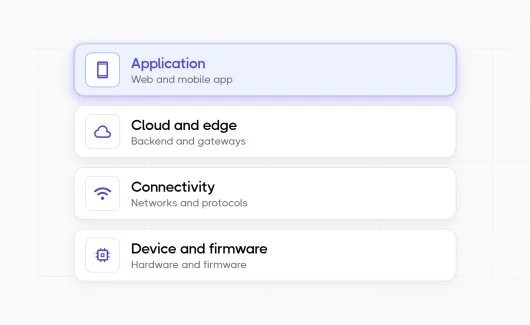
Cross-platform testing is the practice of testing software to verify it behaves consistently across multiple platforms: different browsers, different operating systems, different screen sizes, different devices, and different runtime environments. The goal is straightforward: ensure that applications work correctly and deliver a solid user experience no matter where they run.
This spans several overlapping disciplines:
- Cross-browser testing — running tests across different browsers (Chrome, Firefox, Safari, Edge) to catch rendering and behavior differences
- Mobile testing — validating apps on iOS and Android, across real devices and emulators
- Cross-device testing — testing on desktop, tablet, and mobile device hardware with varying screen resolutions and input methods
- OS testing — verifying compatibility across operating systems like Windows, macOS, Linux, iOS, and Android
- Cross-browser testing tools come into this mix as the infrastructure layer that makes running tests at scale practical
Many applications fail not because the code is broken, but because the testing process only covered a single platform. The cross-platform testing process is what closes that gap.
Why Cross-Platform Testing Can’t Be an Afterthought
Every QA team knows the frustration: a feature passes every test in the CI pipeline, ships to production, and then a user reports it’s completely broken on Safari on iPhone. Or the layout collapses on a specific Android device. Or a form submission silently fails on Firefox because of a minor DOM difference.
These are the norm in modern web development. Here’s why cross-platform testing matters enough to put in the testing plan from day one:
- Browser engines behave differently. Chrome, Firefox, and Safari all use different rendering engines (Blink, Gecko, WebKit). CSS properties, JavaScript APIs, and HTML5 features are implemented inconsistently. Cross-browser testing catches these gaps before your users do.
- Mobile traffic is dominant. A majority of web traffic now comes from mobile devices. Testing only on desktop means you’re ignoring a large share of your actual user base.
- Operating systems handle things differently. Font rendering, file system behavior, keyboard shortcuts, date formatting, operating systems introduce subtle differences that can break an app in ways pure browser testing won’t catch.
- User experience breaks silently. A misaligned button or a tap target that’s too small on mobile doesn’t throw an error in your logs. It just causes frustration. Cross-platform testing is how you find those problems before they affect real users.
- Compliance and enterprise requirements. Enterprise customers often mandate compatibility with specific browsers and operating systems. Without a defined cross-platform testing strategy, you’re guessing at compliance.
Types of Cross-Platform Testing
Understanding what you’re testing makes it easier to scope your test scenarios correctly.
Cross-Browser Testing
Cross-browser testing validates that your web application renders and functions correctly across different browsers. Chrome holds the largest market share, but Firefox and Safari together account for a meaningful slice of global users — and Safari is the default browser for the entire iOS ecosystem. If you’re not testing in Safari, you’re not testing for iPhone users.
Cross-browser testing focuses on:
- Layout and visual rendering consistency
- JavaScript behavior across engines
- CSS compatibility
- Form validation and submission
- API calls and response handling
- Session management and cookies
Mobile Testing
Mobile testing covers both iOS (Safari, Chrome for iOS) and Android (Chrome, Firefox, Samsung Internet). This includes testing on real devices when possible, since emulators don’t always replicate real-world performance.
Key mobile testing concerns: touch interactions, viewport scaling, network latency on mobile connections, permission flows (camera, location, notifications), and screen orientation changes.
Cross-Device Testing
Cross-device testing covers the full range of hardware your users might have — desktop, laptop, tablet, and mobile device. Beyond screen size, devices differ in processing power, memory, GPU capabilities, and input methods. Device testing on real devices is especially important for performance testing.
Desktop Testing
Desktop testing covers Windows, macOS, and Linux operating systems. Desktop applications and web apps with complex UI need to be validated across each OS, since font rendering, scrolling behavior, and even how browsers handle certain input events vary between platforms.
Building a Cross-Platform Testing Strategy
A cross-platform testing strategy isn’t just a list of browsers to run your tests on. It’s a plan that balances coverage, cost, and speed, because testing everything on every possible combination isn’t realistic.
Step 1: Know Your Audience
Start with analytics. What devices and operating systems do your actual users run? What browsers are most common? If 70% of your traffic is Chrome on Windows and Android, that’s where your test coverage needs to be deepest. Safari on macOS and iOS deserves attention if you have significant Apple users. Build your testing platform coverage based on data, not assumptions.
💡 Tip: Google Analytics, Mixpanel, or even your server logs will tell you which browsers and OS versions your real users are on. Pull this data before you define your test matrix, don’t guess at it.
Step 2: Define Your Test Matrix
A test matrix maps your test scenarios against the platforms, browsers, and devices you need to cover. It’s the backbone of any cross-platform testing strategy. A practical matrix includes:
- The top 3–5 browsers by usage share
- Desktop and mobile versions of each
- At least two operating systems
- Real devices for critical mobile test scenarios
You can’t cover every permutation. Prioritize the combinations that cover 80–90% of your users, then add more as resources allow.
💡 Tip: A simple spreadsheet works fine for a test matrix, browsers as columns, test scenarios as rows, target OS noted in each cell. The point is having a shared, explicit record of what’s covered and what isn’t. No tool required to start.
Step 3: Automate What You Can
Manual testing across platforms doesn’t scale. If you have to run tests across multiple platforms to ensure coverage, automation is the only practical path. Test automation lets you run the same test scripts across Chrome, Firefox, and Safari simultaneously, capturing results across all environments in a single test execution.
This is where an automation framework and a well-chosen set of cross-platform testing tools become essential.
Step 4: Integrate with CI/CD
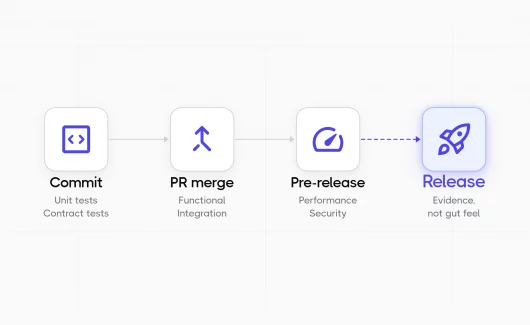
Cross-platform testing belongs in your CI/CD pipeline, not as an afterthought before release. Automated cross-platform tests that run on every pull request catch regressions early, when they’re cheapest to fix. Configure your pipeline to run tests across platforms to test against, so failures surface immediately.
Step 5: Review, Analyze, Iterate
A static testing plan goes stale fast. Review your test coverage regularly, analyze which platforms are surfacing the most failures, and adjust your strategy accordingly.
Manual Testing vs. Automated Cross-Platform Testing
Manual testing still has a role in cross-platform quality. Exploratory testing on a real device can surface issues that scripted tests miss: visual glitches, touch interaction problems, layout issues in unusual viewport sizes. But manual testing across devices and operating systems at scale is expensive and slow.
Automated cross-platform testing solves the scale problem. You write test scripts once and run them across multiple platforms without human intervention. The tradeoff: automation requires upfront investment in an automation framework and ongoing test maintenance.
The practical answer for most teams: automate regression tests, smoke tests, and functional tests so they run across all target platforms on every build. Reserve manual testing for exploratory work, new features, and the edge cases your automation doesn’t cover yet.
🔍 What is Manual Testing? 2026 Guide to Process & Modern QA — How manual testing fits into a modern QA workflow alongside automation.
Tools for Cross-Platform and Cross-Browser Testing
Playwright
Playwright is arguably the most capable automation tool for cross-browser testing today. It supports Chrome, Firefox, and WebKit (the engine behind Safari) out of the box, and it handles mobile emulation well. Playwright’s architecture makes it possible to run tests across multiple browsers in parallel, which dramatically reduces execution time for large test suites.
Playwright is also one of the few testing frameworks that handles complex interactions reliably — shadow DOM, iframes, network interception, file downloads — which makes it practical for end-to-end testing of web apps that would be difficult to test with older tools.
💡 Tip: Playwright’s project flag lets you target specific browser configurations from the command line. Combine this with Testomat.io’s multi-environment runs to get per-browser results in a single grouped report without any extra scripting.
Playwright vs Selenium vs Cypress is a comparison worth reading if you’re evaluating frameworks — each has real tradeoffs.
Cypress
Cypress is a popular choice for teams working heavily in JavaScript. It runs directly in the browser, which makes debugging intuitive. The tradeoff: Cypress historically focused on Chrome-based browsers, though Firefox support has improved. For teams that need broad cross-browser coverage including Safari, Playwright is generally the stronger choice.
Appium
Appium is the standard open-source automation tool for mobile applications. It supports iOS and Android on real devices and emulators, and works with native apps, hybrid apps, and mobile browsers. For teams building mobile applications across both platforms, Appium provides a common framework to automate interaction across devices without maintaining separate codebases for each OS.
Selenium
Selenium was the dominant cross-browser testing tool for years and still has a large ecosystem and community. It supports Chrome, Firefox, Safari, and Edge, and integrates with virtually every language and CI/CD system. However, its architecture is older than Playwright and Cypress, and test maintenance can become a burden for large test suites.
A solid overview of Selenium alternatives is worth reading if you’re re-evaluating your stack.
Cloud-Based Testing Platforms
Cloud-based testing infrastructure — services like BrowserStack, Sauce Labs, and similar platforms provides access to real devices and browsers without maintaining physical hardware. For teams that need to run tests across hundreds of device-browser-OS combinations, cloud-based testing is the practical answer. It also covers real-device testing for mobile scenarios that emulators can’t replicate faithfully.
Multi-Environment Test Execution: One Test, Every Platform
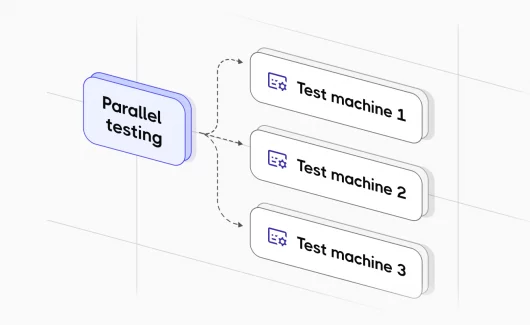
The real productivity gain in cross-platform testing comes from running one test suite across all your environments simultaneously, not sequentially. Running tests in parallel across Chrome, Firefox, Safari, and mobile simultaneously is what separates modern testing from the slow, fragile processes most teams grew up with.
Testomat.io supports this directly. You can run cross-browser testing and mobile testing in sequence or parallel execution across multiple environments. Tests executed across platforms are grouped automatically in a run group and marked clearly in the test report, so you can see at a glance which environment surfaced a failure without digging through logs. That’s the kind of visibility that makes cross-platform testing practical at scale rather than something teams defer until release day.
This matters more than it might seem. When you can see that a test passed in Chrome and Firefox but failed in Safari and on Android, you have specific, actionable information. When you’re running tests sequentially across environments with separate reports, that signal gets lost in noise.
Parallel Execution for Large Test Suites
Cross-platform testing multiplies your test execution time. If you have 500 test cases and you’re running them across five browser-OS combinations, that’s 2,500 test executions. Running that sequentially is impractical in any CI/CD pipeline where developers need fast feedback.
Parallel execution is what makes this feasible. With the right configuration, you run your suite across all platforms simultaneously and get the combined results back in roughly the same time it takes to run one platform. For large test suites, this is the only way the math works.
Testomat.io supports parallel execution natively and integrates with CI/CD systems including GitHub Actions, GitLab, Jenkins, and Azure DevOps to make this part of your standard pipeline without extra setup.
Reporting and Analytics for Cross-Platform Testing
Cross-platform test results need more than a pass/fail list. When you’re running tests across multiple platforms, you need to see patterns: which environments are failing most often, whether certain test scenarios are flaky across platforms, and which browsers or OS versions are lagging in coverage. Good cross-platform testing tools give you:
- Per-environment results — see pass/fail broken down by browser, OS, and device
- Flaky test detection — identify tests that pass on one platform and fail on another inconsistently
- Run groups — organize related multi-environment executions together in one report
- Video and screenshot capture — especially valuable for failures in cross-browser and mobile test runs, where the visual state matters
- Automated test coverage metrics — understand what percentage of your application is covered by automated cross-platform tests
Testomat.io’s analytics dashboard provides all of these, including custom charts and timelines to track automation coverage over time. Advanced Playwright reporting is also built in for teams using that framework.
Best Practices for Cross-Platform Testing
A few principles that separate cross-platform testing strategies that actually work from ones that produce false confidence:
- Use real devices for critical paths. Emulators are good for early development and broad coverage. Real-device testing is essential for the user flows that matter most: checkout, signup, core navigation, because real devices expose performance, rendering, and interaction issues that emulators mask.
- Don’t just test layout — test behavior. A page might look right in every browser but handle form validation differently in Safari, or fail silently on a specific Android browser. Your test scenarios need to include functional behavior, not just visual checks.
- Keep test maintenance manageable. The cost of cross-platform testing compounds if your test scripts are brittle. Use stable selectors, maintain a steps database of reusable components, and review your suite regularly to remove tests that no longer reflect real user behavior. This is an area where test case design quality pays off directly.
- Integrate testing with issue tracking. Cross-platform failures need to go somewhere actionable. Integrating your testing platform with Jira or GitHub Issues means failures get tracked, assigned, and resolved rather than buried in a spreadsheet.
- Start with a smoke test layer. Before running your full regression suite across all platforms, run a targeted smoke test across every environment. This catches the most critical failures fast and keeps your pipeline moving.
- Treat flaky tests seriously. A test that passes on Chrome and intermittently fails on Firefox is a signal of a real browser compatibility issue or an unstable selector. Track flaky tests across platforms, and fix them before they normalize into background noise.
📈 10 Software Testing Trends 2026: The Ultimate QA Guide — Where cross-platform testing, AI, and modern QA are heading.
Common Challenges in Cross-Platform Testing
Managing different browser versions, OS versions, and device configurations is genuinely complex. This is where cloud-based testing platforms earn their cost — they abstract away hardware and software maintenance so your team focuses on writing tests, not managing infrastructure.
- Timing and synchronization. Different browsers handle asynchronous operations, animations, and page load timing differently. Tests that run reliably in Chrome can fail in Safari due to timing differences. Building robust waiting strategies into your test scripts is essential.
- Mobile-specific interactions. Touch events, swipe gestures, virtual keyboards, and camera/permission dialogs behave differently than desktop interactions. They need to be explicitly designed into your test scenarios rather than assumed to work.
- Test coverage vs. execution speed. More coverage means more execution time. This tension is real, and managing it requires intentional decisions about which tests run on every build vs. which run on a nightly schedule or before releases.
- Test maintenance at scale. As applications grow, so do test suites. Without active test maintenance, suites accumulate redundant, outdated, or broken tests that erode confidence in results.
Cross-Platform Testing as Part of a Broader Testing Strategy
Cross-platform testing fits into a broader software testing strategy that includes unit testing, integration testing, end-to-end testing, and performance testing. The testing pyramid is useful here: most of your tests should be fast, low-level unit and integration tests, with a smaller set of end-to-end and cross-platform tests at the top.
This is about being deliberate. Run your cross-platform tests on the scenarios that matter: critical user flows, recently changed code, features with known platform inconsistencies. Let the lower-level tests handle the broad coverage.
For teams adopting a shift-left approach to testing, cross-platform validation should start earlier in the development cycle, not after QA picks up a completed feature. Developers who run tests against multiple environments locally catch far more than those who wait for a dedicated QA phase.
How Testomat.io Supports Cross-Platform Testing
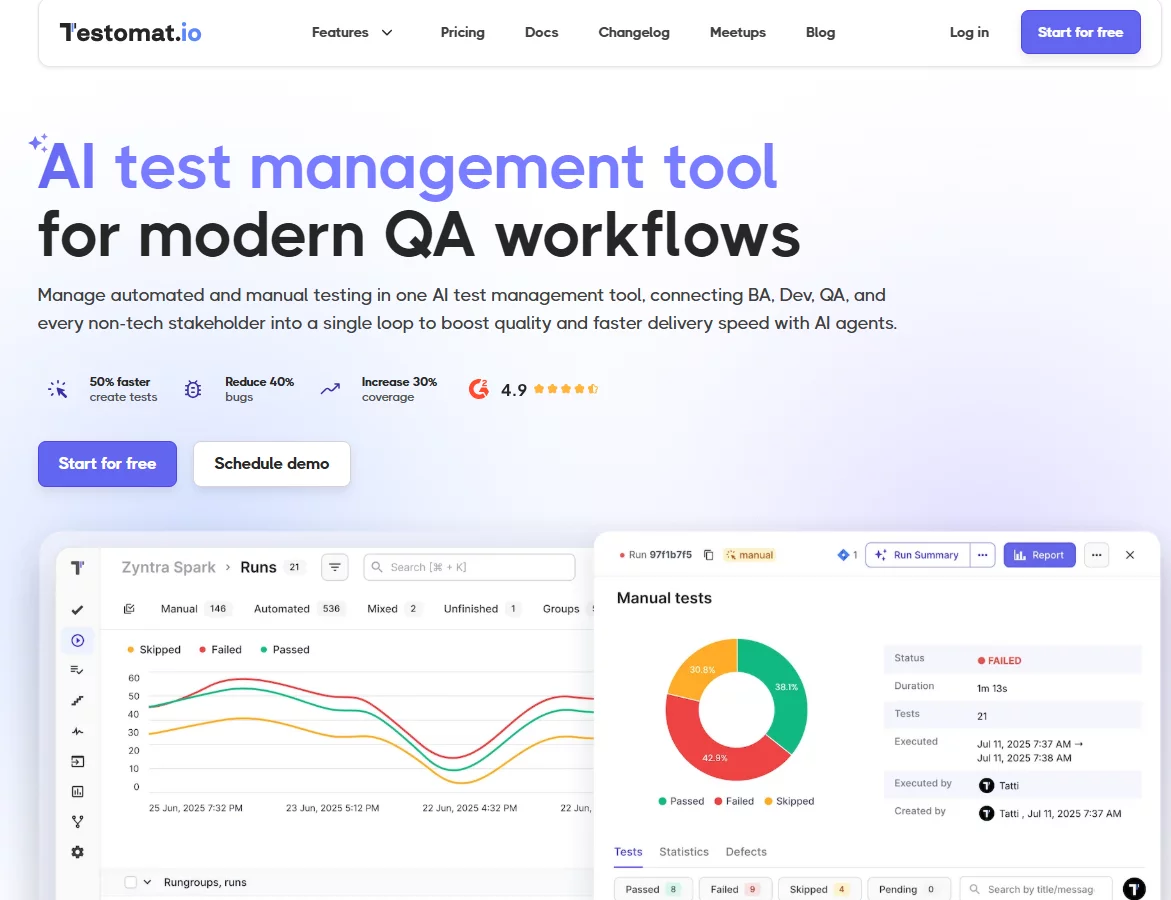
Testomat.io is built around the realities of modern testing, including cross-platform work. Key capabilities relevant to teams running tests across platforms:
- Multi-environment test runs let you configure and target specific test environments — browsers, OS configurations, device profiles — and run them in parallel or sequence from a single interface.
- Run groups automatically organize tests executed across multiple environments into coherent reports, so you’re not piecing together results from separate runs.
- CI/CD integration with GitHub Actions, GitLab, Jenkins, and Azure DevOps means cross-platform test execution is part of your pipeline without custom scripts or configuration overhead.
- Advanced Playwright and Cypress reporting gives framework-specific visibility into results, including screenshots and video capture for failures in cross-browser and mobile test runs.
- Analytics — flaky test detection, slowest tests, automation coverage, run status by environment — gives the visibility you need to continuously improve your cross-platform testing process rather than just maintain it.
- Unlimited test run scale supports projects with up to 100,000 tests, which is where cross-platform test matrices for large applications end up.
Getting Started
If you don’t have a structured cross-platform testing process today, start small. Pick the top two or three browsers and operating systems your users actually run. Identify the five or ten user flows that matter most. Write test cases for those flows and automate them with a framework like Playwright. Connect to your CI pipeline. Look at your results.
That’s a real cross-platform testing strategy, even if it’s not comprehensive yet. It will catch real issues, build muscle for the team, and give you a foundation to expand from. Most failed testing initiatives try to do everything at once and end up doing nothing consistently.
Ready to bring your cross-platform testing under one roof? Testomat.io helps QA teams organize, execute, and analyze tests across every environment, with no extra setup for most frameworks.