

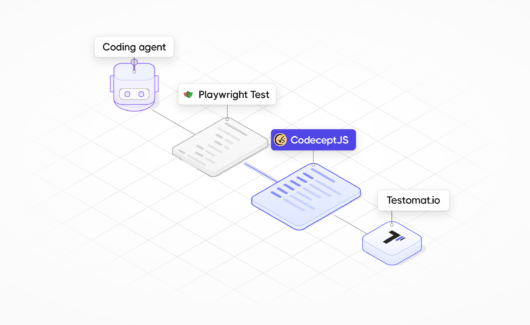
Playwright has become the de facto standard for many browser-testing teams. It started in 2020, much later than Selenium or Cypress, and it quickly set new patterns. Ask a coding agent to write browser tests without naming a framework, and Playwright is the answer you will often get.
Playwright is a family of products. There is the browser automation library with playwright-core, plus MCP and CLI tools for agents. Separately, there is Playwright Test, the E2E test framework.
We are big fans of Playwright’s browser automation. CodeceptJS can run on top of it, after all. Tests in Playwright Test raise a different question: how much effort does it take to understand them? This question matters more now, because agents write more and more test code.
Playwright Test Code Complexity
Take a shopping flow with repeated buttons and a cart drawer. The examples show test bodies without setup or wrappers. Both versions expect the same page structure and a stable product order.
await page.goto('/shop');

await page
  .locator('#catalog')
  .getByRole('button', { name: 'Add to cart', exact: true })
  .nth(1)
  .click();

await page
  .getByRole('button', { name: 'View cart', exact: true })
  .last()
  .click();

const cart = page.locator('#cart-drawer');
await expect(cart).toContainText('Canvas backpack');
await cart.getByLabel('Quantity', { exact: true }).fill('2');
await cart
  .getByRole('button', { name: 'Update cart', exact: true })
  .click();
await expect(cart.locator('.total')).toContainText('$80.00');
await cart
  .getByRole('button', { name: 'Checkout', exact: true })
  .click();

await expect(page).toHaveURL(/\/checkout$/);
await expect(page.locator('h1')).toContainText('Checkout');
This is ordinary Playwright code. We added no artificial sleeps or unnecessary browser internals to make it look worse. Playwright locators and retrying assertions are useful tools.
Now look at how much syntax stands between you and the shopping flow. The code reads like old-fashioned Java, or even Assembler: many instructions, and the intention is somewhere between them.
Maybe code style doesn’t matter anymore. We live in the agentic era, and nobody reads code today, right?
Wrong!
Someone Has to Read the Test
You might give the application code to an agent and focus on its behavior. And how do you check that behavior? Exactly. You write tests.

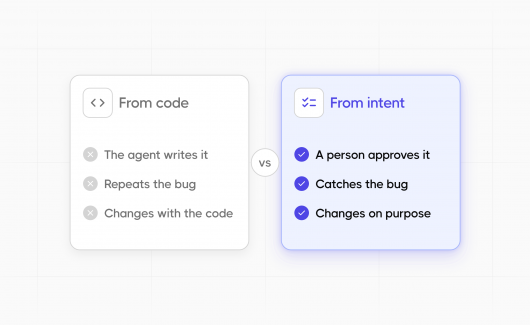
When the same agent writes the code and the test, the test becomes your main independent check. An agent-written test can fail you in ways that a green run does not show:
- Weak assertions. The agent checks that the Checkout button is visible and skips the $80.00 total. The test is green, and the price calculation is broken in production.
- Fixes that hide bugs. The total breaks, and the test fails. The agent changes the expected value to match the wrong total, and the suite is green again.
- Silent path changes. After a redesign, a self-healing step clicks a different control. The test passes on a path you never reviewed.
- Too much code. The agent adds a long test file in a single pull request. You skim it and approve because the checks are green.
How do you know the tests check the application correctly if you cannot follow the script? Did the test use the right controls and data, and did it verify the saved result? If the requirement covered network behavior, did the test check it too?
So you ask your agent:
You: Claude, please tell me, are we testing everything right?
Claude: Sure, my dear, everything is absolutely tested. Sleep well, my dear.
Later, after a production regression:
Claude: No, we tested this flow differently! Who could have expected that?
Test readability matters. When you can follow a test, you understand its intention and can spot what is missing. You can read Playwright code, of course. But to see the business flow, you often have to translate locator operations in your head. CodeceptJS aims to remove this extra work.
Read the Intention With CodeceptJS
CodeceptJS started in 2015 with readability as its central idea. It takes a key principle from BDD: a test describes behavior in the words of the user. If you know BDD and Gherkin, the style will feel familiar. The test describes what the actor does and sees.
Here is the same flow:
I.amOnPage('/shop');
I.click('Add to cart', '#catalog').at(2);
I.click('View cart').last();

within('#cart-drawer', () => {
  I.see('Canvas backpack');
  I.fillField('Quantity', '2');
  I.click('Update cart');
  I.see('$80.00', '.total');
  I.click('Checkout');
});

I.seeCurrentUrlEquals('/checkout');
I.see('Checkout', 'h1');
Now you can follow the intention without reconstructing it from locator chains. The test clicks the second matching button and opens the cart with the last matching control. Then it changes the quantity and checks the total. After that, it continues to checkout.
Why BDD-Style Tests Help When Agents Write Code

- The test reads like the requirement.
I.see('$80.00', '.total')says what the product must show. - Actions and checks look different.
I.clickdoes something, andI.seeverifies something. A missing check is a missing line. - The vocabulary is small. An agent has fewer ways to write something strange with
I.*steps than with a free-form locator API. - The run log uses the same words. Run tests with
--steps, and the terminal prints the same steps you read in the file.
Spot the Missing Check
Readable code makes gaps easy to spot. Imagine that the agent made one of these mistakes, and the test stays green:
| Gap | In CodeceptJS | In Playwright Test |
|---|---|---|
| The agent skipped the total check | I.click('Checkout') comes right after I.click('Update cart'), with no I.see between them. |
One expect is missing among similar await chains. |
| The agent forgot to tick a checkbox | The I.checkOption line is missing between two steps. |
A .check() call is missing inside a locator chain. |
How do you find these gaps? By reading the code! In CodeceptJS, each step is a separate line, so a missing line is easy to notice. An agent can generate so many lines that you stop following them. The goal is the opposite: keep the code short, so you can understand and control it.
Code is the judge and AI is your assistant. It should never be the reverse.
Give the Agent Evidence
Readable code is a good start. When you configure the right helper and plugins, a CodeceptJS run can save a screencast, a step log, Playwright traces, and screenshots. Your recording and retention settings decide which files the run keeps.
You and your agent get evidence beyond a green checkmark. You can inspect what happened in a failed test, or check what a passing test covered.
CodeceptJS also provides tools for agent-assisted development:
- MCP server. An agent can discover available actions, start a browser, inspect page snapshots, execute CodeceptJS commands, and run tests step by step. The agent can pause a test on a chosen step to inspect the current state. Then it can try commands without running the same test again from the beginning. The agent checks the real page before it writes a step, so it writes fewer guessed locators.
- Skillset. The CodeceptJS agent skills give coding agents framework-specific guidance. The agent follows CodeceptJS conventions instead of guessing from generic browser-testing examples, so its tests stay readable.
- AI Trace plugin. It produces a Markdown execution history with links to captured HTML, screenshots, accessibility snapshots, and browser console logs. What it captures depends on the helper and your configuration. When an agent says it fixed a test, you open the trace and see what the fixed test did.
- Self-healing. Configured healing strategies can try to recover failed steps. You need to review each recovery: a click on a different control is not automatically the correct fix. Assertions must keep protecting the original intention.
- Autonomous exploration with Explorbot. Explorbot explores a running application and runs test scenarios it plans by itself. Its reports and generated tests give you material to review and add to your regression coverage.
These tools help agents develop and investigate tests. An agent’s confidence is never a substitute for evidence.
How to Review an Agent-Written Test

- Compare the steps with the requirement. Match each
I.*line to the ticket. A requirement with a missing step is a gap. - Check what each assertion asserts.
I.seeElement('.total')proves that a node exists.I.see('$80.00', '.total')proves the result. - Look for changed expectations and skipped tests. Search the diff for changed values in
I.see(), removed checks, and newxScenarioorScenario.skipentries. - Open the evidence. Look at the AI Trace or the Playwright trace from the last run. Healed steps come first.
- Make the test fail on purpose. Change the expected total to a wrong value. The test must fail.
Bottom Line
CodeceptJS follows a BDD-style approach: the behavior stays visible in the test. Even if an agent does most of the work, you can open the original script and understand it. Testing should be predictable and clear. If you don’t understand your tests, your product becomes fragile. That is why CodeceptJS is a strong investment in QA for 2026-2027. You keep Playwright as the browser layer, and the test becomes easier to review. You can see what the test checks and what it misses. Then you know how to improve it.
New to the framework? Start with our CodeceptJS tutorial. Then give your agent the CodeceptJS agent skills and connect the MCP server with the AI Trace plugin.
When your team needs a shared place for this evidence, try Testomat.io. It comes from the team that founded CodeceptJS. The Testomat.io reporter keeps your CodeceptJS runs and failure screenshots in one place. Your agent can work with the same project through the Testomat.io MCP server, and every change it makes goes into the project history for review. You can start on the free plan, which has no time limit.
So next time Claude tells you, “Everything is tested well, my sweet,” you don’t have to accept that answer as proof. You can READ the test. Then check the evidence.