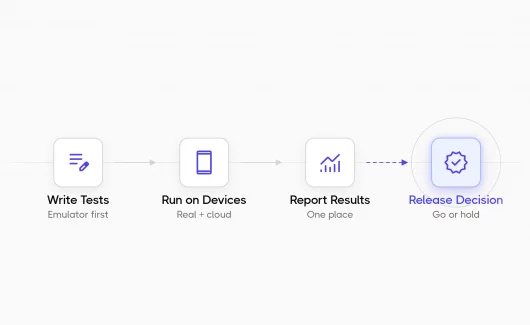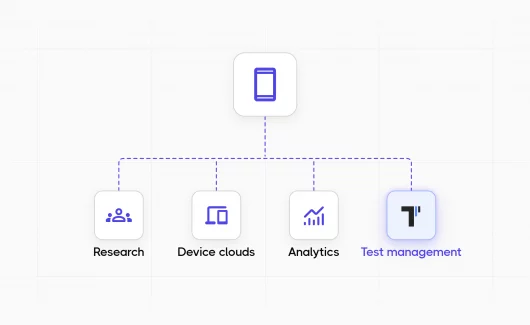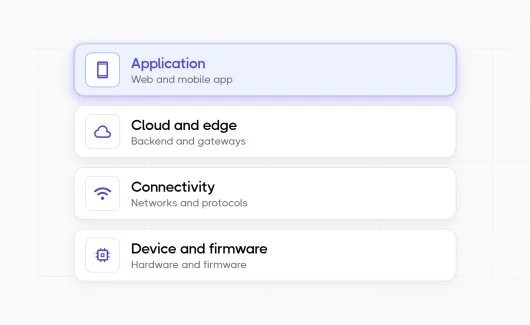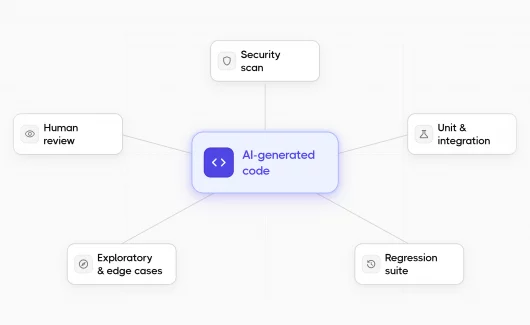
Your team releases an API to production every week. You run unit tests and review pull requests. The CI pipeline stays green. Here’s the catch: green checks alone leave a gap between what you test and what you promise your users. A strong API testing strategy closes that gap. In this guide, you’ll learn which test types matter and how to order them by risk. Then you will discover how test results guide real release decisions.
What is API Testing?
API testing is a type of software testing that sends requests directly to an API and compares each response with the expected result. It covers REST API testing and GraphQL services, plus older SOAP systems. For a full introduction with examples, read the basics of API testing first. The rest of this guide focuses on the strategy above the single test.
What is an API Testing Strategy?
An API testing strategy is a documented plan that defines which API behaviors you verify and which test types prove them. The results then guide release decisions.
A strategy differs from a collection of test scripts. A collection grows by accident. A strategy grows by design and answers two practical questions:
- What do we verify?
- Who reads the results?
Based on the answer, you can choose tools for it. A typical API testing strategy includes the following phases:
- You plan the scope: which endpoints and which risks.
- You design the test cases
- You implement the automation.
- You evaluate the suite and refresh it as the API grows.
REST remains the most common API style, so most teams write their first strategy for REST API testing. SOAP and GraphQL services follow the same logic. The endpoints look different, but the strategy stays the same.
Why Does Your Team Need An API Testing Strategy?
APIs now carry the heaviest work in modern software: payments and logins, plus the data sync between services. According to the Postman 2025 State of the API report, 69% of developers spend 10 or more hours per week on API work. That volume of work needs a plan.
Teams that skip the strategy step usually face these problems:
- Tests lag the product. The API changed last sprint. The checks still describe the old version. They pass, yet they prove very little.
- Release decisions come from opinion. Someone asks whether the team can release, and the answer starts with probably. A test result would settle it.
- Results scatter across tools. Unit results live in CI logs while Postman collections live on one laptop. The last load test lives in a report from March. Each tool holds a piece of the truth.
Late bugs also cost real money. The recent forecast puts the median cost of a high-impact outage at 2 million dollars an hour. Defects that teams find after release cost several times more than defects they catch during design.
Benefits of API Testing For Teams
A clear API testing strategy rewards every role on the team, from engineers to product managers:
- Faster feedback for developers. API tests run in seconds and start before the UI exists, so developers fix bugs while the context stays fresh.
- Lower maintenance for QA engineers. API tests survive UI redesigns. The suite stays stable while screens change, which frees time for new coverage.
- Parallel work for front-end and back-end teams. Contract tests protect the border between them, so both sides follow the same agreement.
- Clear reporting for QA leads. Coverage and success rate replace raw logs in stakeholder meetings, which makes quality easy to prove.
- Release confidence for product managers. A dashboard linked to requirements shows which user stories passed verification today.
Now let’s turn these benefits into a concrete plan, starting with the test types.
API Testing Methods: Core Types And When To Use Each
Every API style, from REST to GraphQL, uses the same methods of API testing. Each type covers a different risk, so a strong strategy combines several of them. Here’s the full picture:
| Test type | Main goal | Best moment to run |
|---|---|---|
| Functional | Confirm correct responses for valid input | Every code change |
| Negative | Confirm safe handling of broken input | Together with functional tests |
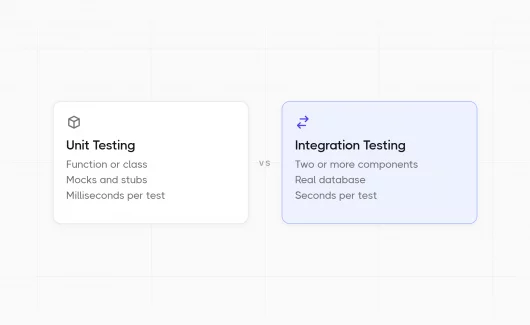
| Unit | Check one endpoint handler in isolation | During active development |
| Integration | Check how services work together | After unit tests pass |
| Contract | Enforce request and response formats | Microservice environments |
| End-to-end | Check complete user journeys | Before major releases |
| Performance / load | Measure speed under traffic | Before scaling events |
| Security | Expose weak points in auth and input handling | Every release |
| Fuzz | Send random input to find crashes | Before security reviews |
| Exploratory | Explore the API by hand | Early development |
Regulated teams add penetration testing and validation testing. Enterprise integrations sometimes need interoperability checks too. Five of these API testing methods matter most for your strategy, so let’s review each of them.
Functional and Negative Testing
Functional tests confirm the happy path: valid input produces the correct status code and headers, plus the expected body. Negative tests do the opposite and send broken input on purpose. Together they form the baseline of your suite.
Good API test cases for a single endpoint, like POST /users, cover four groups:
- Valid new user: expect 201 Created with the user object
- Duplicate user: expect 409 Conflict
- Missing required field: expect 400 Bad Request with a clear error message
- Expired or missing token: expect 401 Unauthorized
Run these on every code change. They run fast and give clear failure messages, which makes them your first safety layer.
Contract Testing for Microservices
A contract is a formal agreement between an API provider and its consumer that fixes the exact request and response formats. Contract testing checks that agreement automatically. If the provider renames a field the consumer uses, the contract test fails before deployment. Tools like Pact support consumer-driven contracts, where the consumer defines the expectations and the provider proves it meets them. Schema validation against an OpenAPI spec offers a lighter alternative. Skip contract testing when a single team owns both the API and its only client. Adopt it the moment separate teams, or separate companies, use your response format.
API Integration Testing
API integration testing checks that real services work well with each other. One side has your API and its database. The other side has the message queue and the other APIs your service calls. A typical scenario links real calls. Create an order, then confirm the inventory service reduced stock, then confirm the notification service queued an email.
These tests run slower than unit checks, so place them in the second layer. Run them on every pull request merge, and use a small group of them as smoke tests before each release.
API Performance Testing
API performance testing measures how your endpoints behave under traffic. Two scenarios matter first: load with steady traffic and spike with a sudden jump in traffic. Add a soak run over a long duration to catch memory leaks. Track p95 and p99 response times plus throughput. Watch the error rate under stress too.
Tools like k6 and JMeter script these scenarios in code, so they run in CI like any other test. Start early. A capacity limit that appears at launch forces expensive architecture changes; the same limit found in month two costs a config change.
API Security Testing
API security testing checks the places attackers attack. The OWASP API Security Top 10 gives you a ready framework, and it names broken object level authorization as the top API risk. In plain terms: user A changes an ID in the URL and reads user B’s data.
Cover four areas at minimum: token expiry and reuse, plus object-level access control. Then add input validation against injection and rate limits against flooding. Automate the light checks in CI, then schedule deeper penetration tests on a regular basis.
How Do You Build An API Testing Strategy?
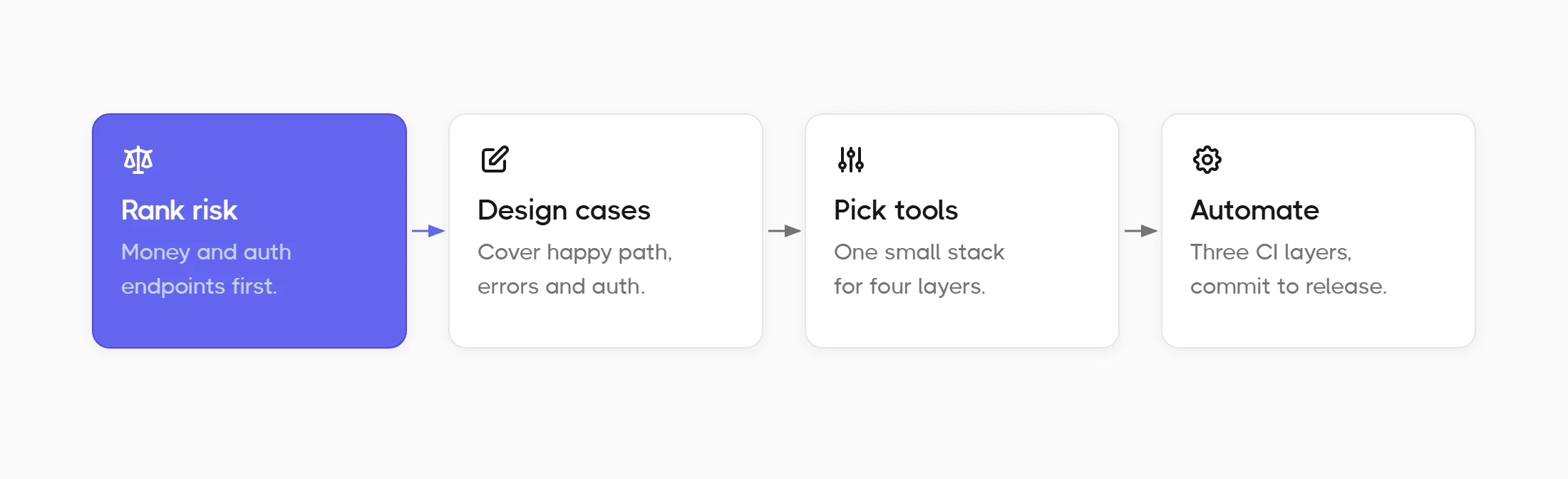
Start with your riskiest endpoints and design test cases for expected and broken inputs. Then automate the checks in CI/CD and track all results in one shared place.
That’s the whole method in two sentences. Now let’s expand each step.
#1: Prioritize Endpoints by Risk
Test everything equally and you’ll test everything poorly. Rank your endpoints instead: money flows first and authentication second. High-traffic endpoints come third, and internal utilities close the list. Ask one question per endpoint: what does a failure here cost us? Ranking also tells you what to skip. Check how your system handles a payment failure, and leave the card-decline logic to the payment provider. Third-party internals belong to their owners.
#2: Design and Organize API Test Cases
For each endpoint in scope, write test cases in four groups. Cover the happy path and boundary values first. Then add auth scenarios and error handling. Add domain edge cases where your business logic hides, like discount rounding or timezone math.
Then give those cases a shared home. Automated checks scattered across repos plus manual checks scattered across spreadsheets give the team only part of the picture. A test management system stores both kinds side by side, so the whole team sees coverage in one place. Among all API testing best practices, this habit shows value fastest. Teams migrating from TestRail, Zephyr, or qTest can move existing suites into Testomat.io with the built-in importer, so the history survives the switch.
#3: Choose Tools for API Test Automation
Tool choice follows strategy. A practical stack for API test automation usually combines four layers:
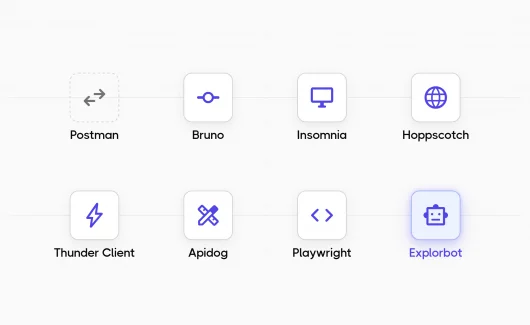
- Postman and Newman for exploration and collection runs.
- Pact for contract checks between services.
- k6 or JMeter for load scenarios.
- Framework-level tests in Playwright, REST Assured, or your unit framework of choice.
Keep the toolset small. Every extra tool adds maintenance and splits your results into one more separate place. For a detailed comparison, see this guide to API automation testing tools. And if your team already writes browser tests, API testing with Playwright lets you reuse the same framework for both.
#4: Automate the API Testing Process in CI/CD
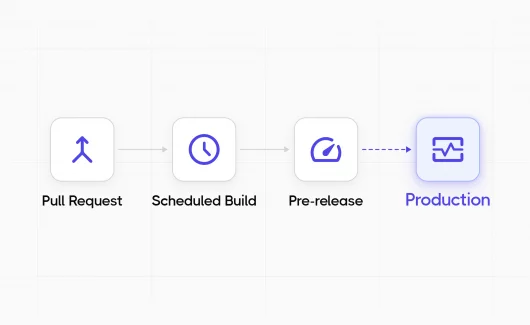
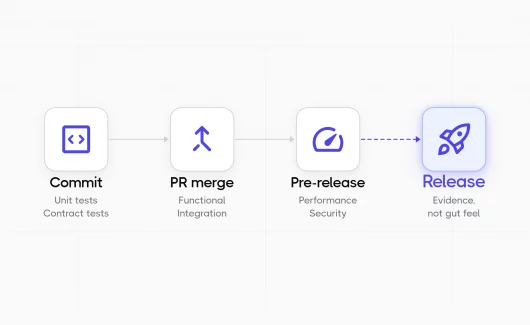
CI/CD is the pipeline that builds and tests your code on every change. It converts your API testing process from a document into a daily habit. A three-layer pipeline balances speed against depth:
| Layer | Trigger | Tests | Time budget |
|---|---|---|---|
| 1 | Every commit | Unit and contract tests | Under 2 minutes |
| 2 | Every PR merge | Functional and integration tests | Under 10 minutes |
| 3 | Pre-release | Performance, security, end-to-end | Under 30 minutes |
Fail fast on critical paths. When auth tests fail on layer 1, the pipeline stops early. That saves the remaining time budget.
Make Results Visible with Testomat.io: From Test Runs to Release Decisions
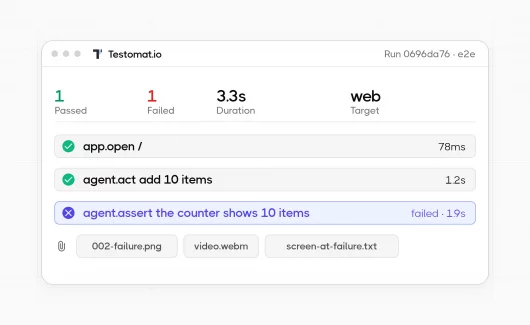
Here’s the section most guides skip. Your pipeline now produces test results every day, and raw results answer a narrow question: did this run pass? Your stakeholders ask a wider question: can we release? A visibility layer answers those two questions, and Testomat.io provides that layer in four steps:
- Connect the reporter. Attach the Testomat.io reporter to your Playwright or Cypress project. Newman collection runs join through the same setup, so Postman users keep their collections. This guide to rich API reports with Postman and Newman shows the full path.
- Watch results arrive live. The reporter streams results into a dashboard while the pipeline still runs, so the team sees failures seconds after they happen.
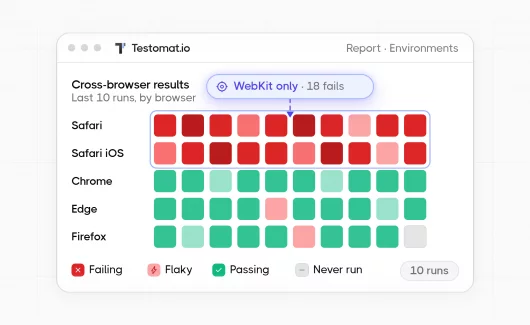
- Review the analytics. The testing analytics views collect the history across every project in the company. You see success rate and automation coverage next to slowest tests and defects.
- Link tests to Jira. The bidirectional integration connects test cases to user stories. A PM opens a story and sees which requirements have passing checks behind them.
That changes the green run from a mystery into a statement: we verified these twelve behaviors today, and the API performed all twelve.
How Do You Handle Flaky API Tests?
You can track the pass/fail history of every test and mark the tests that change results while the code stays the same. Then fix or isolate them quickly. A flaky test changes its result from run to run with zero code changes. API suites create flakiness through async timing and shared test data. Live third-party calls add more. The damage grows: after a few false alarms, engineers ignore red builds. Then a real failure reaches production.
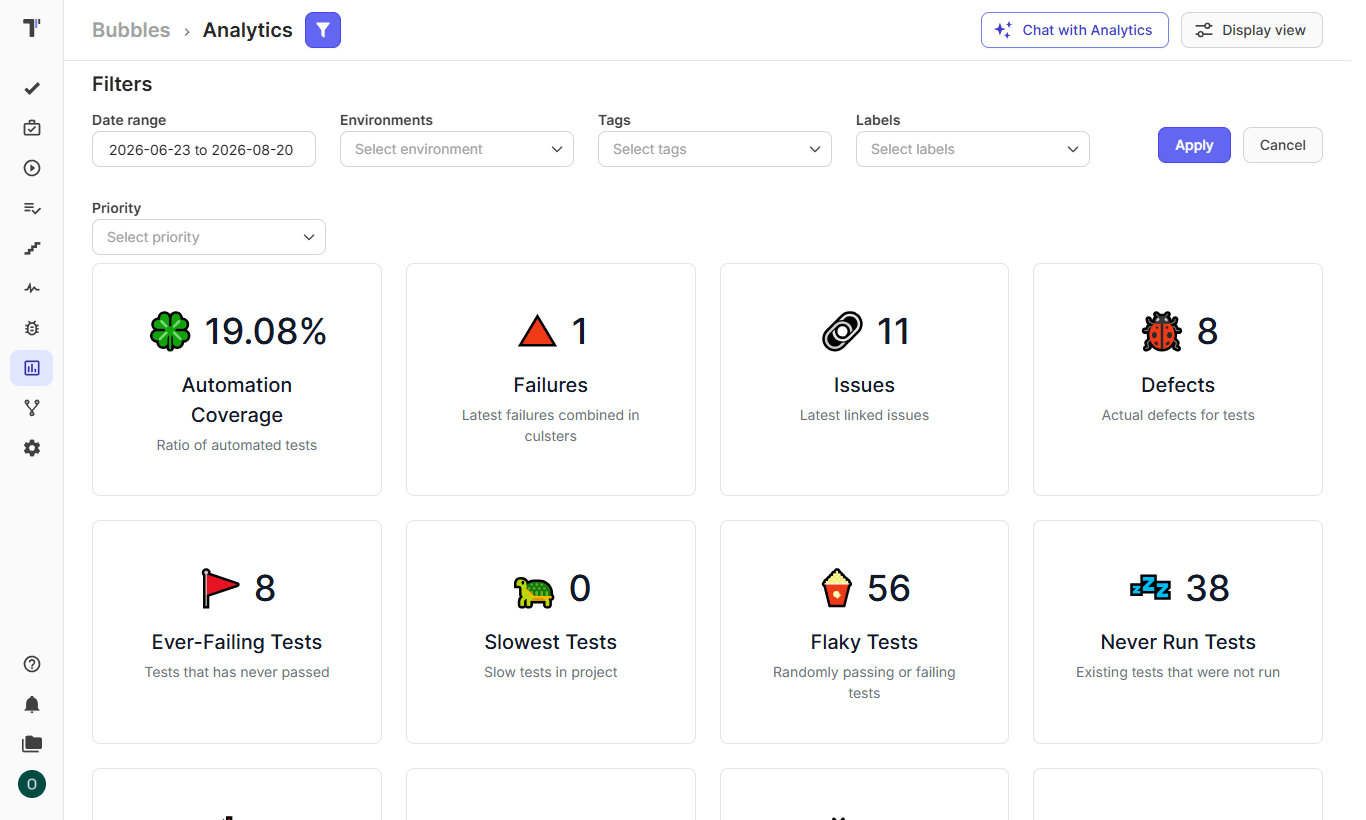
Manual weekly reviews catch some flaky tests. Systematic detection catches them all. Testomat.io tracks flakiness automatically and lists the problem tests on a dedicated Flaky Tests tab of the analytics dashboard, with configurable rules for flaky test detection so your team decides what counts as flaky. From there, the routine stays simple: detect and isolate the test into a separate group. Fix the root cause, then return the test to the suite.
Common API Testing Challenges And How To Solve Them
Even strong strategies meet recurring challenges in API testing. These five problems appear most often, and each one has a fix you can apply this sprint.
- Async behavior. Many endpoints accept a request and queue the work, then respond later. Immediate assertions fail against them. You can add polling or webhook listeners to the tests and use retry-until-timeout assertions. Your reports reveal the candidates: endpoints that lead the slowest-tests list usually process work asynchronously.
- Test data management. Tests that link to specific database records break when an environment changes. You can run seeding scripts that create a known state before each run, and design each test to create and clean its own data. Failures grouped by environment in your dashboard expose these data changes early.
- API versioning. A v2 deployment can silently break v1 consumers. You can version your contracts explicitly and run contract tests against every active version. You announce breaking changes early, before the release. When you tag test runs by API version, the report shows the status of each version separately.
- Third-party dependencies. Live external services make tests slow and random. You can record real responses and replay them with mocks or service virtualization. You can also keep two suites: a mocked suite for CI speed and a small live suite for release confidence. When you report them separately, a third-party outage never looks like your own bug.
- Rate limits and repeated requests. You can repeat the same request in a loop and confirm the API answers
429 Too Many Requestsat the configured threshold. Then you repeat aPUTorDELETEtwice and confirm the state stays the same, so a retry never charges a customer twice. Both checks belong in your negative-test coverage stats, where a gap becomes visible at a glance. These API testing challenges shrink once your reports expose them early.
Common API Bugs to Watch
Most API failures repeat the same patterns. Keep this list next to your test cases and check each item during design:
- Weak input validation. The API accepts broken or oversized data, then crashes later.
- Wrong output data. Responses return incomplete or outdated fields and confuse client apps.
- Broken authentication. Expired tokens keep working, or user A gains access to user B’s role.
- Inconsistent error messages. Each endpoint reports failures in a different format, which slows debugging.
- Race conditions. Parallel requests change the same record and produce random results.
- Timeouts. Slow endpoints trigger retry loops and duplicate transactions.
- Response format changes. The client expects JSON and receives HTML, so parsing fails.
- Unlimited retries. Aggressive retry logic floods the system and duplicates payments.
- Outdated documentation. The spec describes v1 while production runs v2, so consumers build against the wrong behavior.
Each bug maps to a test type from the table above. Negative tests catch the input and format bugs, while security tests cover the auth issues. Performance tests expose the timeouts.
AI in your API Testing Strategy
AI moved from a trend section to a working layer of API test automation. Two capabilities matter for strategy today:
- Test generation. The Testomat.io AI features generate test cases from Jira user stories and GitHub issues, or from plain text. They also suggest improvements to existing cases and detect duplicates across the suite. The AI trains on your own test cases, so the output follows your style instead of generic templates.
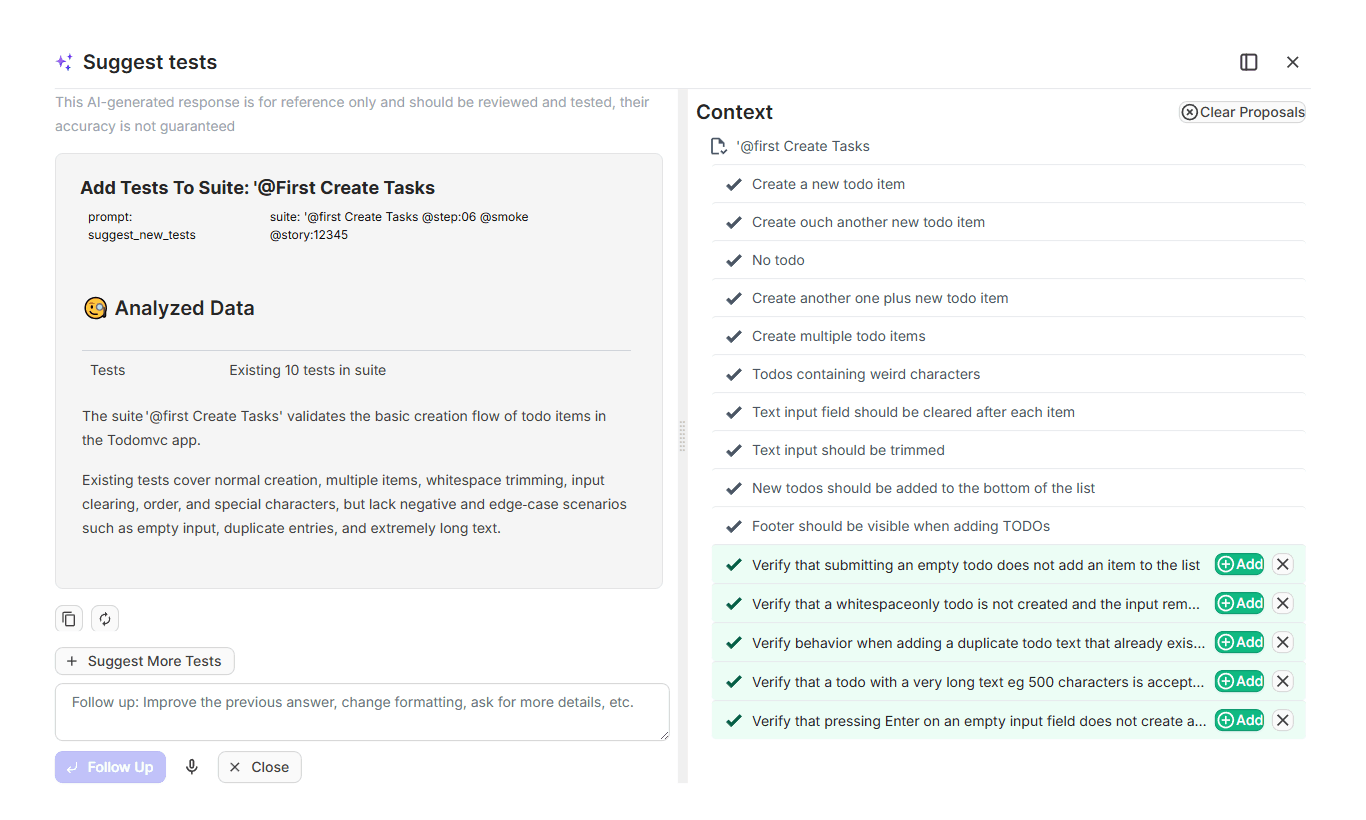
- AI assistants. Testomat.io provides an MCP server. MCP, the Model Context Protocol, is an open standard that connects AI assistants such as Claude to your tools. Through this server, an AI assistant reads your test data and takes action. It finds coverage gaps and drafts the missing cases. Ask it coverage questions in chat, and it answers from your real data.
API Testing Best Practices
The following API testing best practices make the strategy a daily habit:
- Begin with the API spec. Your coverage then matches documented behavior, and a spec section with zero linked tests shows you the gap.
- Test every status-code class. Codes from
2xxto5xxdescribe different behavior, so a test for each one proves your error handling works. - Keep tests independent. Each test creates its own data, so your results stay the same in any test order.
- Use production-like test data. Cleaned copies of real data find bugs that invented data misses.
- Run tests on every change. CI updates your results after every commit, so your dashboard always shows today’s code.
- Review flakiness every week. Ten minutes in the flaky-tests view protects your team’s trust in red builds.
- Review coverage every quarter. APIs grow faster than their test suites, so a quarterly check keeps your suite current.
- Store all API test cases in one place. Manual and automated cases together give your whole team one report.
Bottom Line
A strong API testing strategy needs two things: the right test types ordered by risk, and results visible to everyone who decides. The types and the pipeline bring you successful test runs. The visibility layer converts those runs into confident releases. With that in mind, you can start small: rank your five riskiest endpoints and cover them with functional and negative tests. Then route the results into one dashboard. Try Testomat.io free and sync your first automated API run in minutes.