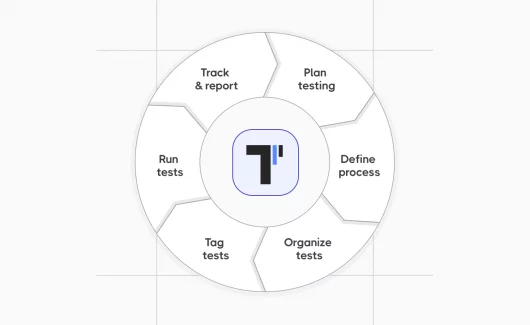
Managing software tests shouldn’t require a PhD. Yet many teams struggle with basic questions: Which features have been tested? Are we ready to ship? Why did that bug slip through when we supposedly had test coverage?
The problem isn’t usually a lack of testing. Teams often have plenty of test cases. The issue is organization, or the lack of it. Spreadsheets scattered across drives, test results buried in email threads, test plans that nobody updates, and automation scripts that break every release.
Effective test management changes this. Not through complexity, but through clarity. This guide covers the test management best practices that teams actually use in 2026, along with the test management tools that make those practices realistic rather than aspirational.
What test management actually means?
Test management is the practice of organizing all testing activities in a software project. This includes:
- Planning what to test and how
- Creating and organizing test cases
- Running tests (manual and automated)
- Tracking results and defects
- Reporting on test progress and quality
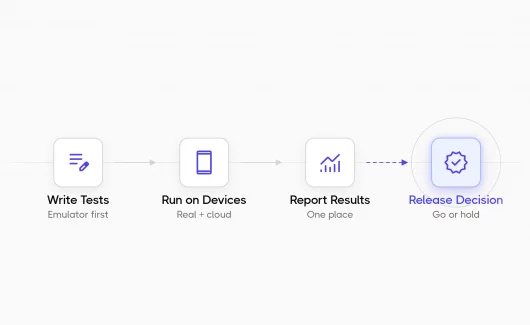
The goal is straightforward: know what’s been tested, what passed, what failed, and whether the software is ready to ship.
Why most teams struggle with test management
Three common scenarios reveal why test management matters:
- The knowledge loss problem. A senior tester leaves. Suddenly, nobody knows how to test the payment integration properly. The edge cases they discovered over years? Gone. This happens when test knowledge lives in someone’s head instead of in documented test cases.
- The visibility gap. A project manager asks if the checkout flow is ready for release. The test team spends two hours digging through old test runs, checking scattered notes, and still can’t give a confident answer. This happens when test execution status isn’t tracked centrally.
- The regression nightmare. A small change breaks an unrelated feature. Nobody caught it because the team couldn’t efficiently run all relevant regression testing before release. Manual tests take too long to run completely. Automated tests exist but aren’t connected to the test management system, so nobody knows which tests ran or what they covered.
Good test management practices solve these problems. The right test management tool makes those practices possible without adding overhead.
Core test management best practices for 2026
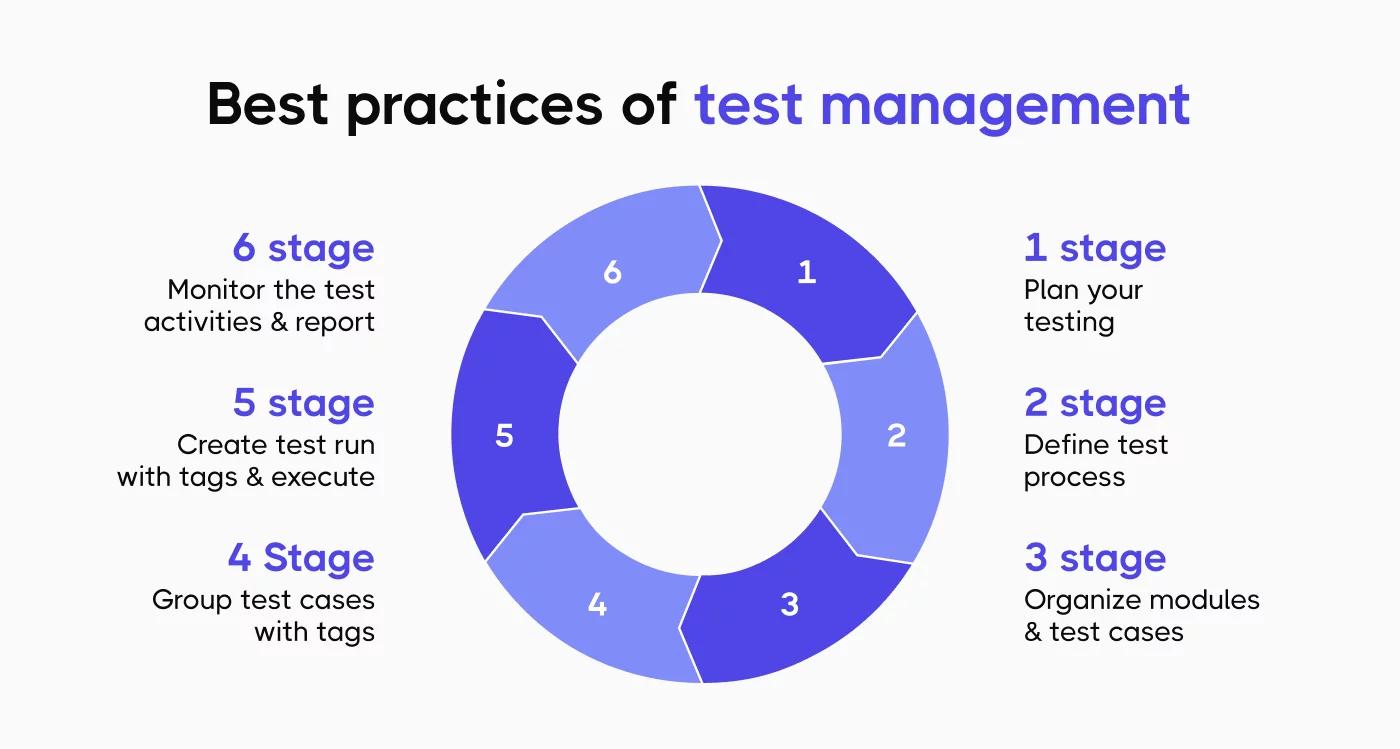
1. Write test cases that people can actually use
Test cases fail their purpose when they’re too vague to execute reliably or too detailed to maintain. The balance is specificity without brittleness.
Each test case needs:
- A clear objective (what’s being validated)
- Preconditions (required setup or state)
- Explicit test steps
- Expected outcomes for each test step
- Relevant test data (or where to find it)
Bad test case: “Verify login works.”
👀 Usable test case:
Title: User login with valid credentials

Objective: Verify registered users can log in with correct email and password

Preconditions: Test user account exists (email: test@example.com, password: Test123!)

Steps:
 Navigate to /login
 Enter email: test@example.com
 Enter password: Test123!
 Click "Log In" button
Expected: Dashboard page loads, username displays in header
This level of detail means anyone on the test team can execute the test consistently. It also makes converting to automated test cases straightforward when the time comes.
2. Organize test cases by real user workflows
Many teams organize test cases by technical component (database tests, API tests, UI tests). This makes sense for developers but creates problems for test execution.
Better approach: organize around user workflows and features. Group test cases into test suites that match how people actually use the software.
For an e-commerce application:
- Product browsing and search
- Shopping cart operations
- Checkout and payment
- Order history and tracking
- Account management
This organization helps in several ways. When a feature changes, you know exactly which test suite needs attention. When planning test runs, you can prioritize based on business risk. When bugs appear in production, you can quickly identify gaps in test coverage.
3. Distinguish between test types clearly
Not all tests serve the same purpose. Mixing different types of testing in one test suite creates confusion about test objectives and execution strategy. Common test types:
- Smoke tests – Quick validation that major functions work. Run these first. If smoke tests fail, don’t bother with detailed testing yet.
- Functional tests – Verify specific features work correctly. These form the bulk of most test suites.
- Regression tests – Ensure existing functionality still works after changes. These grow over time as bugs are found and fixed.
- Integration tests – Check that different system parts work together. Often slower to run than unit tests.
- Performance tests – Validate speed, scalability, and stability under load.
Mark test cases with their type. This helps teams decide which tests to run when. You don’t need to run performance tests on every code commit, but you do need smoke tests.
4. Link test cases to requirements
Test case management gets harder as projects grow. A test management solution needs to connect test cases back to the requirements or user stories they validate. This traceability answers critical questions:
- Which requirements have test coverage?
- If this requirement changes, which tests need updating?
- Can we ship this feature (are its tests passing)?
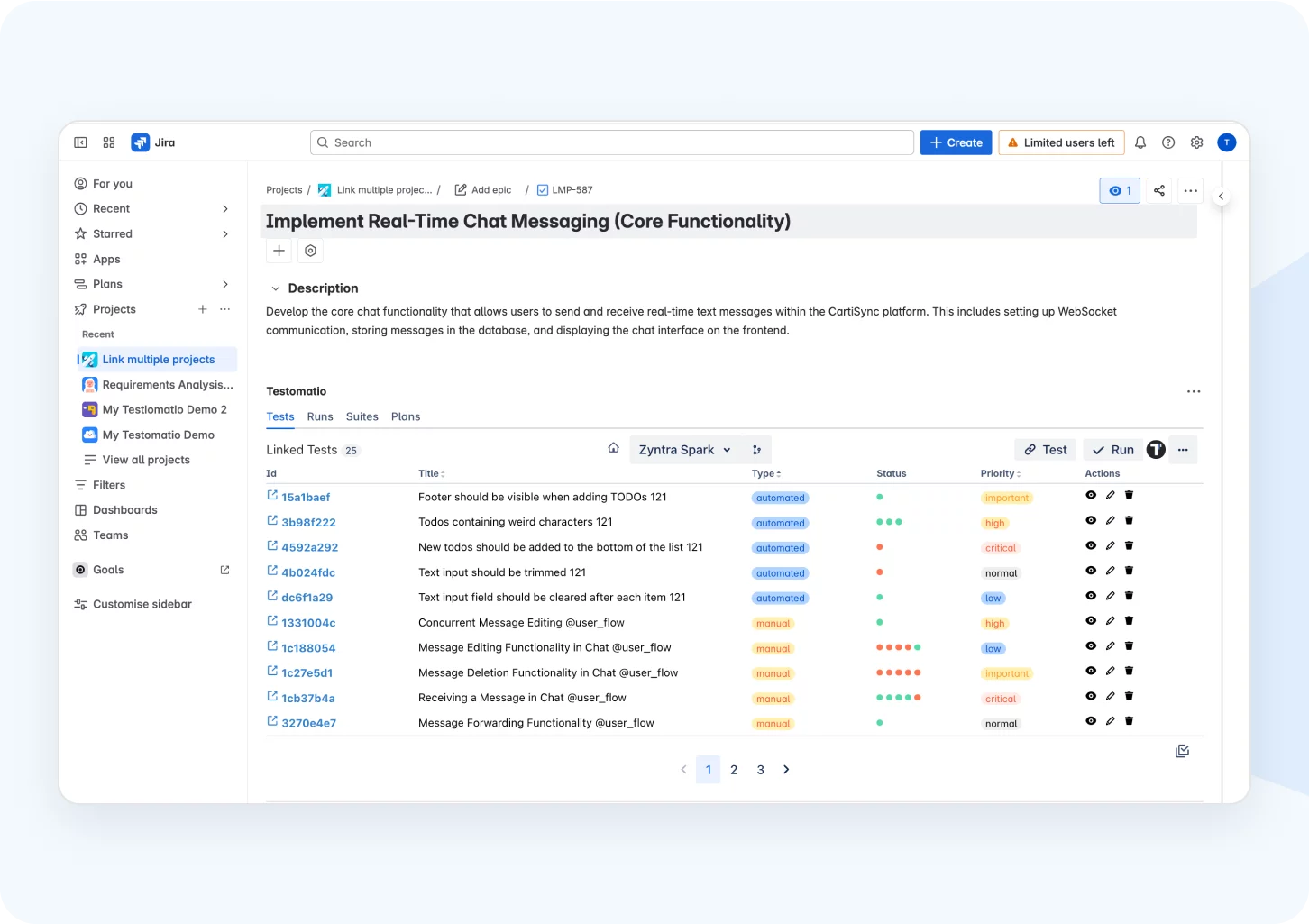
Tools like Jira make this easier by linking test cases directly to issues or user stories. When requirements change, the test team knows immediately which test scenarios need revision.
5. Plan test execution strategically
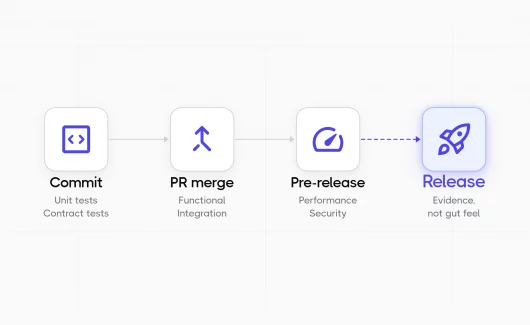
Running every test case before every release isn’t realistic once test suites grow large. Teams need a test plan that defines what to test when. A practical test execution strategy:
Every commit or pull request:
- Automated unit tests (fast feedback)
- Smoke tests for critical paths
Daily builds:
- Extended automated test suite
- Key regression testing
Before release:
- Complete regression testing
- Manual exploratory testing
- Performance and security tests
After major changes:
- Focused testing on affected areas
- Related integration tests
The test plan should specify which test environment to use, what test data is needed, and who runs which tests.
6. Balance manual and automated testing
Many teams treat test automation as an all-or-nothing proposition. Either they try to automate everything (exhausting) or they keep everything manual (slow). The practical approach: use each for what it does best.
| Manual Tests Work Well For | Automated Tests Work Well For |
| New features still under development | Regression testing run frequently |
| Exploratory testing to find unexpected issues | Tests with clear pass/fail criteria |
| Tests requiring human judgment (usability, visual design) | Repetitive tests across multiple configurations |
| Tests that rarely run (one-off scenarios) | Load and performance testing |
| Rapid feedback during early product iterations | Large test suites that must run quickly |
| Edge cases discovered during real user flows | Data-driven testing with many input variations |
Start with manual test cases. Once a feature stabilizes and tests need running regularly, convert high-value test cases to automated tests. This gradual approach builds automation where it provides the most value.
7. Track what matters with test metrics
Test metrics should inform decisions, not just fill reports. Teams drown in data when they track everything. Focus on metrics that actually change behavior. Useful test metrics:
- Test execution status – How many planned tests have run? How many passed or failed? This shows test progress clearly.
- Test coverage – What percentage of requirements have associated test cases? Which areas lack coverage? This identifies risk.
- Defect detection rate – Are tests finding bugs before release? If defects constantly slip through, the test strategy needs adjustment.
- Test execution time – How long does the test cycle take? Long execution times delay feedback and slow releases.
- Automation coverage – What percentage of test cases are automated? This indicates testing efficiency.
- Flaky test rate – Which automated tests fail intermittently? These waste time and reduce confidence in test results.
Track these consistently. Review them regularly. Use them to improve the test process, not to judge team members.
8. Manage defects within the test management system
Finding bugs is only half the battle. The test team needs to log defects, track fixes, and verify resolutions.
Many organizations separate defect management from test management. A bug tracking tool here, test cases there, no connection between them. This creates work.
Better approach: integrate defect management with test execution. When a test fails, log the defect directly from the test management tool. Link the defect to the test case. When developers fix the bug, the test team knows which test to rerun.
This connection provides valuable data. Which features have the most defects? Which test scenarios consistently find issues? This informs both development and testing priorities.
9. Keep test artifacts accessible
Test artifacts include test plans, test cases, test data, test scripts, and test reports. These need storage somewhere the whole team can access.
Scattered artifacts create problems:
- Test team can’t find the latest test plan
- Developers don’t know which test data to use
- Stakeholders can’t see test results
- Audit trails disappear when people leave
A test management platform centralizes these artifacts. Everyone works from the same information. Test reports stay available for retrospectives. When auditors ask about testing for a release six months ago, the documentation exists.
10. Review and refine the test process regularly
Test management best practices aren’t static. What works for a small team might not scale. The test strategy that fit last year might not match current project needs.
Schedule regular reviews:
- After each release, discuss what went well and what didn’t in testing
- Monthly, review test metrics and adjust the test plan
- Quarterly, evaluate whether the test management tool still fits team needs
Common questions for these reviews:
- Are test cases still accurate or are they outdated?
- Is the test execution phase taking too long?
- Do manual and automated test ratios make sense?
- Are defects being found too late?
- Does the test team have the right skills?
Act on answers. Update test cases. Adjust the test strategy. Provide training. Switch tools if needed.
Choosing test management tools for 2026
The right test management solution depends on team size, technical sophistication, existing tools, and budget.
- Test case management – The tool must make it easy to create test cases, organize them into test suites, and find specific tests when needed. If creating detailed test cases feels painful, teams won’t do it.
- Test execution tracking – During test runs, testers need to mark test cases as passed, failed, or blocked. They need to log issues when tests fail. The tool should track test execution status in real time.
- Reporting capabilities – Stakeholders need to see test progress without digging through data. The test management platform should generate test reports automatically: coverage reports, execution summaries, defect trends.
- Integration capabilities – The test management system doesn’t exist in isolation. It needs to work with other tools the team uses: Jira for requirements, Git for code, CI/CD for automated test runs, Slack for notifications.
- Collaboration features – Testing is team work. The tool should support comments on test cases, assignment of test runs to specific testers, and notifications when someone needs input.
Advanced features that separate good from great
Modern test management tools connect with automation frameworks. When automated tests run in CI/CD, results flow back into the test management system automatically. This gives complete visibility into test coverage across manual and automated testing.
- AI-assisted test generation – Some platforms now use AI to suggest test cases based on requirements. This speeds up test design for new features and helps identify gaps in test scenarios.
- Test data management – Managing test data separately from test cases causes headaches. Better tools include test data alongside test steps or integrate with test data management solutions.
- API access – Teams with complex needs want to build custom integrations. A solid API enables this without vendor lock-in.
- Analytics and insights – Basic reports show what happened. Advanced analytics predict problems: “These areas have inadequate test coverage based on defect density” or “These automated tests are flaky and need attention.”
How Testomat.io fits modern test management needs
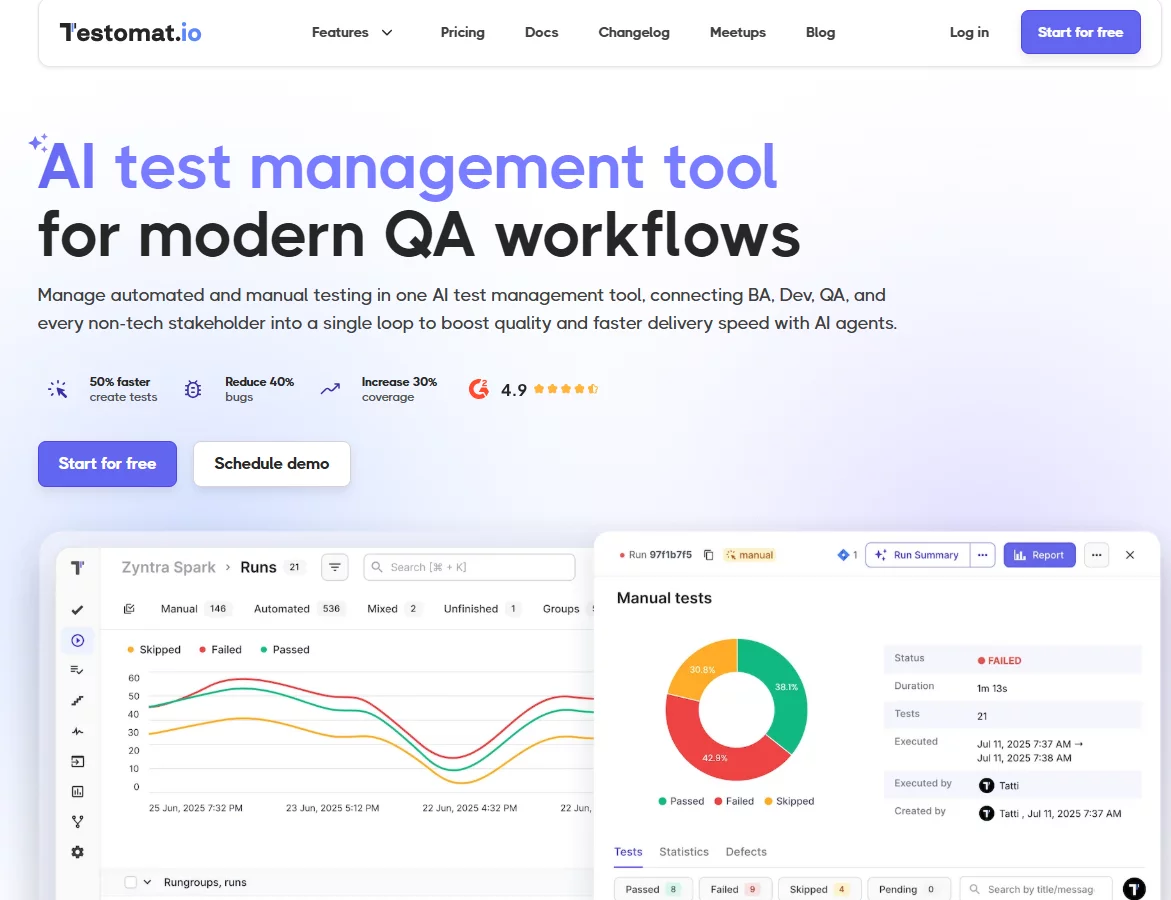
Testomat.io provides comprehensive test management focused on practical use rather than feature bloat.
- For test case management: Create detailed test cases with clear steps and expected results. Organize them into logical test suites. Import existing test cases from spreadsheets or other tools. The interface stays simple enough for non-technical team members while providing the detail technical teams need.
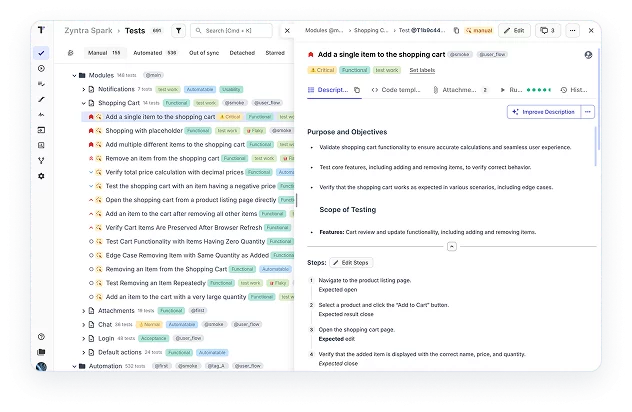
- For test execution: Run test runs manually or automatically. Track which tests passed or failed in real time. Log defects directly from failed tests. See test execution status on a dashboard without digging through data.
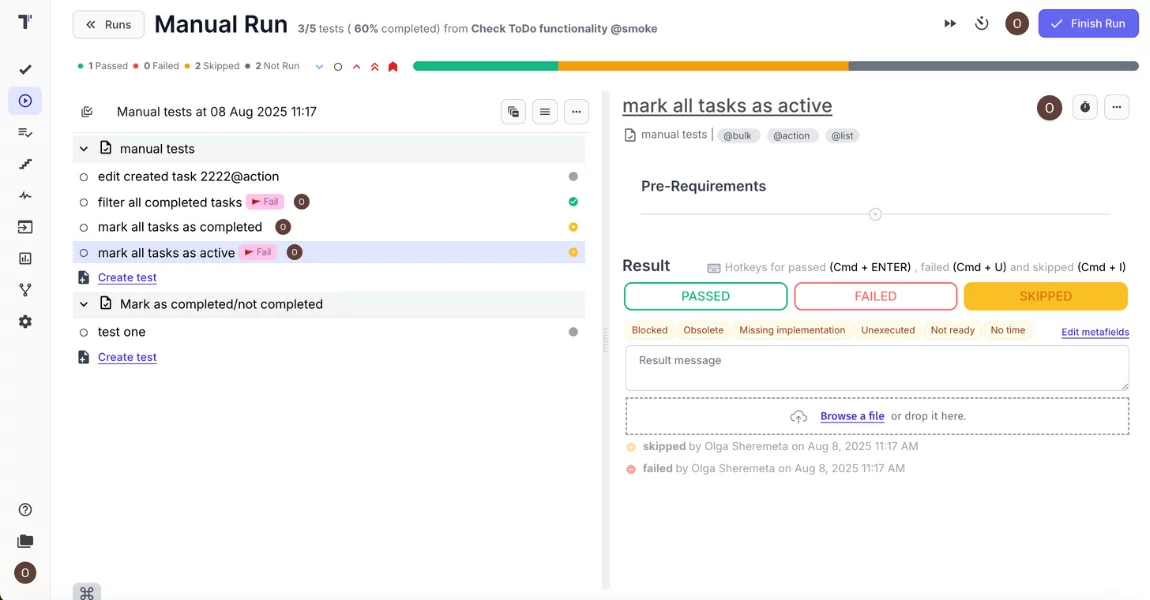
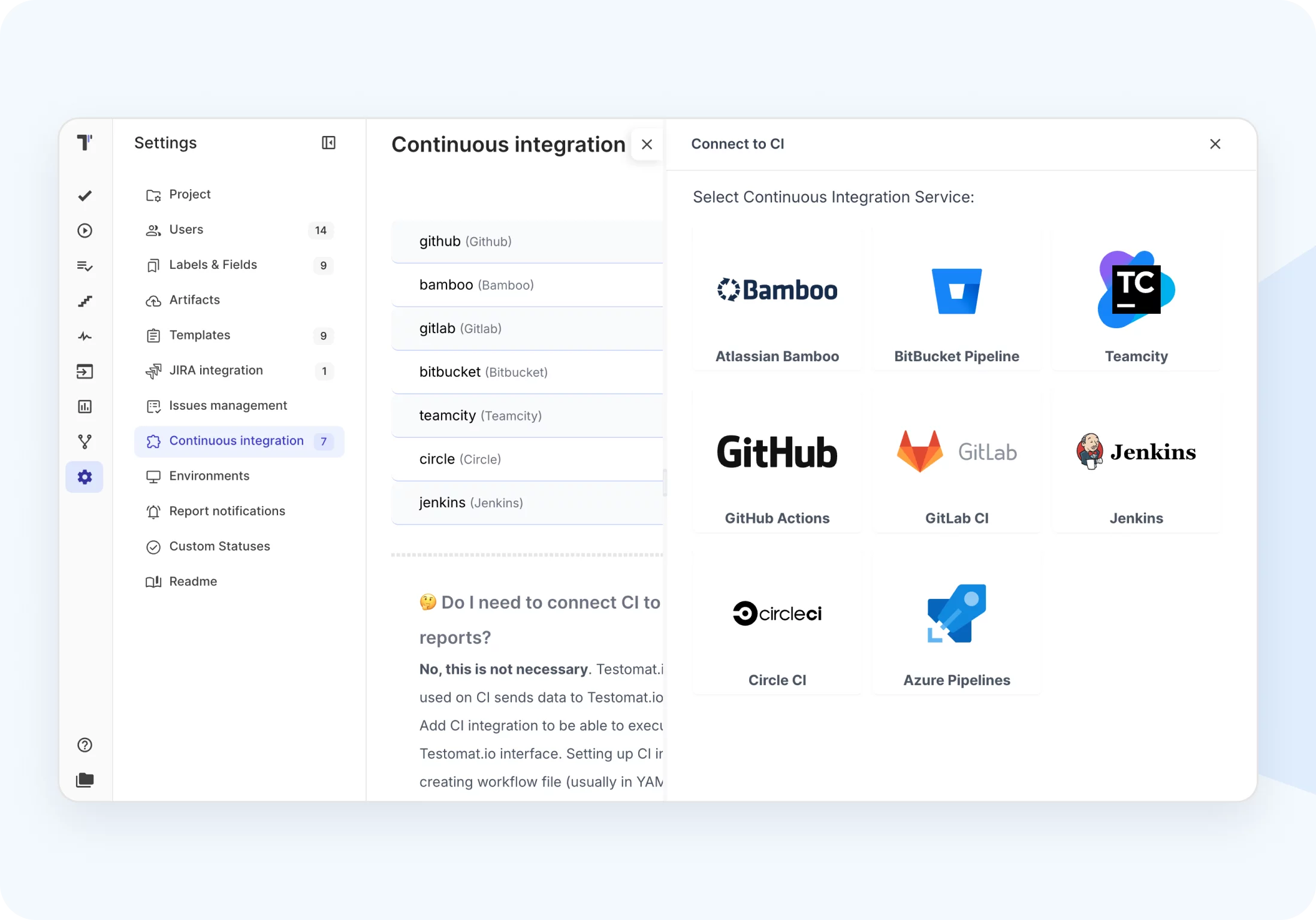
- For automation integration: Connect with Playwright, Cypress, Selenium, WebdriverIO, and other automation tools. When automated tests run in CI/CD pipelines, results sync automatically. Track both manual test and automated test coverage in one place.
- For collaboration: Link test cases to Jira issues automatically. Comment on tests when questions arise. Assign test runs to team members. Get notifications when tests need attention.
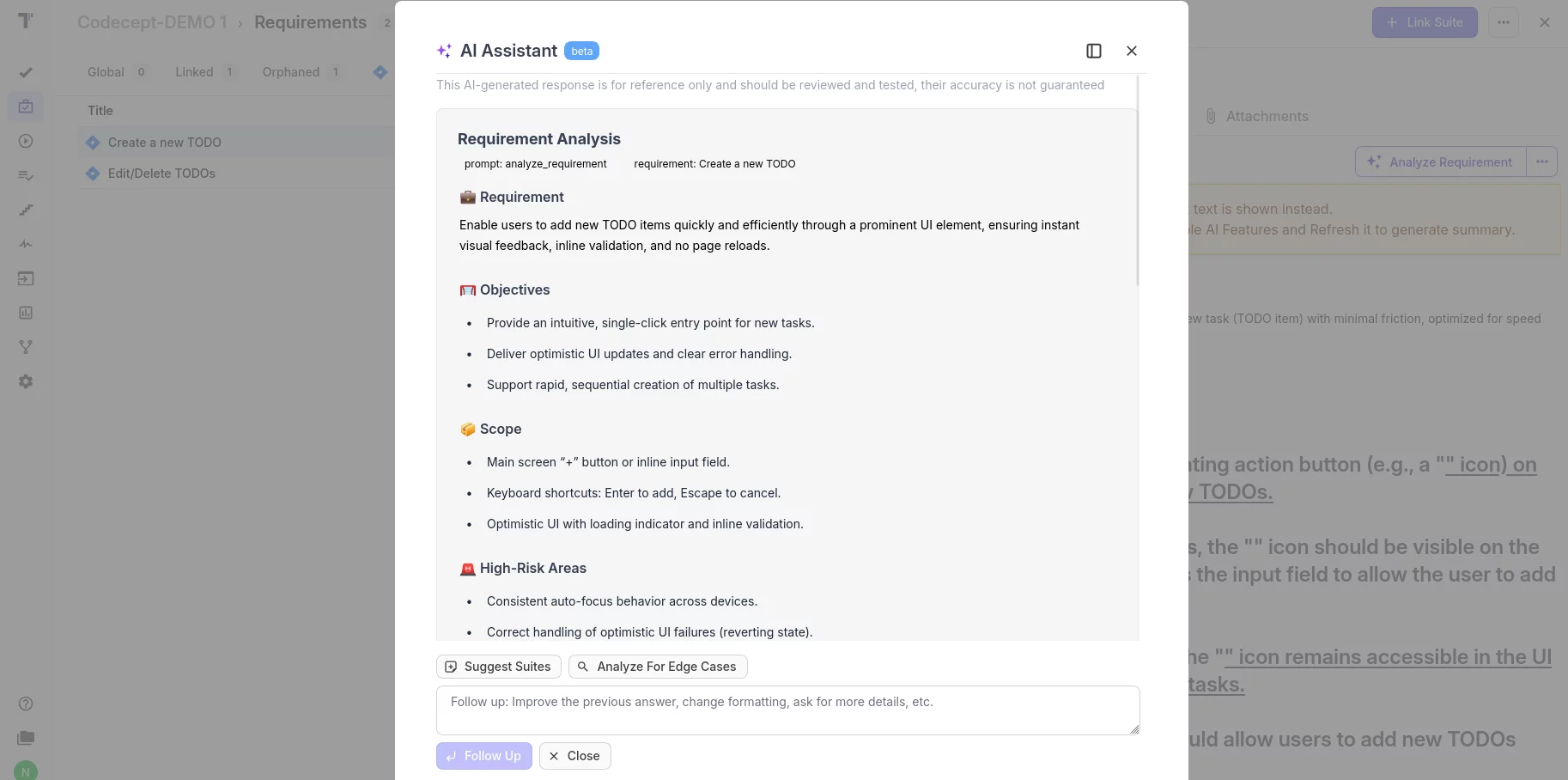
- For AI-assisted testing: Generate test cases from requirements or user stories. The AI suggests test scenarios based on the feature description, then creates detailed test cases with steps and expected outcomes. This speeds up test design significantly.
- For reporting: Generate comprehensive test coverage reports. See which requirements have tests and which don’t. Track test metrics over time. Export data for stakeholder meetings.
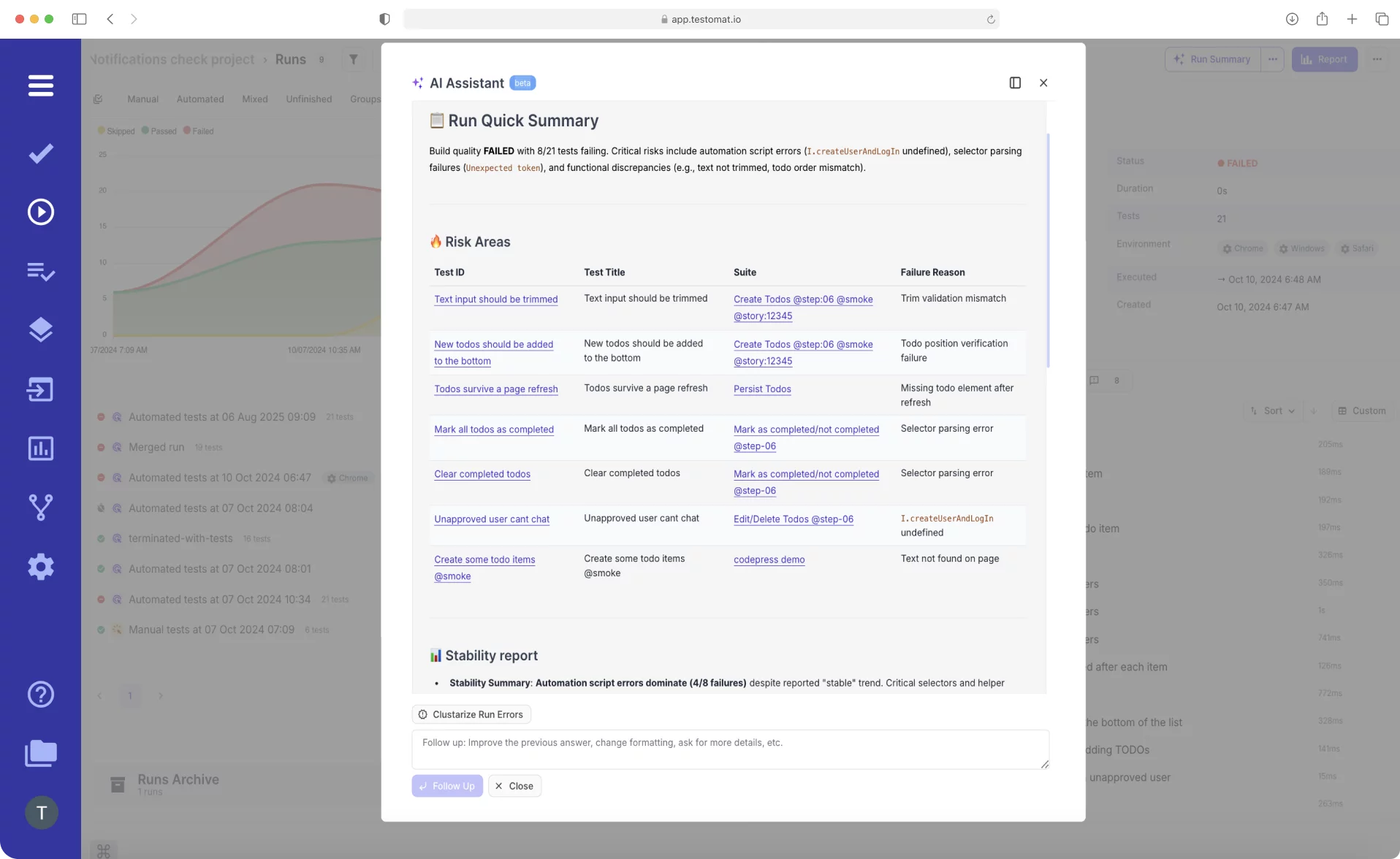
The platform works for teams of five or fifty. Pricing scales reasonably. Setup takes hours, not weeks.
Making test management work in practice
Teams trying to implement all test management best practices simultaneously usually fail. Too much change at once.
Better path:
- Get test cases out of spreadsheets and into a proper test management tool
- Start tracking test execution status for one project or release
- Link test cases to requirements for visibility
- Begin converting stable manual tests to automated tests
- Integrate automation with the test management system
- Expand to comprehensive test coverage across all projects
Each step provides value. Each builds on the previous one.
Get team buy-in
Test management only works if the test team actually uses the system. If testers keep their own notes instead of updating test cases, if they skip logging results, if they work around the tool instead of with it, the system fails.
Buy-in requires:
- Including testers in tool selection
- Training everyone properly (not just a quick demo)
- Making the tool easier than current processes (not just “better”)
- Showing how it helps testers personally (not just management)
- Starting with volunteers, not mandates
People adopt tools that make their work easier. If the test management platform feels like extra work, adoption will be a constant battle.
Maintain test cases or they become worthless
Test cases decay. Features change, but test cases don’t get updated. Test data that worked last month is now invalid. Steps that were clear six months ago now make no sense.
Assign test case maintenance as a real task:
- Review test cases when features change
- Update test scenarios quarterly even without changes
- Delete test cases that no longer apply
- Refresh test data regularly
- Clarify steps that cause confusion
This maintenance takes time. Budget for it. Unmaintained test cases waste more time than having no test cases at all.
Connect testing to the software development lifecycle
Test management works best when integrated into how software gets built, not bolted on at the end.
- During planning: Create test cases from acceptance criteria. Identify areas needing test coverage before development starts.
- During development: Developers reference test cases to understand expected behavior. They run relevant automated tests locally before pushing code.
- During code review: Check that new code has corresponding test cases. Verify that test automation runs successfully in CI.
- During deployment: Use test results as a gate. If critical test scenarios fail, don’t deploy.
- After release: Review which test cases caught issues and which missed bugs that reached production. Improve the test process based on this data.
This continuous testing approach requires tight integration between development tools and the test management system. That’s why tools like Jira integration matters, it connects requirements, code, and tests in one flow.
Common test management mistakes to avoid
Writing test cases randomly as they occur to someone produces gaps in test coverage and duplicated effort. Define the test strategy first: what types of testing are needed, which areas have highest risk, how test execution will happen.
- Mistake 1: Focusing only on happy paths Most test suites cover normal usage well. They miss edge cases, error conditions, and unusual inputs. These gaps let bugs through. Deliberately design test cases for negative scenarios and boundary conditions.
- Mistake 2: Ignoring test environment issues Tests that pass in the test environment but fail in production waste everyone’s time. The test environment should mirror production as closely as possible: same database versions, same configurations, realistic data volumes.
- Mistake 3: Automating without strategy Teams automate tests because “automation is good,” without considering which tests to automate or how to maintain automated tests. Result: brittle automated test suites that break constantly and lose team trust. Automate strategically, starting with stable test cases that run frequently.
- Mistake 4: Treating test management as a one-time setup Implementing a test management tool and declaring victory doesn’t work. The test management process needs ongoing attention: updating test cases, reviewing test metrics, training new team members, adapting to project changes.
The future of test management
Test management in 2026 looks different than five years ago. Several trends continue accelerating:
- AI assistance grows more capable. Tools now generate basic test cases from requirements. Next: AI that suggests which test scenarios to run based on code changes, identifies patterns in test failures, and recommends test coverage improvements.
- Shift-left testing continues. Testing moves earlier in the software development lifecycle. Developers write test cases alongside code. Test automation runs on every commit. Test coverage becomes a code quality metric.
- Continuous testing becomes standard. Tests run automatically throughout development, not just before release. Test results feed back immediately. This requires test management platforms that integrate tightly with CI/CD and provide fast feedback.
- Test data management improves. Current test data practices create bottlenecks and security risks. Better tools manage test data centrally, generate synthetic data when needed, and mask sensitive information automatically.
- Low-code test automation expands. Creating automated tests requires less programming skill. Record-and-playback tools improve. Natural language test definitions convert to executable tests. This democratizes test automation beyond dedicated automation engineers.
These changes make effective test management more accessible. Tools that seemed complex five years ago now have simpler interfaces. Practices that required large teams now work for small teams. The barrier to good test management continues dropping.
Getting Started with Better Test Management
Teams wanting to improve test management don’t need to overhaul everything simultaneously. Pick one area and make it better:
- If test cases are scattered: Consolidate them into a management tool. Start with one project or critical feature. Get comfortable with the tool before expanding.
- If test execution is chaotic: Define a simple test plan. What tests run when? Who runs them? How are results recorded? Implement this for the next release.
- If test coverage is unknown: Map test cases to requirements. Start with the most important features. This reveals gaps and guides test design efforts.
- If automation is inconsistent: Connect automated tests to the test management system. Even if tests aren’t changing yet, seeing automation results alongside manual tests provides better visibility.
- If stakeholders lack visibility: Set up automatic test reports. Weekly test progress updates. Real-time dashboards. Give people the information they keep asking for without making them ask.
Each improvement builds momentum. Small wins demonstrate value. The team gains confidence. Then tackle the next area.
Test management best practices exist because they solve real problems. Test management tools exist to make those practices realistic. The combination, good practices implemented through appropriate tools, transforms how teams deliver high-quality software.