




Test case versioning
Trusted by over 500 forward-thinking companies


Benefits of test case versioning


Testomat.io test case versioning features
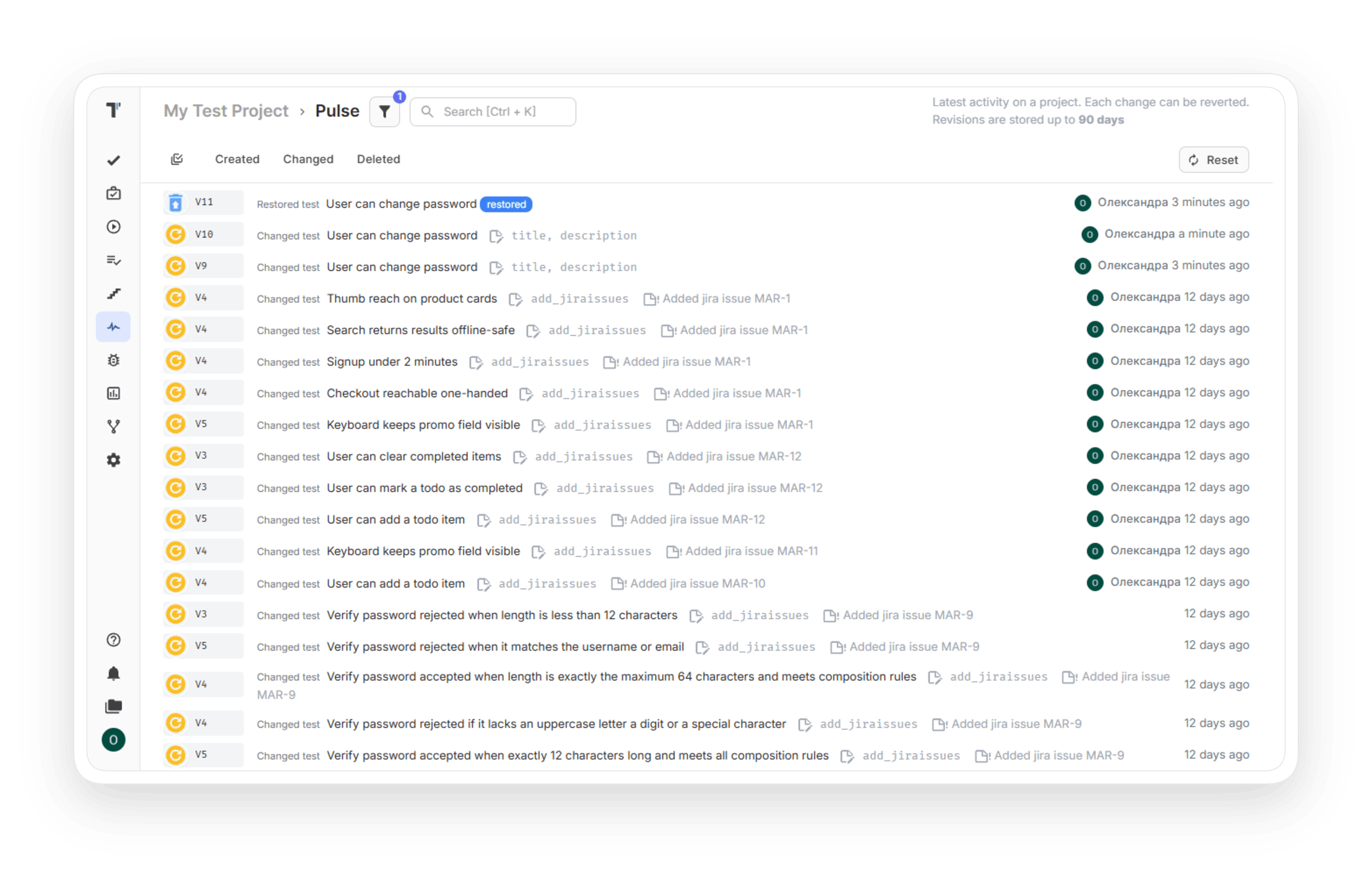
Pulse records create, change, and delete actions for tests, suites, plans, and runs. Each entry shows the time, the item type, and the team member. You answer who changed a test and when from a single page.

Pulse opens a diff for every changed item and covers title, description, attachment, priority, and state updates. You compare the earlier and the later version side by side. A review of a disputed test starts with the diff.

Each recorded event supports rollback, including a bulk edit applied to a suite. You return a test to its earlier version with a single click. A wrong bulk edit gets a fix in a single action.

Deleted tests and suites stay in the Trash Bin for a limited period. You restore them from the extra menu on the Tests page, and the test returns to its place in the tree. Multi-Selection Mode restores many items together.

Branches let you edit tests in a separate copy and compare Test Changes, Suite Changes, and Structure with Main. You merge the branch when the release is ready, and Revert Merge undoes it. Two product versions keep separate test sets in a single project.

You export manual tests as Markdown files into your Git repository and import changes with the CLI. A developer edits a test in a pull request, and the import brings the change to Testomat.io. Test cases get the same review process as code.

How can test case versioning help?


Recent reviews





Frequently asked questions
What is test case versioning?


How does version control for test cases work in a test management tool?
How to view test case history?
Can I restore a deleted test case?
What are test case versioning and approval workflows?
