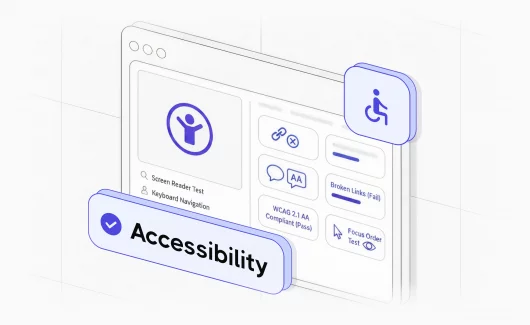
When your team runs an accessibility scanner before every release, it catches the missing alt text and the low-contrast buttons. That’s the basic check. A mature approach goes deeper: it shows which WCAG criteria you cover and which failures repeat across releases. And once you move to continuous deployment,a single pre-launch audit can’t keep up. Below, we break down what those scans check and the best practices that turn results into coverage you can defend.
What is accessibility testing?
Accessibility testing is the process of checking whether a website or app works for people with disabilities, a core part of digital accessibility. Visual and motor impairments are the most-tested categories. Hearing and cognitive disabilities are equally in scope. The reference standard is the Web Content Accessibility Guidelines (WCAG). Most teams run it three ways, and each one catches what the others miss.
- Automated accessibility testing. Automated tools scan rendered pages or source code against WCAG rules and flag the clear pass/fail issues like missing alt text and low color contrast. Fast and repeatable. Easy to run on every build.
- Manual accessibility testing. A human checks the things automated tools cannot detect. They navigate with a keyboard and a screen reader and judge whether the page makes sense.
- User testing. Real-user testing puts the product in front of people with disabilities, who report where it breaks down. This is the only method that tells you how accessible your site is, rather than whether it passes rules.
Why accessibility testing matters in 2026
The importance of accessibility testing comes down to these plain points:
- Tests are your legal record. Federal ADA Title III lawsuits hit 3,117 filings in 2025, a 27% jump over 2024 according to the UsableNet 2025 year-end report. A test history showing which criteria you verify, on which build, is the defensible answer when a demand letter cites accessibility failures.
- VPATs come from test results. Federal contracts have required Section 508 conformance for two decades. State agencies and Fortune 500 buyers now ask for a published VPAT before a vendor can bid. The form is a testing artifact.
- Defects go live without tests. The WebAIM Million 2026 report found WCAG failures on roughly 95% of the top one million home pages, averaging 56 errors per page. Most are the kind an automated scan catches in seconds.
- Testing is how you prove coverage. The CDC reports more than 1 in 4 US adults, around 70 million people, live with a disability. Without tests tied to WCAG criteria, you can’t show which of them your product works for.
- Accessibility tests catch SEO bugs. Missing alt text and weak heading structure hurt screen readers and search crawlers equally. The W3C business case catalogs the overlap. The accessibility check in CI doubles as an SEO regression check.
- AI search reads pages the same way. Google AI Overviews and Perplexity parse the same markup assistive tech does. Tests for one are tests for the other. Testing matches deployment frequency. A site that deploys ten times a day cannot plan a pre-launch audit. Tests have to run with every build.
These pressures share one answer: tests tied to specific WCAG criteria, run often enough to keep up with how you deploy. So the first question is which criteria you are testing against, and which of them a tool can check for you.
The WCAG framework: principles and what you can automate
WCAG, maintained by the World Wide Web Consortium (W3C), is the reference every regulator points to. The current version, WCAG 2.2, published by the World Wide Web Consortium (W3C) in October 2023, defines 86 active success criteria across three conformance levels (A, AA, AAA).
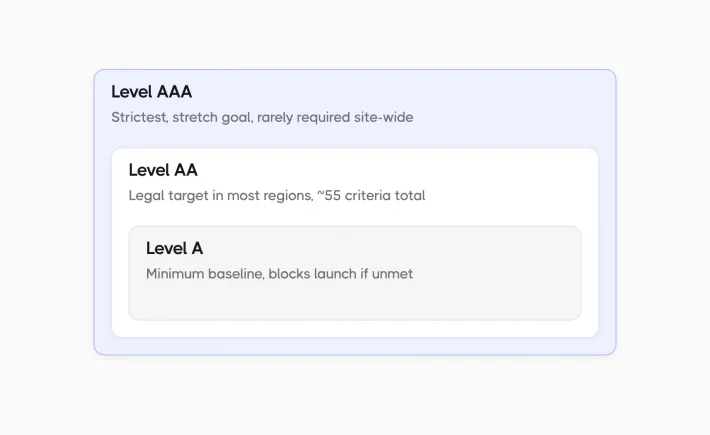
- Level A. The minimum baseline that catches the failures a site can’t launch with, like missing keyboard access or text alternatives.
- Level AA. The level almost every law and policy targets, covering the barriers that affect the most users, with color contrast and visible focus the headline ones. Meeting AA means meeting all of A and AA, roughly 55 criteria in total.
- Level AAA. The strictest level, useful as a stretch goal but rarely required across an entire site.
The criteria sit on four principles, known by the acronym POUR:
| Principle | What it requires | Concrete example |
| Perceivable | Information must be presentable in ways users can perceive | Alt text on images, captions on video |
| Operable | Interface components and navigation must work through any input method | Full keyboard navigation, extendable timeouts |
| Understandable | Content and behavior must be clear and predictable | Consistent navigation, simple form instructions |
| Robust | Content must work reliably with assistive technology | Semantic HTML, exposed name/role/value |
A tool can check some of these principles. Perceivable and Robust rely on clear rules like contrast ratios and clean markup, so a scanner can verify them on its own. Operable and Understandable need a person, because no scanner can tell whether the focus order makes sense or the instructions are clear. That is why automated testing covers part of WCAG and manual testing handles the rest.
What Are The Common Accessibility Issues and WCAG Success Criteria To Test?
The POUR principles get concrete in individual success criteria. Each one carries a number and a conformance level. These are the ones QA teams hit most often, and they account for a large share of the failures in the WebAIM data. Knowing the criterion number also makes coverage easier to trace later, when an audit asks how you verify a specific rule.
| Success criterion | Level | What to test for |
| 1.1.1 Non-text content | A | Every image that carries meaning has a text alternative describing its content and function for screen reader users. |
| 2.1.1 Keyboard | A | All functionality works from the keyboard alone, with no reliance on specific keystroke timing. |
| 1.4.3 Contrast (minimum) | AA | Normal text meets a 4.5:1 contrast ratio against its background, and 3:1 for large text. |
| 3.3.2 Labels or instructions | A | Any field that needs user input has a clear label or instruction that tells the user what’s expected. |
| 2.4.7 Focus visible | AA | The keyboard focus indicator stays visible, so keyboard-only users can see where they are on the page. |
| 2.4.6 Headings and labels | AA | Headings and labels describe their topic or purpose, so screen reader users can navigate by structure. |
Each WCAG success criterion has a number and a conformance level, and the six above are the ones QA teams fail most often in the WebAIM data. Knowing the criterion number matters because it lets you trace later which test proves which rule when an audit asks.
What Are Accessibility Testing Best Practices?
Accessibility testing best practices are the steps that help turn scattered scan results into a tracked program you can defend to an auditor. The aim is to keep results across releases instead of clearing one scan and moving on. This matters because automated scans only reach part of the standard. Many WCAG criteria depend on human judgment, so a real program has to track manual checks alongside automated ones run after run. Here is what that looks like in practice:
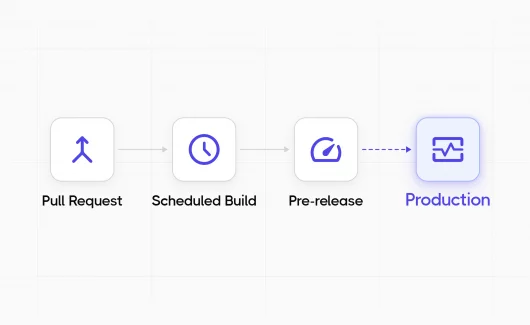
- Collect results on every commit from pull request to release.
- Filter flaky checks so real failures stay visible.
- Cluster failures by root cause instead of triaging a flat list.
- Track coverage against a WCAG target as a number that moves.
- Map each test to the criterion it proves.
- Keep the run history long enough to cover an audit.
Each practice answers a different question, from what you ran to what it proves. The next section walks through how Testomat.io handles all six in one place.
How To Run Accessibility Testing Program With Testomat.io AI test management
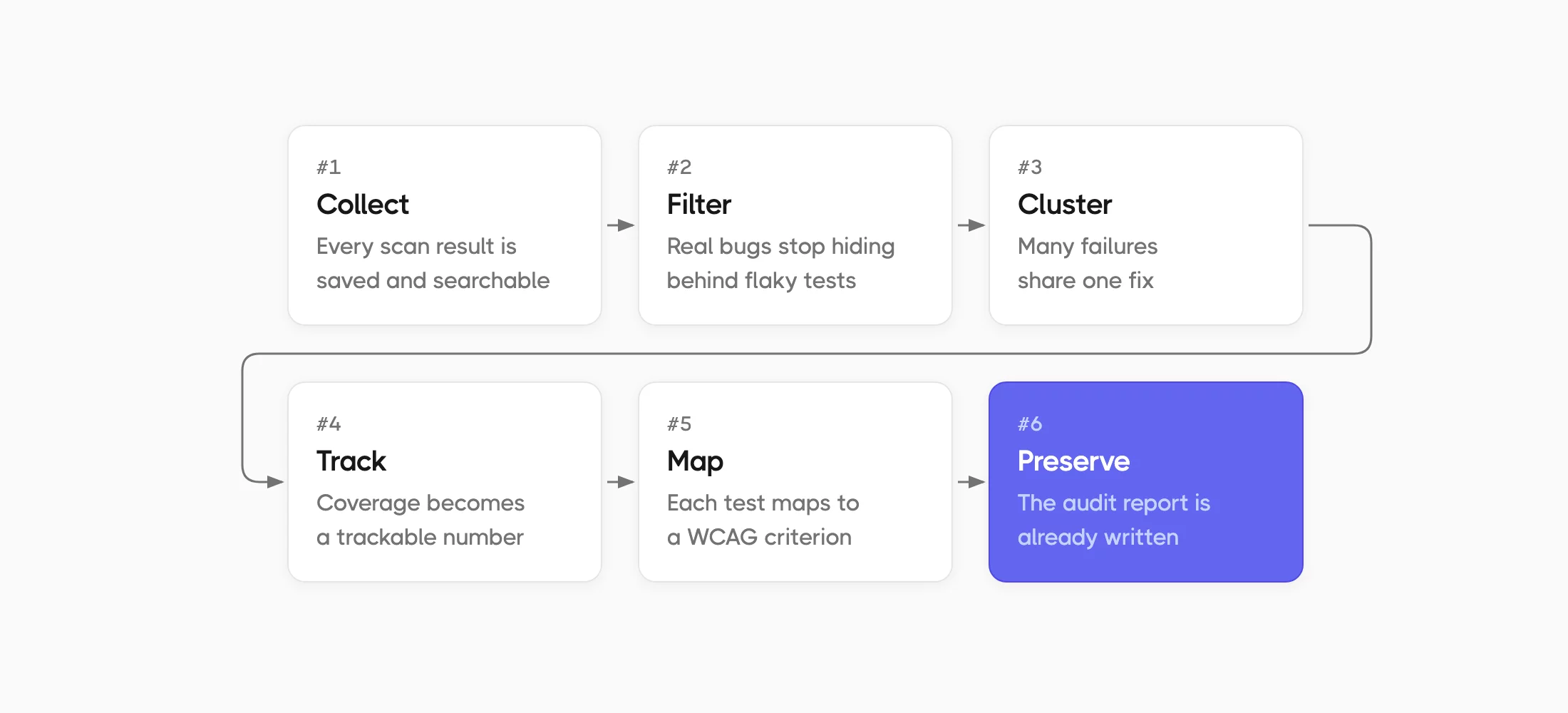
Adding accessibility to continuous testing in your pipeline is the easy part. The hard part is what happens next, and that is what Testomat.io handles. Here is how it helps teams:
#1: Collect results on every commit
Adding an accessibility scanner into CI is the easy part. The results disappear unless something collects them. Testomat.io runs manual and automated checks together in one run, without re-tooling your CI config, so the human checks don’t fall off the schedule the automated ones keep. This works the same in a pull request or a release build, so shifting accessibility left just means the early results land in the same tracked history.
#2: Filter out flaky tests
Accessibility checks go flaky like any UI test when a widget loads late or a third-party embed shifts the DOM. Left alone, the suite gets dismissed as noise within a few sprints.
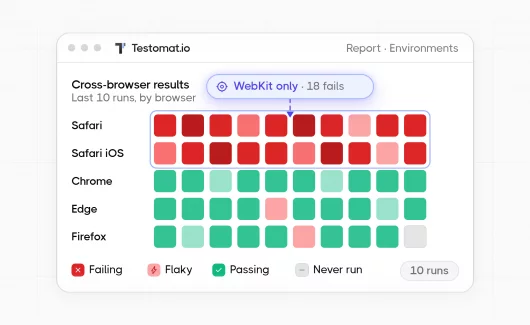
The damage is cultural before it’s technical. The first time a developer sees a contrast failure that passes on re-run, they learn to distrust the suite. After that, real regressions get waved through alongside the flaky ones. Flaky test analytics use run history to score how often a test flips between pass and fail. You quarantine the unstable ones and trust the rest. A broken contrast rule stops hiding under a flaky widget.
#3: Cluster by root cause
Forty failures as a flat list tell you almost nothing. Once clustered, they tell you a lot. One design-token change can break contrast on every button in the app at once. As a flat list, that reads as forty failures across forty pages. As a cluster, it reads as one fix. AI failure clusterization groups failures by rule and shared cause. Triage starts from the cause. You correct the token and forty reds clear in a single commit.
#4: Track coverage as a metric
While a scan only tells you what’s happening now, a program tells you whether you’re improving. Pick a WCAG target, usually Level AA. Run automated plus manual checks against it. Measure what share is verified. Test automation coverage you can chart turns your accessibility coverage into a number that moves release over release, showing how well you meet accessibility standards. For QAs, that number is the whole point. Asserting you test for accessibility is one thing. Showing the pattern that proves it is another.
#5: Map each test to a WCAG criterion
Auditors want to know which test proves which success criterion. That is why you need to tag each accessibility test with the criterion it covers, like 1.4.3 for contrast or 2.1.1 for keyboard access. Then trace each test back to the requirement. Coverage now reads per criterion. Requirements traceability keeps that link explicit. When an audit asks how you verify a specific rule, you point to the test. Its full run history is right there, no reconstructing from memory.
#6: Preserve run history for audits
The trend is only as long as the history behind it. A program needs both. Run history means the line reaches back as far as you need, across quarters rather than the last handful of runs. When compliance season arrives, the reports export cleanly into the evidence file. The accessibility audit stops being last-minute work. Your accessibility documentation becomes a report you already have.
Bottom Line
Turning these accessibility testing workflows into an accessibility testing program takes the six practices we just covered. The pattern matches what you already do in mature QA pipelines: keep the results, filter the noise, cluster the failures. Then map each test to its criterion and track coverage over time. Do that, and accessibility becomes a reliable metric. If you are ready to track your real accessibility coverage today, try Testomat.io.