You need API security testing tools because functional tests check valid requests, while attackers send the requests your API should reject. ZAP, Burp Suite, 42Crunch, Schemathesis, Postman and Explorbot test these requests in different ways. According to Gartner, an average API breach leaks at least 10 times more data than an average security breach. You can lower this risk when you test your API before release and match each tool with the kind of flaw it finds.
What Are API Security Testing Tools?
An API security testing tool is software that sends crafted requests to an API or analyzes its specification to find security vulnerabilities, such as broken authorization and injection attacks, before release. The OWASP community directory of API security tools lists more than 80 products and marks each with the capabilities it has:
- Testing: the tool sends requests to an API and reports vulnerabilities. This capability matters most for a QA team.
- Posture: the tool builds an inventory of APIs, a task also called API discovery.
- Runtime protection: the tool blocks malicious requests in production.
Functional API tests check that an endpoint returns the right data for a valid request, as our guide on what API testing covers explains. API security tests check what the endpoint returns for a request it should reject. Typical API vulnerabilities, such as SQL injection or broken authorization, expose sensitive data through these requests and lead to data breaches. Each new API endpoint also adds to the attack surface of the application.
How Testing Differs From Runtime Protection
Many lists of the best API security tools mix gateways with scanners. A gateway such as Kong or Tyk applies rate limiting to API calls in production. A testing tool such as ZAP tells you, in a test environment, that an account endpoint returns data from another tenant. Gateways and testing tools solve different problems. This list covers testing tools, because a QA team can run them in the same CI job as the functional suite.
What Types of API Security Tests Are There?
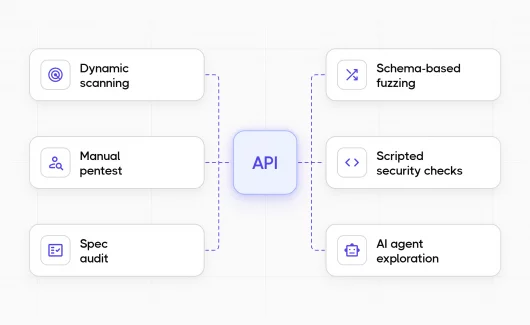
API security tests fall into six types, from dynamic scanning of a running API to an audit of its contract. If you wonder how to test API security in practice, you need a mix of at least two of these types. DAST in the table stands for dynamic application security testing.
| Test type | What it does | Tools in this list |
|---|---|---|
| Dynamic scanning (DAST) | Sends attack payloads to a running API and checks the responses | ZAP, Burp Suite |
| Manual pentest | A person tests business logic through a proxy | Burp Suite |
| Spec audit | Checks the OpenAPI contract for missing security controls | 42Crunch |
| Schema-based fuzzing | Generates unexpected inputs from the OpenAPI or GraphQL schema | Schemathesis |
| Scripted security checks | Runs the authorization and validation tests you write | Postman |
| AI agent exploration | An AI agent probes endpoints and chains API calls | Explorbot |
Which API Security Testing Tools Are Worth Using in 2026?
ZAP, Burp Suite, 42Crunch, Schemathesis, Postman and Explorbot are worth using in 2026. ZAP and Burp Suite scan, 42Crunch audits contracts, and Schemathesis fuzzes. Postman runs scripted checks, and Explorbot adds AI exploration. Among these API scanning tools, ZAP and Schemathesis are open source and free. Every tool in this list runs tests on an API, so gateways stay outside it. The data for each tool comes from its official site or documentation, checked in September and October 2026.
ZAP
ZAP is a free and open source dynamic scanner, maintained as an independent project by Checkmarx. You can use ZAP as an API scanner: it sends attack payloads, such as SQL injection and cross-site scripting strings, to every API endpoint it finds.
Pros
- Free and open source API security scanner.
- Imports OpenAPI, GraphQL and SOAP definitions, as well as Postman collections and HAR files.
- Runs in CI with the official ZAP API scan Docker script or the official ZAP GitHub Action.
- Returns exit code 1 on a failure, so the pipeline goes red.
Cons
- Reports come as HTML, JSON, XML, Markdown or SARIF. JUnit XML is missing, so you need a short conversion step before you import ZAP results into a test report.
Best Fit: teams that want a free scanner for REST and GraphQL with a low setup cost.
Burp Suite
Burp Suite by PortSwigger combines manual pentest tools with an automated scanner. Burp Suite Professional adds the scanner to the proxy and repeater, and Burp Suite DAST runs the same scanner on a schedule or from CI.
Pros
- Manual tools and a scanner in the same product.
- Reads OpenAPI, SOAP WSDL, Postman 2.1 collections and GraphQL with introspection.
- Burp Suite DAST connects to Jenkins, GitHub Actions, GitLab CI and Azure DevOps.
- Burp Suite DAST supports authentication with bearer tokens, API keys or OAuth 2.0 client credentials.
- CI-driven scans write JUnit XML by default, and findings go to Jira and GitHub Issues.
Cons
- The scanner is absent from the free Community edition.
- Commercial product. PortSwigger publishes the price per edition on its site.
Best Fit: teams with a pentester who wants manual and automated testing in the same tool.
42Crunch
42Crunch tests an API from its OpenAPI contract. API Security Audit runs static checks on the contract, and API Conformance Scan checks that the live API follows the contract.
Pros
- More than 300 static checks according to 42Crunch, mapped to the OWASP API Security Top 10, the standard list of API security risks.
- The conformance scan finds broken authorization and mass assignment on the live API.
- IDE plugin and a pipeline gate on a minimum audit score (75 by default).
- Freemium plan with audits from the IDE plugin.
Cons
- Needs an OpenAPI contract and covers REST APIs.
- Reports come as JSON, SARIF or PDF, so you need a conversion step for a JUnit XML import.
- Scans and team features belong to the paid plans.
Best Fit: contract-first teams that want to shift left, to test early in the development life cycle, and keep the OpenAPI file as the source of truth.
Schemathesis
Schemathesis generates property-based tests from an OpenAPI or GraphQL schema. It chains operations into workflows and checks each response for server errors and schema violations.
Pros
- Free under the MIT license.
- Supports OpenAPI 2.0 (Swagger) to 3.2 and GraphQL.
- Runs from the CLI, from pytest or with the official Schemathesis GitHub Action.
- Writes JUnit XML reports, which you can import into Testomat.io as they are.
Cons
- Needs an OpenAPI or GraphQL schema as input, because the tests come from the schema.
Best Fit: teams with a maintained OpenAPI spec who want fuzzing on every pull request.
Postman
Postman is an API client for building and testing APIs. You can use Postman for REST API security testing in two ways: you write the checks as collection scripts, or you give the collection to a scanner as input.
Pros
- A collection with two user tokens works as a repeatable test for broken object level authorization (BOLA): the second user requests an order of the first user, and the test asserts a 403 response.
- Newman runs collections in CI and writes JUnit XML with its built-in JUnit reporter. Our guide on Postman and Newman reports covers Newman runs and reporting to Testomat.io.
- Burp Suite reads Postman 2.1 collections, and ZAP imports collections too.
- Free plan for individuals, with paid plans for teams.
Cons
- Postman finds the flaws you wrote a test for, so you need ZAP or Burp Suite for the unexpected flaws.
- Governance rules for OpenAPI 2.0, 3.0 and 3.1 specifications require the Enterprise plan, according to the Postman documentation.
Best Fit: QA teams that already keep their API tests in Postman collections.
Explorbot
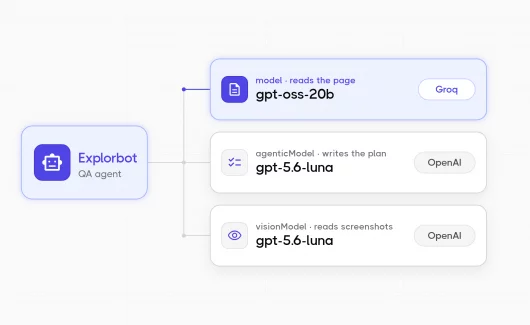
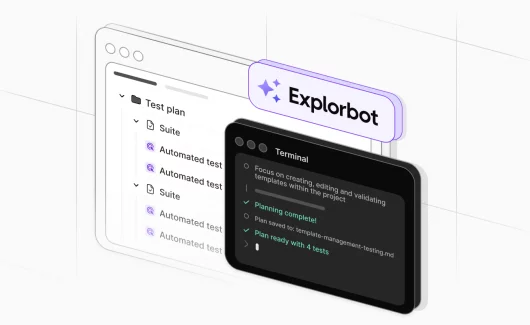
Explorbot is an AI testing agent from the Testomat.io team, and ApiBot is its API mode. ApiBot probes endpoints for security breaches and sends edge cases and bad inputs. It also chains API call combinations that a scripted suite skips.
Pros
- Explores an API from an OpenAPI spec, or from endpoints learned from intercepted XHR requests.
- Starts from the Explorbot CLI and runs in a CI pipeline, and everything stays local.
- Writes standalone HTML and Markdown reports and shows results in the Testomat.io dashboard.
- Elastic License 2.0, free for commercial use. You pay for the AI tokens you use.
Cons
- The Explorbot page describes the ApiBot checks in general terms, so you need a trial run on your API to see which flaws it finds.
Best Fit: teams that want an AI agent to try request combinations a scripted suite skips.
API Security Testing Tools Compared
The comparison table lists every API vulnerability scanner and testing tool from this list with its input and its CI support. ZAP and Burp Suite are API security scanning tools for a running API, while 42Crunch and Schemathesis work from the OpenAPI file. The last column shows how the results reach Testomat.io.
| Tool | Test type | Input | API styles | License / plan | CI/CD | Results in Testomat.io |
|---|---|---|---|---|---|---|
| ZAP | DAST | OpenAPI, SOAP, GraphQL, Postman, HAR | REST, SOAP, GraphQL | Open source, free | Docker script, GitHub Action | Converter to JUnit XML needed |
| Burp Suite | DAST and manual pentest | OpenAPI, WSDL, Postman 2.1, GraphQL | REST, SOAP, GraphQL | Commercial, free Community edition | Burp Suite DAST: Jenkins, GitHub Actions, GitLab CI | JUnit XML from CI-driven scans |
| 42Crunch | Spec audit and conformance scan | OpenAPI | REST | Freemium and commercial | IDE plugin, CI score gate | Converter needed (JSON or SARIF reports) |
| Schemathesis | Schema-based fuzzing | OpenAPI 2.0 to 3.2, GraphQL | REST, GraphQL | MIT, free | CLI, pytest, GitHub Action | JUnit XML |
| Postman | Scripted security checks | Postman collection | REST, GraphQL | Free plan, paid plans | Newman CLI | JUnit XML from Newman |
| Explorbot | AI agent exploration | OpenAPI spec or intercepted XHR requests | REST | Elastic License 2.0, pay for AI tokens | CLI, runs in a CI pipeline | Testomat.io dashboard |
What Role Does Testomat.io Play in API Security Testing?
Testomat.io is the reporting layer for your API security tests. The tools from the list find the flaws, and Testomat.io shows the findings to the whole team, next to the functional API runs. A scan report that lives as a CI artifact gets read by the person who wrote the job. Your QA lead sees the functional API run in Testomat.io, while the security findings stay in the artifact. The five steps in this section move the findings into the same project.
#1: Run Security Checks in CI/CD
Automated API security testing works when each check in the CI/CD pipeline finishes inside the time developers accept for a pull request check. On a pull request, you can run the fast checks, such as scripted authorization tests and a contract audit. At night, you can run the long scans of the running API. This split keeps security testing automation fast enough for daily work and makes it a part of continuous testing, the same way our API testing strategy for CI/CD splits functional suites.
After each check, the pipeline needs an upload step that sends the report to Testomat.io. This step has to run after a failed check too, because you want the failed run in your test report. Testomat.io can also launch automated runs in CI through its CI/CD execution feature.
#2: Import Scan Results as JUnit XML
Testomat.io imports JUnit XML with a single command from the Testomat.io reporter package. The importer creates the tests in the Testomat.io project when they are new, so a security run appears with its cases on the first upload. Each failed check becomes a failed test with the message from the tool. The JUnit XML format support page lists the languages and options. Newman, Schemathesis and Burp Suite DAST write JUnit XML directly. For ZAP and 42Crunch, you need a short script that converts their XML, JSON or SARIF output into JUnit format first.
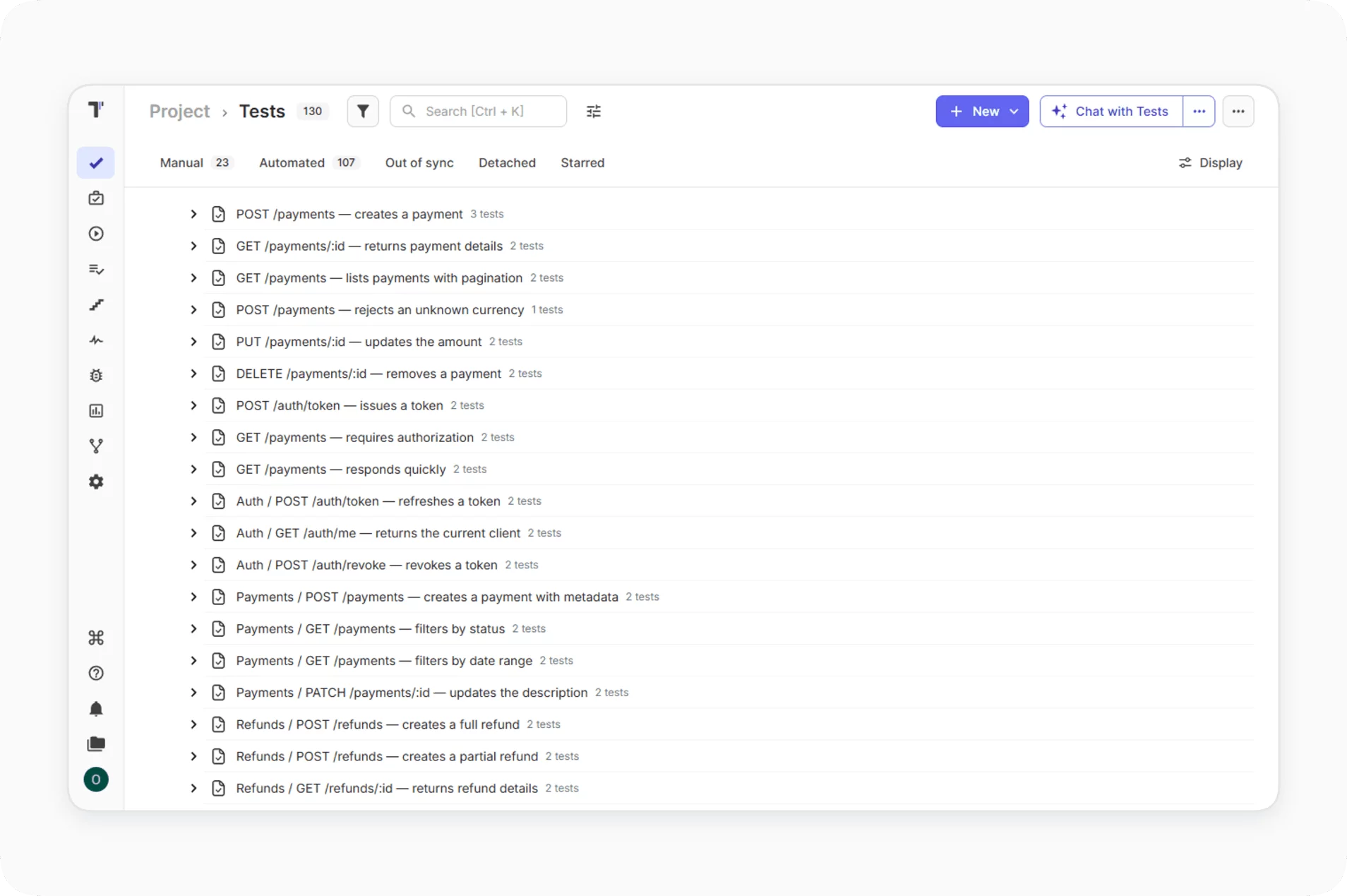
#3: Keep Security and Functional API Tests in the Same Project
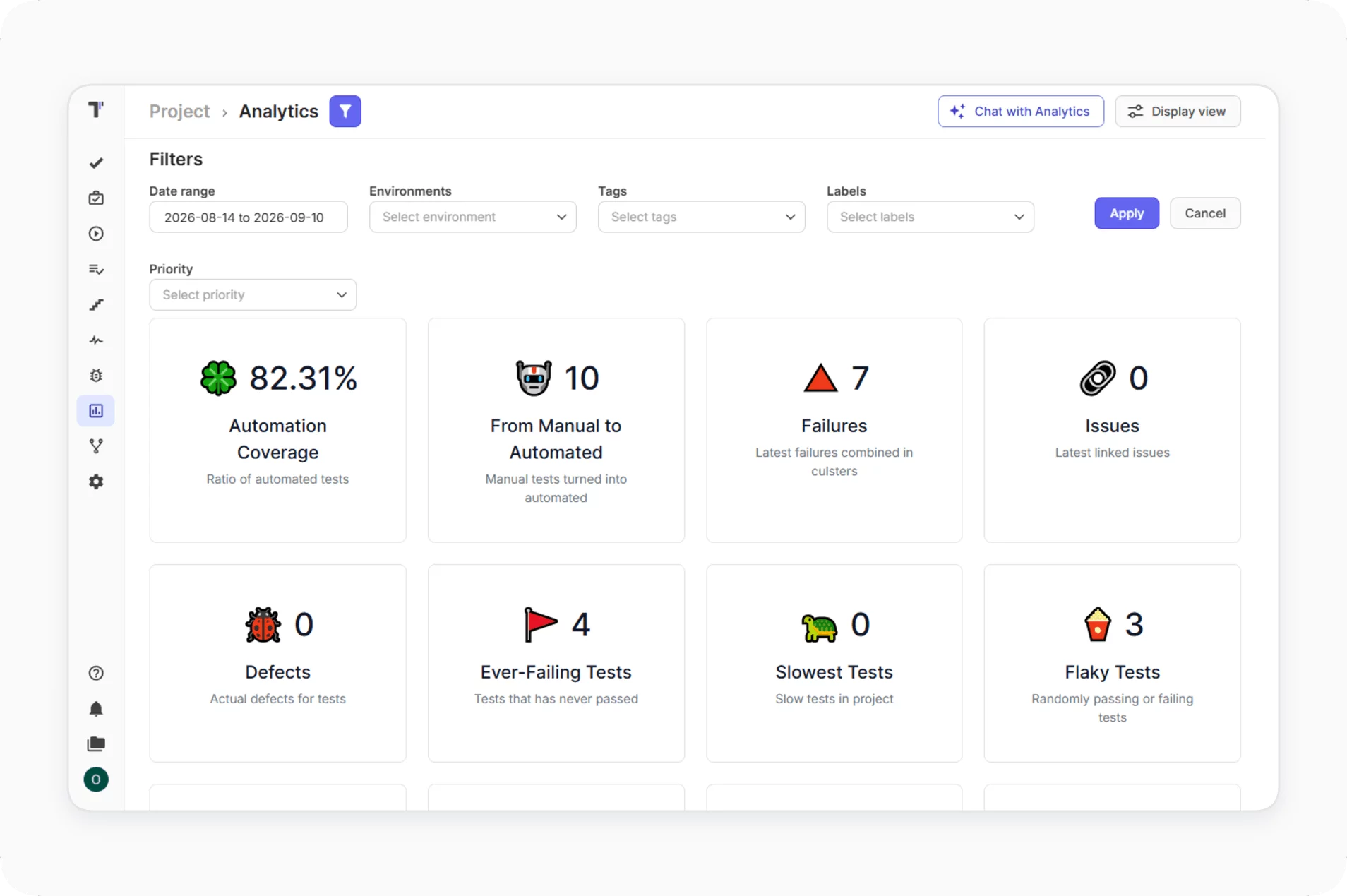
The imported security run sits in the same Testomat.io project as your functional API test management. Functional API results reach the project through the Testomat.io reporters, for example from Karate. Testomat.io also imports Postman collections as tests, as the import documentation describes, so a security collection can sit next to your functional collections. The test report analytics cover both kinds of runs. Your QA lead reads the security findings and the functional failures in the same place, with the same filters.
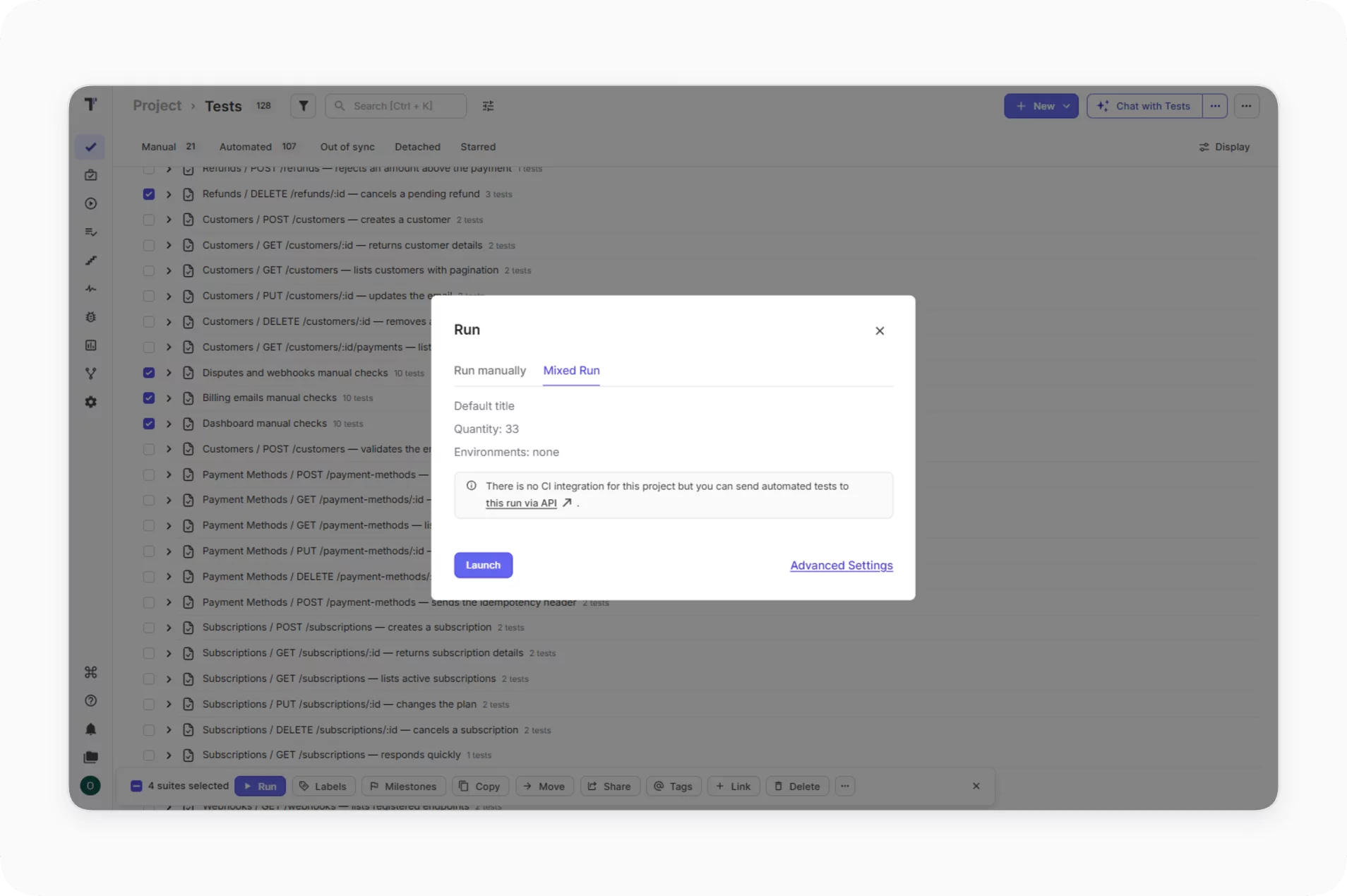
#4: Track Manual Pentest Checks in Mixed Runs
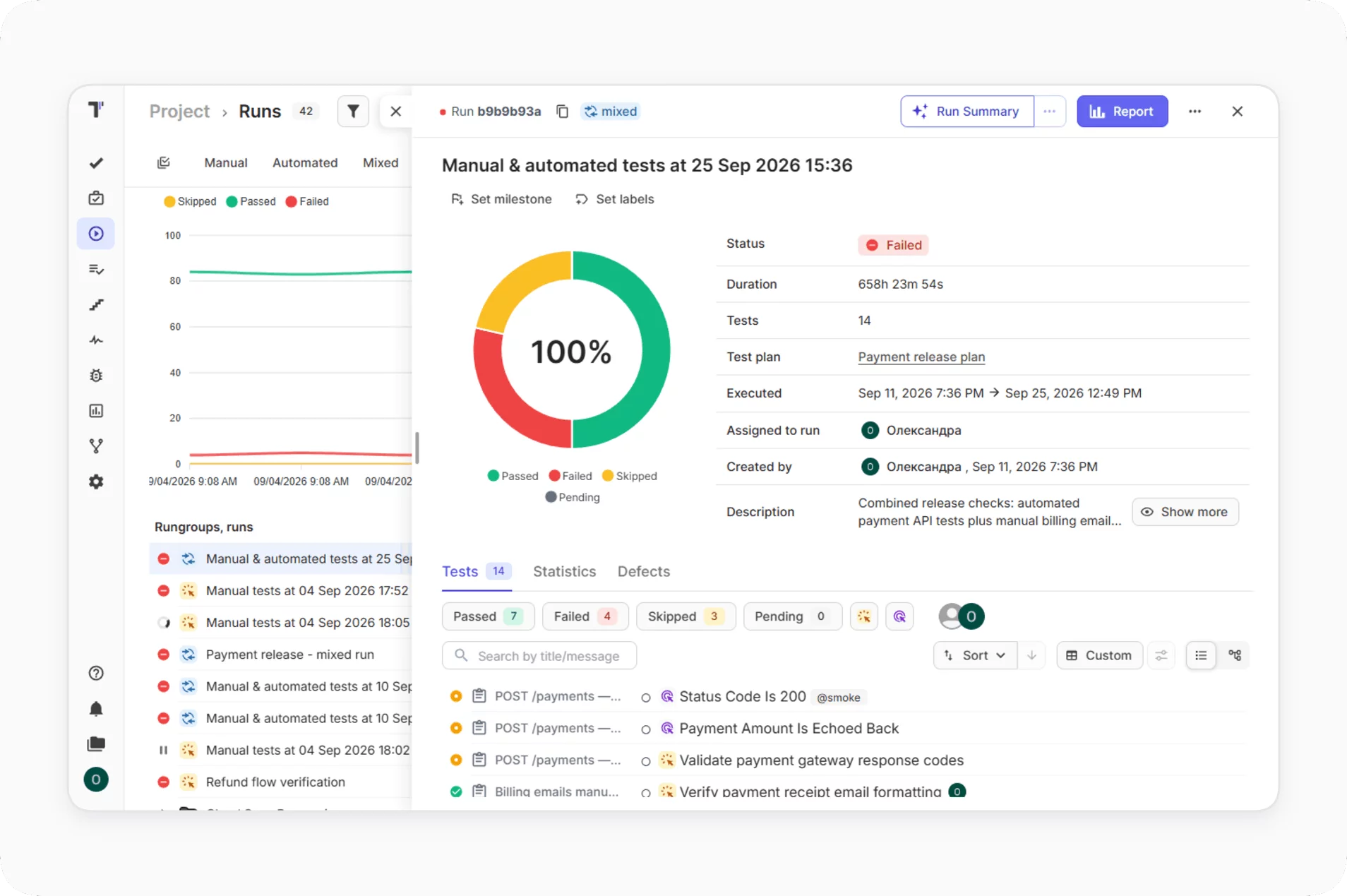
The checks that need a person, such as a Burp Suite session on a new payment flow, fit as manual test cases in the same Testomat.io project. A mixed run in Testomat.io combines manual results and automated results in the same report, with a filter to separate them. Mixed runs work even before you connect a CI system.
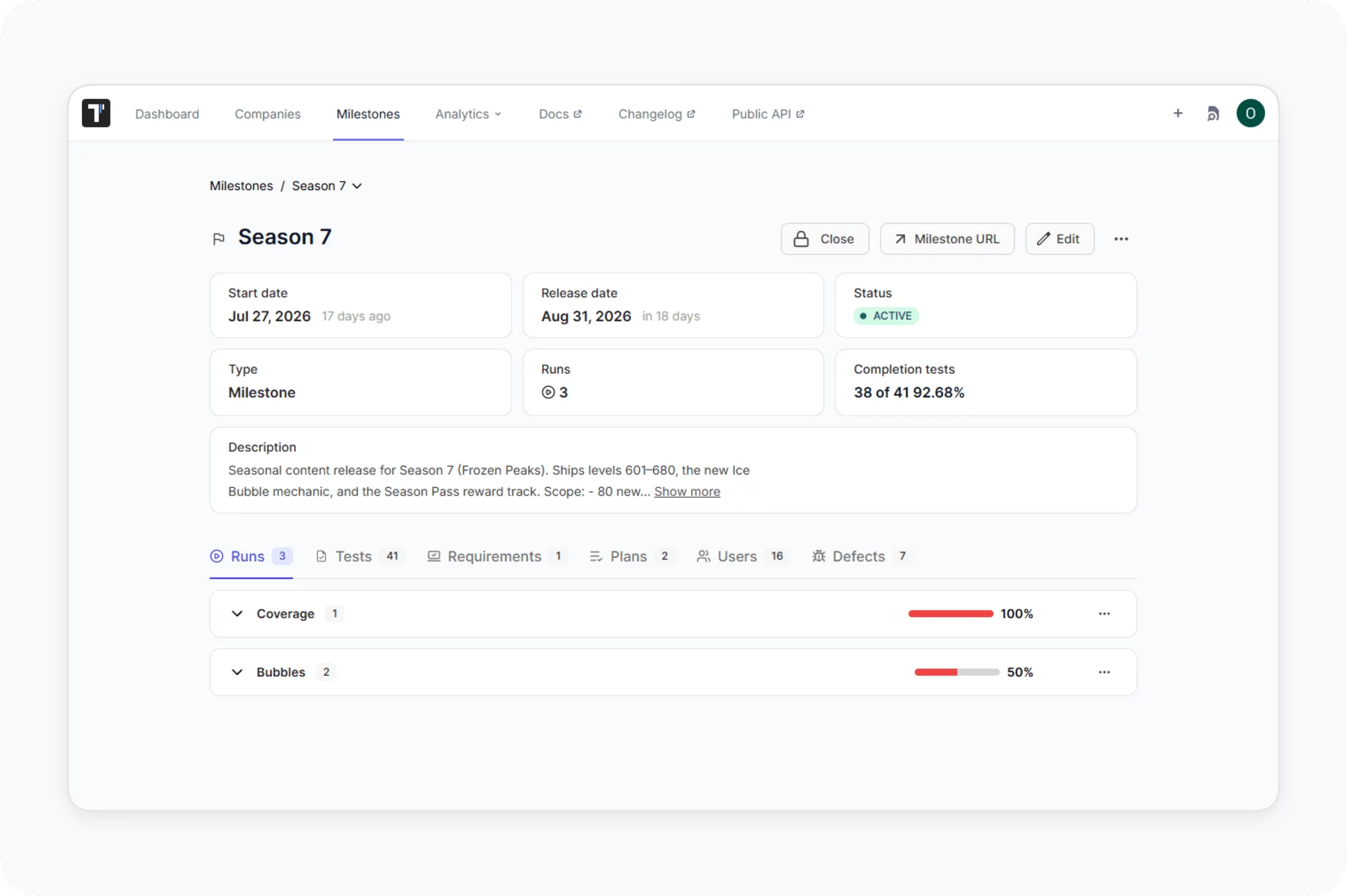
#5: See Release Readiness With Milestones
You can assign the functional runs and the security runs to a Testomat.io milestone of type Release. The milestone collects its runs, tests and defects, and its Defects tab shows the status and the severity of each open bug. The release manager then sees the automated checks and the manual checks with their results before the release decision. In practice, the milestone view is your API security assessment for the release.
Which API Security Testing Tool Should You Start With?
You can start for free with two checks: a nightly ZAP scan for known attacks, and authorization tests that you write in the tool you already use for API tests, for example Postman with Newman. If your team moved away from Postman, our guide to the best Postman alternatives lists API clients where you can write the same tests. You can choose the next tool by four criteria: test goal, input, CI/CD fit and budget.
Free API security testing tools cover the first steps: among open source API security testing tools, ZAP covers dynamic scanning and Schemathesis covers fuzzing. API security scanning finds known attacks, while API penetration testing tools, such as Burp Suite Professional, let a person test business logic and access control by hand. Scanners and API pentesting tools find different flaws, and our guide on continuous penetration testing explains how to schedule manual pen testing.
Other teams can choose by their main need:
- A team with a pentester adds Burp Suite Professional for the manual work.
- A contract-first team starts with 42Crunch.
- A team with a maintained OpenAPI spec adds Schemathesis on pull requests.
- A team that wants exploratory coverage adds Explorbot.
Bottom Line
API security testing tools work best in pairs: a scanner for unexpected flaws, and scripted or manual checks for access control. ZAP and Postman give you this pair for free. Burp Suite, 42Crunch, Schemathesis and Explorbot extend the coverage when you need more. Whichever API security testing tools you pick, the security issues they find need to appear next to your functional results, in the same report. Otherwise, the pipeline stays green while the scanner report stays unread. Try Testomat.io free and send your first scan report.