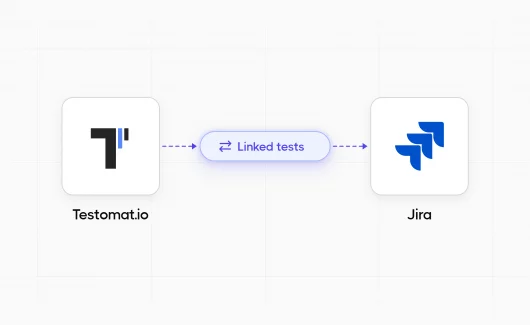
Your Jira instance holds the pulse of your project. User stories, bug reports and feature requests all live there. Test management is where most teams stall. Jira has no built-in test repository or test run model, so QA teams keep test cases in spreadsheets and copy results into Jira issues by hand. Using Jira for testing works much better once you connect a dedicated Jira testing tool. Some tools add testing features inside Jira. Others give QA a separate workspace that syncs with Jira. This guide compares both approaches and shows what to check before you choose. You will also see how Testomat.io works as a Jira tool for testing. Its Jira plugin brings test results and coverage into Jira issues, so your agile team keeps the workflow it already knows.
Can You Use Jira for Testing Without a Plugin?
Yes, but only for small projects. You can create a custom Test issue type and write test steps in the description. This approach fails as the project grows. Native Jira has no reusable test cases and no test runs. It can’t show which user stories have test coverage. It can’t import results from your automation framework or CI pipeline. Teams that rely on plain Jira issues end with hundreds of duplicate test tickets and no clear view of release readiness.
The Hidden Cost of Testing Without a Jira Testing Tool
Before diving into solutions, let’s name the real problem. Your current testing process may look like this. Test cases live in spreadsheets. Testers run them in a different tool and copy test results into Jira issues by hand. Nobody sees test progress until something fails. This split costs more than time. It costs quality. When testing lives apart from your development workflow, the team loses important context. Developers can’t see which tests cover their code changes, and QA engineers spend hours on manual reports instead of testing. A good software testing tool for Jira closes this gap. It works inside the workflow your team already uses.
Two Types of Jira Testing Tools
Jira testing tools fall into two broad groups. Neither is better by default. The right choice depends on where your QA team wants to work.
Jira-native test management apps
These apps store tests inside Jira. Xray, Zephyr and QMetry are common examples. Tests follow Jira permissions and workflows. Licensing usually follows your Jira user tier, so you pay for every Jira user, including people who never open a test.
Standalone platforms with Jira integration
These tools give QA a dedicated workspace and sync selected data with Jira. TestRail, Testmo and Testomat.io belong to this group. Your test repository stays independent from Jira. This helps if you use several issue trackers or need reports across many projects.
Testomat.io keeps QA work in its own workspace, while the Jira plugin shows linked tests and their run results on each Jira issue. Developers and product managers can stay in Jira.
What to Look for in a Software Testing Tool for Jira
Use the same criteria for every tool on your list:
- Jira integration depth. Check if the sync works both ways and if you can link tests, suites and plans to issues.
- Execution from Jira. Can testers run manual tests from an issue? Can the tool start automated tests in CI?
- Automation support. Confirm which frameworks and result formats the tool imports.
- Traceability and reporting. You should see coverage per user story and per sprint.
- BDD support. Check if business analysts can edit Gherkin feature files.
- Deployment. Integrations for Jira Cloud and Jira Server often work differently.
- Pricing model. Compare cost per tester with cost per Jira user at your real team size.
How to Install the Testomat.io Test Management Plugin for Jira
Many Jira test management plugins need long configuration. The Testomat.io connection takes a few steps:
- Install the Testomat.io app from the Atlassian Marketplace. For Jira Server, contact the Testomat.io team.
- Generate an API token for your account on the Atlassian platform. Jira Server uses your account password instead.
- In your Testomat.io project, open Settings → Jira Integration and click Add Jira project.
- Enter your email, the API token and your Jira URL.
- Click Save and wait for confirmation.
- Link a test to a Jira issue, then open the issue to confirm the two-way sync works.
What You Need Before You Start
Here is where many test management for Jira setups fail. The person configuring the Jira integration needs the right access on both sides:
- Administrator rights in your Jira workspace
- Project Manager or Owner role in the Testomat.io project
- A valid API token created through Atlassian’s official process
Don’t use workarounds for authentication. Most connection errors come from expired tokens or missing permissions.
Admin Account or Regular Account
You can connect Jira with an administrator account or a regular account. An admin connection lets the plugin install webhooks and save test data to Jira issues, so every Jira user sees linked tests. A regular account limits visibility. Only authorized Testomat.io users see tests and run results in Jira.
The plugin reads issues in connected projects and saves test data as issue properties. It doesn’t edit or delete your Jira issues.
Managing Multiple Jira Projects from One Test Workspace
Small agile teams may work with a single Jira project. Larger organizations need more flexibility. Testomat.io connects several Jira projects to one testing project. Repeat the connection steps for each Jira project you want to add.
This helps when products or teams use separate Jira projects. Your test repository stays in one place, while execution and reporting happen in the context of specific Jira issues.
Running Tests Directly in Jira
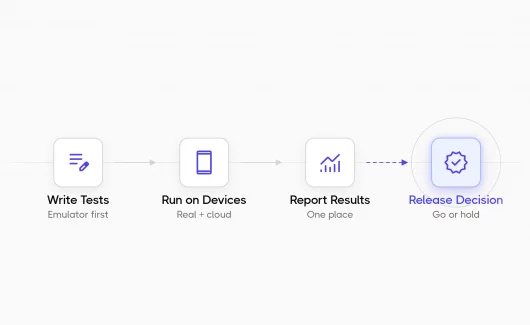
The main gain of Jira for testing comes when testers run tests without leaving Jira. Traditional test management means constant tool switching. Testers read requirements in Jira, then move to another tool to run tests and report results. This context switching costs time and causes errors.
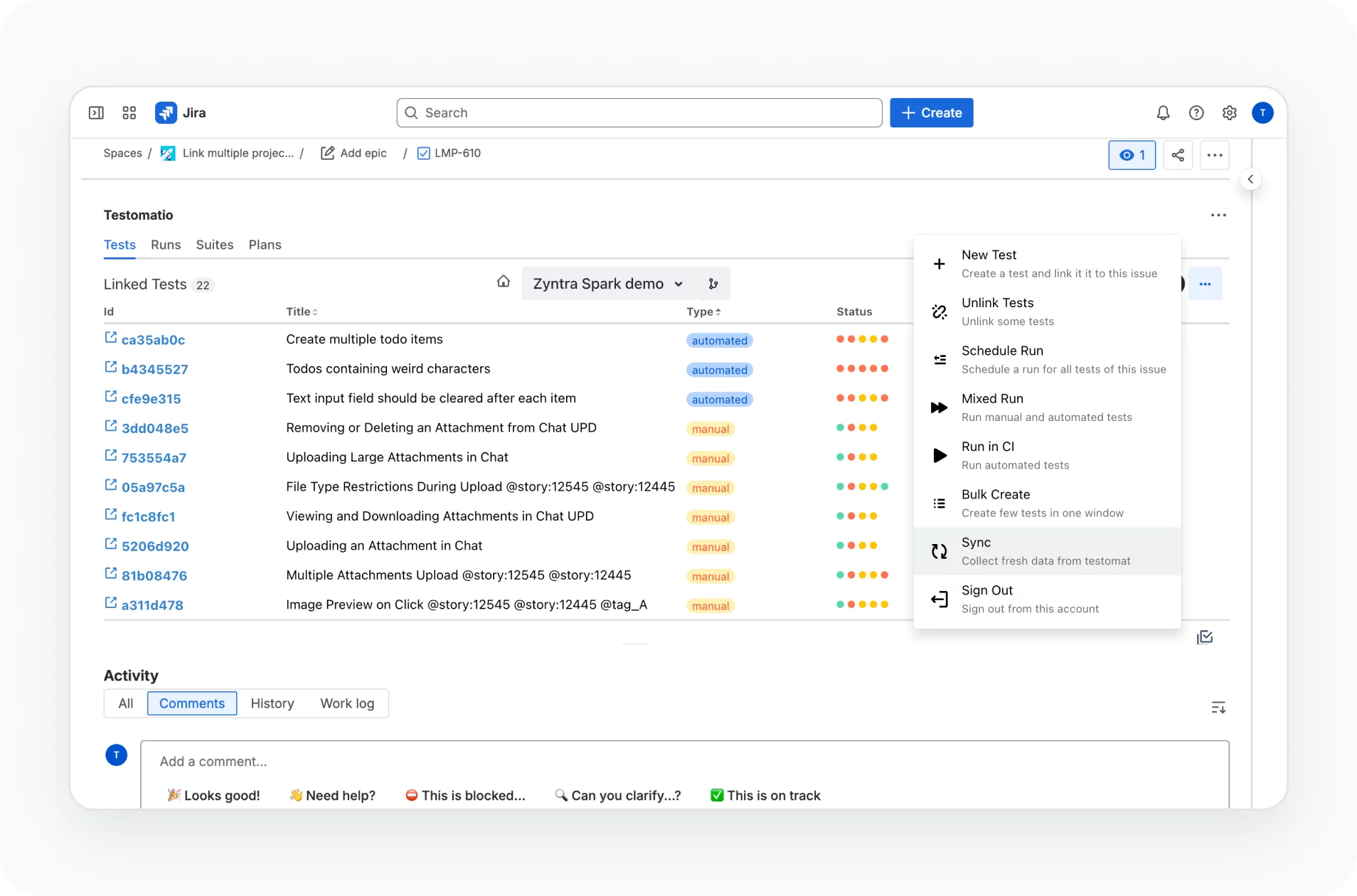
With the Testomat.io plugin, you start runs from the Jira issue:
- Run linked manual tests as a checklist inside the issue.
- Start automated tests in your CI pipeline.
- Combine manual and automated tests in one Mixed Run. Testers check manual steps in Jira while automated tests run in CI. Testomat.io then merges the results.
- Run manual tests on several environments, with a separate checklist for each one.
- Choose the environment and assignee before the run starts.
Linking Test Cases to Jira Issues for Traceability
Most test case management systems promise traceability. Few make it useful in daily work. Testomat.io links test cases straight to Jira issues, so you can use those links for release decisions.
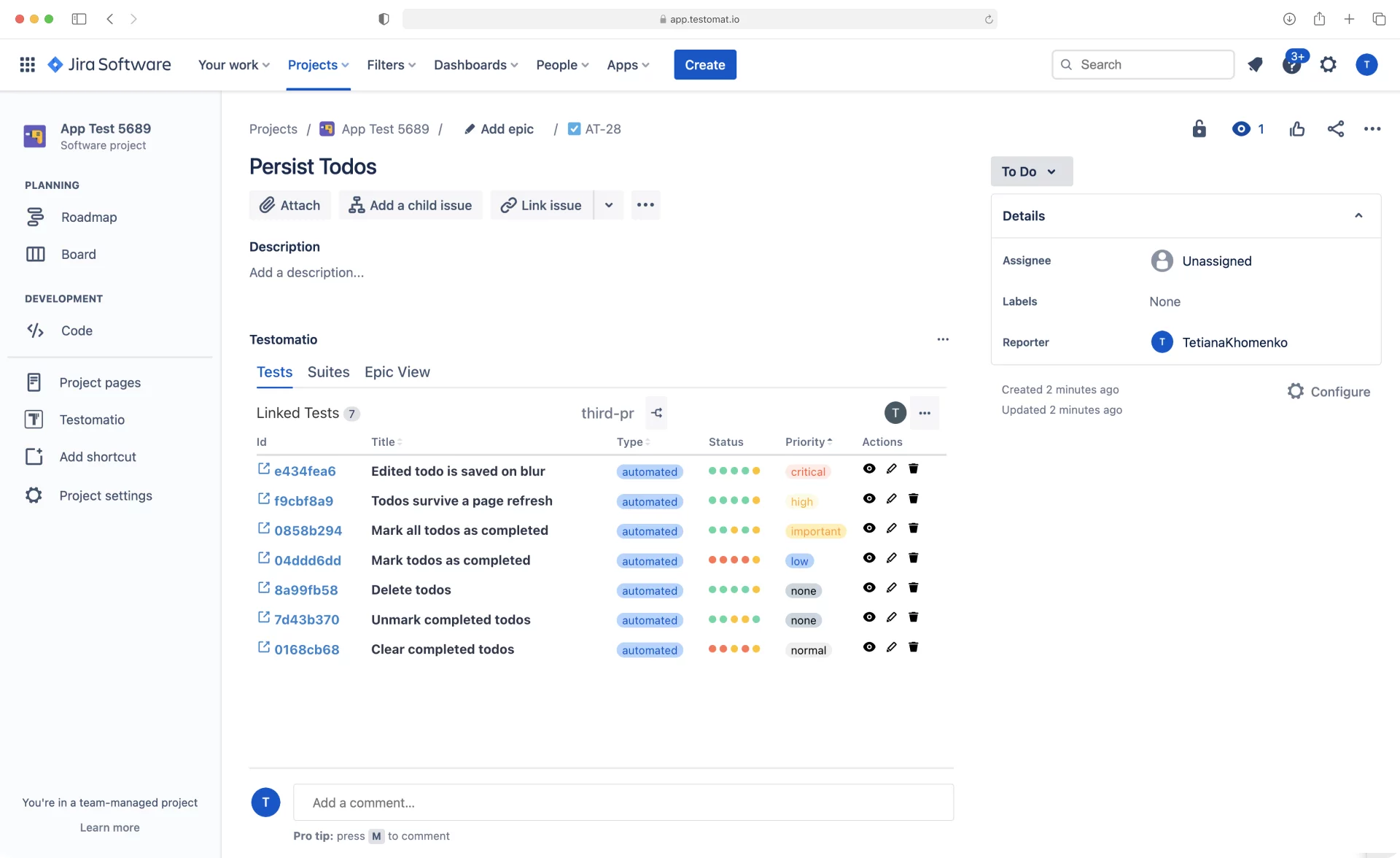
Link tests, suites or test plans to any Jira issue, from user stories to epics. One test can link to several issues. When requirements change, you see which tests need review. When a test fails, you trace it to the feature at risk.
The sync works both ways. Test changes and run results appear in Jira and Testomat.io automatically. If someone deletes a Jira issue, the plugin removes the link. Your team gets living documentation that matches real development work.
To link automated tests, add the Jira issue key to the test. When CI reports results, Testomat.io matches them to that key and shows the status on the right user story.
BDD Scenarios Linked to Jira User Stories
BDD scenarios work best when they stay close to real requirements. Testomat.io links Gherkin scenarios to Jira user stories, so acceptance criteria and executable tests stay connected.
Business analysts can edit BDD feature files directly in Jira. Testers can create tests and suites from an issue or bulk-create tests from a list of titles. For larger changes, work in a branch named after the Jira issue. You can switch between branches and Main from Jira.
Automated Test Results in Jira
Automation results help only when the team sees them in context. Testomat.io imports results from your test frameworks and CI pipeline and maps them to linked Jira issues.
- When a developer fixes a bug, the team can re-run the linked tests from the issue. Each run report shows run time, environment, configuration and the person who launched the run.
- Testers can also run automated tests as manual ones. This is useful when a test is unstable or the CI environment is unavailable.
Creating Defects from Failed Tests
When a test fails, create a Jira bug from the run in one click. Testomat.io pre-fills the steps, environment and a link to the run report. You choose the issue type and priority. You can also link the failure to an existing issue by its key. Each linked test then shows the issue title and status, so QA engineers and developers track the fix in one place.
Confluence Integration for Live Test Documentation
Teams that keep documentation in Confluence can embed live test data in their pages. Use Testomat.io macros to show tests linked to a Jira ticket, grouped by test suite or test case name, in your Confluence documentation. Product managers see test coverage for each feature. Developers see which tests check their code. The pages update as tests change, so nobody maintains them by hand.
Test Reporting and Coverage in Jira
Standard test reports show pass and fail counts. Testomat.io adds coverage views inside Jira, so you see how well each requirement is tested:
- Tests Coverage shows passed, failed and skipped tests per user story, plus the share of automated tests.
- Sprints Coverage groups linked tests by sprint ID, so you can report progress to stakeholders.
- Runs tab lists each run with its status, type and environment.
- Jira Statistic widget shows automation coverage and success rate.
- Run summaries appear on the linked Jira issue after each run.
Stakeholders get a read-only view of linked tests right in Jira. Read more about user stories coverage.
AI Features in the Jira Plugin
The Jira plugin includes AI features for routine test work:
- Suggest new tests for a suite
- Summarize a suite in plain language
- Write or improve test descriptions
Review AI output before you save it. The AI drafts the text, and your QA engineers decide what goes into the test suite.
Troubleshooting Jira Integration Issues
Most integration problems come from permissions or configuration errors. Check these first:
- Tests don’t appear in Jira issues. Confirm the connection uses the right Jira URL and an account with enough rights. If you linked a suite, open the issue menu and select Testomatio to refresh the view.
- Authentication fails. Your API token may have expired. Generate a new one through Atlassian.
- The connection fails behind a firewall. Your Jira instance may need Testomat.io’s IP addresses in its allowlist. Ask your Jira admin.
- Users can’t see linked tests. You may have connected with a regular account. Reconnect with an admin account to show tests to all Jira users.
If problems continue, the Testomat.io support team can help with your configuration.
Best Practices for Using Jira for Testing
Teams that get the most value from a Jira testing tool follow a few patterns:
- They organize test cases with consistent names and meaningful tags.
- They link each test to the user story it covers, so coverage reports stay accurate.
- They run automated tests in CI and let results reach Jira automatically.
- They create bugs from failed runs, so each defect carries the steps and a link to the run report.
Above all, they don’t treat testing as a separate practice. Test cases change with requirements. Testing happens during feature development, and test results guide the next development decision.
Jira Testing Tools Compared
The market offers many Jira test management plugins. Here’s how common options compare. Pricing and features change often, so check vendor pages before you decide.
| Tool | Product model | Best fit | Pricing model |
|---|---|---|---|
| Testomat.io | Standalone platform with a two-way Jira plugin | Teams that mix manual and automated tests and want results in Jira | Free plan and paid plans |
| Xray | Jira-native | Traceability and BDD inside Jira | Atlassian user tiers by edition |
| Zephyr | Jira-native | Native test management with optional no-code automation | Atlassian user tiers by edition |
| QMetry Test Management for Jira | Jira-native | Detailed reporting and automation imports | Atlassian user tiers |
| AssertThat | Jira-native | BDD and Cucumber teams | Atlassian user tiers |
| TestRail | Standalone | A dedicated QA system with Jira links | Paid per-user plans |
| Testmo | Standalone SaaS | Manual, exploratory and automated testing in one workspace | Bundled user tiers |
Testomat.io fits teams that want QA work in a dedicated tool while developers stay in Jira. The two-way sync covers linking and test execution, and coverage reports come included. If you’re moving from another tool, Testomat.io imports test cases from TestRail and Xray. See the detailed comparisons: Testomat.io vs Xray and Testomat.io vs TestRail.
How to Choose the Right Jira Tool for Testing
#1: Decide where QA work should live
If your whole team works in Jira and wants tests to follow Jira permissions, a Jira-native app may fit. If QA needs its own repository and reports across projects, choose a standalone platform with a strong Jira plugin.
#2: Check integration depth for your Jira deployment
Integrations for Jira Cloud and Jira Server often differ. Ask the vendor about two-way sync and defect creation for your exact deployment.
#3: Separate test execution from test management
Most tools import automated results and don’t run every test themselves. Confirm which frameworks the tool supports and how results reach it from CI.
#4: Check traceability with real data
Run a short proof of concept. Connect a user story, a test case, an automated result and a bug. Then check if your managers can answer two questions: what failed, and which requirements have no tests?
#5: Calculate total cost
Jira-native apps often charge for every Jira user. Standalone tools usually charge for the people who work with tests. Compare total cost at your actual team size.
Bottom Line: Is Test Management in Jira Worth the Investment?
Advanced test management in Jira needs some investment in licenses and team training. Compare it with the cost of your current setup. Count the time lost on switching between tools and the developer time lost to unclear test feedback. Add the cost of bugs that reach production. In many teams, these hidden costs are higher than the price of an integrated tool. Pick an option that improves your current process. Your team already knows Jira. The right test management integration makes the team more efficient without a new system to learn. Testomat.io turns Jira into a quality management hub. Testing becomes visible and easy to track, and your team spends less time on tool management. Start for free and connect your first Jira project, or book a demo to see the plugin with your own workflow.