





Test automation execution
Trusted by over 500 forward-thinking companies
















Benefits of test automation execution


Testomat.io test automation execution features
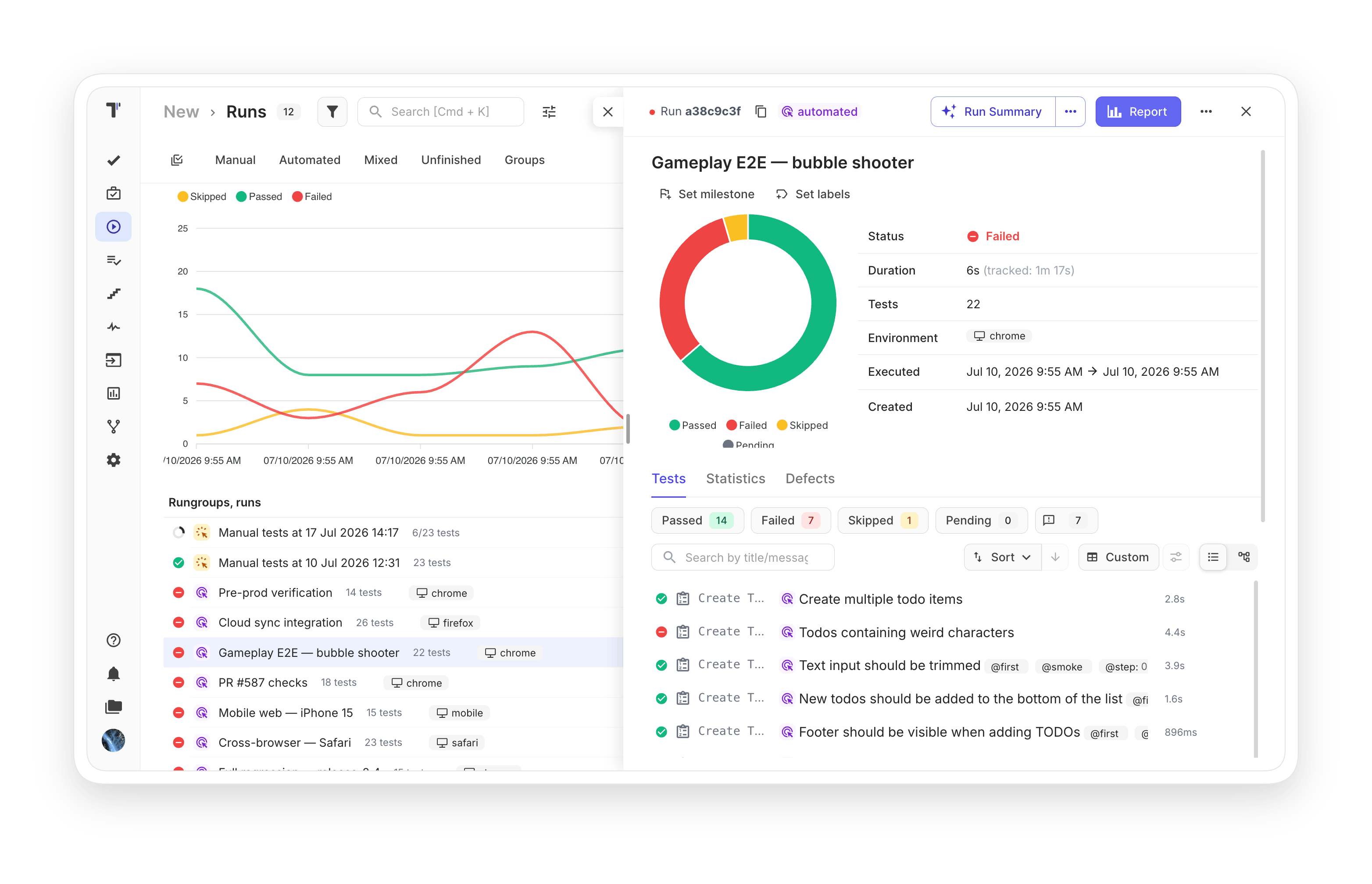
Make cross-browser testing or mobile testing in sequence or in parallel on multiple environments. All environment executions fit into one specifically designed interface.
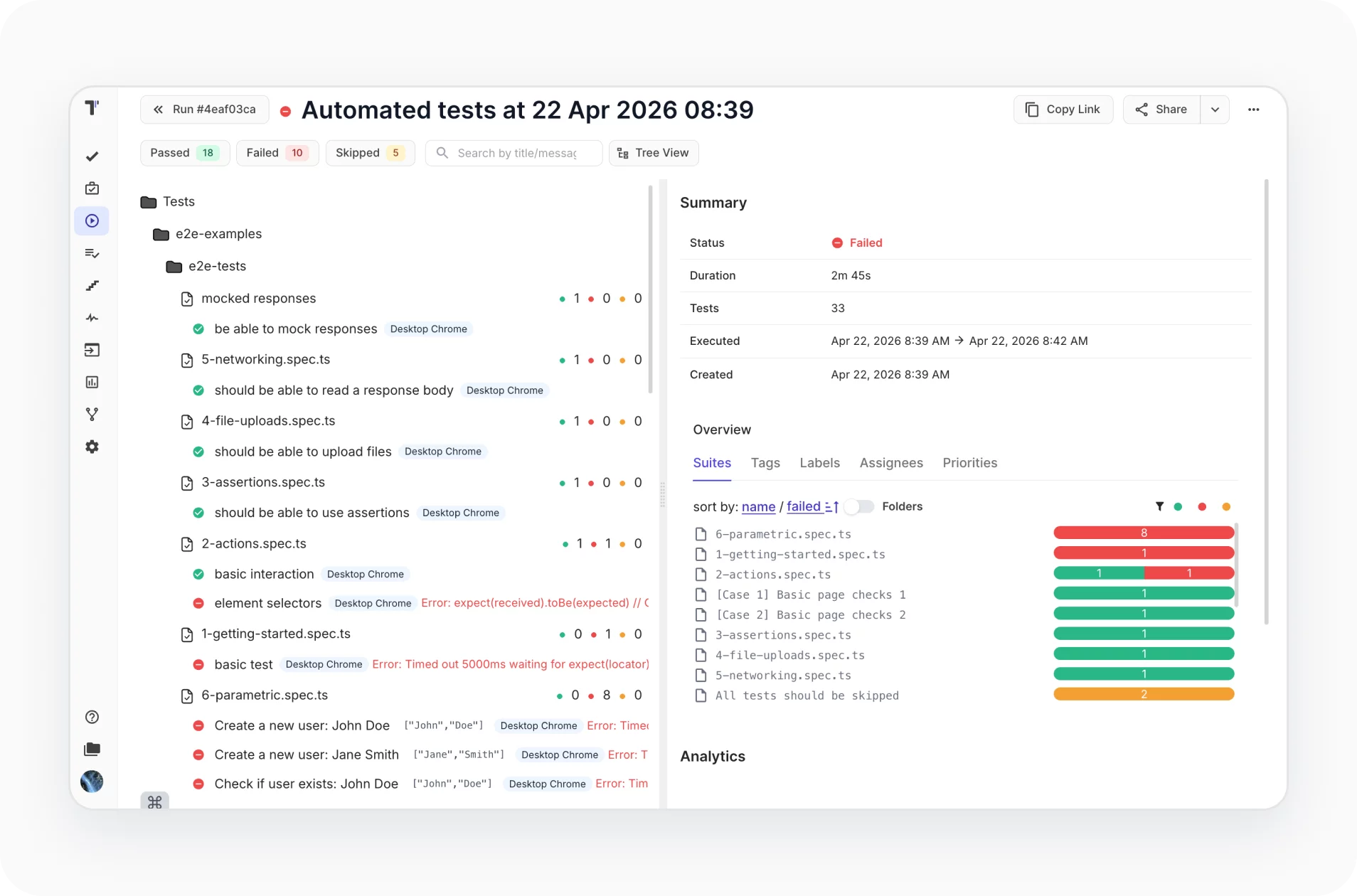
Run all or specific automated tests once CI/CD is configured. Run it on every commit from your CI/CD pipeline, with GitLab and GitHub integration, plus Jenkins, Bamboo, CircleCI.
Keep full ownership of your test evidence. Artifacts upload to your own bucket on AWS, DigitalOcean, Azure, or Google Cloud, so your data stays with you even if you switch platforms.

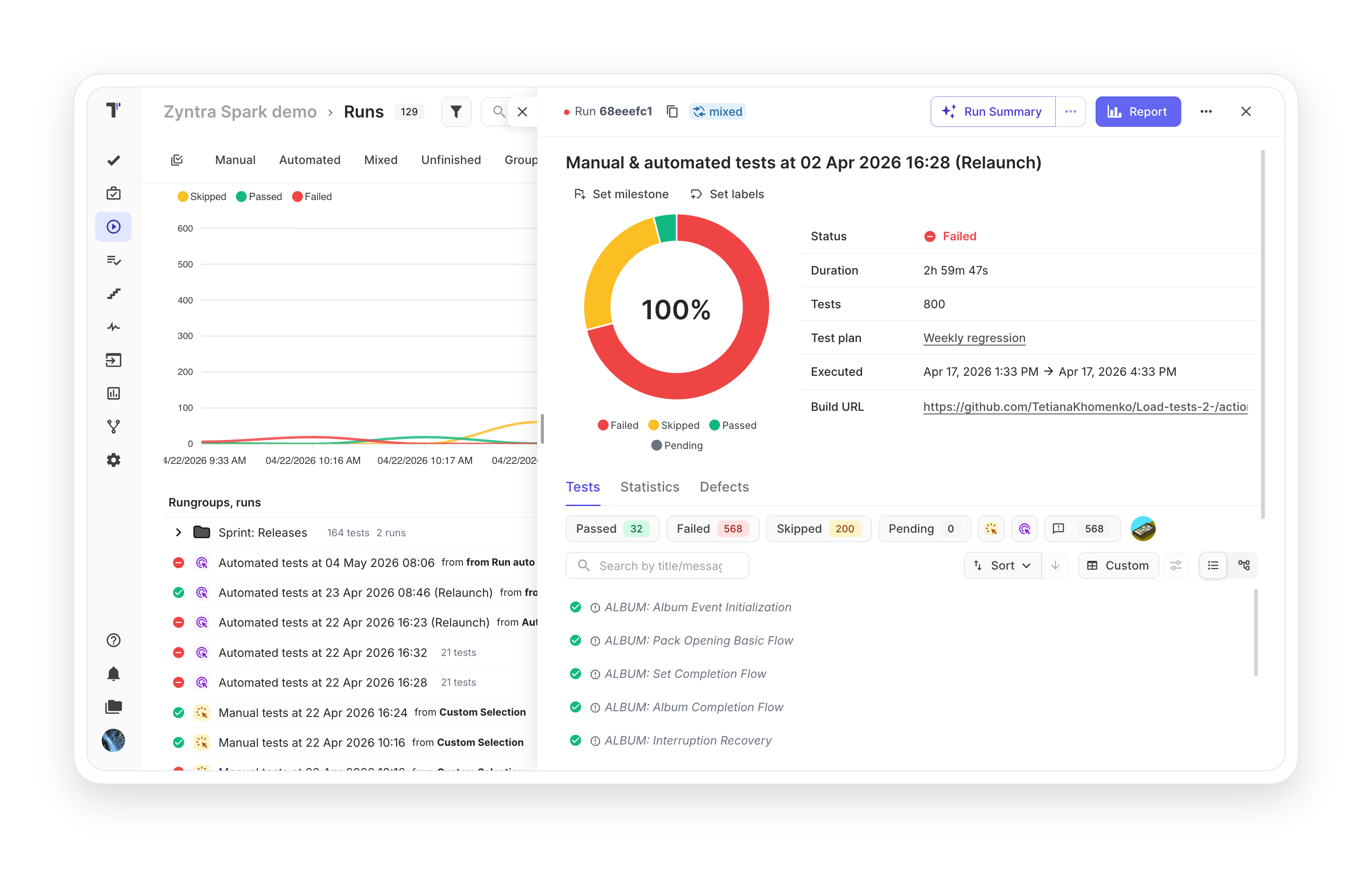
Combine both automated and manual tests in one quality assurance flow on CI. Track results in one Report to see the full picture and save time.

No need to do extra actions to rerun manual or automated tests. You can modify existing test runs with updated results or re-execute only failed automated tests in CI/CD with one click.

This feature gives you the capability to execute automated tests as manual. It also keeps manual test cases separate from automated ones, preventing the two from mixing.

Match reports to how the business actually plans. Group results by sprint, release, or functional area so each audience sees the slice that matters to them.

Track any test changes by using revisions and history in Run Archive or Group Archive. Diff tools provide easy visual comparison side by side so you can focus on review and changes.

Send notifications about finished runs once results are generated. Notifications can be sent by email, Slack, MS Teams, Telegram, and Jira. You may define the condition for notifications.

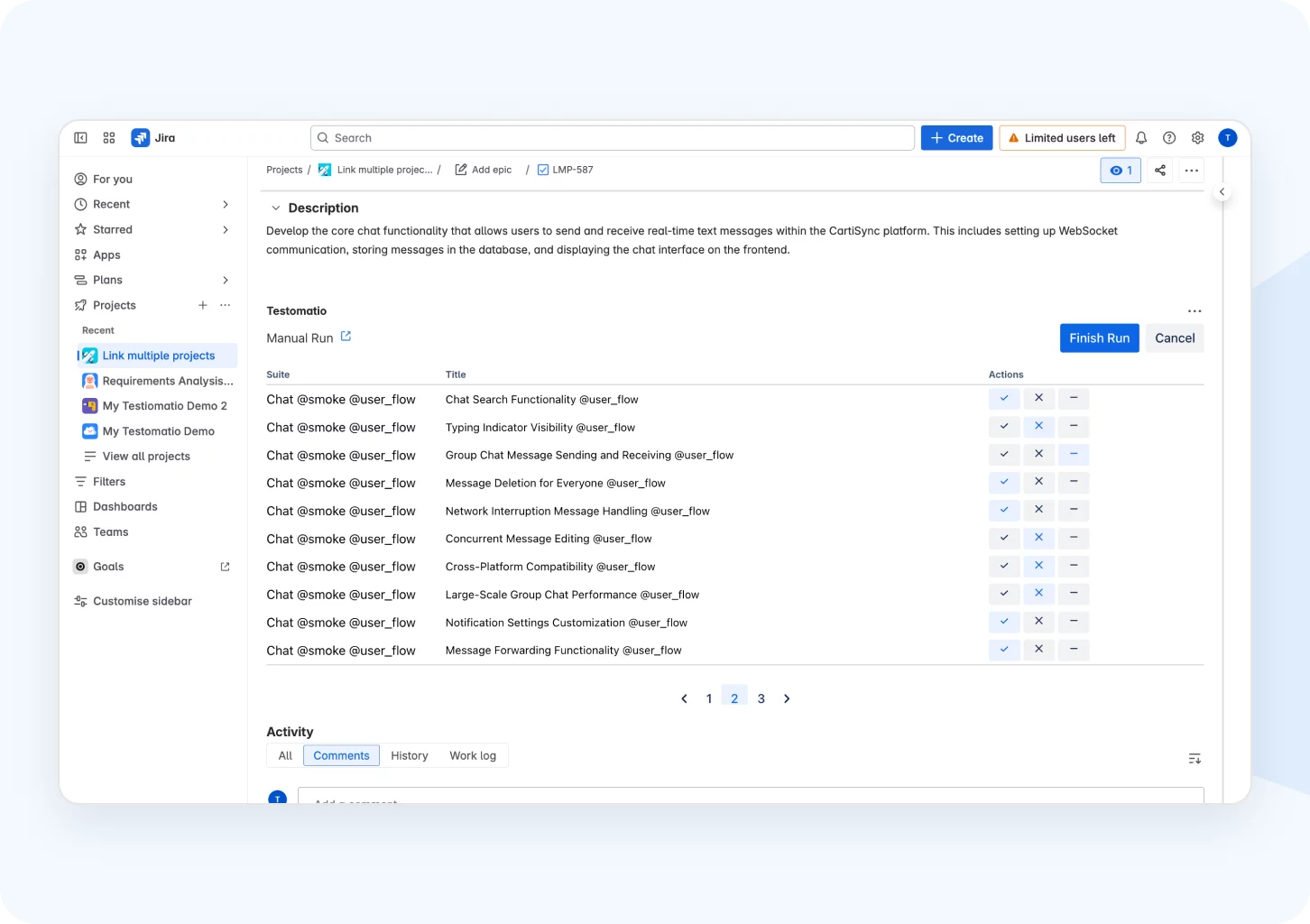
Execute manual and automated tests in the same run directly with Jira. When automated tests start on a CI/CD service, check manual tests as a checklist in Jira at the same time. After the Mixed Run group finishes, a link to the merged result is created.
Follow your testing strategy by adding tests regardless of status and combining them into logical groups. Start running without switching between windows.

How test automation execution can help?


Recent reviews






Frequently asked questions
Which testing frameworks does Testomat.io support for automated execution?


How does parallel test execution work in Testomat.io?
Can I rerun only failed tests instead of the full suite?
How are notifications about test runs delivered?
Can I combine manual and automated tests in the same run?
