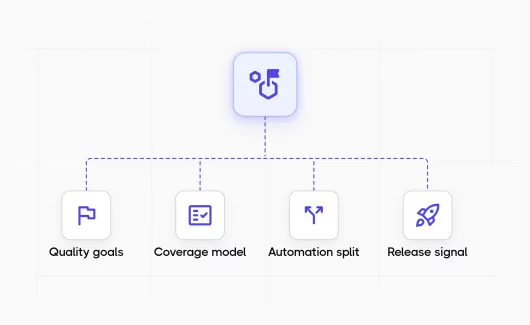
Your team runs nightly automation and keeps 1,400 manual test cases in a spreadsheet. The question “are we ready to release?” takes a meeting to answer. The Stack Overflow Developer Survey found that 84% of developers use or plan to use AI tools, and 46% distrust the accuracy of the output. New tools arrive faster than the plans that govern them. This guide shows you how a QA strategy makes the release question a status you can check in your tool.
What Is a QA Strategy?
A QA strategy is the plan that defines how a team reaches its quality goals. It covers scope, test types, the automation split, tools, roles, risk priorities and release criteria. The strategy is a set of decisions. The document is the record of those decisions. The ISO/IEC/IEEE 29119-3 standard describes the test documentation a testing process produces, from organization-level test practices to the test plan, and the ISTQB glossary lists the test strategy as a documented term.
A good quality assurance strategy answers the questions the team asks every week:
- Which requirements have tests?
- Who decides the release?
The answers live in the document and in the test management tool the team uses every day. Quality control checks the product. Quality assurance checks the process that produces it. A QA strategy covers both, and software testing strategies such as risk-based or shift-left testing are part of it. The strategy decides which methods the team uses and where.
QA Strategy vs Test Strategy vs Test Plan
Teams mix these terms, and the mix creates gaps. The table shows how the documents differ:
| Document | Level | Who writes it | Update schedule | Content |
|---|---|---|---|---|
| QA strategy | Organization or product | QA lead or QA manager | Quarterly | Goals, scope, coverage model, automation policy, tools, roles, release criteria |
| Test strategy | Release or product line | QA lead | Per major release | Test levels, test types, environments, entry and exit criteria |
| Test plan | Sprint or feature | QA engineer or team | Per sprint | Tests to run and who runs them, with dates and environments |
The QA test strategy, or test strategy in software testing, is the middle level. It applies the QA strategy to a product line and gives each test plan its rules. You can read more about how a test strategy differs from a test plan in our earlier guide.
Why Does Your Team Need a QA Strategy?
A QA strategy ties testing effort to business risk and gives stakeholders a clear answer on release readiness. Teams that skip it test whatever request arrived last, and the QA process then depends on memory instead of rules.
QA managers describe the same problems:
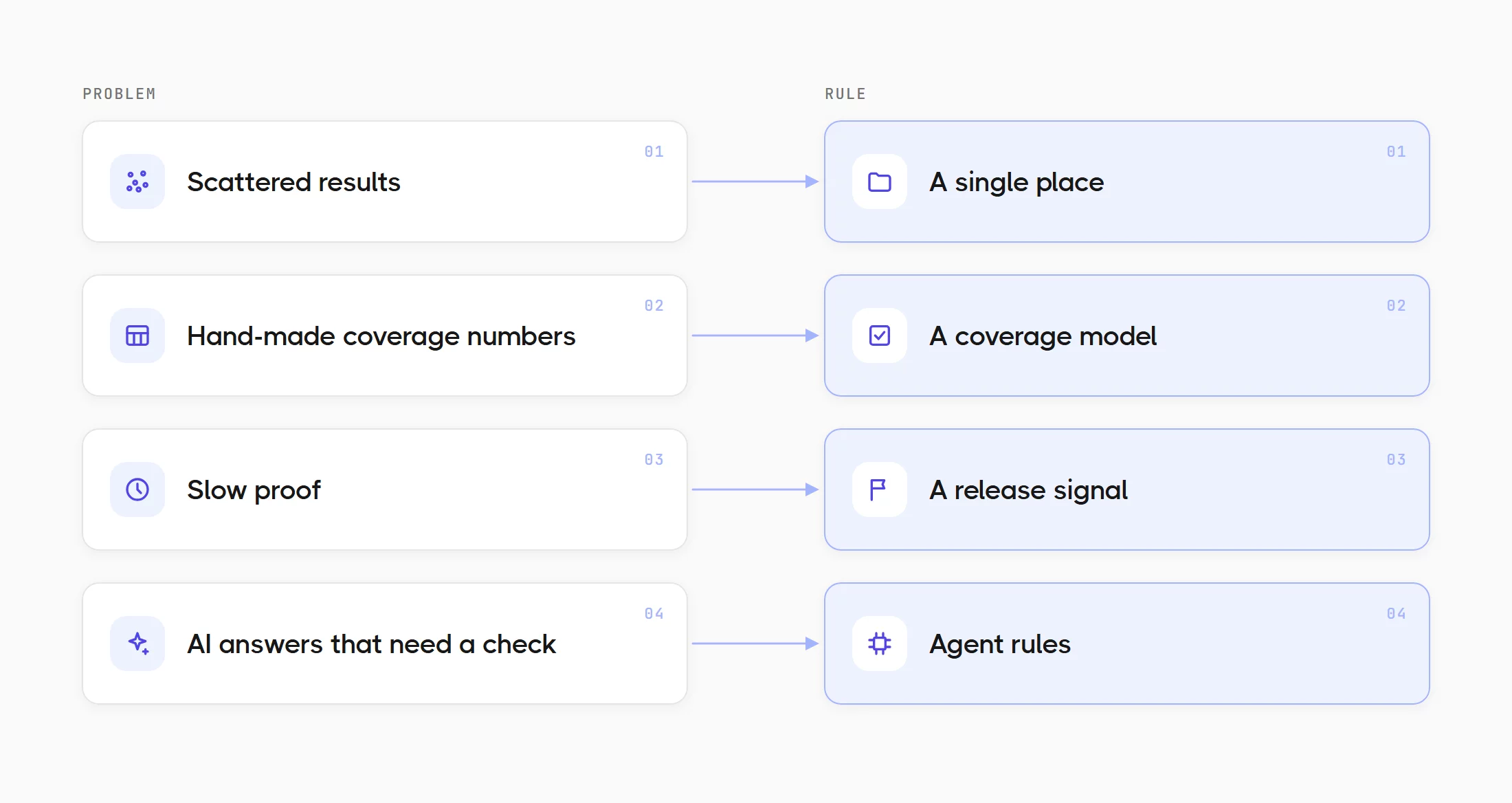
- Scattered results. Manual cases live in a test management tool, and automation results live in CI logs.
- Hand-made coverage numbers. A spreadsheet holds the coverage numbers, and a person updates it by hand.
- Slow proof. A stakeholder asks what the team tested before the release, and the answer takes a day of report collection.
- AI answers that need a check. The same survey found that 66% of developers name AI answers that are almost right as the most common frustration.
A QA strategy answers each problem with a rule:
- A single place where cases and results meet.
- A coverage model that the tool reports, so the team keeps coverage in the tool instead of a spreadsheet.
- A release signal that answers the release question before the meeting.
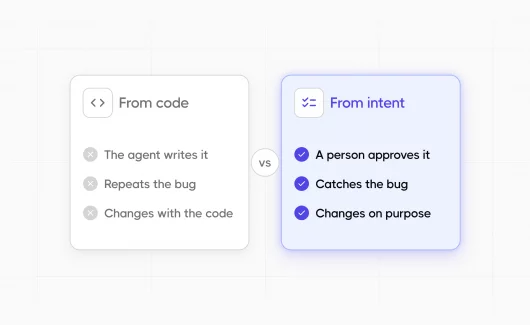
- Agent rules that say where AI tools apply and what evidence they leave.
Key Components of a QA Strategy Document
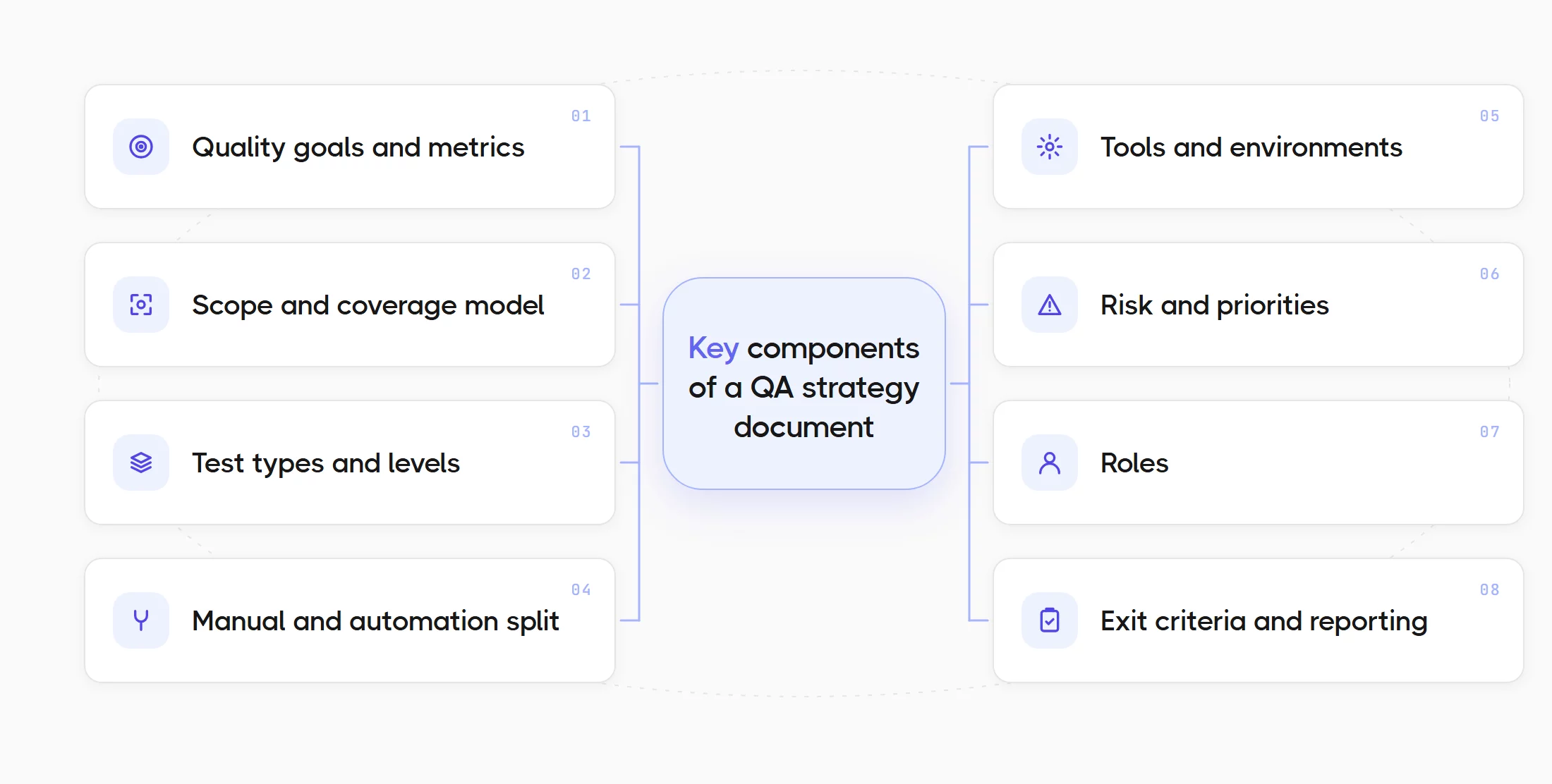
The components below appear in most QA strategy documents. Each component has a second line: how you know it is true. The second line matters more than the first, and we return to it later in the article.
- Quality goals and metrics. You need goals that connect to business risk: fewer escaped defects in checkout, faster feedback on pull requests. How you know it is true: the metric has a dashboard, and the dashboard has an audience.
- Scope and coverage model. You need a definition of the word covered. A requirement counts as covered when linked tests exist and the latest run is green. How you know it is true: the tool can show covered and uncovered requirements today.
- Test types and levels. You need to state which levels run for which risk: unit tests for logic, API tests for contracts, UI tests for critical paths, exploratory sessions for new features. Risk-based testing helps you decide the order. How you know it is true: each test carries a level and a priority.
- Manual and automation split. You need a rule for what the team automates and what stays manual. The rule works only when both kinds of tests live in the same repository and run in the same plan. Testomat.io supports mixed runs with manual and automated tests, so a single release plan can include both. How you know it is true: a single run report shows manual and automated results together.
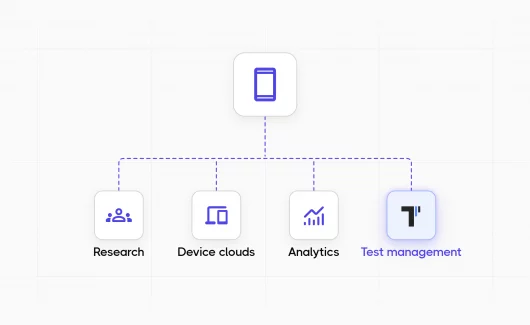
- Tools and environments. You need a list of QA tools per level and the environments each level uses. A common gap: manual cases live in TestRail and automation results live in CI. The document describes them as a single process. Testomat.io imports TestRail projects directly, so both sources can meet in a single project. How you know it is true: results from every tool appear in the same report.
- Risk and priorities. The strategy ranks product areas by the damage they cause when they fail. Payments rank above the settings page. How you know it is true: high-risk areas have more tests and run more often.
- Roles. The document names who writes and reviews tests, and who decides the release. How you know it is true: each release has a named decision maker.
- Exit criteria and reporting. You need a rule for the release decision and a schedule for reports. Bug reporting belongs here too: where a defect goes and who triages it. How you know it is true: the release report exists before the release meeting.
How Do You Build a QA Testing Strategy?
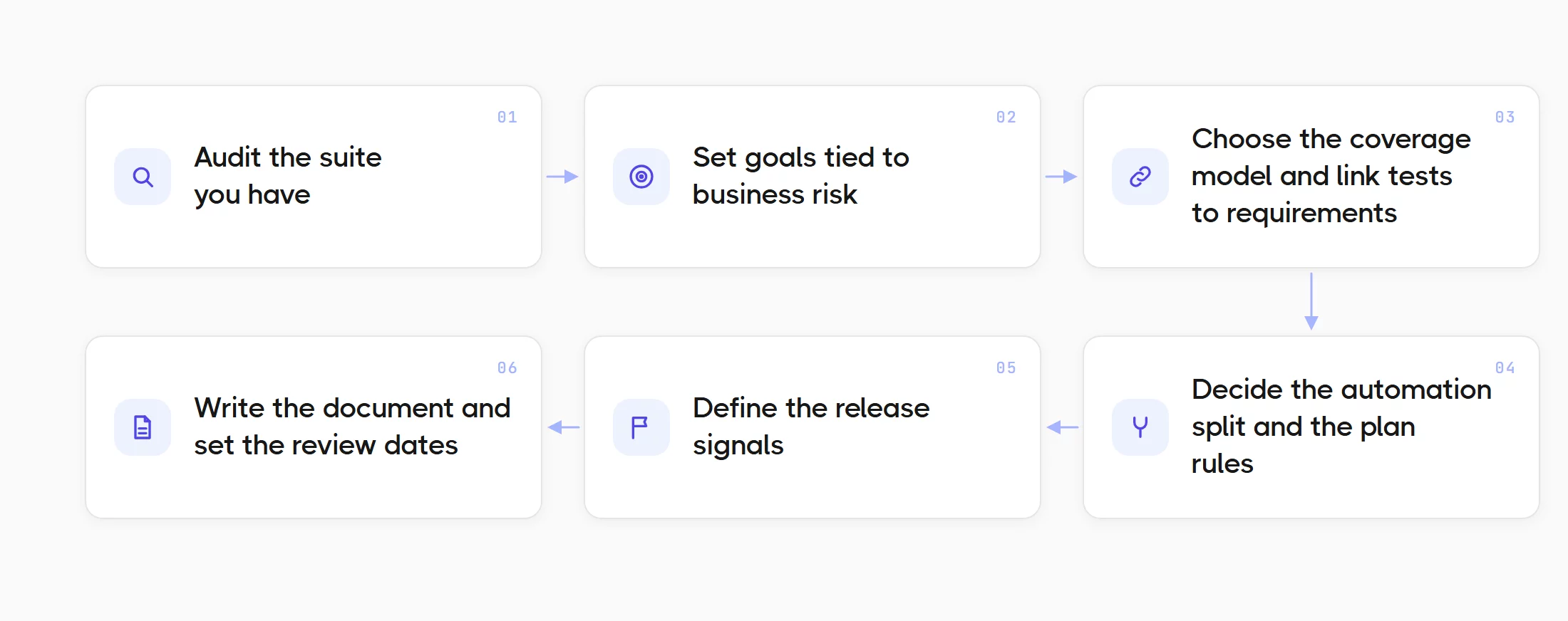
You audit the tests you have, set goals tied to risk, choose a coverage model, decide the automation split, define release signals, write the document and review it quarterly. The order matters. Teams that start with the document write goals that lack a measure. Teams that start with the audit write goals they can check next week. You can follow these steps:
- Audit the suite you have. You need to know what the current tests cover before you plan new tests. The Deep Analyze agent in Testomat.io reviews execution status and coverage for the whole project, plus the stability of each test, with test data from the last 14 days. It maps tests to key modules or features and flags missing tests and tests with zero runs. That report is your starting point. AI agents such as Deep Analyze are part of the paid plans.
- Set goals tied to business risk. Product and engineering know which failures cost the most money or trust. Those areas get the first goals. An example: zero escaped defects in checkout for two releases in a row.
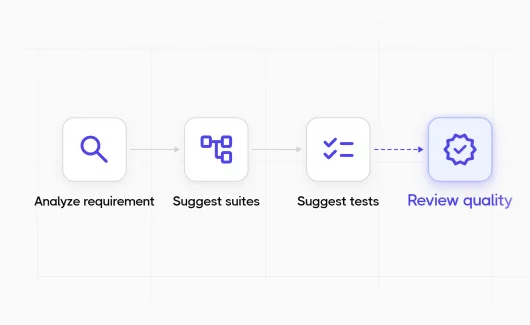
- Choose the coverage model and link tests to requirements. You need a unit of coverage: a requirement, a user story or a feature. You can import requirements from Jira or Confluence. Testomat.io analyzes each requirement and suggests test cases for it. Every new test links to a requirement from this point.
- Decide the automation split and the plan rules. You can define which tests run on every commit and which run before a release. This list is your test automation plan. A nightly run can be the middle level. Dynamic test plans built from filters select tests by priority or label, so the plan stays current when tests change.
- Define the release signals. You need to state which results must be green and which results may stay yellow with an approval. You need rules a tool can check. An example: all high-priority tests green and every requirement in the milestone covered.
- Write the document and set the review schedule. A two-page document is enough. You need a review date each quarter and a review after every major product change.
QA Strategy for Startups vs Enterprise Teams
The same structure works at every team size. The depth changes. The table compares a startup with an enterprise team.
| Area | Startup | Enterprise |
|---|---|---|
| Document length | A single page | A section per product line |
| Coverage model | User stories | Requirements with traceability and an audit trail |
| Automation split | API tests and smoke UI tests first | Full pyramid with contract and performance tests |
| Review schedule | Every quarter, or after a major product change | Every quarter and every audit |
A QA strategy in agile teams takes the startup column as the base and adds a sprint-level test plan. The documents change at different speeds:
- The test plan changes every sprint, because the stories change.
- The QA strategy changes when the product or the risk changes, for example after a new platform or a new payment provider.
An agile test strategy stays short for this reason. The sprint plan carries the detail.
How Do You Know Your QA Strategy Is Working?
You know the strategy works when the team can see requirement coverage and release readiness in the tool instead of a status meeting. The document records the decisions. The team needs to see every day whether the work follows those decisions. Which requirements have tests? Can the release go? The sections below show how Testomat.io answers both questions.
Coverage You Can See
A coverage model on paper describes intent. A coverage report shows the state today. Testomat.io gives you the report in these places:
- Requirements page. Requirements traceability links each requirement to its tests, and the page shows the linked tests with their results.
- Issues Traceability Coverage report. You can download it from the Analytics page. It shows how well tests cover each Jira issue or other linked issue, with filters such as environment, label or date range.
- Deep Analyze audit. The agent reviews the last 14 days of runs and lists missing tests and tests with zero runs by feature.
The Release Decision as the Output
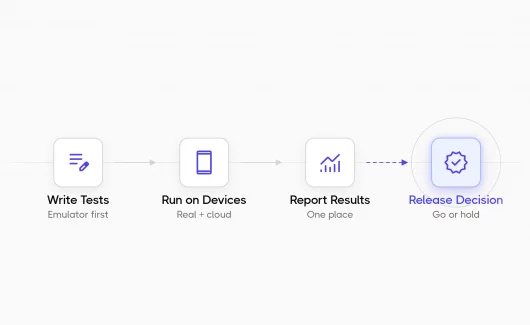
A strategy proves its value when it answers the release question. Testomat.io Milestones show the status of every requirement and test plan linked to the milestone, so a product owner sees what is ready and what needs attention before the release date. The Deep Analyze release readiness check summarizes coverage and run results into recommendations for a go or wait decision. You can build a quality gate in your CI pipeline that checks the rules from the release signals step. The milestone view then shows the evidence when a person needs to approve an exception.
Metrics That Prove the Strategy Works
Managers need numbers that stakeholders understand. The table lists the metrics that fit most QA strategies and the source of each number.
| Metric | What it tells a manager | Source of the number |
|---|---|---|
| Requirement coverage | Share of requirements with linked, green tests | Requirements page and the traceability report |
| Escaped defects per release | Bugs found in production after the release decision | Defects page linked to your bug tracker |
| Flaky test rate | Share of tests with unstable results | Flaky test analytics and the Flaky label |
| Automation share | Share of planned tests that run automatically | Run report with manual and automated results |
| Time from commit to verdict | How long the team waits for test feedback | Run duration in the run report |
You can show these numbers on the analytics dashboard with custom widgets, so the same view reaches the QA team and the stakeholders.
Where AI Agents Fit in a QA Automation Strategy
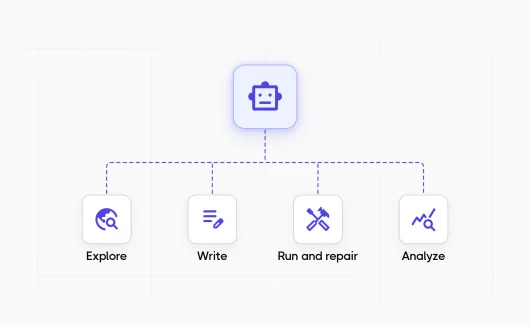
AI agents add a new decision to the QA automation strategy: which testing work the team delegates to an agent, and what evidence the agent leaves.
The DORA Report from Google Cloud found that 90% of respondents use AI at work. The same report found that teams with AI deliver more work, and their releases break more often. A strategy keeps speed and protects stability when it names the agents and their rules in advance. Gartner published a Magic Quadrant for agentic QA platforms, so the category now has an analyst definition. Agents fit the strategy in these roles:
- Plan. An agent reads a requirement and proposes test cases. Testomat.io analyzes a linked Jira issue, suggests a structured requirement description and offers a new suite with suggested tests.
- Explore. An agent investigates the product before scripted tests exist. Explorbot runs on CI next to your Playwright or Cypress suite. It explores the UI in new ways on each run and saves the flows as Playwright or CodeceptJS specs. It records screencasts as evidence, and each run appears in Testomat.io with a result breakdown and a written analysis. Explorbot itself is free: it is source-available under the Elastic License 2.0, and you pay for AI tokens only, around $1 per hour with the suggested models. Self-hosted runs also produce standalone HTML and Markdown reports, so a Testomat.io project is optional.
- Analyze. An agent reads results so a person reads less. The Mark Flaky Tests agent labels unstable tests from execution analytics, and the failed-test analysis links an error to earlier failures and suggests a fix or a category.
- Maintain. An agent keeps the suite readable. The Write Descriptions from Code agent adds descriptions to automated tests that lack them.
Humans keep control. The strategy states who approves agent output and where the evidence lives. The Testomat.io MCP server lets assistants such as Claude and Cursor read and manage tests and runs through the Public API, so coding agents work with the same project rules as the team.
QA Strategy Example for a SaaS Product
The sample below shows the completed template for a B2B SaaS product with weekly releases. You can use it as a test strategy example and replace the values with your numbers.
- Quality goals: zero escaped defects in billing for two releases in a row, and test feedback on a pull request in under 15 minutes.
- Coverage model: the Jira epic is the unit. An epic counts as covered when every story has linked tests and the latest run is green.
- Manual and automation split: API tests and unit tests run on every commit. Manual exploratory sessions cover new features before the release, and both kinds of tests live in the same Testomat.io project.

Manual and Automated Tests in a Mixed Plan in Testomat.io
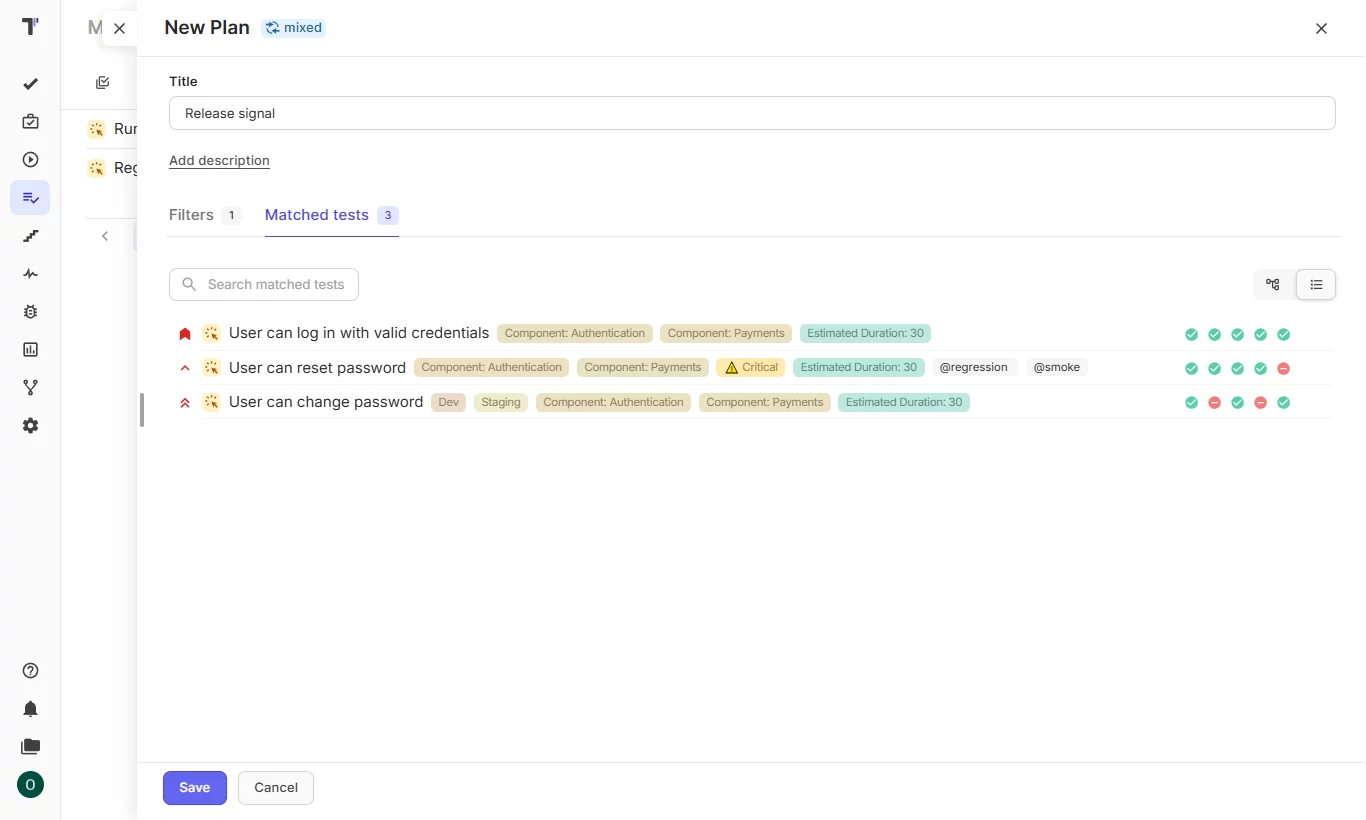
- Risk and priorities: billing and data export rank first. Settings pages rank last.
- Coverage source: the Requirements page and the traceability report, checked every Monday.
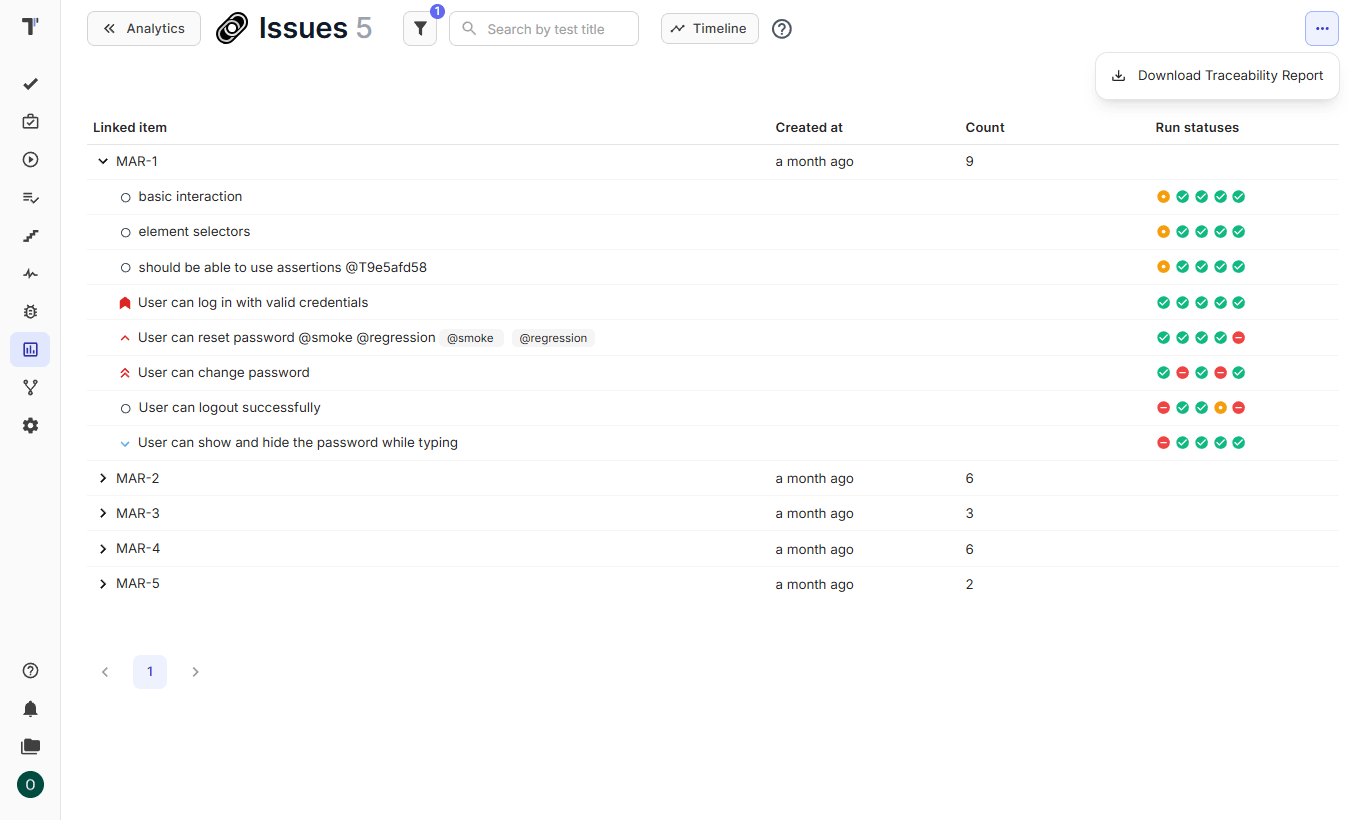
- Release signal: all high-priority tests green, and an approval from the QA lead for every exception.
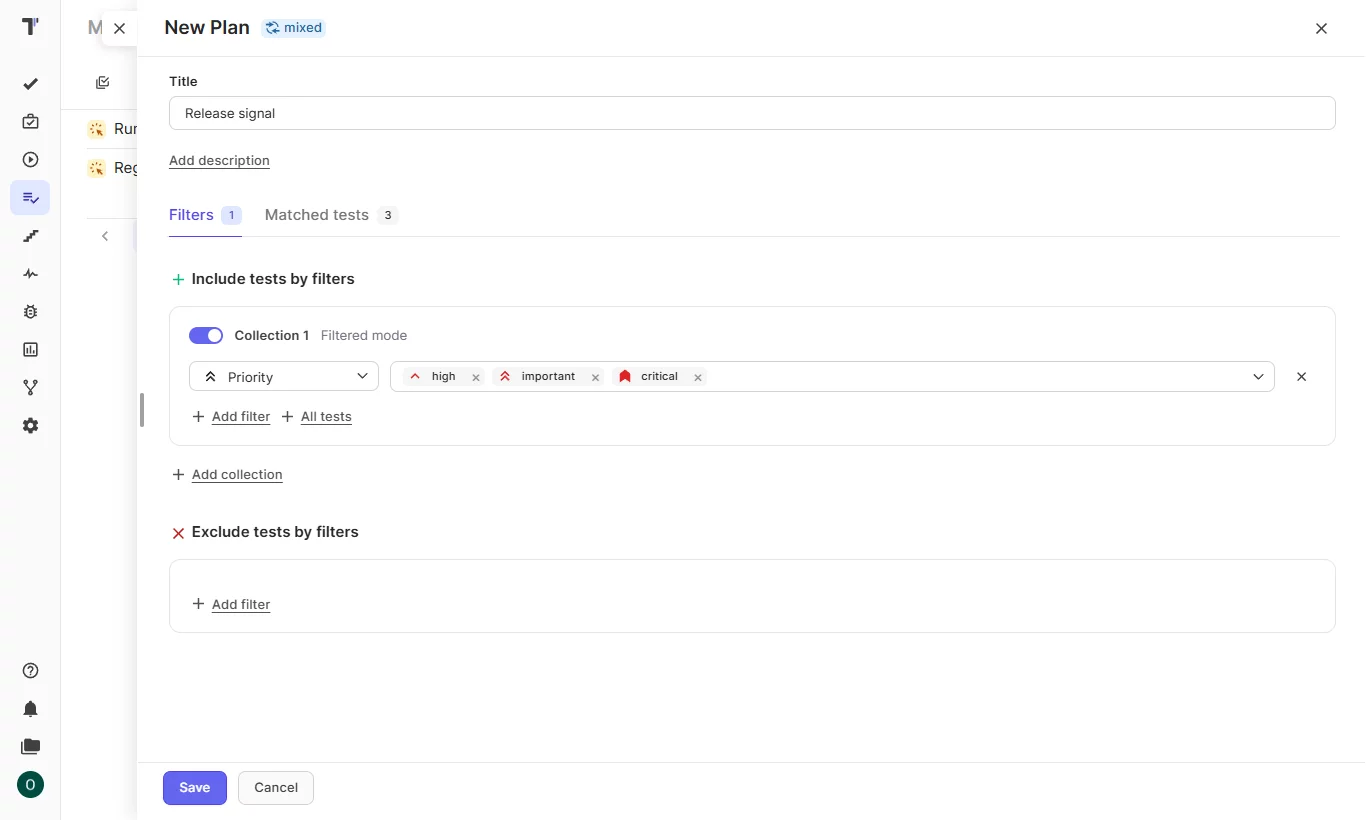
QA Strategy Template
A QA strategy template gives the document a fixed structure. Every team writes the same headings, and every reader finds the same answers in the same place. The template below is a starting point: you can write a short answer under each heading and adapt the depth to the team size.
- Overview. What the strategy covers and who it applies to, with the date of the last update.
- Quality goals. The problems you want to reduce, with a number for each goal.
- Scope. The products and environments the strategy covers, and the work that stays with other teams.
- Coverage model. The unit of coverage and the rule that makes a requirement count as covered.
- Test types and levels. The levels that run for each kind of risk.
- Manual and automation split. What the team automates and where both kinds of tests live.
- Tools and environments. The tool and the environment for each level, with a person responsible for each environment.
- Risk and priorities. Product areas ranked by the damage they cause when they fail.
- Roles. Who writes and reviews tests, and who decides the release.
- Coverage source. The report that shows covered and uncovered requirements today.
- Release signal. The rules that must be green for a release, and who approves exceptions.
- Metrics and reporting. The metrics the team tracks and the target for each metric, with the report that shows them.
- Review schedule. The next review date and the events that trigger an earlier review.
Most templates skip the coverage source and the release signal. Both headings connect the document to the tool, and both get checked more often than the rest of the file.
Bottom Line
A QA strategy answers the release question. The document holds the goals and the release rules. The tool shows whether the team follows them: which requirements have tests and which release rules are green. A small start is enough. A Testomat.io project with linked requirements gives you the first signal. The Requirements page shows which requirements lack tests, and paid plan users add the Deep Analyze audit for a release readiness view. Try Testomat.io for free and put your manual and automated tests in a single project before the next release meeting.