Your team manages tests in Xray, and each test case is stored as a Jira work item. With more than 25,000 installs on the Atlassian Marketplace, Xray is a popular choice for Jira test management. But the cost depends on the size of your whole Jira instance, even when a small group runs the tests. In this article, you will learn why teams leave Xray and how Testomat.io compares as a standalone platform with two-way Jira sync.
Why Do Teams Leave Xray?
Teams leave Xray when the Jira-tier pricing model or the Jira-only architecture limits their QA process. Cost is the most common trigger. Here are the main reasons:
- Pricing depends on Jira users. Xray is a paid Marketplace app, so Atlassian billing rules apply to it. According to Atlassian’s billing documentation, a cloud app is billed for the same user tier as the parent product. So a company with 200 Jira users pays for the 200-user tier of Xray, even when 10 of those people work with tests.
- Jira-only architecture. The official Xray documentation describes tests, preconditions, test sets, test plans, and test executions as special Jira work item types. This design gives you familiar Jira screens and workflows for testing. It also means your test suite grows inside the Jira instance, and every QA activity depends on how that instance is configured and maintained.
- Extra work for automated tests. Xray receives automated test results through its REST API and CI plugins, while the test code is stored in your repository. The two sides need mapping, and keeping that mapping current needs regular effort when the suite changes daily.
Xray vs Testomat.io: What Are the Key Differences?
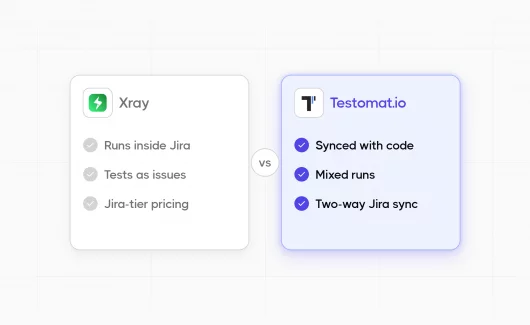
Here is the short version: Xray is a test management app inside Jira, and Testomat.io is a quality management platform that connects to Jira. The table below compares the facts that matter for a switching decision.
| What We Compare | Xray | Testomat.io |
|---|---|---|
| Architecture | Jira app; each test is stored as a Jira work item | Standalone web platform with a Jira plugin |
| Jira dependency | Requires an active Jira subscription | Optional; two-way Jira integration is available |
| Automated test sync | Test results are imported through the REST API and CI plugins | Test code is imported from the repository and updated on each import |
| Supported inputs | Result formats such as JUnit XML, TestNG, NUnit, Robot Framework, Cucumber JSON | Playwright, Cypress, WebdriverIO, Jest, JUnit, Robot Framework, Gauge, and more |
| Manual plus automated in a single run | Test Executions group tests inside Jira | Mixed runs combine manual and automated tests in a single report |
| Pricing model | Paid app billed through Atlassian for the full Jira user tier | Free plan for 2 users; Professional at $27 per user per month with annual billing |
For a feature-by-feature breakdown, you can open the full Xray vs Testomat.io comparison.
Where Xray Works Well
Xray holds a 4.3 out of 5 rating from 552 reviews on the Atlassian Marketplace and has more than 25,000 installs as of September 2026. Teams keep choosing it for clear reasons.
Here is where Xray is strong:
- Native Jira experience. Tests use the same screens and workflows as every other Jira work item, and they carry the same permissions and custom fields. Testers who know Jira need little extra training.
- Requirement traceability. Coverage works through standard Jira issue links, so reports stay close to the tickets your product team already reads.
- BDD support. Xray works with Cucumber, so BDD teams can manage Gherkin scenarios next to their Jira projects.
- A familiar stack for Atlassian teams. When the whole delivery process runs on Atlassian tools, testing stays inside the toolset your admins already maintain.
Xray remains a reasonable choice when most of your Jira users are involved in testing, because then the license cost matches the team that uses the tool. Our guide to the best test management tools for Jira covers this setup in more detail.
Where Testomat.io Differs
Testomat.io approaches test management from the automation side. The platform works as a quality intelligence layer: it connects test code and manual testing in one place and turns run data into release decisions.
Tests Sync with Your Source Code
In Xray, automated tests exist as Jira work items with results attached. In Testomat.io, the test code itself is the source of truth. You can import automated tests from source code with the check-tests CLI tool, and the test repository in the platform matches your codebase. Supported frameworks include Playwright, Cypress, WebdriverIO, and Jest. JUnit and Robot Framework are covered as well, and Gauge support arrived in 2025.
When you rename or move a test in code, the next import updates the test case. When a test is removed from the code, the import marks it as Detached, so the repository view stays accurate. This removes manual linking between code and test cases from your routine.
Manual and Automated Tests in the Same Run
Release decisions need the full picture. Testomat.io combines manual and automated tests in a single mixed run, and your CI configuration stays untouched. Say your regression contains 180 manual checks and 1,400 automated tests. The run report shows both sets together, so a release manager sees readiness in a single view instead of two separate reports.
A Standalone Platform with Two-Way Jira Integration
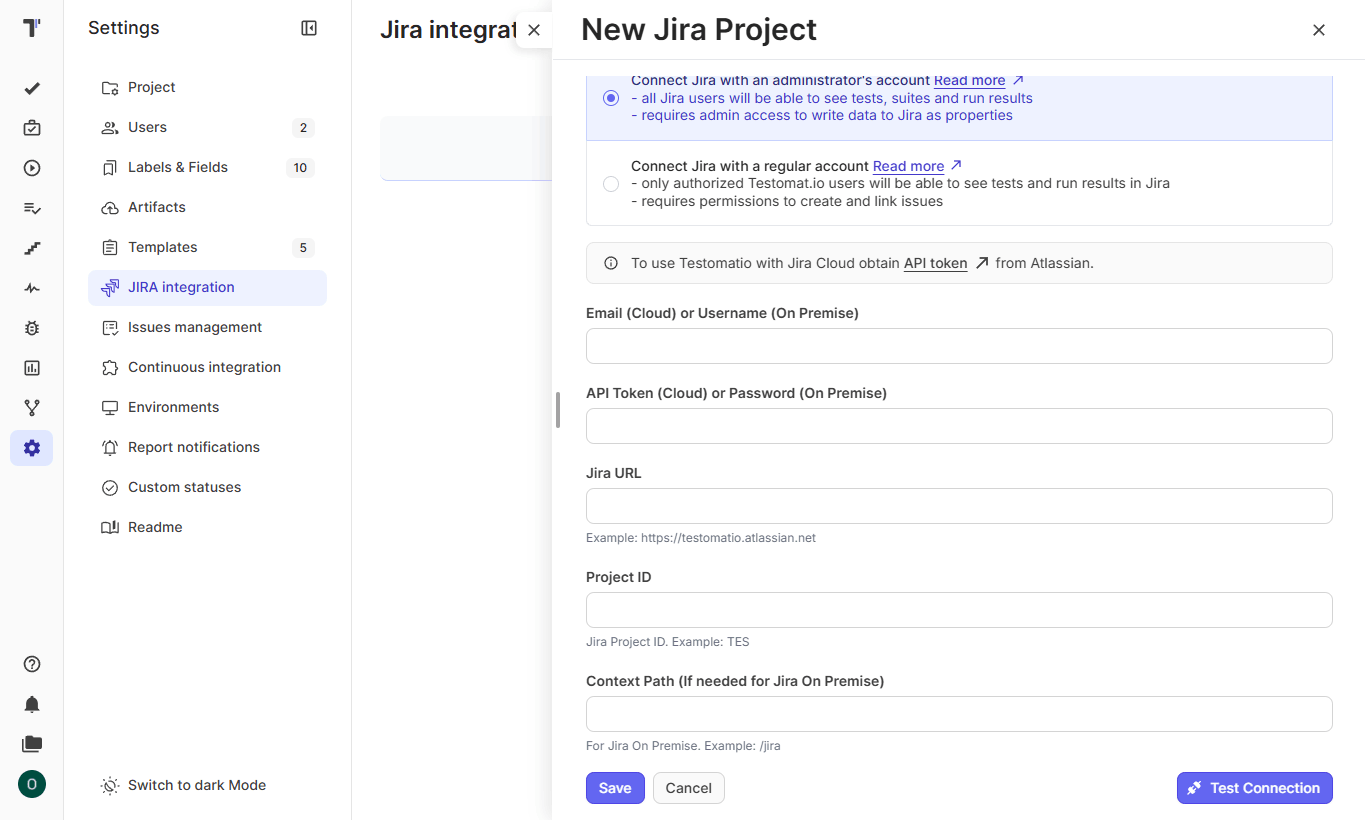
Your Jira workflow stays in place after the switch. The Jira integration works both ways: tests link to Jira issues, and run results appear inside tickets. Non-technical teammates can run manual tests from Jira, and a mixed test run in Jira shows manual and automated results on the ticket itself. QA engineers work in Testomat.io, while product managers read the outcome where they already work: in Jira.
AI Agents Analyze the Suite After Import
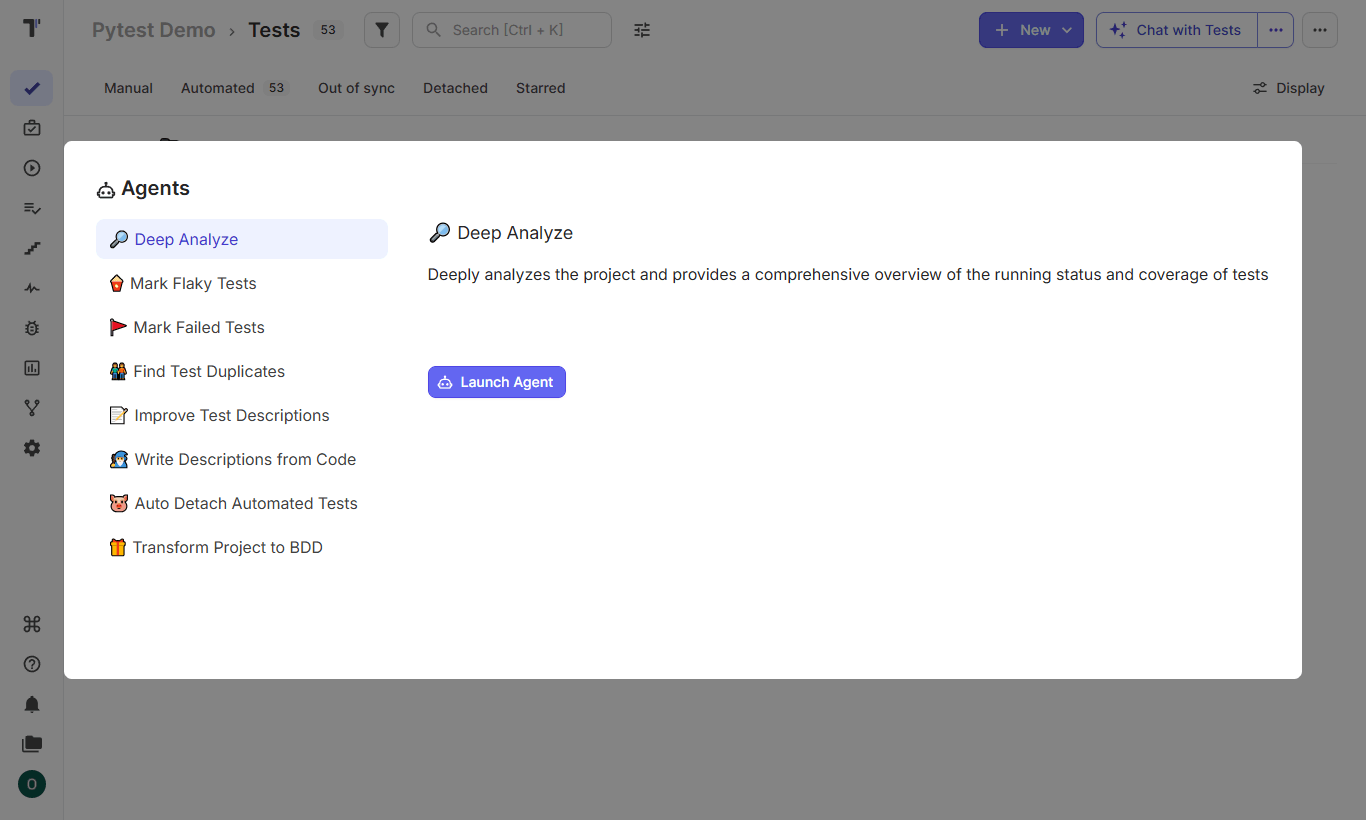
Capgemini’s World Quality Report 2025 found that 89% of organizations pilot or deploy Gen AI workflows in quality engineering, while 15% reached enterprise-wide use. Testomat.io integrates this capability into the platform with specialized agents. The Deep Analyze Agent reviews your project and reports test coverage and testing health, which helps right after a migration when your project contains years of Xray history. The Write Descriptions from Code agent documents automated tests that arrived from the repository with empty descriptions.
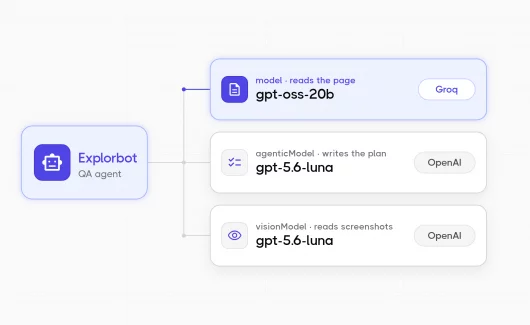
Another agent works outside the platform. Explorbot, a free open-source AI agent that works with Testomat.io, explores your web application and generates 30 to 50 test cases per hour as Playwright or CodeceptJS code. After a migration, it can add new coverage to your existing scripted suite, and you pay for AI tokens only, at roughly $1 per hour of exploration.
How Do You Migrate from Xray to Testomat.io?
- Create a project in Testomat.io and configure the Jira integration first. When issue links are present in your import file, the matching Jira issues attach to test cases automatically.

JIRA integration - Export your test cases from Xray to CSV. Tests in Xray are Jira work items, so the standard Jira issue export works for this.
- On the Tests page, choose More import options and then Import from CSV. Set the source to XRay and upload your export.
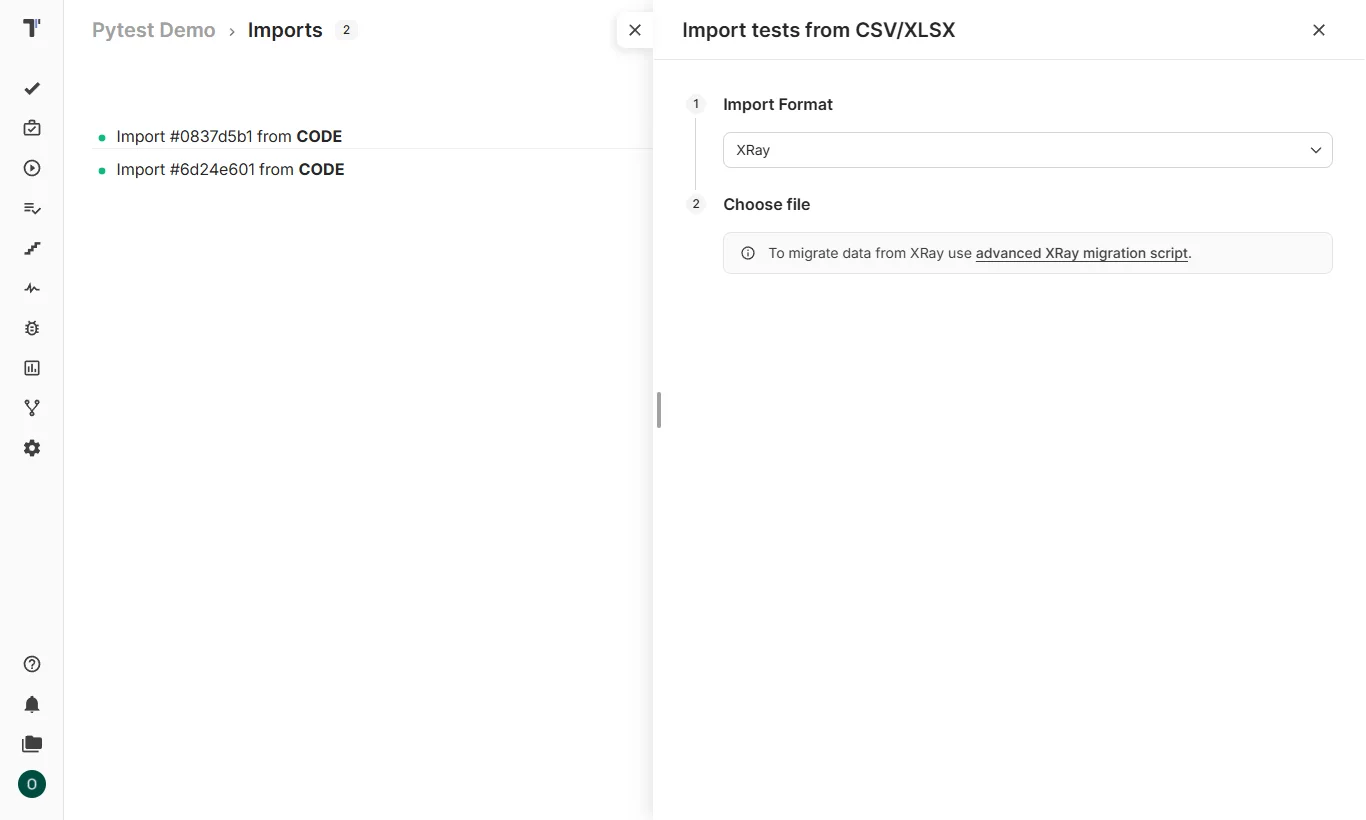
- For custom fields or complex structures, you can use the migration script from the Xray import documentation. It pulls test cases through the Xray API and converts them into a compatible CSV.
- Check the result on the Imports page. Each import shows the number of created tests, so you can compare it with your Xray project and review the folder structure.
- Then you can run the Deep Analyze Agent to check coverage and the Write Descriptions from Code agent to document tests with empty descriptions.
Xray vs Testomat.io Pricing Comparison
The pricing models differ in structure. Atlassian bills Xray for your Jira user tier, and Testomat.io charges per active user with a free entry plan.
Xray sells two editions, Standard and Advanced, as paid apps on the Atlassian Marketplace. The app tier must match the Jira tier, so a large Jira instance raises the Xray bill even when the QA team is small. Current numbers for your team size are listed on the Marketplace pricing tab.
Testomat.io publishes flat per-user prices on its pricing page:
- Free: 2 users and 2 projects, with automated test support and the MCP server.
- Professional: $30 per user per month, or $27 with annual billing. It includes the AI features and CI/CD integrations.
- Enterprise: custom pricing, with SSO and on-premise deployment.
Read-only access lets stakeholders view results with a viewer account.
As vendors might update their prices, you can confirm the current numbers on the linked pages before you decide.
Bottom Line
Xray serves Atlassian-centered teams well, and its native Jira experience brings real value. Testomat.io fits teams that want test management to follow their code and their release process, with Jira kept as the collaboration layer. The free plan and the XRay importer make the comparison easy to test on your project. Sign in to Testomat.io for free and import your Xray test cases to compare both tools on real data in one click.