Your team tests a connected device the way you test any product. You run functional checks and integration tests. A security pass follows before release. But a connected product lives somewhere your test bench cannot reach. That distance between a device that passes in the lab and one that works in the field is where IoT testing is useful. In this guide, you’ll learn what the work covers and why it is harder than app testing. Then you’ll see which testing strategies keep coverage under control across a fragmented fleet of devices. Here’s what we’ll cover, from the basics to the practices that keep a large suite under control.
What Is IoT Testing?
IoT testing, also called IoT software testing, checks that a connected product works across its full stack, from the physical device and its firmware to the cloud backend and the app people use. The Internet of Things (IoT) means physical objects, from smart home devices to industrial sensors on a factory floor, that connect and share data over a network. IoT device testing is the same work seen from the device side, where the hardware and its firmware come first.
Why does this matter? Because a bug rarely stays in one layer, and testing helps only when it follows the data across all of them. A sensor takes a reading, and the firmware formats it. That value then travels through the network to the cloud and into the app. A fault anywhere along the path reaches the user. The numbers are huge, too. IoT Analytics expected 21.1 billion connected IoT devices by the end of 2025, growing 14% year over year, according to its State of IoT 2025 report. Every one of those connected devices is something you have to test.
The Four Layers You Are Testing
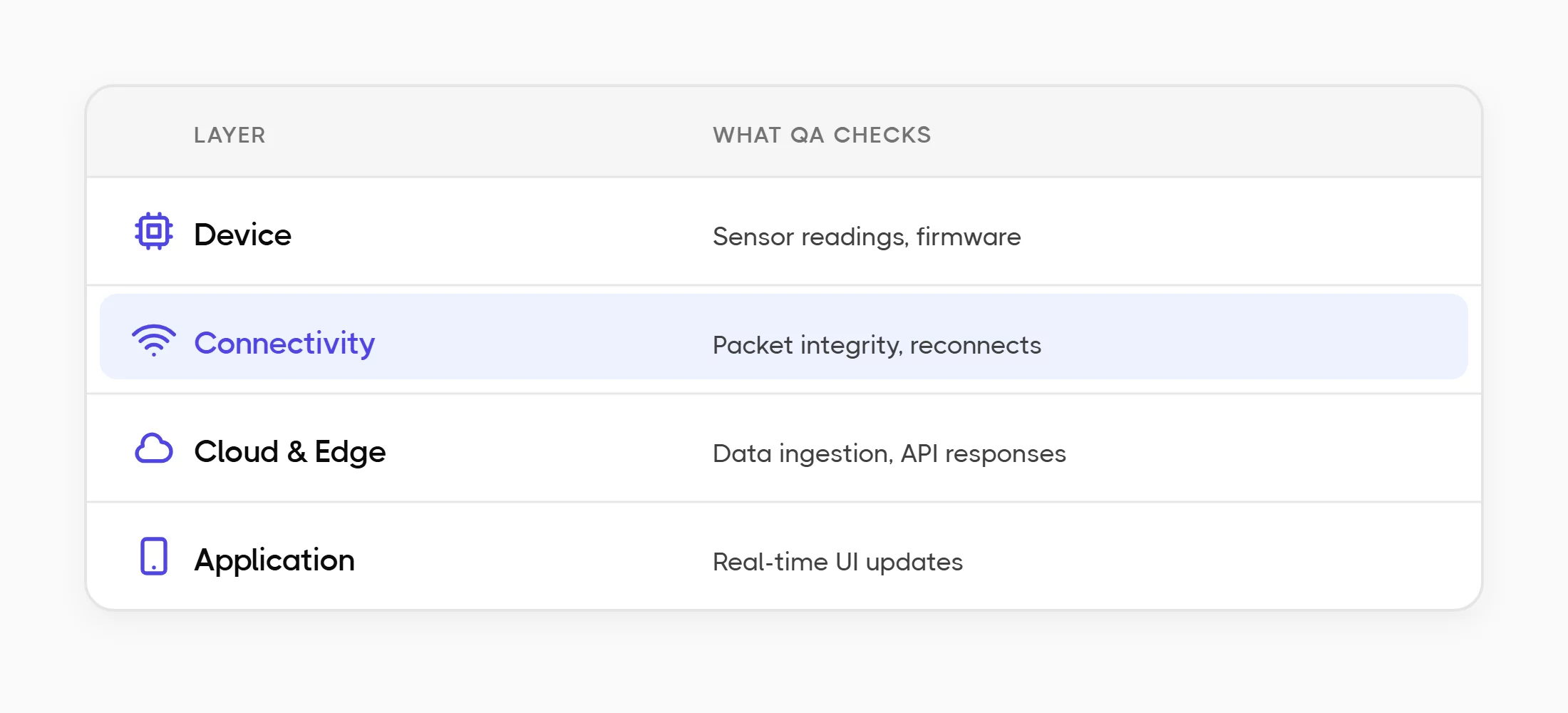
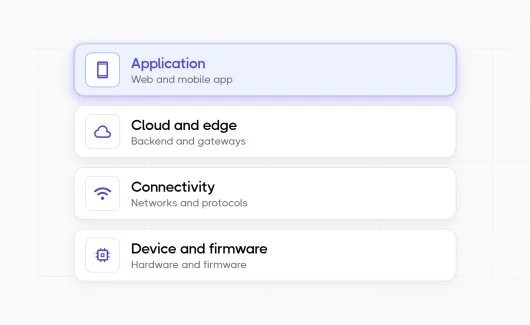
An IoT architecture splits into four layers, and each is a distinct part of the IoT ecosystem. Keep them separate in your test plan so a failure points to the right place.
- Device and firmware. The physical IoT device and its embedded firmware, the hardware and software components that drive its sensors and actuators.
- Connectivity. The protocols and networks behind communication between devices, such as WiFi, Bluetooth, cellular, MQTT, or CoAP.
- Cloud and edge. The backend that receives data, plus any gateway or edge node that processes it first. This is where edge and gateway testing lives.
- Application. The web or mobile IoT application people use to monitor and control the device, checked by IoT application testing so the screen reflects device state.
Why Is IoT Testing So Hard?
Testing a connected product is harder than standard software testing because you rarely control the whole environment, and the parts you do control grow fast. A web app runs in a few browsers. A connected product runs on many hardware revisions and firmware versions at once, under changing network conditions. Most IoT testing challenges come from that sheer number of moving parts, not from any single hard bug.
#1: Device And Firmware Fragmentation
One product line can include several hardware revisions, each on a different firmware version, sold across regions with different rules. A test that passes on revision B with firmware 2.1 may fail on revision A with firmware 1.9. The number of combinations grows with every release, and each combination is a separate thing to check.
This is why late defects hurt so much here. Poor software quality cost US organizations an estimated $2.41 trillion in 2022, according to CISQ, and the later a defect is caught, the more expensive it is to fix. A device already in a customer’s hands can need a firmware recall. So IoT teams move testing earlier.
#2: Unreliable Networks And Real-World Conditions
Your device will face weak signals and dropped connections that a clean office network never shows. Power cuts happen in the field too. A thermostat that reconnects on its own after a ten-second WiFi drop is doing something your bench test may never check. A good test plan creates these conditions on purpose: latency and packet loss, plus low battery and interrupted firmware updates.
What Are The Main Types of IoT Testing?
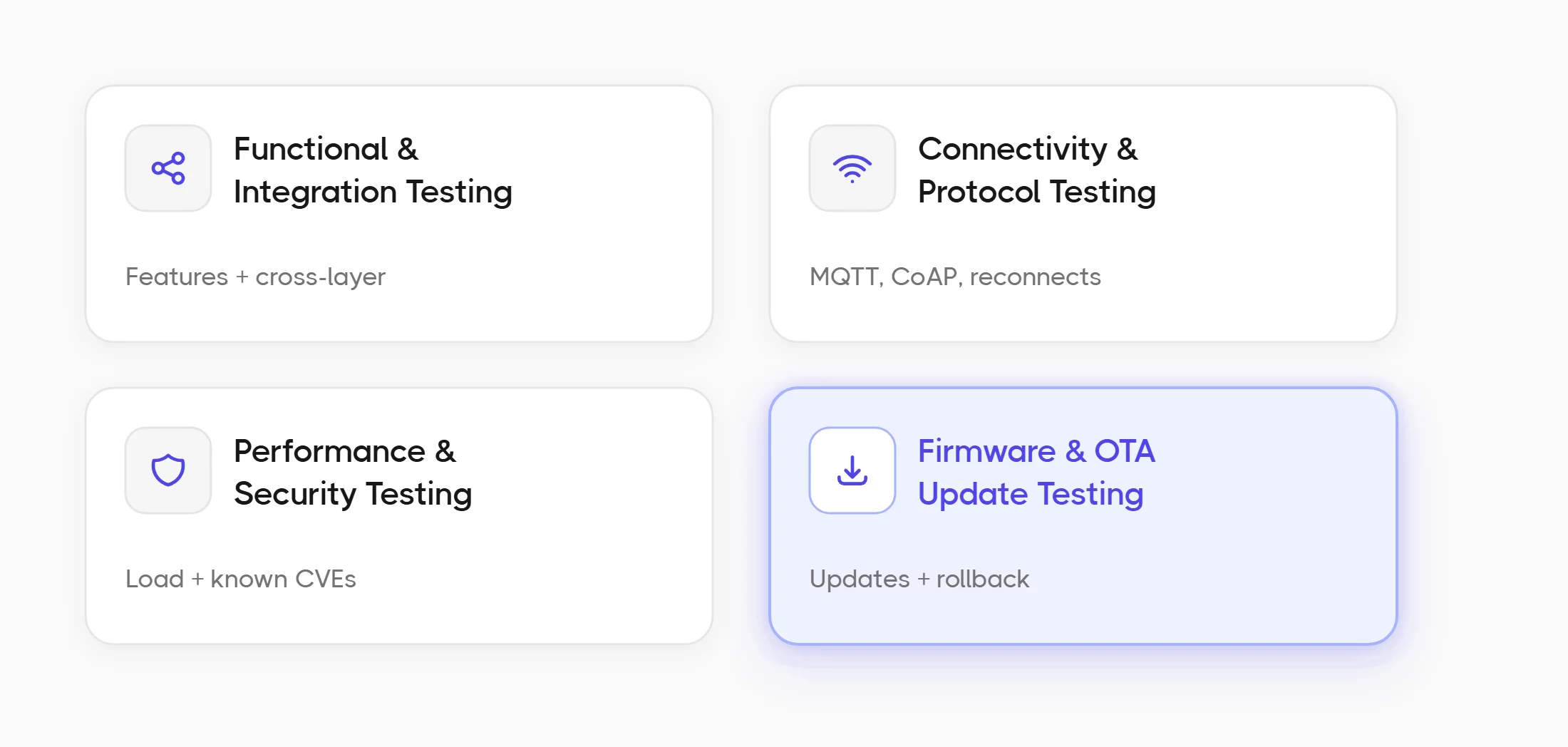
Every IoT product needs a mix of testing types. It spans functional and non-functional testing, from unit testing of a single component to system testing of the whole product. Some check that features work. Others check how the system behaves under stress and poor connections. Here are the types that matter most, and the test scenarios each one owns.
Functional And Integration Testing
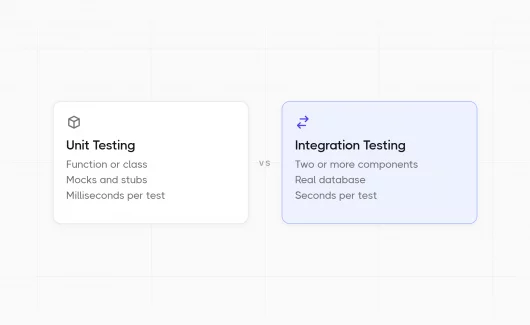
Functional testing checks that each feature does what the requirements say: a button press activates a light, a sensor threshold triggers an alert. Integration testing then checks that the layers work together, so a reading from the device travels through the network and appears correctly in the app. On a connected product, this is system integration testing in the fullest sense, since the layers belong to different systems. Interoperability testing also matters here, since it confirms devices from different vendors work together. End-to-end testing goes one step further and follows a complete user journey, from the sensor reading to the number on the screen. Most bugs appear at these boundaries, where firmware meets cloud and cloud meets app.
Connectivity And Protocol Testing
Connectivity and protocol testing checks how the device communicates and how it recovers when the connection weakens. IoT devices often use lightweight messaging protocols such as MQTT and CoAP rather than plain HTTP, because they work well on low-power links. The MQTT specification defines quality-of-service levels that decide whether a message arrives once, at least once, or exactly once, and your tests should confirm the device follows them. Also test roaming between networks and reconnection after a drop. Check what happens when bandwidth drops, too. Data integrity testing then confirms a reading survives the trip to the cloud without loss. For deeper coverage of this layer, see a list of network testing tools made for this job.
Performance And Security Testing
Performance testing measures how the system behaves as the load grows, with thousands of devices reporting at once and a backend that must handle the flood of readings while the IoT application stays fast. IoT performance testing usually targets the backend and the message broker, since those overload first. Scalability testing confirms the backend keeps working as the fleet grows from hundreds to millions of devices.
Security testing matters more for connected products than for most software, because a hacked device is a way into your network. A 2024 IoT security report from Bitdefender and NETGEAR found that 99% of IoT attacks use already-known CVEs, so most break-ins come from known, unpatched weaknesses. Test for default passwords and data sent without encryption. Weak update systems need a check too. For a deeper look, penetration testing simulates a real attack to find weak points before an attacker does. Compatibility testing and usability testing belong here as well, since a device has to work across operating systems and app versions. It also has to work for the people who actually use it.
Read also: The Basics of Non-Functional Testing and Non-Functional Requirements: Examples and Definition, which cover the security, performance, and reliability concerns at the heart of IoT QA.
Firmware And OTA Update Testing
Firmware runs the device, and over-the-air (OTA) updates change that firmware after the product ships. An interrupted or corrupt update can permanently break a device, so OTA testing is one of the highest-risk areas in the whole plan. Write test scenarios for the update under a dropped connection, and check the rollback when an update fails. Confirm the device still works on both the old and new firmware during a staged release.
How To Perform IoT Testing: 5 Steps To Follow
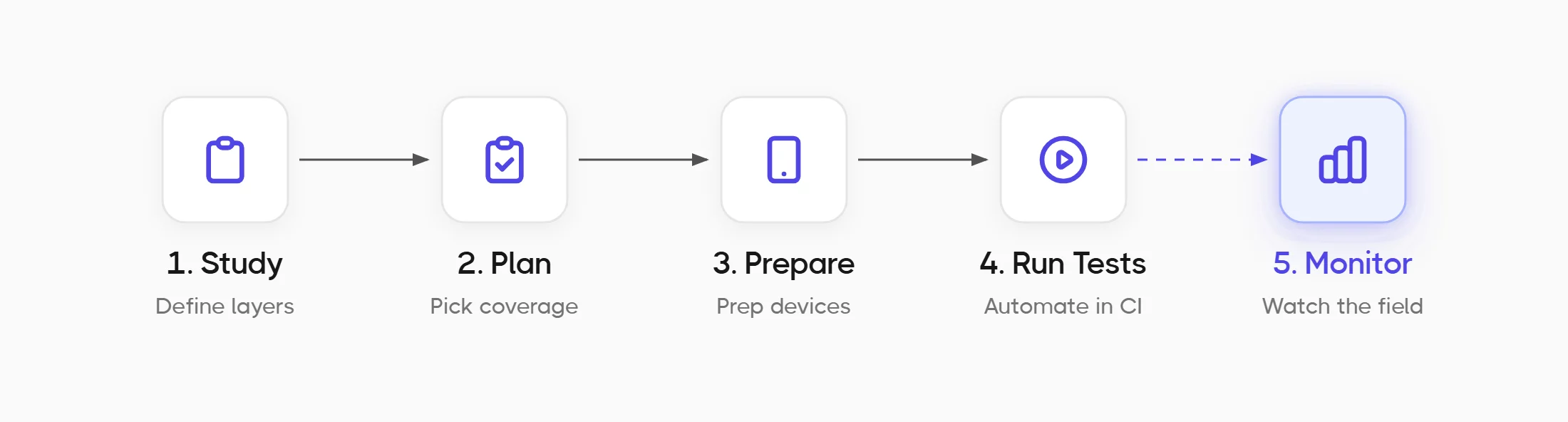
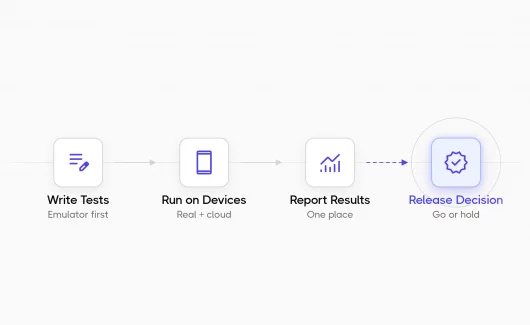
A repeatable IoT testing process stops this work from becoming messy. Follow these steps in order, from requirements to ongoing monitoring:
- Study the requirements. Define what each layer of the IoT system must do, including the rules for your target regions.
- Plan the test types and coverage. Decide which testing strategies apply, then list the hardware revisions and firmware versions in scope, plus the network profiles that matter. Choose which combinations you will test and which you will accept as risk, and write that decision down. A test coverage plan you can show is the difference between a safe release and a guess.
- Prepare the test environment. Get the real devices and simulators the plan calls for, along with the network conditions you need to recreate the IoT environment.
- Run and automate the tests. Test every device and firmware combination in scope. Manual testing is too slow for a growing device matrix, so IoT automation testing handles the parts that repeat. Connect your automated suites to the pipeline with CI/CD execution so every firmware change triggers the right tests, and regression testing catches a break in minutes instead of after the firmware ships.
- Monitor results from the field. Watch how devices behave after release, and use real failures from the field to improve the suite.
Best Practices That Scale
Knowing the types and the process is the starting point. Keeping a large suite reliable over time is the real work, and it depends on a few best practices that most guides skip. These best practices shape an IoT testing strategy that stays reliable as the fleet grows. Each one below shows a practice and a real way to apply it in a test management platform, so each idea stays practical.
#1: Test Across The Full Device Matrix
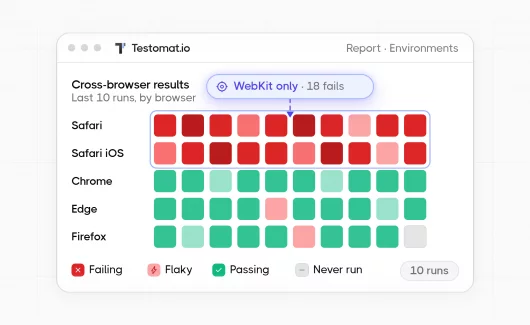
One sample device tells you almost nothing about the whole fleet. Run each test case across the combinations of device and firmware, operating system and network, that represent real customers. Buying every device for a lab is expensive, so some teams rely on external IoT testing services for hardware they do not own. Whichever way you go, Testomat.io supports multi-environment execution, so the same test case runs across every device and OS target and reports results per environment. That turns a vague question into a clear grid of what passed where.
#2: Track What You Have Actually Covered
A pass rate answers whether the tests you ran succeeded. Test coverage answers which parts of the product you tested at all. Those are different questions, and coverage is the one that shows what you missed. Testomat.io reports test automation coverage so you can see the tested and untested areas of the fleet at a glance, instead of guessing from a green dashboard.
#3: Combine Manual Field Checks With Automated Runs
Testing a connected product is part automated and part manual. Someone still walks a device around a building to test the signal, and someone still confirms the hardware feels right. The problem starts when those manual results live in a separate spreadsheet from the automated ones. Testomat.io handles mixed test runs that combine manual and automated results in one run, so field checks and pipeline results form one record.
#4: Isolate Flaky Tests Instead Of Ignoring Them
Unstable networks cause flaky tests, meaning tests that pass and fail without any code change. If you ignore flakiness, people stop trusting the suite and stop reading the results. A 2022 academic survey on test flakiness found that most developers face flaky tests often, and field conditions make that worse. Testomat.io provides flaky test analytics that find unstable tests using the data, so you can separate them and keep the results clean.
#5: Make Every Failure Traceable
When a firmware bug hits 200 devices, you want to see the root cause instead of 200 separate tickets. Testomat.io uses AI failure clusterization to group failures by the same error, so a bug becomes a finding. From there, AI writes the bug report for you, and you can raise one defect in your connected issue tracker in a click. Every defect then lives on the Defects board, linked to its tests and synced to Jira, so you trace a bad release from failure to fix. Now, this process replaces a week of hard work.
How Do You Know An IoT Product Is Ready To Release?
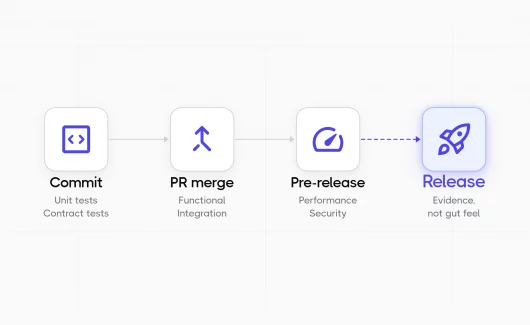
You know an IoT product is ready when coverage across your device matrix is confirmed and the critical tests pass under real-world conditions. The remaining open defects should carry a known, acceptable level of risk. Release readiness is a decision based on evidence. One pass-rate number on a dashboard rarely tells the whole story. This changes what QA reports to management. Instead of reporting that 94% of tests passed, a manager can say which device and firmware combinations are confirmed and which are not. They can also say what risk is left. A risk-based testing approach helps you decide what must pass before release and what can wait for a later update. For regulated products, link tests to requirements so the audit trail is ready when you need it.
IoT Testing Tools By Layer
No single tool covers the whole IoT stack, so teams use several tools and connect them to one place for reporting. The table below matches common tool types to the layer they serve.
| Layer | What it does | Example tools |
|---|---|---|
| Device simulation | Simulate thousands of virtual devices | Device simulators |
| Protocol and load | Generate MQTT or HTTP load at scale | Apache JMeter |
| Network analysis | Check packets and connections | Wireshark |
| Security | Scan for common weaknesses | OWASP ZAP |
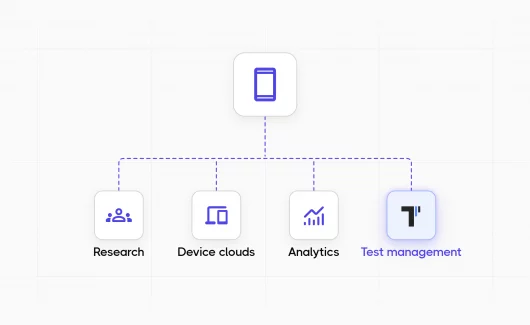
| Test management | Track cases and runs, coverage and results | Testomat.io |
The point tools check single layers. The test management layer, a testing platform that sits above them, keeps the run history and coverage data for the whole product, so results from every tool and every environment form one picture instead of scattered reports. In practice, that means you import automated tests from source code, keep manual and automated cases together under test case management, and read coverage and stability from test analytics and automation metrics. Tag cases by device type, firmware version, or protocol so the device matrix stays legible as it grows.
Bottom Line
Testing connected products works when coverage and risk stay visible across a wide range of devices and firmware versions. More test types help only if the results you already have are reliable. That is why you ned to get the layers and types right, and follow a repeatable testing process. Then use the practices that keep a large suite reliable as devices and firmware versions grow. If you are ready to manage your automated and manual IoT runs in one place, with coverage across every environment, see Testomat.io and start with your current suite.