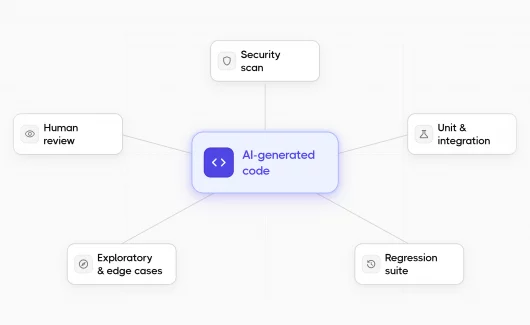
Tester’s Army e2e has made a loud entrance into test automation in October 2026. Its GitHub repository has passed 10,000 stars in two weeks. The appeal is easy to understand: write familiar TypeScript tests, then let an AI agent handle selected interactions. If you evaluate an e2e testing framework in 2026, reporting deserves a place on your checklist next to speed and syntax. That flexibility creates a reporting question.
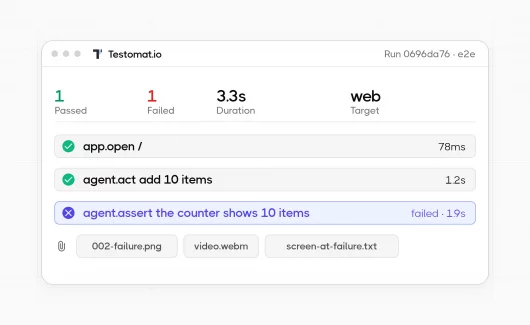
When a test combines locators, assertions, and natural-language goals, a red status alone explains little. You need the executed steps, the agent’s explanation, and evidence from the application. Our team at Testomat.io added a dedicated e2e adapter to Testomat.io reporter. It brings those details into local reports and the Testomat.io platform.
What Is the e2e Testing Framework by Tester’s Army?
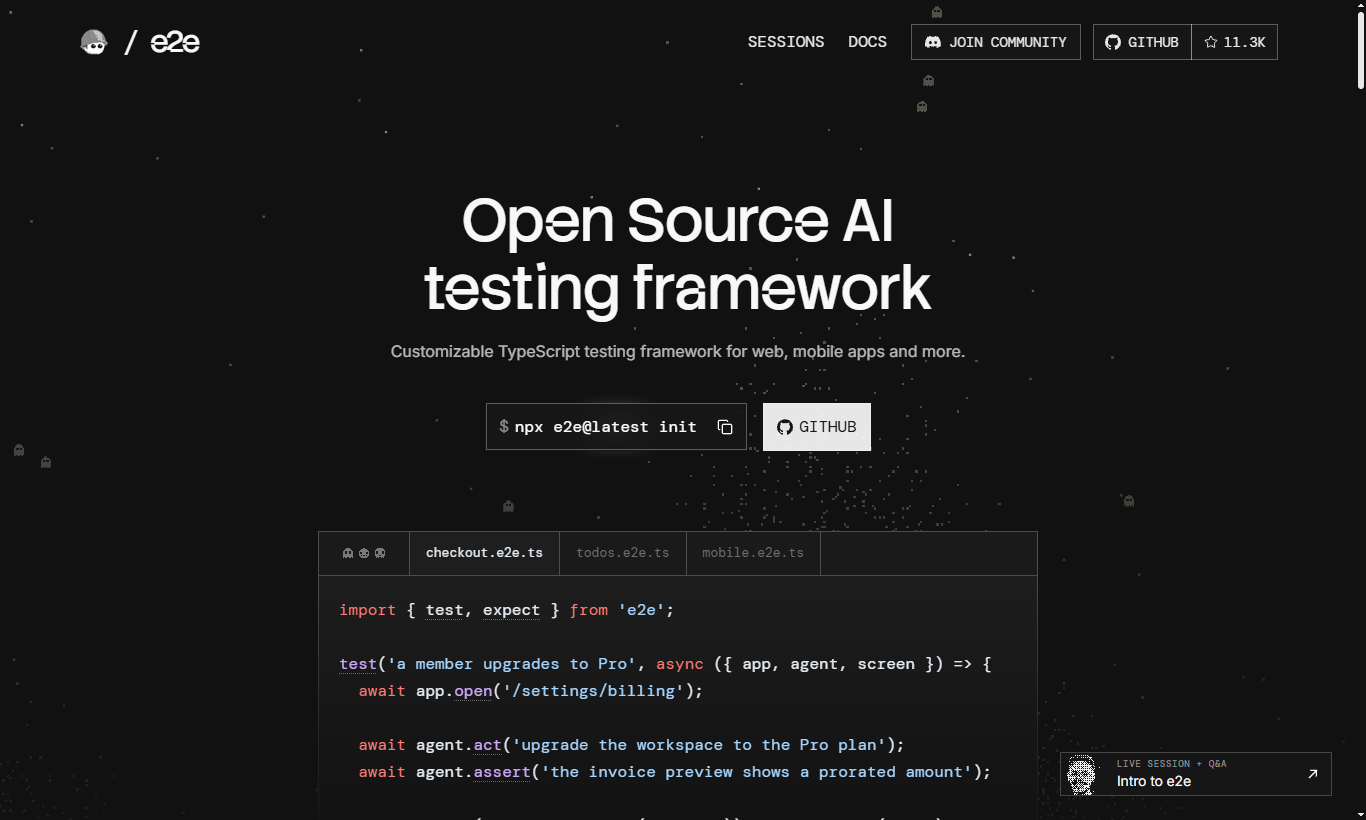
e2e is an open-source TypeScript testing framework for web and mobile applications. Tests can use deterministic actions, AI-driven goals, or both.
Here is the framework’s own example:
// tests/checkout.e2e.ts
import { test, expect } from 'e2e';

test('a member upgrades to Pro', async ({ app, agent, screen }) => {
  await app.open('/settings/billing');

  await agent.act('upgrade the workspace to the Pro plan');
  await agent.assert('the invoice preview shows a prorated amount');

  await expect(screen.getByRole('status')).toContainText('Pro');
});
The agent handles the upgrade flow. A model checks the invoice preview. A deterministic assertion checks the resulting status. Tests without agent steps need no model.
Verified agent.act steps can be cached for later replay without model calls. When replay cannot handle an application change, control returns to the agent. Agent assertions, waits, and extraction still run live.
What to Expect From Reporting in an e2e Testing Framework
A passed or failed status is only the start. When you compare frameworks, you need to check that the reports answer these questions:
| Question | What the report must show | How e2e with the Testomat.io reporter covers it |
|---|---|---|
| What did the test do? | Steps with status and duration | Recorded app.*, locator.*, expect.*, and agent.* calls, with status and duration |
| Why did it fail? | Error text and expected and observed values | Assertion failures with expected and observed values when e2e supplies them, and agent explanations in the step log |
| What did the screen look like? | Screenshots and videos | PNG screenshots linked to steps, plus videos and other files from the final attempt |
| Was it a retry? | Retry count and flaky flag | Retry count and flaky metadata, with steps and artifacts from the final attempt |
| Is the problem new? | History across runs | Run history and analytics in Testomat.io |
Local HTML and Markdown reports cover a single run. Testomat.io keeps the history across runs. For a general overview of what a report should contain, you can read our guide to test reports in software testing.
How It Differs From Playwright
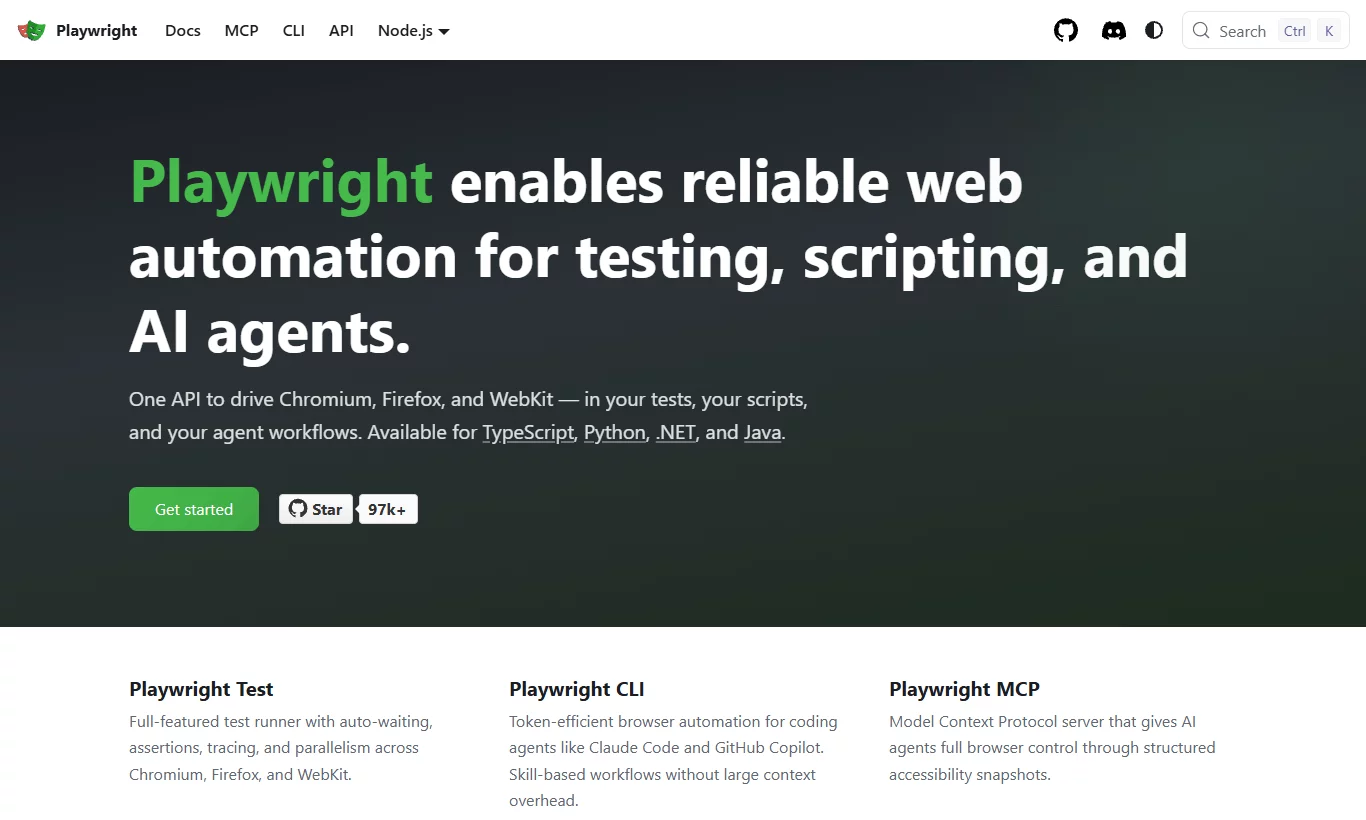
Playwright provides browser automation and a test runner with locators, auto-waiting, and retrying assertions. e2e uses Playwright underneath its web engine, but provides its own runner and API.
Its additional capabilities include:
- Agent goals inside tests.
agent.acthandles a described task alongside explicit locator actions. - Semantic checks.
agent.assertevaluates an outcome described in natural language. - Verified action replay. Cached agent actions reduce repeated model calls.
- Web and native mobile targets. The framework exposes a shared testing API across browsers, iOS, and Android.
The difference is how you express and execute a scenario. e2e keeps deterministic checks available while making AI-driven execution part of the framework. You can find API differences in its Playwright migration guide.
For Playwright’s own report formats, you can read our Playwright reporting guide. For AI in Playwright workflows, you can read our Playwright AI automation guide and the article on multi-agent AI testing with Claude Code and Playwright Test Agents.
1. Import Your Tests First
To start, you need an existing e2e project and a Testomat.io project. You need to set TESTOMATIO to your project’s API key through your local environment or CI secrets. You should never commit the key.
You need to import the test definitions before reporting executions:
npx check-tests playwright "tests/**/*.e2e.ts" --typescript --sync --update-idsYes, the importer name is playwright. e2e uses a similar test declaration API, so the Playwright parser recognizes its test and suite declarations. Your tests still import from e2e. Your execution command remains e2e run.
The options have separate jobs:
--typescriptenables TypeScript parsing.--syncwaits for the import to finish.--update-idswrites Testomat.io IDs into test titles for stable result matching.
You need to review and commit the ID changes. You can adjust the glob to cover your suite. For a shared Testomat.io project, you can add --no-detached if this import must leave other imported tests attached. Importing creates the test catalog; it does not execute the tests.
2. Add the e2e Reporter
You can install the reporter package:
npm install --save-dev @testomatio/reporterThen you can add its e2e adapter to e2e.config.ts. This minimal web configuration follows the adapter documentation:
import type { E2EConfig } from 'e2e';
import { web } from '@e2e-dev/web';
import testomatio from '@testomatio/reporter/e2e';

export default {
  targets: [
    { engine: web(), app: { url: process.env.APP_URL } },
  ],
  reporters: ['list', testomatio()],
} satisfies E2EConfig;
You need to set APP_URL to your running application. When you update an existing config, you need to retain its targets, agents, model provider, and other settings. The AI example above needs your existing model configuration.
You can keep 'list' for terminal output. testomatio() reads the TESTOMATIO environment variable.
Then you can execute your suite:
npx e2e runThe adapter creates a Testomat.io run when execution starts. It sends the test results after execution finishes, then finalizes the run. It is not a live stream of each completed step.
3. Read the Execution Step by Step
You can open the resulting run in Testomat.io and inspect a test.
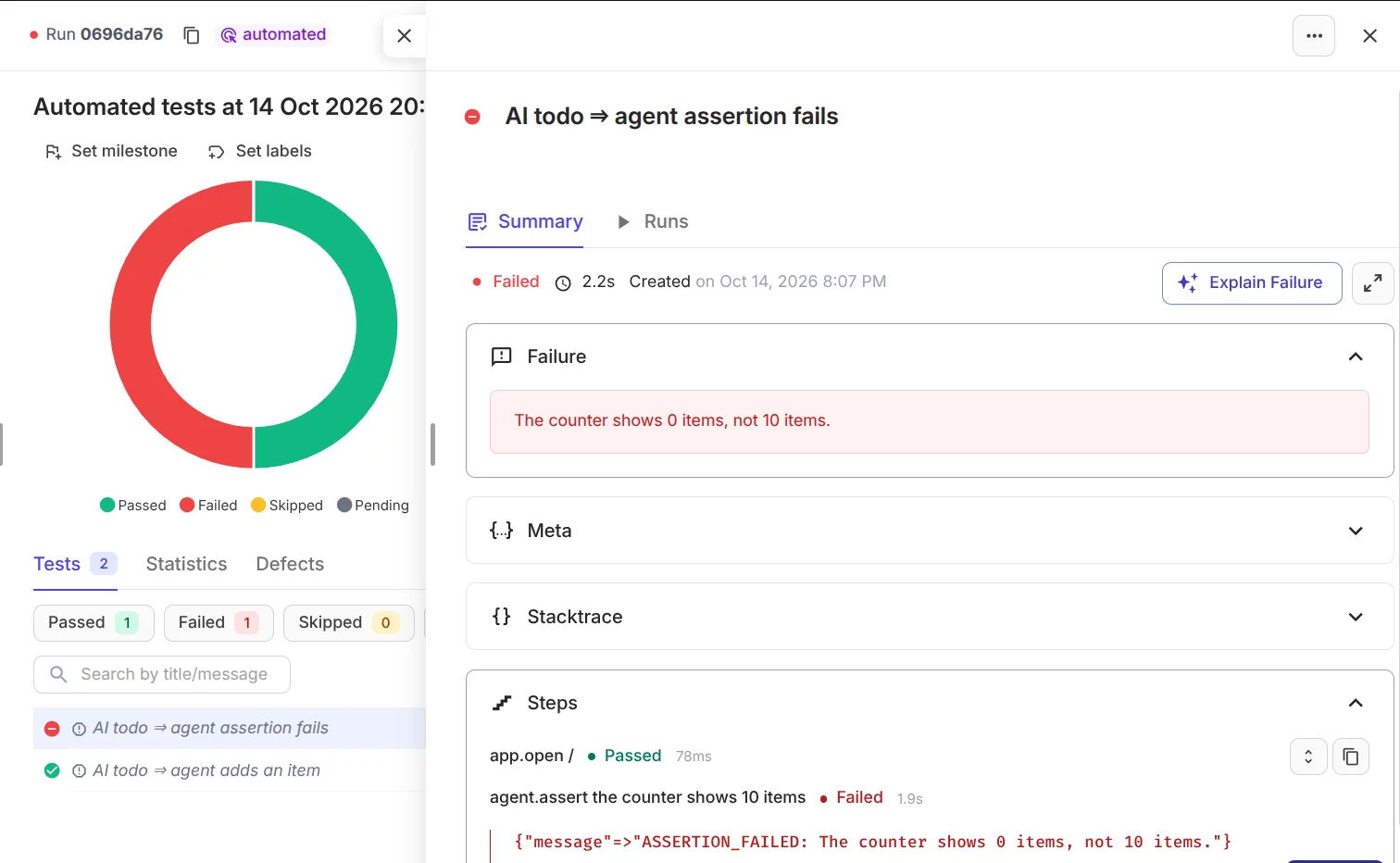
The adapter reports the framework’s recorded calls, including app.*, locator.*, expect.*, and agent.* steps. For each recorded step, it preserves status and duration. Agent explanations and reasoning events go into the step log. Assertion failures include expected and observed values when e2e supplies them. The report also includes suite names, tags, application logs, and target, platform, and browser metadata.
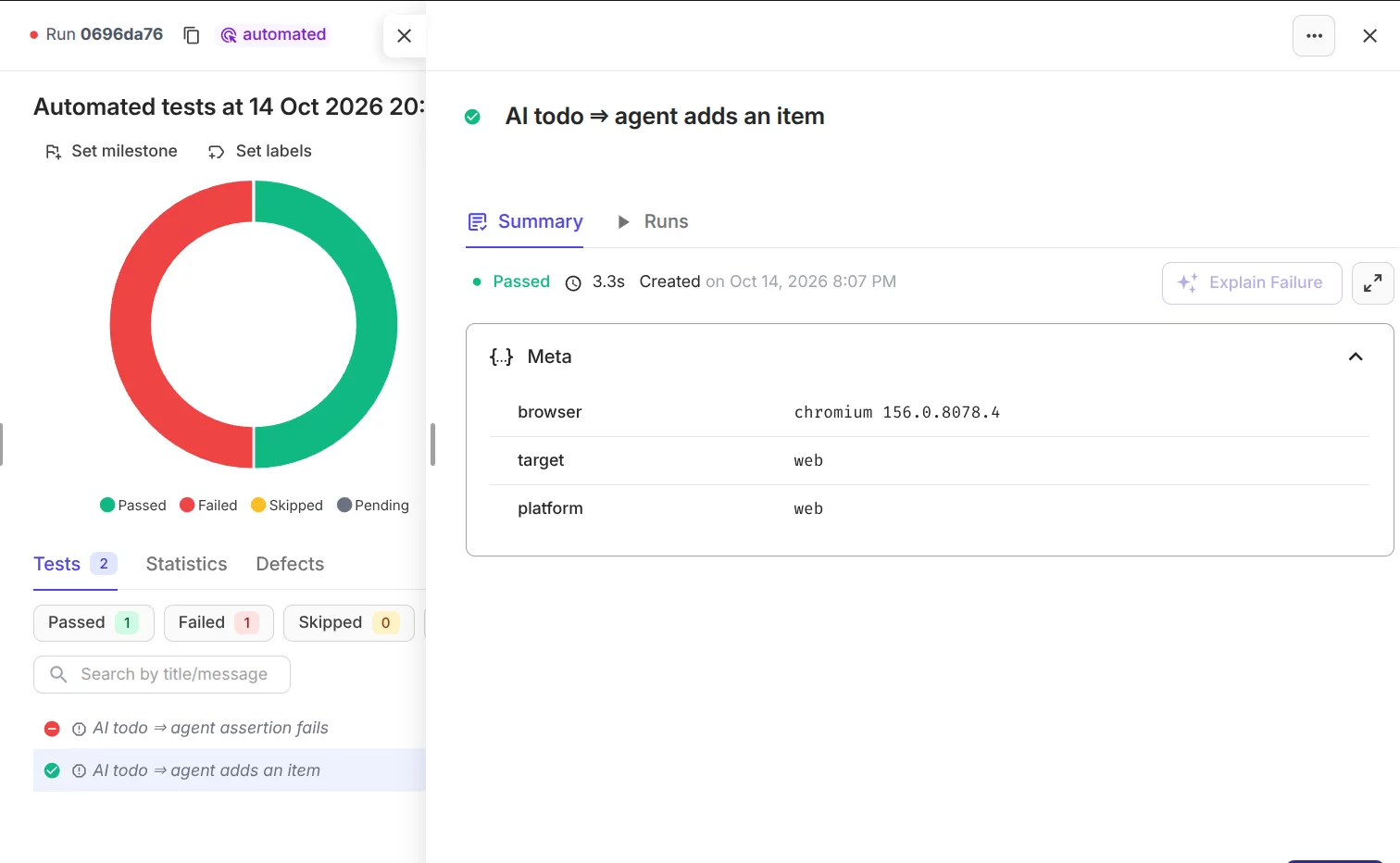
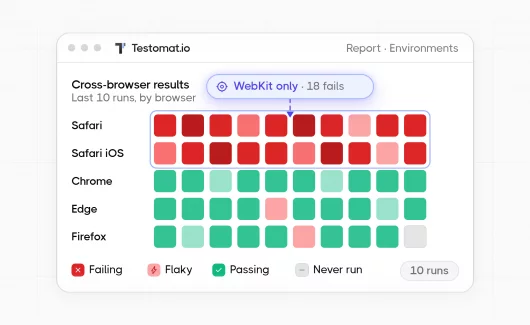
You can use this environment and browser data to compare results across targets.
Retries have an explicit boundary: the adapter reports the final attempt’s steps and artifacts. Earlier attempts contribute to retry metadata. A test that passes on retry is reported as passed, with retry count and flaky metadata.
This lets you distinguish a failed locator action from a failed semantic check without reconstructing the test from its final error alone. For a failed test, you can also use AI failure analysis in Testomat.io to get a first explanation.
4. Keep Screenshots and Videos With Failures
The adapter collects local artifacts listed on the final attempt.
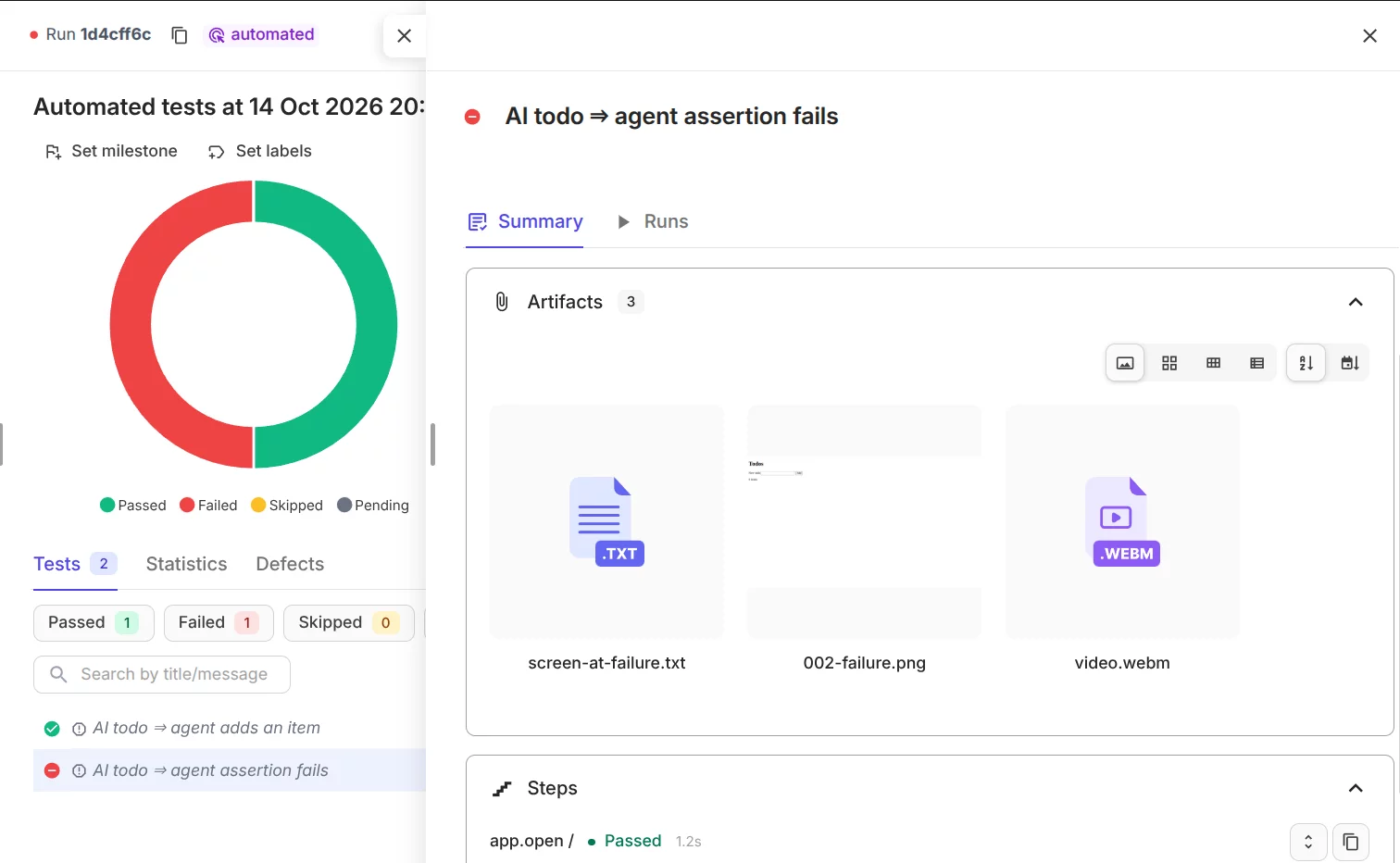
Available PNG screenshots are associated with their steps by default. It can also attach other recorded attempt files, including videos. Artifact capture belongs to e2e. You can enable video retention in your existing configuration when you need it:
video: 'retain-on-failure',This is a top-level config property. e2e captures failure screenshots when the engine and security rules allow it. You can request a screenshot in a test with await app.screenshot('billing confirmation'). You can find details in e2e’s artifact documentation.
Capturing a file and publishing it are separate steps. For cloud-accessible artifacts, you need to configure the reporter’s S3-compatible artifact storage:
S3_ACCESS_KEY_IDandS3_SECRET_ACCESS_KEYS3_BUCKETandS3_REGIONS3_ENDPOINTfor providers other than AWS
You need to store these values as secrets. For private artifacts, you need to set TESTOMATIO_PRIVATE_ARTIFACTS=1 and configure matching storage access in the Testomat.io web app.
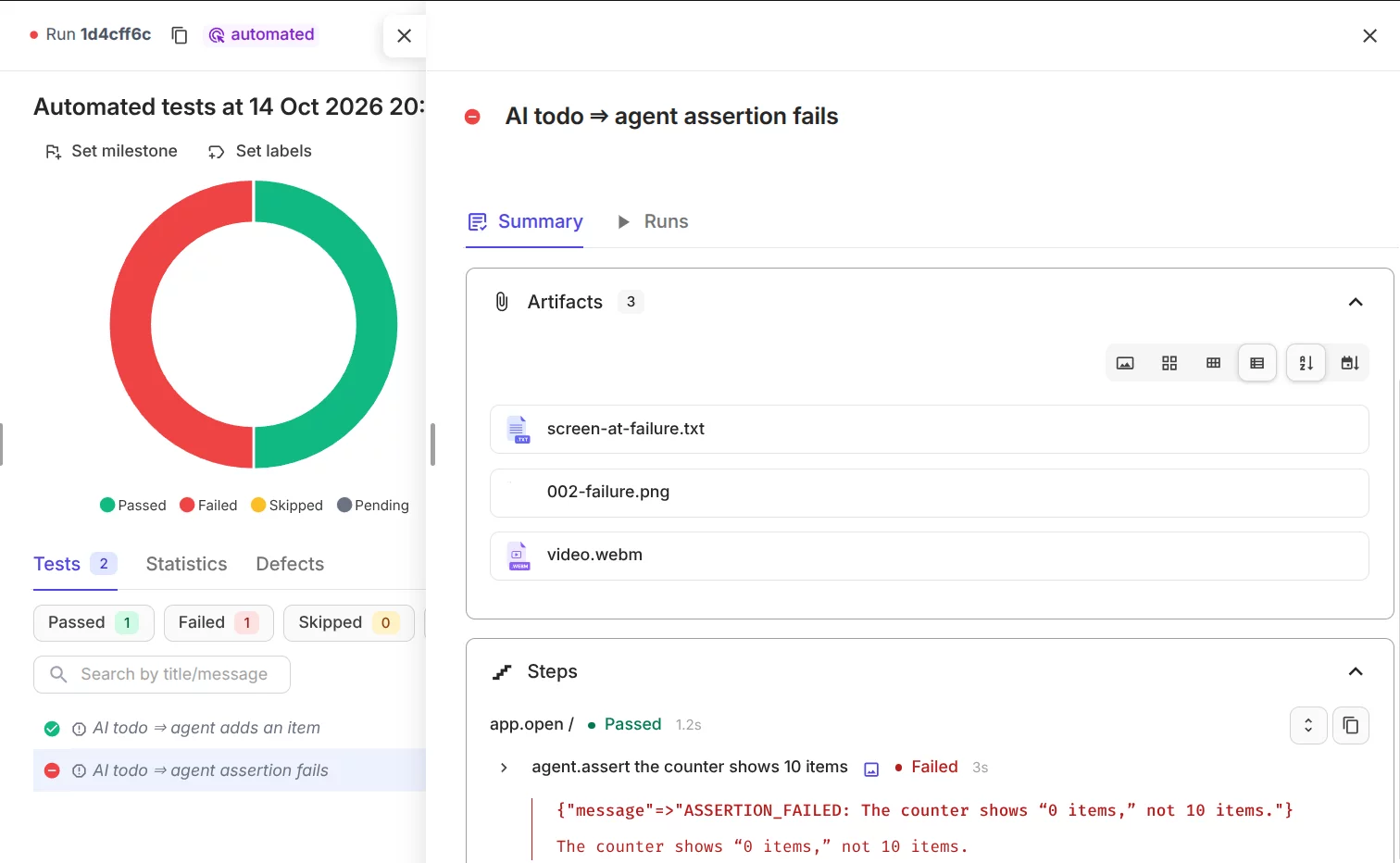
The platform can then display artifacts through signed links. You can follow the artifact setup guide. The adapter does not create missing recordings. Hosted video URLs are retained as metadata rather than downloaded for re-upload.
Local HTML and Markdown Reports
You can use the reporter during local development without sending results to the cloud. With TESTOMATIO unset, you can generate an HTML report:
TESTOMATIO_HTML_REPORT_SAVE=1 npx e2e runYou can open html-report/testomatio-report.html. Without S3 uploading configured, local artifacts are copied beside the report. You need to keep the whole html-report directory when you share it.
For a Markdown view:
TESTOMATIO_MARKDOWN_REPORT_SAVE=1 npx e2e runThe output is md-report/testomatio-report.md. It groups tests by suite with steps, errors, logs, and artifact links. Local artifact links still require the original files.
Both outputs can run together. You can leave TESTOMATIO set when you also want cloud reporting:
TESTOMATIO_HTML_REPORT_SAVE=1 TESTOMATIO_MARKDOWN_REPORT_SAVE=1 npx e2e runYou can find output options in the HTML and Markdown reporter documentation.
Cloud Reports That Keep Their History
Local reports explain the current execution. Testomat.io connects executions to the imported test catalog and retains their history. That history supports analytics:
- recurring failures
- flaky tests
- slow tests
- trends across runs
Your team can inspect an individual failure with its steps and evidence, then examine whether the problem repeats. Testomat.io also gives you more tools for working with results:
- Compare test runs to see what changed between executions.
- AI failure clusterization groups similar failures.
- AI run summary gives you a short overview of a run.
- Public test reports let you share results with people outside the project.
If you also use self-healing tools, Testomat.io works as the reporting layer above them. You can read more in our self-healing test automation guide.
Bottom Line
The e2e testing framework by Tester’s Army lets you mix locators, assertions, and AI-driven steps in one test. Reporting then needs to show which step passed or failed, and why. With the e2e adapter in Testomat.io reporter, you can see recorded steps, agent explanations, screenshots, and videos for each test. You can use local HTML or Markdown reports during development. You can send CI executions to Testomat.io when your team needs run history and analytics. Try Testomat.io for free and send your first e2e run today.